Viewpoints
- 18.78K
- 4.2
- Installs
- 10.00M
- Price
- Free

Screenshots

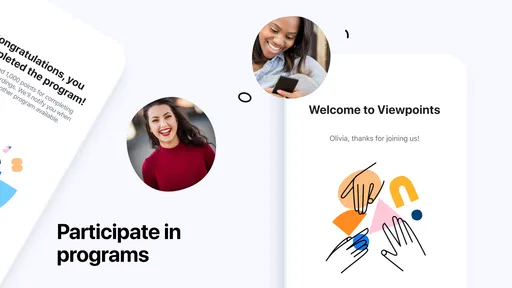


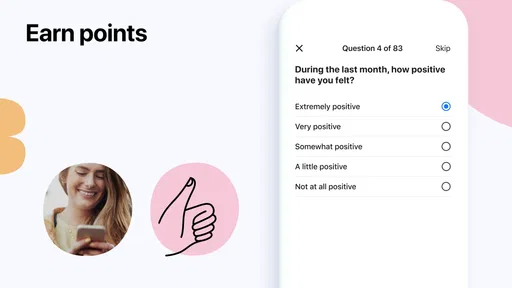
Analysis by Reviewed
I’d approach Viewpoints as an occasional way to take part in research, not as a dependable source of extra income. It is a free tools app from Meta Platforms, Inc., and its basic appeal is simple: eligible users can find opportunities to share feedback and may receive rewards for participating. The experience makes most sense if you’re comfortable giving considered answers when a task appears, rather than expecting a steady stream of work.
Where participation can get confusing
The main friction with a survey app is often not filling in the questions but figuring out what to expect from an opportunity. Availability can vary, and a task that suits one person may not suit another. I’d check the app when I have a few spare minutes, read each prompt carefully, and avoid starting anything I cannot finish without interruption. That keeps a quick feedback session from becoming an awkward half-completed task.
It also helps to treat rewards as a bonus rather than a wage. Before investing time, look at the terms shown for the particular activity and consider whether the effort feels worthwhile to you. If you need predictable earnings, a survey platform is a poor substitute for paid work; if you simply enjoy giving feedback, the occasional reward can make participation more satisfying.
Setup checks before you begin
Viewpoints is listed for devices running Android 7.0 or later. If installation or access is troublesome, I’d first check that the device meets that requirement, that the app is current, and that the account details are entered consistently. The current version is 301.0.0.3.109, and keeping an app updated is a sensible first step when something behaves unexpectedly.
Some participation apps also depend on account eligibility and on opportunities being available to a particular user. So an empty task area does not automatically mean your phone is broken. I’d close and reopen the app, check again later, and make sure I’m signed in to the account I intended to use before spending time troubleshooting the device.
A realistic routine, without overcommitting
Imagine waiting for a bus with a few minutes to spare. I’d open the app, see whether a suitable activity is available, and decide whether I have enough time to read it properly. If not, I’d leave it for another moment rather than rush through answers. This small habit is more useful than repeatedly checking throughout the day, especially if the app is meant to fit around ordinary routines.
For a better experience, I’d answer consistently and honestly, and pause if a question is unclear rather than guessing. That is a practical way to avoid careless responses and makes the time spent feel worthwhile. I’d also keep track of any reward conditions shown for a task, since the details of one opportunity should not be assumed to apply to every other one.
More From Our News Desk

 Lark Player:Music Player & MP3
Switching to Lark Player: A Better Fit for Music Stored on Your Phone?
Lark Player makes sense if your music already lives on your phone. Here is what changes, what does not transfer by assumption, and how to test the switch without regret.

 Tile Master® - Matching Game
Tile Master Finds Its Place in the Gaps of a Noisy Phone
OS changes rarely transform a tile puzzle, but they reshape the small rituals around it. Tile Master’s appeal lies in how well its brief, tactile rounds fit the modern phone.

 Google Docs
 Shows What Mobile Writing Still Gets Wrong
Google Docs still makes a strong case for the shared document, but its real significance is how it exposes the gap between cloud convenience and genuinely capable mobile work.

 YouTube Studio
 Is Becoming a Creator’s Daily Control Room
As publishing turns into a daily, data-led habit, YouTube Studio is becoming the control room creators reach for between uploads—not another tool for making videos.

 Tiles Hop Music & Ball Game
Tiles Hop Review: When the Beat Is Clear, Every Miss Counts
Tiles Hop turns a simple bouncing-ball premise into a sharp test of timing. Its best design is immediate and readable; its weakest moments come when recovery feels less clear than the beat.

 Piano - Music Keyboard & Tiles
: Inviting Rhythm, Unproven Recovery
A tile-tapping piano game lives or dies by timing. This resilience-focused review separates what its format promises from what players still need to verify.
Latest News



What is Viewpoints?
At its core, Viewpoints is an app that allows you to participate in surveys and tasks from various companies looking for consumer insights. The best part? You earn rewards for sharing your opinions. It's like being part of a secret club where your thoughts genuinely matter, and you get paid for it! How cool is that?
Getting Started
Setting up is a breeze. Once you download the app and create an account, you’ll be greeted with a user-friendly interface. The dashboard is clean, showcasing available surveys and tasks you can complete. The app does a fantastic job of guiding you through the process, so even if you're not tech-savvy, you'll feel right at home.
Tasks and Surveys
The tasks vary in nature, which keeps things fresh and exciting. From product testing to opinion-based surveys, there's always something new to explore. Plus, the app ensures that tasks are tailored to your interests, so you won’t find yourself filling out irrelevant surveys. I found this feature particularly thoughtful, as it respects my time and preferences.
Compared with a general survey site or a simple feedback form, the useful distinction is having participation opportunities gathered in a dedicated app. That can make it easier to check for a task during a break, but it does not guarantee that something will be available whenever you open it. I’d choose a broader survey service if my priority were comparing many providers, and use Viewpoints when I’m comfortable checking one app without expecting a full marketplace.
It is best suited to people who are patient with occasional opportunities and willing to share genuine opinions. It is less suitable for anyone who dislikes answering questions about their preferences, wants immediate results, or plans around a fixed reward schedule. A practical tip is to decide in advance how much time you’re willing to give a task; if the activity takes longer than feels reasonable, you can simply save your attention for something else.
Rewards and Incentives
Now, let's talk about the rewards because who doesn't love a good incentive? As you complete tasks, you earn points that can be redeemed for gift cards or charitable donations. It’s a win-win situation. Moreover, the points accumulate faster than you might expect, which is a pleasant surprise. It feels gratifying to see my efforts translate into tangible rewards.
I’d still read the redemption details inside the app rather than assume every reward option works the same way or is available in every situation. That is also the right place to check what happens after completing an activity and how progress is reflected. If a task seems to have ended without an obvious change, I’d first revisit its instructions and the account area, then reopen the app before repeating anything; doing the same activity again could waste time.
Privacy and Security
In today’s digital age, privacy is a significant concern. Thankfully, Viewpoints takes this seriously. The app provides clear information on what data is collected and how it's used. Plus, you have control over what you choose to share. It’s reassuring to know that my personal information is in safe hands.
I’d make that a deliberate choice rather than tap through account or task screens on autopilot. Read the notices and decide whether the information requested feels appropriate for the activity. If you are uncomfortable sharing details for a particular opportunity, skipping it is a reasonable trade-off; no reward is worth answering without understanding what you are agreeing to.
When something goes wrong, I’d separate an app problem from an opportunity problem. A blank task list may simply reflect availability or eligibility, while a screen that will not load is more likely worth addressing with basic steps: check the connection, close and reopen the app, and confirm it is up to date. If the issue persists, avoid repeatedly submitting the same response and use the app’s available support route rather than guessing at a fix.
Who should give it a try?
Viewpoints has a 4.2 average from around 113,000 ratings, and it has been installed over 10 million times. It is free, rated for everyone, and was released on November 25, 2019. Those figures suggest broad interest, but they do not tell me whether a particular person will find enough suitable activities. I’d treat them as context, not a promise of frequent tasks or rewards.
My practical verdict is that this is worth considering if you want a straightforward way to take part in feedback activities during spare moments and are comfortable checking availability without expectations. If you want guaranteed tasks, a fixed payout, or a detailed comparison across multiple survey services, another option may fit better. I’d try it with a small amount of time first, judge the experience by the opportunities actually shown to me, and keep participation optional rather than turning it into a daily obligation.
In conclusion, Viewpoints is more than just an app; it's a platform that empowers users to have their voices heard while earning rewards. Whether you're a tech guru or someone just curious about trying new things, this app is worth a shot. So, why not give it a try and start making your opinions count?
Viewpoints Frequently Asked Questions
Does Viewpoints require an account, and what should I expect when getting started?
Viewpoints is built around taking part in feedback activities, so expect to set up access to the app and follow the prompts shown when you open it. Before you begin, consider whether you are comfortable sharing feedback about apps and services. The available activities and steps may vary, so read each prompt carefully and use the in-app information to guide your choices.
Can I use Viewpoints whenever I want, or are activities available only at certain times?
You can check Viewpoints for activities, but the opportunities available to you may vary over time. The app’s purpose is to reward people for helping improve apps and services they use every day, and participation depends on what is currently offered. If you plan to use it regularly, check back periodically rather than assuming a survey or activity will always be waiting.
Is Viewpoints free to download and use?
Viewpoints is a free app in the Tools category, so you can try it without paying to download it. Its central idea is to reward people for helping improve apps and services they use every day. Keep in mind that participating takes time, and any rewards depend on the activities available to you and the app’s redemption options.
What is Viewpoints and how does it work?
Viewpoints is a mobile application designed to gather user feedback on various topics through surveys and other interactive activities. Users participate in surveys and, in return, earn points that can be redeemed for rewards. The app aims to collect valuable insights while providing users with an engaging way to influence products and services they care about.
Is Viewpoints available for both Android and iOS devices?
Yes, Viewpoints is available for download on both Android and iOS platforms. Users can find the app on the Google Play Store for Android devices and the Apple App Store for iOS devices. Ensure your device meets the app’s minimum system requirements for a smooth experience. For Android, the listed minimum operating system is version 7.0.
Pros
- User-friendly interface
- Wide variety of surveys
- Earn rewards easily
- Flexible participation
- Engaging content
Cons
- Limited availability
- Requires internet access
- Privacy concerns
- Time-consuming surveys
- Occasional technical issues