TikTok Lite - Faster TikTok
- 5.96K
- 4.4
- Installs
- 5.00M
- Price
- Free

Screenshots


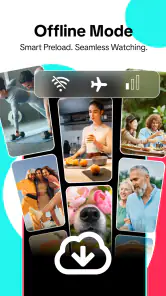

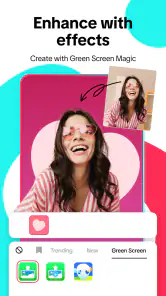
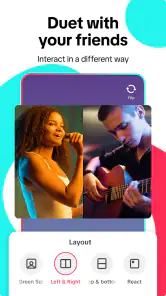
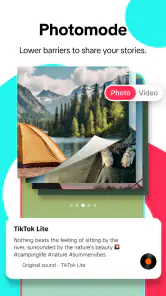

Analysis by Reviewed
I think TikTok Lite makes the most sense when I want a quick way to keep up with friends, creators, and whatever people are sharing without making video browsing feel like a big event. It is a social app from TikTok Pte. Ltd., and its lighter approach is useful when phone space or a slower connection affects how comfortably I can use the main TikTok experience. The key trade-off is that a smoother route into short videos can also make it easier to lose track of time, so I’d treat it as something to open with a purpose rather than leave running in every spare moment.
When a quick social check-in is enough
For me, the strongest use case is a short break: I might open the app while waiting for a ride, check what a few familiar creators have posted, then close it before the break becomes a long scroll. Short clips make it easy to catch a joke, idea, or shared reference quickly, which gives everyday conversations something fresh to respond to. That rhythm is different from a messaging app, where I’m usually there to send a specific reply, and different from a photo-first feed, where I may be scanning updates rather than watching a stream of video.
That distinction matters if you are deciding whether Lite belongs on your phone. It suits people who enjoy discovering video and occasionally making a simple clip, especially when storage is tight or their device is older. If your main goal is private, direct conversation, a messaging app is a better fit. If you need every advanced creation tool or live feature, the full TikTok app may suit you better; Lite’s appeal is keeping the experience more lightweight, not replacing every use of the larger app.
Making the scroll work for your day
A practical habit I use with short-video feeds is to decide why I’m opening them before I tap the icon: perhaps I want a quick laugh, a particular creator’s latest post, or a few minutes of inspiration. When I’m looking for one thing, I try to stop once I’ve found it rather than treating every next video as an obligation. This small boundary makes the app feel more like a social check-in and less like background noise competing with a conversation, a meal, or the task I meant to return to.
There is a communication benefit here, but it is indirect. Videos can give friends an easy topic to share and react to, while the feed itself is not a substitute for a clear one-to-one exchange. If I need to explain plans or settle something important, I would move to a direct conversation instead of assuming a clip or quick reaction has made my meaning clear. That is a useful distinction for anyone who tends to communicate through shared posts: they can open a conversation, but they do not always finish it.
What the lightweight approach does and doesn’t solve
The app is free, carries a Teen age rating, and has a 4.4 average from around 25,000 ratings, with over 5 million installs. Those figures suggest it has found an audience, but they do not tell me whether its particular feature set will match your habits. It was released on December 6, 2024, and version 41.6.52 supports Android 5.0 and up. I’d check that your phone meets the requirement before installing, then judge the experience by whether it gives you the videos and basic creation tools you actually use.
For a low-storage phone, the useful question is not simply whether Lite is smaller, but whether the space it saves is worth having a less complete set of tools. If I mostly watch and share clips, that compromise can be sensible. If I regularly rely on advanced effects or live content, I would compare the available options on my own device before moving over. Also, “lighter” does not mean every video will feel effortless on every connection: the quality of the network still shapes the experience, so I would not choose it expecting a weak signal to disappear as a problem.
You May Like

Clash of Clans Is Won Between the Battles

Android Auto Makes the Case for Quieter Car Software

MobiOffice: Transforming Mobile Productivity with Seamless Integration

EA SPORTS FC™ Mobile Soccer: Redefining Mobile Sports Gaming

How Microsoft OneDrive Became a Mobile Productivity Giant

How Google Translate Breaks Language Barriers Effortlessly
Light and Fast, Just How We Like It
The TikTok Lite app does exactly what it says on the tin – it’s a lighter version of the TikTok app. But don’t let the "lite" fool you, it’s packed with almost all the features you love from the original. The app is designed to be fast and efficient, especially for those using older devices or slower internet connections. I was pleasantly surprised by how quickly videos load and play, which means no more waiting around for your daily dose of entertainment.
Sleek Design with Essential Features
One of the first things I noticed about TikTok Lite is its sleek and minimalistic design. The interface is quite intuitive, making it super easy to navigate. You still get access to the For You page, allowing you to discover trending content effortlessly. Plus, the app retains the core features like video creation, which means you can still get creative and share your own clips with the world.
However, keep in mind that some advanced features like live streaming and augmented reality filters might be missing. But if you’re just looking to watch and create simple videos, this shouldn’t be a deal-breaker.
Perfect for On-the-Go Entertainment
If you’re always on the move and rely on data over Wi-Fi, TikTok Lite is perfect for you. It’s optimized to use less data, which means you can keep scrolling without worrying about your data plan running out. This feature is a game-changer for those who love to watch videos during their commute or while waiting in line for coffee.
Moreover, the app’s small size means it won’t hog your phone’s storage, leaving you room for other important stuff, like selfies and cat memes.
Final Thoughts
In a nutshell, TikTok Lite is a fantastic alternative for anyone who wants a fast, lightweight version of the beloved TikTok app. It’s particularly great for users with older devices or limited data plans. While it might not have every single feature of the full app, it delivers where it counts – in providing endless entertainment on the go.
So, if you’re looking for a way to enjoy TikTok without all the extra baggage, give TikTok Lite a try. It’s the same fun experience, just packed into a smaller package. Happy scrolling!
A useful routine for watching without drifting
One way I make a short-video feed more intentional is to separate checking in from filling every quiet moment. For example, on a commute I might watch a few clips, then put the phone away before I reach my stop. At home, I can save a creator’s name or share a clip with a friend and return to it later, rather than trying to remember it while the feed keeps moving. That simple sequence turns browsing into something I chose, not an automatic response to a spare minute.
Sharing a video can also be a low-pressure way to reconnect. If I see something that reminds me of a friend’s hobby or a running joke, sending it gives us an easy opening without demanding an immediate answer. But a clip is only a prompt: if the conversation needs a thoughtful response, I still need to write one. I find that distinction helpful because reactions and shared posts can feel social while leaving practical questions unanswered.
Choosing between Lite and other social apps
Compared with a photo-led social feed, this app puts more emphasis on watching a sequence of short videos than on scanning a collection of still updates. That suits me when I want entertainment or a quick burst of discovery, but it is less direct when I’m trying to catch up on a friend’s day through a set of photos. A messaging app remains the clearer choice for coordinating a meeting, sharing a detailed update, or keeping a private conversation easy to follow.
The full TikTok app is the closer alternative if creating videos is a regular part of your routine and you depend on a broader range of creation or live features. I would not switch just because Lite sounds more convenient; I’d first ask which tools I actually use. If most sessions are watching, reacting, and occasionally making a straightforward clip, Lite’s narrower focus may be enough. If the missing options would interrupt a normal creative workflow, keeping the fuller app is the more practical decision.
Small choices that improve the experience
When I install a lighter social app, I try to make a deliberate first session rather than tapping through everything quickly. I check that I can find familiar creators, locate the basic video-creation controls, and understand how I would share something with a friend. That gives me a useful test: if the things I came for are easy to reach, the simpler setup is doing its job. If I keep looking for tools I rely on, the space-saving trade-off may not suit me.
I also avoid treating a feed’s next recommendation as a promise that the next clip will be more worthwhile. The design makes moving from one video to another feel natural, which is convenient when I want discovery, but it can blur the point at which I meant to stop. A practical boundary is to decide on a natural endpoint before opening the app—a particular creator’s posts, a short wait, or the end of a break—and then close it when I reach that point.
For someone sharing their own simple videos, I’d think about the whole task rather than only the moment of recording. If the clip needs elaborate effects or a live format, Lite may not be the best place to complete it. If the idea is a straightforward video that can be made and shared without a complicated setup, its lighter character is more appealing. The important question is not whether the app can do everything, but whether it can do the parts you use often enough to justify keeping it.
Who will appreciate it, and who may not
I’d recommend trying Lite if your phone has limited room for apps, you prefer a less demanding route into short videos, or your social routine mostly involves watching and sending clips. It can also suit someone who wants an easy shared topic for casual chats but does not expect a video feed to replace direct messaging. The best fit is a person who values quick access and can set their own stopping point.
I would steer away from it if you need a complete set of advanced creative options, rely on live content, or want a calm way to keep up with friends without an endless-feeling stream. In those cases, a messaging app, a photo-focused network, or the full TikTok experience may better match the job. If you are sensitive to attention-grabbing feeds, the lighter app still calls for boundaries; a smaller footprint does not automatically make scrolling more deliberate.
What to consider before installing
The app is free, so the decision is mostly about fit rather than an upfront purchase. The Teen rating is a reminder to consider whether its social video environment is appropriate for the person using it, especially if you are choosing an app for a younger family member. I’d also check the Android requirement before installing and leave enough room for the videos and other apps I use day to day. A lighter app can help with limited phone space, but it cannot make storage needs disappear entirely.
People often wonder whether Lite is a good substitute for the regular app. My answer is that it depends on what “substitute” means: for watching and sharing ordinary clips, it may cover the routine; for every feature and creation workflow, I would not assume it does. Another common question is whether it makes sense on a weak connection. Its lighter approach can be helpful, but network conditions still matter, so I would not count on it to eliminate interruptions wherever I happen to be.
It is also worth asking whether this is the right kind of social contact for you. If you want to send a clear update and get a dependable reply, use a direct conversation. If you want a quick laugh, a source of ideas, or a clip that gives friends something to talk about, a short-video feed can be a good complement. Keeping those purposes separate helps the app add something to the day instead of quietly taking over the spaces between other things.
A balanced social verdict
What I like most is the straightforward role: Lite gives me a quick way into short-form video without asking me to treat every visit as a major session. What I like less is the familiar attention trade-off of a continuously browsable feed, along with the possibility that a lighter feature set will frustrate people who create more elaborate videos. Those are not deal-breakers for everyone, but they should shape the choice before installation.
For casual viewing, quick sharing, and simple creation on a phone where space matters, I think it is a sensible option. For private conversations, detailed coordination, or a full creative toolkit, I’d choose another app or the fuller TikTok experience. My recommendation is to use it with a clear purpose and a stopping point: that keeps the convenience of a quick social check-in while leaving room for the conversations and activities that deserve your attention.
TikTok Lite - Faster TikTok Frequently Asked Questions
Is TikTok Lite available in my region?
TikTok Lite is a social app from TikTok Pte. Ltd. Its availability can depend on your region and the store you use, so check the app store on your device before downloading. If it is available there, confirm that the app name and developer match what you expect. Regional availability can also affect which features are accessible.
How much space does TikTok Lite save on my phone?
TikTok Lite is designed for speed, simplicity, and saving your phone’s space, making it a potentially useful choice when storage is limited. The space used can vary as you install and use the app, so it is sensible to check your device’s available storage before downloading. Its lighter approach does not mean that videos use no mobile data.
Does TikTok Lite work on my phone?
TikTok Lite is designed for Android devices running version 5.0 or later. If your phone meets that requirement, you can consider installing it and see how the streamlined app performs on your device. Its emphasis on speed and saving space may suit phones with limited storage or resources, though the experience can vary depending on your device and connection.
What is TikTok Lite and how does it differ from the regular TikTok app?
TikTok Lite is a streamlined version of the popular TikTok app designed to consume less storage space and work more efficiently on devices with limited resources or slower internet connections. While it retains core functionalities like watching and creating short videos, it may lack some advanced features available in the full version. This makes it ideal for users who need a faster, lightweight experience.
Is TikTok Lite free to download and use?
Yes, TikTok Lite is completely free to download and use. Users can enjoy browsing, creating, and sharing videos without any subscription fees. However, be mindful that data charges may apply depending on your mobile data plan, especially if you're streaming or uploading videos frequently. Always check with your service provider to avoid unexpected charges.
Pros
- Consumes less data compared to the regular TikTok.
- Faster loading times for videos and content.
- Simplified user interface for easy navigation.
- Perfect for low-end devices with limited storage.
- Retains core TikTok features despite being lightweight.
Cons
- Limited features compared to standard TikTok.
- Lower video quality to save data and space.
- No option for live streaming or duets.
- Fewer editing tools for video creation.
- Ads might be more frequent in this version.

- Category
- Social
- Version
- 41.6.52













