Theme, Widget & Icon changer
- 730.00
- 4.5
- Installs
- 5.00M
- Price
- Free
Screenshots
Analysis by Reviewed
I judge a home-screen customizer by whether it makes my phone feel more personal without turning every small change into a project. Theme, Widget & Icon Changer is aimed at that balance: it gives Android users a place to explore visual changes and build a look that feels more like their own. It is a free personalization app from Eco Mobile Style, with optional in-app purchases ranging from $0.49 to $99.99 per item, so trying it does not require an upfront purchase.
What the free starting point means
The free price makes it easy to see whether this style of customization suits you before spending anything. I would treat paid items as optional extras rather than assume they are necessary for a good-looking setup; the range of possible purchase prices is broad, so check the item and its cost before confirming a purchase. The app is rated for Everyone, and it has a 4.5 average from around 135,000 ratings, alongside more than 5 million installs. Those figures suggest it has found a sizable audience, but they cannot tell you whether a particular design will match your taste.
Making the screen work for your day
The strongest value here is not simply changing colors. A coordinated home screen can make the phone feel less cluttered and help the things you reach for stand out. For example, if you check the weather before leaving home, you could give that information a clear place on the screen and choose icons that are easier for you to scan. The useful test is whether the new arrangement helps your routine, not whether it looks impressive in a preview.
I’d make changes in stages: choose a general visual direction first, then adjust icons and widgets around the apps you actually use. That gives you a chance to spot mismatched colors or crowded spacing before reworking the whole screen. It also makes it easier to keep a practical layout if you decide a decorative choice is getting in the way.
Revamping Your Homescreen
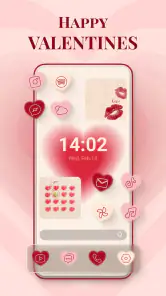
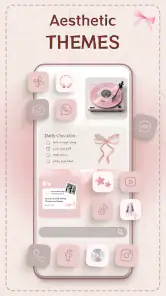
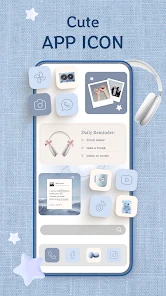
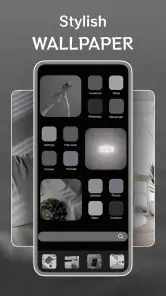
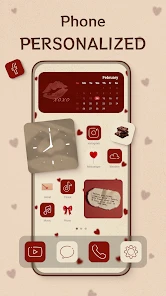
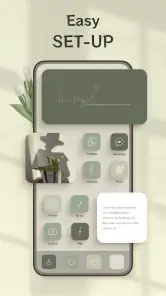
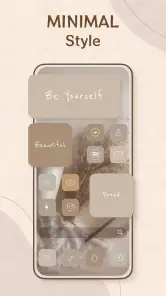
Let me just say, the first time I opened Theme, Widget & Icon Changer, it felt like stepping into a candy store as a kid. The variety of themes and icons is overwhelming in the best way possible. Whether you're into minimalist designs, vibrant colors, or something in between, there's a theme for everyone. The app offers a plethora of ready-made themes, but if you're like me and want something unique, you can customize your own! Yes, you heard that right. Mix and match icons, widgets, and backgrounds to suit your personal style.
Widgets Galore
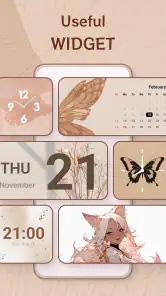
Now, let’s talk widgets. If you’re someone who loves functional aesthetics, the widget options here are sure to impress. From weather widgets that keep you updated at a glance, to music widgets that let you control your tunes without opening another app, it’s all about making your daily smartphone interactions more fluid and enjoyable. The best part? You can adjust the size and layout to fit precisely how you want them. Talk about making your phone truly yours!
There is a practical trade-off in giving widgets more space: the screen can become easier to use at a glance, but a large decorative or information panel also leaves less room for app shortcuts. I’d start with one widget that answers a question you regularly check, then see whether it saves a step in your day. If it mostly takes up room without changing what you do, shrinking it or removing it is a sensible improvement, not a failed customization.
More From Our News Desk

Weather by Xiaomi Review: Clear at a Glance, Less Clear Up Close

X Under Pressure: Can It Recover When Posting Goes Wrong?

Clash of Clans Is Won Between the Battles

Android Auto Makes the Case for Quieter Car Software

MobiOffice: Transforming Mobile Productivity with Seamless Integration

EA SPORTS FC™ Mobile Soccer: Redefining Mobile Sports Gaming
User Experience
Now, I’ll be honest, the app might seem a tad overwhelming at first with all its options. But once you get the hang of it, navigating becomes intuitive. The interface is clean and relatively straightforward, which is a huge plus for someone who might not be super tech-savvy. I recommend taking a few minutes to explore all the tabs and options. Trust me, it’s worth it.
One practical way to avoid that initial overload is to decide what you want to change before browsing: a calmer color palette, a more noticeable widget, or a different icon style. Trying one goal at a time makes comparisons easier and helps you avoid spending time on a full redesign you may not keep. If you prefer your current home screen and only want a small adjustment, you can focus on that rather than treating every option as something you need to use.
A useful workflow is to make a small, reversible-looking change first and live with it during ordinary use before committing to a full visual overhaul. Check the screen in the situations where you depend on it most: when you are in a hurry, outdoors, or trying to find one app without stopping to admire the design. The best-looking arrangement in a browsing session may not be the most readable one when you are moving quickly.
Performance and Compatibility
One thing I was worried about was if all these changes would slow down my phone. But I was pleasantly surprised! The app runs smoothly without noticeable lag, and my phone’s performance remains just as snappy. Plus, it’s compatible with most Android devices, so you don’t need to worry about technical hiccups.
Compatibility still deserves a quick check: the app requires Android 6.0 or later, and individual devices can handle home-screen changes differently. If a widget or icon arrangement does not behave the way you expect, try a simpler layout before assuming every customization will work equally well on your phone. This is an Android-focused choice, so iPhone owners looking for the same kind of home-screen setup should look at options designed for iOS instead.
If you are changing icons as well as widgets, pay attention to whether the new design makes familiar apps harder to identify. A consistent set can make the screen feel unified, but an icon that looks unlike the one you instinctively recognize may slow you down. I would prioritize recognizability for the apps you open dozens of times and save more unusual styling for less-used shortcuts.
How it compares, and who should choose it
Compared with changing a wallpaper or using only the phone’s built-in theme settings, this app is for people who want to coordinate several parts of the home screen rather than make one quick visual tweak. That extra flexibility is useful if you enjoy tuning details, but it also means more choices to sort through. If you want a one-tap change and then never think about your layout again, your device’s default options may be the easier fit.
It also occupies a middle ground between a launcher and a single-purpose wallpaper app. A wallpaper change is usually the simpler route when all you want is a new background; a launcher may suit someone who wants to alter broader aspects of how the home screen behaves. This app makes more sense when your goal is a coordinated visual refresh built around themes, icons, and widgets, without choosing customization purely for its own sake.
I’d recommend it to Android users who like experimenting with themes, icons, and widgets and are happy to spend a little time shaping the result. I’d skip it if you strongly prefer a fixed, minimal interface, dislike browsing lots of visual options, or need a setup that works identically across Android and iOS. The developer, Eco Mobile Style, lists the current version as 1.0.100; the app was released on May 9, 2023.
It is particularly suited to someone who has kept the same home screen for a long time and can name one thing they would like to improve, such as visual clutter or the difficulty of spotting a frequently used app. It is less compelling for a person whose built-in settings already meet their needs, or for anyone who finds customization itself tiring. The key distinction is whether you enjoy making small design decisions; the extra choice is the point for one user and the friction for another.
Worth trying or better skipped?
For me, the sensible approach is to start free, build a small change around a real daily habit, and decide whether the result earns a place on your screen. If you like the customization but find yourself wanting particular extras, weigh each paid item on its own instead of treating the highest listed purchase as the cost of using the app. There are 730 written reviews, but I’d still use your own phone and preferences as the final test.
For example, imagine checking the weather before heading out, opening a calendar to plan the day, and then reaching for the same few apps throughout the afternoon. I would arrange the screen around those repeated actions rather than choose a theme first and force my routine to fit it. A weather widget might earn its space if it replaces a habitual extra tap; an attractive panel that you never consult is only decoration. That simple test helps separate a useful setup from one that merely photographs well.
Before paying for any item, I’d ask whether it solves a specific problem or adds a detail I genuinely want to keep. The app is free to try, but purchases have a wide per-item price range, so there is no single paid cost that describes everyone’s experience. A cautious approach is to explore the free experience first, identify the exact extra you are considering, and review its price at the point of purchase. That keeps the decision tied to value you can actually see rather than to the excitement of browsing.
Overall, Theme, Widget & Icon Changer is a fantastic tool for anyone looking to breathe new life into their mobile experience. It’s more than just an app; it’s a gateway to creativity, allowing you to express yourself through your device. So why stick with the boring default theme when you can create something that truly reflects you? Give it a whirl and let your phone stand out from the crowd!
Theme, Widget & Icon changer Frequently Asked Questions
Does Theme, Widget & Icon Changer require technical experience to use?
The app is intended to help users create a personalized home screen with widgets, app icons, and themes, so its main purpose is straightforward customization rather than technical setup. You can explore the available elements and choose a look that suits your preferences. If you are new to changing a home screen, expect to spend a little time trying options and arranging the result.
Can I use Theme, Widget & Icon Changer without changing every part of my home screen?
Theme, Widget & Icon Changer focuses on themes, widgets, and app icons, giving you several ways to personalize a smartphone home screen. You can explore these elements and decide which changes fit the look you want; you do not have to treat customization as an all-or-nothing project. Trying a few options first can help you settle on a design that feels comfortable to use.
Is Theme, Widget & Icon Changer free to download, and are there any paid features?
Theme, Widget & Icon Changer is free to download, so you can try its home-screen customization tools without paying upfront. The app also offers in-app purchases, with prices ranging from about 49 cents to $99.99 per item. Check the purchase details in the app before choosing paid content, as the available options may vary.
What is the primary function of Theme, Widget & Icon Changer?
Theme, Widget & Icon Changer is designed to help users customize the appearance of their smartphone's home screen. It allows users to change themes, widgets, and app icons, providing a personalized look and feel. This can enhance the visual appeal of your device and make navigation more intuitive and enjoyable. Its focus is on giving your home screen a look that better suits your preferences.
Is Theme, Widget & Icon Changer compatible with all devices?
While Theme, Widget & Icon Changer is compatible with most Android and iOS devices, it's important to check the app's requirements on its download page. Some older devices might not support all features due to hardware limitations or outdated operating system versions. Ensuring your device meets the app's requirements will provide the best experience. On Android, the app requires version 6.0 or later.
Pros
- Highly customizable interface
- Wide variety of themes available
- User-friendly navigation
- Regular updates with new features
- Supports both Android and iOS
Cons
- Can be heavy on battery usage
- Some themes require in-app purchases
- Limited free version features
- May slow down older devices
- Occasional app crashes reported
- Category
- Personalization
- Version
- 1.0.100











