Talking Tom & Friends: World
- 220.00
- 3.2
- Installs
- 10.00M
- Price
- Free

Screenshots
Analysis by Reviewed
When I want a quick, playful distraction rather than a lesson or a serious game, I can see the appeal of Talking Tom & Friends: World. It brings familiar animated characters into a space for casual play and make-believe. I’d think of it as a light entertainment app for children and families, not as a structured educational tool just because it sits in the education category.
How the pace feels in short sessions
In my experience, the best way to approach this kind of app is with modest expectations about pace: it is built around playful interaction, not a demanding challenge or a fast sequence of tasks. That makes it easier to pick up when a child has a few minutes to spare, though anyone looking for a focused game with clear goals may find the experience less satisfying. I would treat it as something to explore at the child’s pace rather than something that needs to be completed.
For a practical everyday use, I can imagine opening it while waiting for an appointment or settling in after a busy day. A child can spend a little time with the characters, then move on without needing to keep track of a long session. I’d still set expectations beforehand: an app can be an entertaining pause, but it is not a substitute for conversation, reading together, or outdoor play.
Who benefits from its relaxed design?
The unhurried style is useful when a child wants to dip in and out without learning a complicated control scheme or following a long chain of objectives. I’d use it as a small choice within a broader routine: for example, offer a brief character-play session after getting home, then switch to a non-screen activity. That boundary keeps the app in the role it handles best—an easy source of amusement—rather than turning it into the default answer whenever a child is bored.
It is also a reasonable option for an adult and child to explore together. Instead of handing over the device and walking away, I’d let the child choose a character or invent a scene, then join in with questions such as “What happens next?” This is a simple way to see whether the app is genuinely encouraging imaginative play for that child. If the interaction quickly becomes repetitive, that is useful feedback: move on rather than trying to make the app hold attention it is not holding.
A World of Fun Awaits!
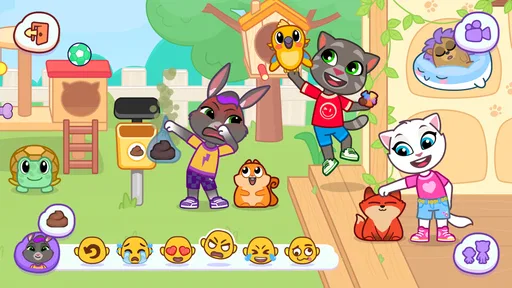
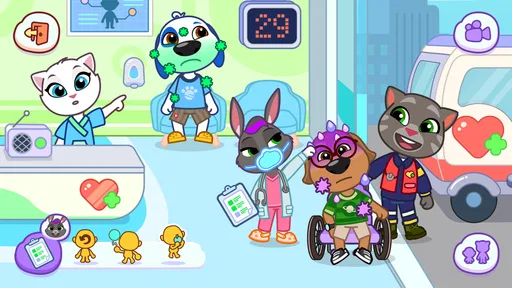
First off, let's talk about the variety this app offers. It’s not just about talking Tom anymore. The game has expanded into a full-blown universe where you can interact with multiple characters like Angela, Hank, Ginger, and Ben. Each character has its own unique personality and quirks that keep the gameplay fresh and exciting. You know what they say, variety is the spice of life!
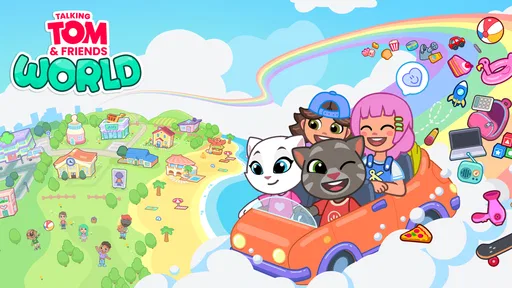
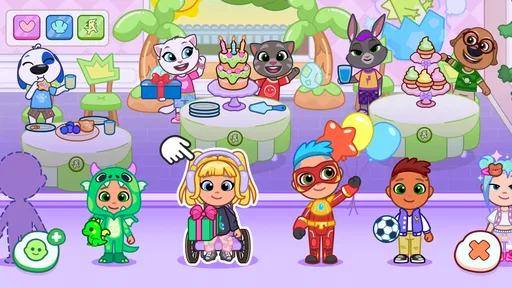
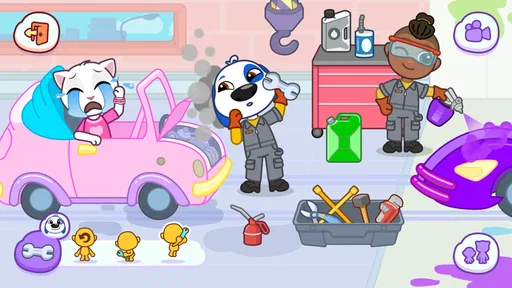
The app's interface is incredibly user-friendly. Kids and adults alike can easily navigate through the various features. Plus, the graphics are vibrant and engaging, making it a visual treat. It’s like stepping into a cartoon world where everything is colorful and animated, just the way we like it.
More From Our News Desk

 Bolt: Request a Ride
Bolt and the Shift from One-Tap Rides to More Legible Trips
Bolt shows how ride-hailing is shifting from a one-tap taxi request toward a more legible, choice-driven trip, while leaving the hardest questions of price and reliability unresolved.

 Farm Land - Farming life game
Farm Land Review: A Small Island Farm with a Satisfying Loop
A bright, breezy island farm turns a few quick chores into a satisfying cycle of planting, harvesting, expanding, and deciding what to build next.

 Android Auto
’s Community Takes Shape in the Passenger Seat
Its most valuable network is not a public feed but a shared set of routes, voice habits, app integrations, and advice that make driving less isolating—and sometimes more complicated.

 My Talking Angela
 Makes the Virtual Pet Feel Personal
A polished pet-raising game built on small rituals, playful customization, and a character who gives everyday screen time a surprisingly personal rhythm.

 Google Translate
 Review: A Pocket Tool for the Small Frictions of Travel
From menus and signs to quick conversations, Google Translate earns its place by cutting the little delays that make unfamiliar language feel like a barrier.

 Shazam: Find Music & Concerts
Shazam’s Best Trick Is Turning a Song Into a Night Out
A few seconds of recognition can settle an argument, rescue a half-remembered chorus, and point toward a live show. Shazam’s real trick is what happens after the match.
Latest News



Making playtime work for your family
For younger players, I’d use the app as a prompt for shared storytelling rather than leave the screen to do all the entertaining. Ask a child what a character might do next, or have them invent a short scene before tapping around. That gives the pretend-play element more value and helps an adult see whether the app is holding the child’s interest or simply keeping them occupied.
Compared with a conventional children’s learning app, this is much more about familiar characters and imaginative play than step-by-step practice. If your priority is reading, counting, or a curriculum-based activity, I’d choose a tool designed specifically for that. If the goal is relaxed character play, the lighter approach may be a better fit. Outfit7 Limited is the developer, and the app is free to install, although optional in-app purchases range from $0.59 to $219.99 per item. I’d check purchase settings with a child before handing over a device, so a playful session does not turn into an unexpected spending decision.
Interactive Features You’ll Love
Now, what really sets Talking Tom & Friends: World apart is its interactive features. You can engage in numerous mini-games, explore different worlds, and even customize your favorite characters with a plethora of outfits and accessories. It’s like having a virtual dress-up party anytime, anywhere. Who doesn’t love a little bit of customization, right?
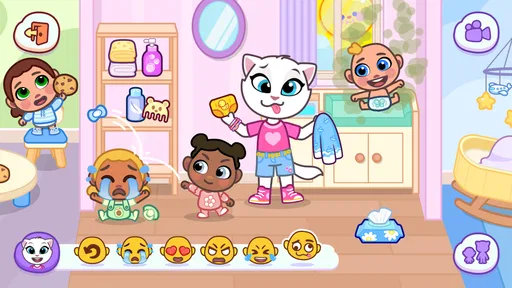
Moreover, the app encourages creativity. You can create stories, set up scenarios, and watch your characters come to life. This feature is especially great for kids, as it helps in honing their imaginative skills. It’s like being the director of your very own animated series.
And let’s not forget about the voice feature. You can have endless fun listening to Tom and his friends repeat what you say in their funny voices. It’s a great way to entertain the little ones or even break the ice in a social gathering. Trust me, it never gets old!
Getting more from character play
One practical way to make the range of activities feel less scattershot is to give a session a tiny theme. A child could pick one character and invent a reason for that character to change outfits, visit a place, or take part in a mini-game. The point is not to complete a checklist; it is to connect the different kinds of interaction into a story the child is making up. This can help a younger player stay engaged without an adult needing to direct every tap.
The voice interaction is better treated as a brief shared joke than as a reliable way to occupy a child for a long stretch. I’d try it when an adult is nearby and keep the conversation simple, especially with younger children. If a child starts repeating the same phrase just to hear the response again, you can turn that into a prompt for a new line or scene. If it stops being amusing, switch activities; repetition is part of the appeal, but it can also become the limit.
Customization has a similar trade-off. Choosing an outfit can give a child a clear starting point for pretend play, but it is not the same as a deep creative editor where every detail can be freely designed. I’d frame it as choosing from playful options rather than expecting open-ended art tools. That distinction matters if you are deciding between this and a drawing app or a craft activity: the app supplies a cartoon setting and characters, while the child supplies the story.
Reliability, device fit, and sensible limits
I’d be cautious about judging speed or stability from a short visit: a device’s age, available space, and what else is running can all affect how an app feels. The current version is 1.3.1.18666, and the minimum operating-system requirement is Android 6.0. If an older device feels sluggish, closing other apps and restarting the device are sensible first steps; I wouldn’t assume that every pause means the app itself is at fault. For a smoother experience, it also helps to avoid switching in and out repeatedly during a child’s short play session.
Handling busy moments and interruptions
For a child who tends to tap rapidly from one activity to another, I’d begin by agreeing on a simple stopping point before opening the app. A natural pause after a character interaction or a short period of exploring is easier to manage than promising “one more minute” repeatedly. This is less about policing every tap and more about avoiding a transition that catches the child by surprise. The app’s relaxed, exploratory style suits flexible play, but it does not itself provide a reason to stop, so an adult may need to supply that boundary.
If a session is interrupted, I would not build a plan around preserving a particular sequence of play. Treating the app as a place to dip into, rather than a task that must be finished, makes interruptions less frustrating. That is especially useful in waiting rooms, where appointments can begin unpredictably. I’d also avoid using it when a child needs to stay attentive to someone speaking or to watch their surroundings; a bright character app is not a good fit for every quiet public moment.
As with any app children use, I’d supervise the first few sessions and check how the child responds to the purchase options. The listed price to install is free, while individual in-app purchases can range from $0.59 to $219.99. That wide span makes it sensible to review device purchase controls before a child explores independently. I would not assume that a child understands the difference between selecting an item in play and making a real purchase.
Its audience rating is 3.7 from around 6,800 ratings, with 152 written reviews, and it has over 1 million installs. Those figures suggest that plenty of people have tried it, but they do not tell me whether it will suit a particular child. The age rating is Everyone, and it was released on February 27, 2025. I’d still choose playtime based on a child’s temperament and your household’s screen-time preferences, rather than relying on an age label alone.
What to expect from a device
The minimum operating-system requirement is Android 6.0, so I would check compatibility before planning to use it on an older Android device. Meeting that requirement is a starting point, not a promise that every device will feel equally responsive. A phone or tablet that is already slow with other apps may not be the best place to judge the experience, and keeping some storage space available is a sensible general habit for any app that includes animated content.
I would also distinguish a slow first launch from a pattern of trouble. If the app hesitates once, I’d close other open apps and try again later; if it repeatedly becomes unresponsive, I would stop relying on it for a time-sensitive distraction and use a book, toy, or another familiar activity instead. That is a practical backup for travel and appointments, not a claim that the app is inherently unreliable. No child’s waiting-room plan should depend on a single app behaving perfectly.
For families comparing it with other children’s apps, the key question is what kind of attention they want to encourage. A structured learning app is the clearer choice when the aim is deliberate practice with reading or numbers. A traditional game with explicit goals is more suitable when a child wants challenges and a sense of progression. This one sits closer to character-led pretend play: its advantage is a familiar cast and light interaction, while its limitation is that a parent may need to add the purpose, story, and stopping point.
Final Thoughts
In conclusion, Talking Tom & Friends: World is more than just a talking cat app. It's a gateway to a world filled with laughter, creativity, and endless entertainment. Whether you’re looking to kill time or just need a mood booster, this app has got you covered. It’s like having a little piece of joy right in your pocket, ready to brighten up your day.
So, if you haven’t already, give it a try. Dive into the whimsical world of Tom and his friends and let the fun begin. As they say, sometimes the best things in life are just a download away!
Who is likely to enjoy it?
I’d recommend it most to families who already enjoy Talking Tom’s cast and want a casual way to spark pretend play. It may be less suitable for someone who wants a quiet, offline activity, a tightly guided learning plan, or a game that rewards sustained strategic effort. For those needs, a book, a focused educational app, or a more goal-driven game is likely to be a better choice.
My performance verdict is straightforward: this is best treated as a low-pressure bit of character-based entertainment, with sensible expectations about device responsiveness and in-app spending. If the characters make a child smile and the household is comfortable with the purchase options, it can be a pleasant short-session choice. If you need measurable learning outcomes or a distraction-free experience, I’d look elsewhere.
Talking Tom & Friends: World Frequently Asked Questions
Is Talking Tom & Friends: World free to download?
Yes, Talking Tom & Friends: World is free to download. The app also includes optional in-app purchases, with prices ranging from $0.59 to $219.99 per item. You can start exploring without paying, but it is worth reviewing purchase settings on a shared device, particularly when children use the app, so spending is intentional.
What devices can run Talking Tom & Friends: World?
Talking Tom & Friends: World is available for Android and iOS devices. On Android, it requires version 6.0 or later, so check your device’s operating system before downloading. The app is an interactive experience built around exploring and playing in Talking Tom’s world, making a compatible phone or tablet the main requirement for getting started.
What should I know about the app’s release and current version?
Talking Tom & Friends: World was released on February 27, 2025, and its current version is 1.3.1.18666. Before downloading, it is useful to check that your device meets the operating-system requirement and that you have selected the correct app. Keeping the app updated can help you use the current release available for your device.
What is Talking Tom & Friends: World about?
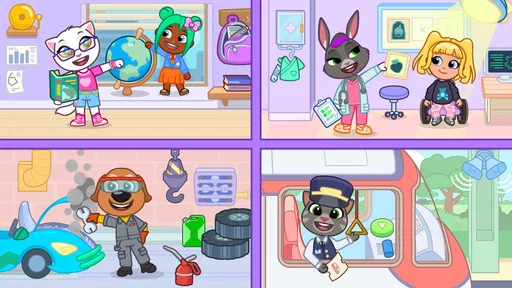
Talking Tom & Friends: World is an interactive game where players can engage with the beloved characters from the Talking Tom series. The game offers a vibrant world filled with exciting adventures, allowing players to explore different locations, complete fun challenges, and interact with characters like Tom, Angela, Ben and others. Designed for all ages, it combines entertainment with creativity, making it a delightful experience for players.
Is Talking Tom & Friends: World suitable for children?
Yes, Talking Tom & Friends: World is designed to be family-friendly and suitable for children. The game features colorful graphics, engaging gameplay, and positive themes that promote creativity and fun. However, parents should be aware of in-app purchases and ensure they have controls in place to manage spending within the app to prevent any unauthorized purchases by children.
Pros
- Engaging voice interaction feature.
- Colorful and vibrant graphics.
- Wide selection of mini-games.
- User-friendly interface.
- Regular updates with new content.
Cons
- In-app purchases can be costly.
- Requires internet for some features.
- Advertisements can be intrusive.
- Limited offline functionality.
- Battery draining on extended play.