Studley: AI Study Tutor
- 81.00
- 4.7
- Installs
- 1.00M
- Price
- Free

Screenshots
Analysis by Reviewed
I tried Studley: AI Study Tutor as an education app with a simple promise: turn ordinary study material into something easier to review. Its focus is a combination of AI flashcards, notes, and quizzes, which makes it more flexible than a basic digital card box. I found the most useful way to approach it is not as a replacement for understanding a subject, but as a tool for converting what I already need to learn into repeatable practice.
That distinction matters. An AI study app can save time when the first step is organizing material, but it cannot automatically know which details matter for a particular teacher, exam, or course. My best results came from treating Studley as a study partner that needs direction. When I gave it focused material and then checked the results, it helped me move from passive reading toward active recall. When I expected it to decide everything for me, the experience was less dependable.
How I built a practical study routine with Studley
I would begin with one clearly defined topic rather than throwing an entire semester into the app at once. A chapter, lecture theme, language unit, or set of definitions gives the generated material a useful boundary. That makes the resulting flashcards and quizzes easier to judge, and it prevents a study session from becoming a mixed collection of unrelated prompts.
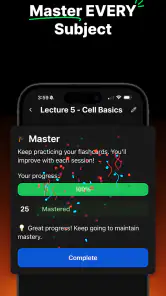
My baseline workflow was straightforward. I put my notes into the study process, reviewed the generated cards, answered questions without looking at the answer first, and then used the quiz format to check whether I could recognize the idea in a different form. The important step was reviewing the cards before trusting them. AI-generated material can be convenient while still being too broad, too obvious, or slightly awkwardly worded.
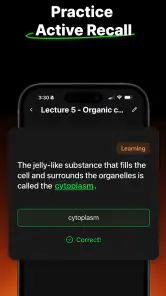
For example, if I were preparing for a biology test, I would not stop after reading a definition card. I would look for cards that ask what the term does, how it differs from a similar term, and what would happen if a related process changed. A good flashcard should make me retrieve an answer, not merely confirm that a sentence looks familiar. Studley is most valuable when I use its output as raw material for that kind of active practice.
The notes side is useful before the flashcards, especially when my source material is messy. I can first reduce a long lesson to the points I actually need, then use those points for questioning. This two-stage approach is more effective than asking for a huge set of cards from unedited notes. It also gives me a chance to catch a misunderstanding before it spreads through every generated question.
A realistic everyday session might happen on a bus ride home. I could spend a few minutes reading a compact note set, answer a short run of cards, and finish with a quiz focused on the items I missed. Later that evening, I would return to the same topic instead of starting from scratch. The value is not that one session magically teaches the material; it is that the app can reduce the effort needed to create several opportunities to recall it.
I also found it helpful to separate learning from checking. During the first pass, I want explanations and context. During later passes, I want quick decisions: do I know this, or do I need to see it again? Mixing those goals can make a session feel productive without revealing weak memory. Studley works better when I decide in advance whether I am building material, learning it, or testing myself.
Settings and choices that deserve attention
The most important “setting” is often the scope I give the app. Narrow prompts produce more useful study material than vague requests such as “make this easier.” I would identify the audience and purpose in my notes: a beginner explanation, an exam review, vocabulary practice, or a comparison between similar concepts. That context helps me judge whether the output matches what I need.
I would also check every generated card for answer length. A card that asks for an entire paragraph is difficult to review consistently. If a response contains several independent facts, I would split it into smaller prompts. This is a practical habit rather than a flashy feature, but it makes a major difference because short, precise retrieval is easier to repeat and easier to evaluate honestly.
Another useful choice is deciding how much material belongs in one study set. Large collections may look impressive, but they can hide the topics I keep missing. I prefer separate sets for core terms, processes, examples, and exceptions. That arrangement lets me spend a short session on one weakness instead of repeatedly browsing material I already know.
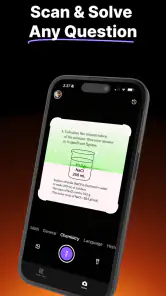
Before relying on a quiz, I would compare several questions with the original notes. AI can phrase a question in a way that suggests an answer or simplify an exception too aggressively. For school subjects, that can be a real problem: a simplified explanation may be fine for a first introduction but wrong for an advanced assessment. Studley should support my source material, not silently replace it.
The app is free to install, which makes it easy to try without committing money at the start. It also carries an Everyone age rating, so its general positioning is broad rather than limited to a specialist academic audience. Optional in-app purchases range from $7.99 to $129.99 per item, so I would examine what a paid option changes before buying. A free starting point is helpful, but the wide purchase range means careful attention to the payment screen is sensible.
On Android, the listed minimum requirement is version 7.0, so the app is accessible to many older devices. Its current version is 4.8.0, and the developer is Studley AI Inc. Those details make it a practical candidate for students who do not use a recent flagship phone, although the quality of the experience will still depend on how comfortably the device handles the app and the study material.
Faster patterns that save time without weakening review
My favorite faster pattern is the “clean first, generate second” routine. I remove greetings, repeated headings, side comments, and unrelated examples from a note set before turning it into study material. This takes a little effort at the beginning, but it reduces the amount of correction afterward. It is especially useful with lecture notes, where the most important idea may be surrounded by incomplete phrases.
A second pattern is to use notes for explanation and flashcards for decisions. I do not try to force every detail into a card. A note can hold the full chain of reasoning, while a card asks me to supply one missing link. This keeps the review compact without losing the fuller explanation I may need when I get an answer wrong.
I would also create a “mistake loop.” After a quiz, I would collect the questions I missed, rewrite any confusing wording, and review only those items before taking another pass. The point is not to repeat the whole set until the answers feel familiar. It is to isolate the reason for the mistake: forgotten fact, similar concept, misleading wording, or incomplete understanding.
For language learning, the same approach works with a useful adjustment. I would avoid cards that only ask me to recognize a translation. I would include prompts that require producing the word, choosing the correct context, or distinguishing near-synonyms. Studley can help create the material, but I still need to decide whether recognition or production is the skill I will actually need.
For professional learning, I would use it to turn policies, technical notes, or training documents into questions, but I would be cautious with sensitive information. I would prepare a shortened, non-confidential version of the material rather than copying private workplace content into any AI-based workflow. That is a sensible boundary even when the app is convenient.
One small habit improved my consistency: ending a session with a decision about the next session. I might mark a topic as ready for a later check, or note that a particular concept needs a clearer explanation. Without that decision, it is easy to spend every visit generating new cards and never return to the difficult ones. The app becomes more useful when it supports a cycle rather than endless preparation.
Where the AI approach reaches its limits
Studley is not the right choice if I want a fully manual flashcard system with complete control over every character and every review rule. A traditional card app can be better for carefully curated exam decks, especially when I already have a trusted collection and do not want generated wording. Manual tools also suit learners who enjoy building their own system and find that process part of memorization.
It is also not ideal as my only source for high-stakes subjects. Generated questions may miss an instructor’s preferred terminology, overlook an exception, or give too much attention to a detail that merely appeared often in the notes. I would always compare important material with the textbook, class guidance, or official reference. Studley can accelerate preparation, but responsibility for accuracy remains with me.
Another limitation is the temptation to confuse quantity with progress. A large set of cards can create the impression that a lot has been accomplished. In reality, the quality of the prompts and the honesty of my answers matter more. If I keep pressing through easy cards because the session feels smooth, I may be avoiding the topics that need work.
The quiz format has a similar risk. Multiple-choice or recognition-based questions can feel easier than producing an answer from memory. I would use quizzes as a checkpoint, not the only test. When the subject matters, I would close the app and explain the concept aloud or write a short answer without prompts. That exposes gaps that a familiar-looking question can conceal.
There is also a personal fit question. Students who dislike AI-generated wording, want detailed progress controls, or need a specialized spaced-repetition system may prefer a dedicated alternative. Someone who studies from highly visual diagrams may also get more from a tool built around annotation and image recall. Studley makes the most sense for people who value quick conversion from notes to practice and are willing to inspect the result.
Privacy and attention deserve practical consideration too. I would avoid feeding it material that I would not normally place in a third-party study service, and I would keep notifications or study prompts from becoming another source of distraction. The app is meant to reduce friction, not turn every spare moment into an obligation. A short, deliberate routine is healthier than constantly checking for another quiz.
Who will get the most from this study tutor?
I think Studley suits students who have plenty of notes but struggle to turn them into questions. It is particularly useful at the beginning of a course, when building a first review set feels like a chore, or before a test, when a quick conversion from notes to practice can reveal weak areas. It can also help independent learners who need structure but do not want to assemble every card manually.
It is less suitable for someone who expects an AI tutor to teach a difficult subject from nothing. The strongest workflow starts with material I understand at least well enough to check. If I am completely lost, generated cards may repeat my confusion in a cleaner format. In that situation, a teacher, textbook, lecture, or carefully written course should come first.
The app has meaningful reach, with over a million installs and a 4.7 average from around 103 thousand ratings. That level of adoption suggests it has found an audience beyond a tiny niche, but popularity does not remove the need to test the workflow against my own study style. I would spend a few sessions checking whether its generated material actually improves recall before considering any optional purchase.
I would also recommend it to families or younger learners only with guidance about checking answers and keeping study material appropriate. The Everyone rating makes the app broadly accessible, but age suitability is not the same as academic suitability. A child may still need an adult to verify explanations, choose the right difficulty, and prevent the app from becoming a shortcut around genuine practice.
My verdict after using it as a repeatable habit
Studley: AI Study Tutor is a useful education app when I use it for what it does best: turning focused notes into flashcards and quizzes that I can review repeatedly. Its free entry point, broad device support, and mix of notes with active testing make it approachable. I especially like the possibility of moving quickly from “I have to study this” to “I can test myself on this,” because that transition is where many study plans fail.
My recommendation comes with a clear condition: I would never accept generated material without checking it. The best results come from a repeatable habit of narrowing the topic, reviewing the cards, correcting weak prompts, testing the difficult items, and returning later without relying on recognition alone. That workflow turns convenience into learning instead of merely producing attractive study content.
If I wanted a carefully engineered manual deck, advanced control over review behavior, or a visual note-taking environment, I would choose a more specialized alternative. If I wanted help getting started with notes, flashcards, and quizzes in one place, I would give Studley a fair trial. Its real strength is reducing preparation time while leaving the important judgment—the checking, prioritizing, and remembering—to me.
For that reason, I see it as a practical companion rather than a complete tutor. Use it to create momentum, use the mistake loop to target weak areas, and keep your original sources nearby. With those habits, Studley can become a genuinely helpful part of a study routine instead of another app that makes preparation feel like progress.
Pros
- Personalized AI explanations adapt to different learning levels.
- Useful for breaking complex topics into simpler
- manageable steps.
- Can provide study support whenever you need it
- including outside class hours.
- Helps generate practice questions for reviewing key concepts.
- Convenient for students who want quick assistance on a mobile device.
Cons
- AI answers may occasionally contain mistakes or misleading explanations.
- Requires an internet connection for most tutoring features.
- Free access may be limited by subscriptions
- credits
- or usage caps.
- Less effective when questions lack context or contain unclear wording.
- Should supplement
- not replace
- teachers
- textbooks
- and independent study.

- Category
- Education
- Version
- 4.8.0











