Steam Link
- 3.42K
- 3.3
- Installs
- 10.00M
- Price
- Free

Screenshots
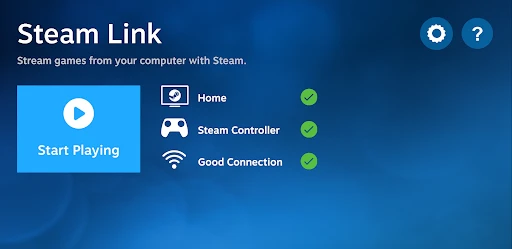
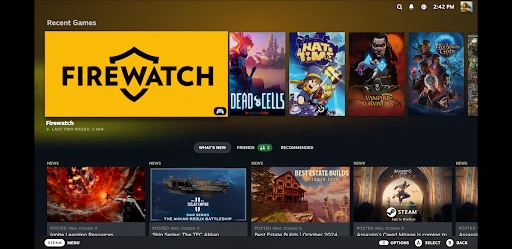

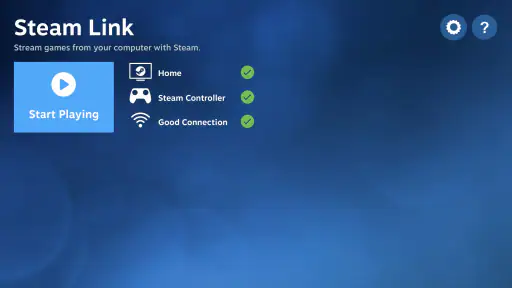
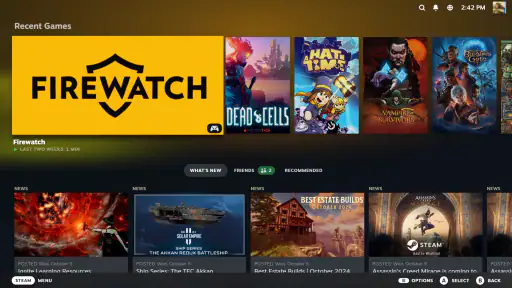

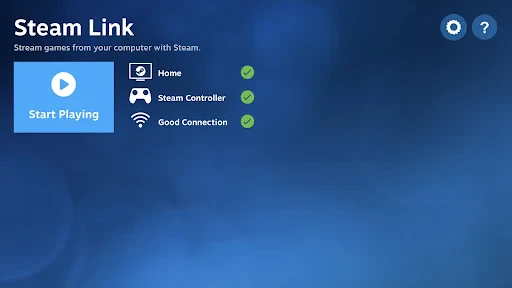

Analysis by Reviewed
I tend to think of Steam Link as a way to move a PC gaming session to another screen, not as a way to turn a phone into a gaming computer. The computer still runs the game, and the app carries the experience to a device where you can play. That distinction is useful when deciding whether it belongs in your setup: it can make a familiar library more flexible, but it cannot remove the need for a capable computer and a dependable connection.
When moving away from the desk is worthwhile
For me, the strongest use case is ordinary and convincing: I have time to play, but I do not want to sit at my desk. Perhaps the living room is free, or I want to settle on the sofa while someone else uses the computer area. Streaming gives me another place to continue with the games I already own, rather than asking me to buy or learn a separate mobile version.
The benefit depends on the game. A slower strategy game or an adventure with forgiving controls can suit a tablet or television well. A phone is handy for checking in on a game or playing briefly, but its smaller screen can make dense menus and fine details tiring. If a title relies on quick reactions, I would be more cautious: even a small amount of delay can matter more there than it does in a turn-based game.
The computer remains the center of the setup, which is both the app’s appeal and its main limit. Steam Link is useful when the PC is already available at home and the goal is to change the screen or seating position. It is not the same as installing a game on a phone and taking it with you to play offline.
Using Steam Link beyond the basic setup
Let’s dive right in, shall we? Steam Link is essentially a gamer’s dream come true. It’s an app that allows you to stream your entire Steam library from your computer straight to your mobile device or TV. Yeah, you heard that right! You can now play PC games on your phone, tablet, or even your TV without being tied down to your desk. It’s like having your gaming rig in your pocket.
Setup: Simplicity at Its Best
Setting up Steam Link is as simple as pie. First, ensure your gaming PC and the device you’re streaming to are on the same network. Download the app on your preferred device, pair it with your Steam account, and voila! You’re ready to roll. The interface is intuitive and user-friendly, so even if you’re not a tech wizard, you’ll get the hang of it in no time.
One small habit makes this setup easier to live with: pair and test everything before you settle in for a long session. Check that the computer is ready to stream, the receiving screen is positioned comfortably, and your chosen controller works for the game you plan to play. That quick check can reveal awkward button mapping or a control layout that feels fine in a menu but clumsy during play. It also helps avoid spending the first part of a rare free evening troubleshooting from the sofa.
For a shared household, it is worth treating the streaming device as a second screen rather than assuming it will always be available. If the TV is occupied, a phone or tablet can still make sense, but that smaller display changes which games feel enjoyable. I would keep a few slower or controller-friendly games in mind for casual streaming and save text-heavy or precision-focused games for the computer screen.
Another useful way to approach setup is to test one game you know well before making the app part of your routine. Familiarity makes it easier to tell whether an issue comes from the stream, the controls, or simply a game that does not suit the smaller display. I would also check that the computer is awake and ready before leaving the desk; the app cannot help much if the source machine is unavailable.
If you share a PC, it is worth agreeing on when it can be used for streaming. The television may be free while the computer is being used for something else, and Steam Link does not make those two devices independent. That is an easy detail to overlook when imagining a quick sofa session. Planning around the computer’s availability makes the app feel like a convenient extension of the setup rather than a source of household friction.
Performance: A Seamless Experience
Now, let’s talk about performance. Streaming games over a network can sound a bit intimidating, but Steam Link does a remarkable job at minimizing lag. On a good Wi-Fi connection, the gameplay is smooth as silk. Just imagine playing your favorite RPG or FPS with almost no noticeable delay. It feels like magic, honestly.
In practice, I would judge the connection by the game, not just by whether the picture appears. A brief pause may be harmless in a turn-based game, while the same delay can make a fast action game frustrating. If play feels inconsistent, moving closer to the home network equipment and reducing competing network use are sensible first checks. These are general troubleshooting steps, not a promise that every home network will behave the same way.
It also helps to begin with a short session before committing to a demanding game. That gives you time to notice whether controls feel responsive and whether the picture stays comfortable to watch. Streaming asks the network to carry both the game image and your inputs, so a busy or weak connection can affect the experience even when the computer itself runs the game well. If reliable timing matters most, playing directly at the PC is the safer choice.
When a session becomes choppy, I would change one thing at a time rather than immediately blaming the app or restarting everything. First see whether the problem is tied to one room or device; then check whether other people are using the network heavily. If the experience improves nearer the network equipment, that points toward the wireless path as a practical constraint. If it does not, switching to play directly on the computer is a sensible fallback, especially for a game where a missed input has consequences.
Perceived speed is not only about delay. A crisp picture and comfortable controls matter too, and a setup that looks good on a large television may feel cramped on a phone. For longer sessions, I would choose the receiving screen and seating position before choosing the game. This sounds obvious, but it prevents a common mismatch: a technically playable stream that is simply unpleasant to look at or control.
Heavy use brings a different trade-off from a brief test. A long session asks the network, computer, receiving device, and player to stay comfortable at once. On a phone, battery use and heat can become practical concerns during extended play, even though the PC is doing the game processing. I would keep a charger nearby for a lengthy mobile session and use a tablet or television when I want a larger, more relaxed view.
The app does not make every game equally suitable for streaming. I would reserve competitive or timing-sensitive play for the computer if the connection is not consistently responsive. For a story game, a slower role-playing session, or a title where pausing is natural, the convenience can outweigh a little imperfection. That game-by-game choice is more useful than expecting one blanket verdict on performance.
Compatibility and Features
One of the coolest things about Steam Link is its compatibility. It works with a wide range of controllers, which means you can use the setup that feels right for you. On top of that, it supports 4K streaming, provided your network can handle it, giving you crisp and stunning visuals. Plus, the app is available on Android, iOS, and even some smart TVs, so you’re pretty much covered no matter what device you’re using.
There is a trade-off in choosing a receiving device. A TV offers a larger view for relaxed play, while a mobile screen is easier to use when the shared living room is unavailable. Neither changes the fact that the stream depends on your computer and network, so this is not a substitute for a portable console or an offline mobile game when you need to play away from home. For travel or unreliable internet, a game installed locally is usually the more dependable option.
The app is free, rated for Everyone, and its current version is 1.3.19, with Android support beginning at version 5.0. It has been available since May 17, 2018, and its 3.3 average comes from around 50,000 ratings, alongside roughly 3,400 written reviews. More than 10 million installs suggest it has reached many players, but I would still decide based on the home setup: a large audience cannot make a weak Wi-Fi connection feel responsive.
Compared with ordinary mobile game streaming alternatives, its clearest appeal is the link to games already in your Steam library rather than a separate catalog designed for phone play. That is convenient if your PC is the center of your gaming setup and you want another way to reach it at home. If you want games that run directly on a phone, or a service that supplies its own library, a native mobile game or another streaming arrangement may fit better.
That difference also affects what you need to prepare. A native mobile game is usually the simpler choice when I want to play without depending on a home computer. A portable gaming device may be better if I want a dedicated handheld experience. Steam Link makes most sense when I already have a Steam library and want to use the computer I own from a more comfortable spot. It is a practical bridge between those devices, rather than a replacement for them.
As for recovery after a disruption, I would keep expectations realistic. If the stream drops or becomes uncomfortable, the sensible response is to check the connection and the computer, then try again once both are ready. I would not count on a seamless return in the middle of every game. For a session where interruption would be costly, staying at the PC avoids adding the stream as another possible point of trouble.
Steam Link is most appealing to people who already play on Steam, have a computer that can run their games, and want to use a second screen at home. It is less compelling for someone who only wants casual games on a phone, needs offline access, or has a network that struggles with steady streaming. Those are not small qualifications: they determine whether the app feels like a clever convenience or an unnecessary extra step.
Final Thoughts: A Game-Changer for Gamers
In conclusion, Steam Link is more than just an app; it’s a revolution in the way we experience gaming. It breaks the chains of traditional gaming setups, offering flexibility and freedom to play your way. Whether you’re lounging on the couch or on a long train ride, your gaming world is just a tap away. If you haven’t tried it yet, what are you waiting for? It’s time to unlock a new level of gaming convenience and dive into your favorite worlds, anytime, anywhere.
My recommendation is more measured: I would try it if you already have a Steam library, a computer that can run those games, and a stable home network, especially if moving from desk to sofa sounds useful. I would skip it if you expect standalone phone gaming, need dependable play on the move, or mainly play titles where even a little input delay spoils the experience. That is the real dividing line: when the setup suits your home and your games, streaming can be an easy comfort; when it does not, playing locally is simpler.
For an everyday example, imagine finishing chores and wanting to play for half an hour without taking over the desk. If the PC is free, the network is behaving, and a controller-friendly game is already ready, streaming to a living-room screen can make that short window more inviting. If the computer is occupied or the network is unreliable, the same plan can turn into fiddling with the setup instead of playing. I would treat that as the honest test: it earns a place when it removes friction from a session you already want to have.
My final performance verdict is that the idea is strongest in a familiar home, with a suitable game and a tested connection. It can make PC gaming feel less tied to one chair, but the experience remains dependent on the source computer, the network, the receiving screen, and the controls. I would start with a relaxed game, judge the result for myself, and keep direct play as the fallback when responsiveness matters more than comfort.
Steam Link Frequently Asked Questions
Can I use Steam Link without installing games on my phone or tablet?
Steam Link is built around streaming games from a computer running Steam, rather than downloading the games themselves to your mobile device. The computer acts as the host, while your phone or tablet displays the stream and sends your inputs back to it. This means the game needs to be available in the host computer’s Steam library, and the host must be ready to run it.
Does Steam Link work with a TV, or is it only for phones and tablets?
Steam Link is intended to let you play your Steam library on another screen, and the app can be used as part of a setup involving a TV as well as a mobile device. The key requirement is still a computer running Steam to host the game. Before downloading, consider which device you want to use as the screen and make sure your streaming setup and controls are convenient for that space.
Do I need to keep my computer turned on while using Steam Link?
Yes. Steam Link streams games from a host computer running Steam, so that computer needs to be available while you play. The app does not replace the computer or run the Steam games independently on your phone or tablet. It is worth checking that the host is ready and connected before starting a session, especially if you plan to play from another room.
Is Steam Link free to download, and do I need to pay for games separately?
Steam Link is free to download. The app is a way to stream games from your Steam library; it does not mean that every game is free. You will need access to the games you want to play through your Steam account, and any purchases for games are separate from the app itself. Steam Link is published by Valve Corporation.
What should I try if pairing or streaming does not work?
Start by checking that the computer is running Steam and that your mobile device can connect to the network being used for the setup. Then reopen Steam Link and review its pairing options. If the devices connect but the stream is unstable, improve the network connection and reduce competing network activity. Confirming the host is ready before trying again can also make troubleshooting simpler.
Pros
- Easy setup process
- High-quality streaming
- Responsive controls
- Supports multiple devices
- Free to use
Cons
- Requires good internet connection
- Limited to Steam games
- No iOS controller support
- Occasional lag issues
- Needs PC running Steam

- Category
- Entertainment
- Version
- 1.3.19