Status Saver - Video Saver
- 2.63K
- 4.7
- Installs
- 50.00M
- Price
- Free

Screenshots
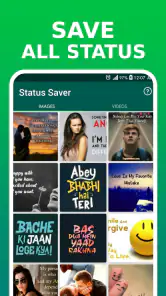




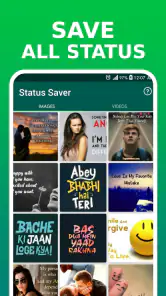


Analysis by Reviewed
Have you ever found yourself scrolling through your favorite social media platform and stumbled upon a video or status update that you just had to save? We’ve all been there. Status Saver - Video Saver is the app that promises to solve this exact problem, making it easier than ever to download and keep those fleeting social media moments on your device.
Effortless Downloading
The first thing that struck me about Status Saver - Video Saver was its simplicity. The user interface is incredibly intuitive, which means you don’t have to be a tech wizard to figure it out. As soon as you open the app, you’re greeted with a clean, straightforward layout that guides you through the process of saving your favorite statuses and videos with just a few taps.
Compatibility and Features
One of the standout features of this app is its compatibility with a wide range of social media platforms. Whether you’re trying to save a WhatsApp status, an Instagram story, or a Facebook video, Status Saver - Video Saver has you covered. It even supports high-definition downloads, so you don’t have to compromise on quality.
Another thing I really appreciated was the built-in video player. This means you can preview videos directly within the app before deciding whether to save them, saving you time and data.
Security and Privacy
In today’s digital age, security and privacy are paramount. I was pleased to discover that the app doesn’t require any unnecessary permissions, which is a big plus in my book. You can use it without worrying about your personal data being compromised.
User Experience
Using Status Saver - Video Saver feels like a seamless extension of your social media experience. The app runs smoothly without any noticeable lag or crashes, which is crucial when you’re trying to save time-sensitive content. Plus, the ad experience is not intrusive, allowing you to focus on what’s important—saving your favorite content.
One nifty feature is the ability to organize saved content into folders. This makes it super easy to find that hilarious meme or touching video whenever you want to rewatch it.
More From Our News Desk

Weather by Xiaomi Review: Clear at a Glance, Less Clear Up Close

X Under Pressure: Can It Recover When Posting Goes Wrong?

Clash of Clans Is Won Between the Battles

Android Auto Makes the Case for Quieter Car Software

MobiOffice: Transforming Mobile Productivity with Seamless Integration

EA SPORTS FC™ Mobile Soccer: Redefining Mobile Sports Gaming
Final Thoughts
All in all, Status Saver - Video Saver is a must-have app for anyone who loves to keep a digital scrapbook of their favorite social media moments. Its ease of use, combined with its robust feature set, makes it a standout option in a crowded market. Whether you’re a casual browser or a social media influencer, this app offers something for everyone. So go ahead, give it a try, and never miss out on saving that perfect video or status again!
Status Saver - Video Saver Frequently Asked Questions
Does Status Saver - Video Saver let me view a friend’s status without being seen?
Yes. One of the app’s stated features is viewing friends’ statuses without being seen, alongside saving status photos and videos. This may appeal to people who want to browse updates privately, but remember that viewing a status discreetly does not change the privacy expectations of the person who posted it. Use the feature thoughtfully, particularly when saving or sharing someone else’s content.
How much storage space should I have before downloading statuses?
Saved photos and videos take up space on your device, so it is sensible to check your available storage before saving a large number of statuses. The amount used depends on the media you choose to keep. You can review and manage saved files on your phone, and removing items you no longer need can help preserve room for other apps and personal content.
Can I use Status Saver - Video Saver offline?
The app is built around viewing friends’ statuses and saving their photos and videos. Since statuses are shared through social platforms, you generally need an internet connection to load updates that have not already appeared on your device. A saved file can be viewed again from your device afterward, making it more convenient to revisit than a status that has disappeared.
Is Status Saver - Video Saver free to download?
Yes, Status Saver - Video Saver is free to download, and its basic purpose is saving status photos and videos. The app also offers in-app purchases, so some options may involve additional costs. Before choosing any paid feature, check the purchase details displayed in the app store and on the purchase screen so you understand the price and terms.
Who develops Status Saver - Video Saver, and what is its age rating?
Status Saver - Video Saver is developed by Save Status, Video & Image Downloader. It is a social app with a Teen content rating, which makes it more appropriate for teenagers and adults than for young children. Parents may want to consider that rating alongside the app’s status-viewing and media-saving features before allowing a child to install it.
Pros
- Easy to use interface
- Supports multiple social media platforms
- Fast download speeds
- No login required
- High-quality video downloads
Cons
- Contains ads
- Limited features in free version
- No built-in video player
- Occasional download failures
- Requires stable internet connection
- Category
- Social
- Version
- 4.1.0











