State Farm®
- 30.58K
- 4.6
- Installs
- 10.00M
- Price
- Free

Screenshots



Analysis by Reviewed
Let’s talk about State Farm®, the app that's like having a personal insurance agent right in your pocket. If you've ever dreamed of managing your insurance needs while sipping coffee in your pajamas, this app might just be your new best friend. With its user-friendly interface and a plethora of features, it aims to make your insurance experience as smooth as possible. But does it really deliver on its promises? Let’s dive in and find out.
Getting Started
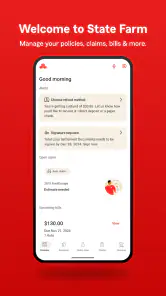
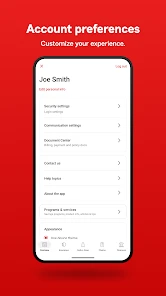
First things first, downloading and setting up the State Farm® app is a breeze. Available on both Android and iOS, it doesn’t matter what device you’re using; you’re covered. Once installed, you simply log in with your State Farm account, and voila, you have access to all your insurance policies. The app interface is clean and intuitive, ensuring you won’t get lost in a sea of options. Everything you need is right at your fingertips, from viewing your policies to checking your insurance card.
Features that Stand Out
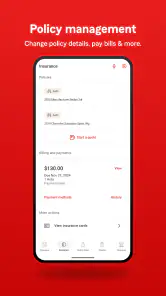
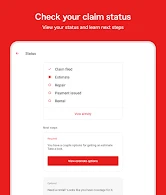
One of the standout features of the app is the ability to easily manage your policies. Need to update your car insurance or add a new policy? It’s all possible with just a few taps. Plus, if you ever need to file a claim, the app guides you through the process step-by-step. No more waiting on hold or dealing with confusing paperwork. Just snap a few pictures, fill in the details, and you're on your way.
Additionally, the app offers a Drive Safe & Save program, a nifty feature for those who want to save on their auto insurance. It tracks your driving habits and rewards you with discounts for safe driving. It’s like having a little incentive to be a safer driver, and who doesn’t love saving money?
User Experience
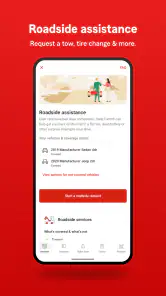
Using the State Farm app is like having a personal assistant dedicated to your insurance needs. The notifications and reminders ensure you never miss a payment or an important update. The customer service is also commendable, with help just a tap away if you have any questions or encounter issues. They’ve really thought of everything to make the user experience as seamless as possible.
However, no app is without its glitches. Some users have reported occasional crashes, but these seem few and far between. Plus, the team is quite responsive in rolling out updates to fix any bugs. It’s like having a car that occasionally sputters but never leaves you stranded.
Final Thoughts
In conclusion, the State Farm® app is a solid choice for anyone looking to simplify their insurance management. It’s packed with features that make handling your insurance needs easier than ever, and the convenience of having everything in one place is a game-changer. Whether you’re tech-savvy or a tech newbie, you’ll find it easy to navigate and use. While it may have a few minor hiccups, the benefits far outweigh the downsides. So, if you’re looking for a way to streamline your insurance experience, this app is definitely worth checking out.
Pros
- User-friendly interface
- Comprehensive coverage options
- 24/7 customer support
- Easy claims process
- Competitive pricing
Cons
- Limited online features
- App glitches occasionally
- Slow response times
- Complex policy details
- Regional restrictions

- Category
- Finance
- Version
- 10.153.0











