Starfall
- 6.12K
- 3.9
- Installs
- 5.00M
- Price
- Free
Screenshots
Analysis by Reviewed
When I judge a learning app for a child, I look beyond whether its activities are cheerful: I want to know what kind of learning it supports, how much choice a family has, and whether the adult can make a sensible decision about ongoing use. Starfall is an education app from Starfall Education Foundation, built around interactive learning rather than a video-only experience. Its playful presentation may draw children in, but I’d treat it as one tool in a family’s learning routine, not a replacement for reading together or a teacher’s guidance.
What a parent can establish before a child starts
The app has been available since September 14, 2013, and its current version is 3.3.32. It is rated for Everyone, but that age label describes the content rating, not a promise that every activity suits every child’s needs or that the app’s privacy arrangements meet your own standards. I’d make those judgments separately rather than treating a child-friendly presentation as a complete trust check.
Starfall is free to install, while in-app purchases are listed at $5.99 per item. A subscription opens access to all content, so the main practical question is not simply whether a child likes the first activity, but whether the material they want to use is available without a purchase. I’d explore the accessible sections first, then decide whether paying makes sense for how often your family expects to use the app.
Trust starts with visible choices
For an app used by a young learner, I separate what I can directly observe from what I would need to verify. I can assess whether an activity is understandable, whether a child can navigate it, and whether the subscription choice is clear to me. I would not assume anything about permissions, data collection, privacy practices, or account controls without reviewing the current information and prompts myself.
Before a child uses the device independently, I’d read any permission requests as they appear and check the privacy information presented in the app or its store page. If a choice is unclear, I’d pause rather than approve it automatically. This is especially sensible on a shared family device, where the adult may have personal information, saved payment details, or other accounts on the same tablet.
I would also keep purchase decisions in adult hands. A child’s curiosity about a locked activity is not the same as a family decision to subscribe, and I’d avoid leaving payment screens open for a young learner to explore. That is a useful boundary whether you decide to use only the free material or consider access to the wider library.
Discovering the Magic of Learning with Starfall
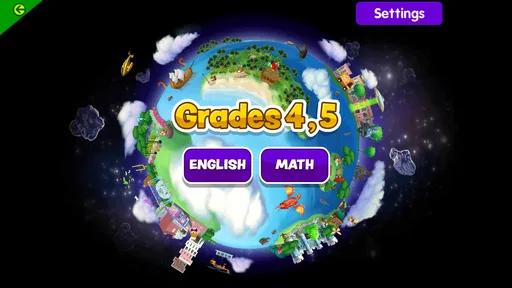
So, what exactly is Starfall? Well, it's an interactive app designed to teach young learners essential reading, math, and language skills. It’s like having a digital classroom at your fingertips! The app is packed with engaging activities that cater to preschoolers up to second graders. It's a fantastic way to get kids excited about learning, and let's be honest, who wouldn’t want that?
More From Our News Desk

 Bolt: Request a Ride
Bolt and the Shift from One-Tap Rides to More Legible Trips
Bolt shows how ride-hailing is shifting from a one-tap taxi request toward a more legible, choice-driven trip, while leaving the hardest questions of price and reliability unresolved.

 Farm Land - Farming life game
Farm Land Review: A Small Island Farm with a Satisfying Loop
A bright, breezy island farm turns a few quick chores into a satisfying cycle of planting, harvesting, expanding, and deciding what to build next.

 Android Auto
’s Community Takes Shape in the Passenger Seat
Its most valuable network is not a public feed but a shared set of routes, voice habits, app integrations, and advice that make driving less isolating—and sometimes more complicated.

 My Talking Angela
 Makes the Virtual Pet Feel Personal
A polished pet-raising game built on small rituals, playful customization, and a character who gives everyday screen time a surprisingly personal rhythm.

 Google Translate
 Review: A Pocket Tool for the Small Frictions of Travel
From menus and signs to quick conversations, Google Translate earns its place by cutting the little delays that make unfamiliar language feel like a barrier.

 Shazam: Find Music & Concerts
Shazam’s Best Trick Is Turning a Song Into a Night Out
A few seconds of recognition can settle an argument, rescue a half-remembered chorus, and point toward a live show. Shazam’s real trick is what happens after the match.
Latest News



Interactive Features Galore!
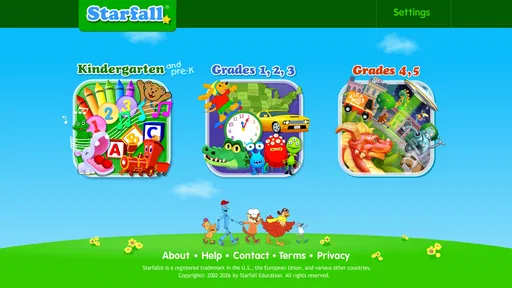
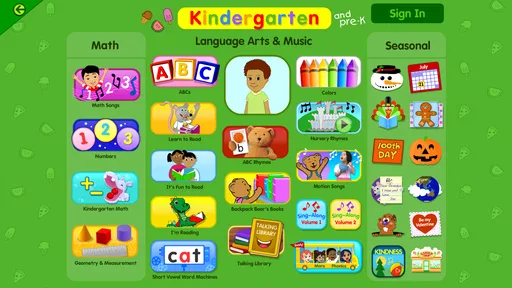
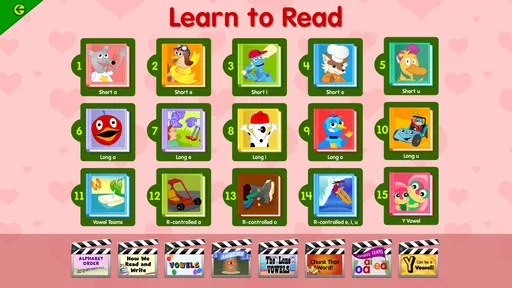
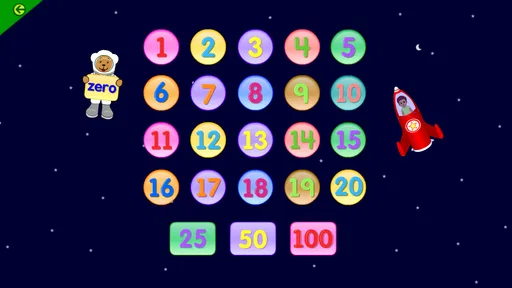
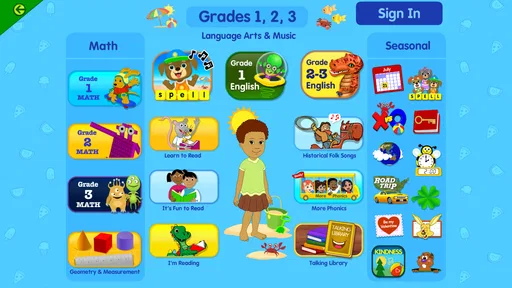
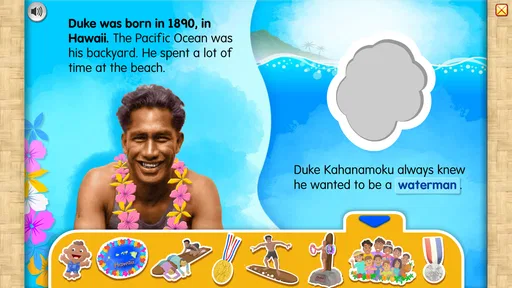
The app's interface is vibrant and easy to navigate, making it super kid-friendly. One of the first things I noticed was how intuitive it is. Children can easily find their way through the app without much guidance, which is great for fostering independence. The activities are varied, ranging from phonics and reading to math games and songs. Each section is thoughtfully designed to keep kids engaged and, more importantly, learning.
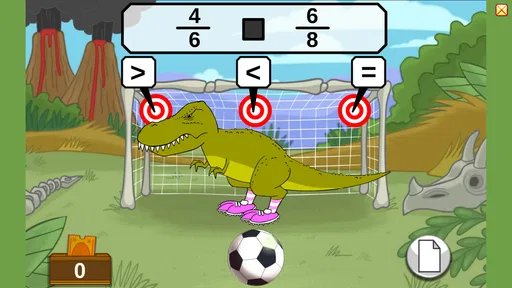
What sets Starfall apart is its emphasis on interaction. Kids aren't just passively watching or listening; they're actively participating. Whether it's through clicking, dragging, or tapping, the app encourages kids to be hands-on with their learning experience. It's like being in a classroom, minus the desks and chalkboards!
Making a short session count
A useful way to fit Starfall into a normal day is to give a child one clear task rather than opening the app and letting them wander. For example, after a story or a phonics activity, ask them to point out a letter or sound they noticed, then connect it to a word in a book or on a package at home. That small follow-up turns screen time into a conversation and gives you a better sense of whether the activity made an impression.
This approach also helps when a child is still learning to use a tablet. Sit alongside them at first and see whether tapping, dragging, or listening feels comfortable; a child who gets frustrated by navigation may need an adult nearby even if the layout seems simple. I’d keep sessions short enough that the app remains an invitation to explore, not a way to stretch screen time without a purpose.
Fun and Educational Content
Now, let's talk about content. Starfall's curriculum is aligned with educational standards, ensuring that what kids learn is not only fun but also valuable. The app covers a wide range of subjects, and each activity is designed to build on previous knowledge, which is essential for effective learning. From ABCs to math problems, the content is both comprehensive and entertaining.
One of the standout features for me is the way Starfall incorporates music and songs into its lessons. It’s amazing how a catchy tune can help a child remember the days of the week or the letters of the alphabet. Trust me, you’ll find yourself humming along too!
Choosing an activity with a purpose
One way to keep the app from becoming aimless screen time is to decide on a small learning goal before opening it. If a child has been mixing up letter sounds, for instance, I’d choose a reading activity and listen for the sound they are practicing. If they are restless, a song may be an easier starting point; afterward, you can ask them to recall a word or idea rather than immediately switching to another screen.
This also gives a parent a simple way to decide when to stop. When the child can describe what they tried, or has had enough of the activity, there is little benefit in pushing for a longer session just because more material is available. I find that ending on a clear moment of success can make it easier to return to learning later without turning the app into a reward or a battle.
Where it fits among learning options
Compared with a general-purpose learning app that focuses on one subject, the appeal here is the mix of reading, language, math, and songs in one place. That variety can suit a household with a young learner whose interests change from day to day. On the other hand, if your child needs focused practice on a specific skill, a dedicated reading resource, a maths workbook, or teacher-selected material may be a better match than a broad collection of activities.
I’d also avoid treating a child’s ability to move through an activity as proof that they have mastered the underlying skill. An adult can ask them to explain an answer or try a similar example away from the screen. That simple check is more useful than relying on time spent in the app, especially when you’re using it to support classroom learning rather than simply offer an enjoyable activity.
For a family comparing options, the key trade-off is breadth versus focus. Starfall can make it convenient to move between early reading, language, and maths without changing tools, while a workbook or teacher-picked resource may be easier to align with one precise lesson. I’d choose based on the child’s immediate need, not on the assumption that a single app should cover every part of learning.
A practical routine for home and travel
A realistic everyday use might be a short session after school while a parent prepares dinner. I’d sit close enough to notice whether the child can choose an activity and follow its instructions, then ask them to show or explain one thing they encountered. If the answer is only that they tapped through several screens, I’d use that as a cue to help them slow down next time rather than assume the session was educationally useful.
On a day when a child is tired, I’d make the choice even narrower: one familiar reading activity or a song, then stop. The app’s range is helpful when a child wants variety, but too many options can also make it harder to settle on a task. A parent can reduce that friction by proposing a single starting point and letting the child decide whether to continue afterward.
For travel or waiting-room use, I’d think about the practical setting before relying on it. A child may need headphones or an adult nearby, and a small screen can make tapping less comfortable for some learners. I would try the activity at home first, where it is easier to see whether it works for that child, rather than discovering during a rushed moment that the controls or pace are frustrating.
Why Starfall is Worth Trying
If you're on the hunt for an app that combines education with entertainment, then Starfall is definitely worth a try. It’s an app that grows with your child, offering new challenges as they advance. And the best part? It keeps learning fun and stress-free. I’ve seen firsthand how it captivates children, making them eager to learn and explore.
In a world where screen time is often frowned upon, it's refreshing to find an app that uses technology for good. Starfall is a prime example of how digital tools can enhance learning rather than detract from it. It’s an excellent resource for parents and teachers alike, offering a plethora of activities that are both educational and enjoyable.
That said, I would not choose it as the only learning resource for a child who needs structured assessment, a carefully sequenced teaching plan, or feedback tailored to a particular difficulty. A teacher, specialist, or focused learning material may be better for those needs. The app makes more sense as a flexible source of practice and shared activities, with an adult checking that the child is learning rather than simply staying occupied.
A cautious fit for different families
I’d recommend giving it a try if you want a child-friendly mix of early learning activities and are comfortable checking subscription choices and privacy details yourself. It may be less suitable if you need a tightly tailored lesson plan, clear progress reporting, or a specific set of parent controls; I wouldn’t assume those needs are covered without checking the current app experience. The current version is 3.3.32 and requires iOS 7.0 or later, so it’s also worth checking device compatibility before setting it up.
For a realistic test, I’d use it during a calm moment at home, sit nearby, and let the child choose between a reading activity and a song or maths exercise. Notice not only whether they stay engaged, but whether they can tell you what they did afterward. That gives you a more useful answer than a quick glance at the screen: you’ll see whether the format encourages curiosity, whether the child can navigate comfortably, and whether the available activities justify making it part of your routine.
Deciding whether to keep using it
After a few sessions, I’d ask three practical questions: does the child return to an activity willingly, can they tell you what they explored, and is the accessible material enough for your needs? Those answers help distinguish a genuinely useful routine from a brief novelty. If a child enjoys only one part, that may still be worthwhile, but it changes how you should weigh the subscription option.
The app has an average rating of 4.0 from around 27,000 ratings, with over 5 million installs and around 6,100 written reviews. I take that as evidence that many families have tried it, not as proof that it will suit a particular learner. The more useful test is whether its activities fit your child’s age, patience, interests, and learning goals.
For families considering payment, I’d first let the child sample what is available and note which activities they actually return to. A broad library can sound appealing, but access to more material only matters if the child uses it. If you are looking for occasional practice, free access may be enough; if the child consistently asks for content beyond it, then compare the subscription decision with other resources your household already uses.
So, whether you're looking to supplement your child's education or just want an engaging way to keep them occupied, Starfall is a stellar choice. Give it a spin, and watch your child's curiosity and knowledge soar!
Starfall Frequently Asked Questions
Can Starfall be used by a family looking for learning activities?
Starfall is an education app that offers numerous activities, so it may suit families looking for learning content to explore together. The app is rated Everyone. Its activities are the central experience, while access to all content is available to subscribers. Families can start with the free download and consider whether the available access fits their needs.
Who develops Starfall?
Starfall is developed by Starfall Education Foundation, the organization behind this education app. Its focus is on offering activities for learners rather than providing a conventional action or role-playing game. If you are considering it for a child or family member, you can keep that educational focus in mind when deciding whether its content is a good fit.
Is Starfall available for free, and what does the free option include?
Starfall is free to download and offers numerous activities. A subscription provides access to all content, so the free option should not be confused with unrestricted access to everything in the app. In-app purchases are also available at $5.99 per item. Families can explore the app’s available activities and review purchase settings before deciding whether to subscribe or make purchases.
What is Starfall and who is it designed for?
Starfall is an education app from Starfall Education Foundation, rather than an action or role-playing game. It offers numerous activities, making it suitable for learners and families looking for educational content. The app is rated Everyone, and its focus is on learning activities rather than battles, multiplayer competition, or an unfolding adventure storyline.
Does Starfall work on older Android devices?
Starfall requires Android 7.0 or later, so it may work on devices that cannot run newer operating systems. Check your device’s Android version before downloading, and make sure there is enough available storage for the app. The minimum operating-system requirement is a useful starting point, though performance can still vary depending on the device.
Pros
- Engaging educational content
- User-friendly interface
- Variety of learning activities
- Regular content updates
- Safe for kids
Cons
- Requires internet for full features
- Limited free content
- Can be repetitive
- Subscription model can be pricey
- Limited language options