SplashLearn: Kids Learning App
- 507.00
- 4.6
- Installs
- 1.00M
- Price
- Free
Screenshots
Analysis by Reviewed
Choosing a learning app for a child can feel like a small gamble: will it hold their attention, and will the time spent on it actually feel useful? I’d approach SplashLearn: Kids Learning App as a playful way to practise early math and reading, rather than a replacement for a teacher, books, or hands-on activities. That distinction makes it easier to set a sensible goal for a first session: try one activity together, see how your child responds, and decide from there.
What to expect from the learning sessions
SplashLearn is an education app from StudyPad, Inc. It is free to install and is rated for Everyone, with in-app purchases available. The app has a 4.5 average from around 2.3 thousand ratings and more than a million installs, so it is widely used, though those figures alone cannot tell you whether its teaching style suits your child. Its current version is 7.2.0, and it requires Android 8.0 or later.
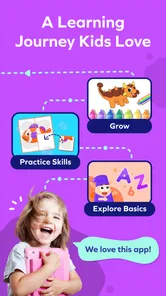
The focus is on foundational math and reading, presented through interactive activities rather than a plain worksheet format. That can help when a child resists another round of paper practice or needs a more playful change of pace. I would still keep sessions purposeful: choose a short stretch of practice, then ask your child to explain one answer aloud. That quick conversation helps you tell whether they understood the idea or were mainly tapping through.
Make the first session easy to manage
After installing it, I’d start beside the child instead of handing over the device and walking away. Let them explore the presentation, then guide them toward a math or reading activity that matches what they are already learning. A familiar topic is a better first test than a difficult new one; it gives the child a fair chance to learn the app’s rhythm without confusing navigation with the subject itself.
A realistic use is a brief practice session while dinner is being prepared or during a quiet moment after school. Sit nearby for the first few activities, and stop while the child is still willing to return another day. If they become frustrated, switch to talking through the idea away from the screen instead of treating more taps as progress. The app works best as one part of a routine, not as a way to occupy a child indefinitely.
From a first win to a useful routine
Ever stumbled upon an app that makes both you and your kids fall in love with learning? Well, I just did, and it's called SplashLearn: Kids Learning App. This app is like a treasure trove of educational fun, and I couldn’t resist sharing my experience with you. So, grab a cup of coffee while I spill the beans on why this app is a game-changer.
Engaging Learning Experience
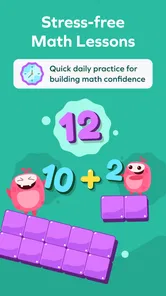
When it comes to keeping kids engaged, SplashLearn knows the secret sauce. As soon as I opened the app, the vibrant colors and adorable characters caught my eye, and let me tell you, it’s not just a pretty face. The app is packed with interactive games and activities that make learning math and reading as exciting as a superhero movie! My little one was hooked from the get-go, and I couldn’t help but join in on the fun.
More From Our News Desk

 Bolt: Request a Ride
Bolt and the Shift from One-Tap Rides to More Legible Trips
Bolt shows how ride-hailing is shifting from a one-tap taxi request toward a more legible, choice-driven trip, while leaving the hardest questions of price and reliability unresolved.

 Farm Land - Farming life game
Farm Land Review: A Small Island Farm with a Satisfying Loop
A bright, breezy island farm turns a few quick chores into a satisfying cycle of planting, harvesting, expanding, and deciding what to build next.

 Android Auto
’s Community Takes Shape in the Passenger Seat
Its most valuable network is not a public feed but a shared set of routes, voice habits, app integrations, and advice that make driving less isolating—and sometimes more complicated.

 My Talking Angela
 Makes the Virtual Pet Feel Personal
A polished pet-raising game built on small rituals, playful customization, and a character who gives everyday screen time a surprisingly personal rhythm.

 Google Translate
 Review: A Pocket Tool for the Small Frictions of Travel
From menus and signs to quick conversations, Google Translate earns its place by cutting the little delays that make unfamiliar language feel like a barrier.

 Shazam: Find Music & Concerts
Shazam’s Best Trick Is Turning a Song Into a Night Out
A few seconds of recognition can settle an argument, rescue a half-remembered chorus, and point toward a live show. Shazam’s real trick is what happens after the match.
Latest News



Tailored to Individual Needs
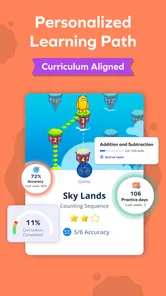
One thing I absolutely love about SplashLearn is its personalized learning approach. The app cleverly adapts to each child’s learning pace, ensuring that no one feels left out or overwhelmed. My child felt like a little genius as the app tailored the difficulty of the tasks based on their performance. It’s like having a personal tutor right on your tablet!
For a first meaningful success, I would not aim to finish a level or cover a particular amount of work. I’d look for a smaller sign: the child completes an activity, can describe what they were practising, and wants to try again later. If the adaptive pace feels too easy or too challenging, use your own knowledge of the child’s schoolwork to guide the next choice rather than assuming every recommendation will be a perfect match.
Wide Range of Topics
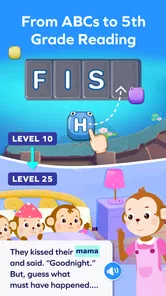
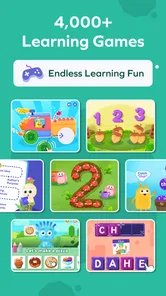
From addition and subtraction to phonics and spelling, SplashLearn covers a wide array of topics. It’s a relief knowing that my child can learn foundational skills all in one place. And the best part? The app updates frequently, adding new content to keep things fresh and challenging.
Compared with a basic practice worksheet, the app offers a more playful screen-based format; compared with a general video or game, its clear learning focus is the point. That trade-off matters. A child who enjoys interactive prompts may be more willing to practise here, while one who learns best by writing, moving objects, or talking things through may do better with physical materials and an adult nearby. I would use it to complement those methods, not replace them.
Parent-Friendly Features
Now, if you’re a parent like me who loves to keep tabs on their child’s progress, you’ll appreciate the detailed progress reports. SplashLearn keeps you in the loop with insights into your child’s strengths and areas that need a little more attention. It’s reassuring to see their progress and celebrate every little victory along the way.
One useful habit is to check progress after a few sessions, then turn one observation into a simple offline follow-up: ask the child to make up a similar math problem or spot a sound in a word while reading together. This makes the report a starting point for conversation rather than a score to chase. It also gives you a way to notice when screen success is not carrying over to everyday examples.
Know what suits your family
The free starting point makes it possible to judge the activities before deciding whether any paid content is worthwhile. In-app purchases range from $7.99 to $144.00 per item, so I would check the purchase details carefully and avoid assuming that every activity is included at no cost. If you want a completely paper-based routine, need a full classroom curriculum, or prefer an app with no purchase options, this may not be your best fit. It is more suitable for families looking for guided, game-like practice in early reading and math.
Parents often wonder whether they need to supervise every session. I would stay close at first, especially to help choose an appropriate activity and see how the child responds; once the routine is familiar, you can decide how much independence makes sense for that child. If you are wondering whether it can stand in for lessons, I would say no: use it for extra practice, then rely on school instruction and your own conversations to build context.
Making the routine work beyond the first day
For a child who loses interest when practice feels repetitive, I’d use SplashLearn as a change of format rather than as a promise that every learning task will suddenly become exciting. Pick a moment when the child has enough energy to focus, and make the transition explicit: “Let’s practise one reading activity, then we’ll read a page together.” That small pairing keeps the app connected to a real skill instead of turning screen time into an isolated reward.
It can also help to separate “help me get started” from “do it for me.” If a child hesitates at the first prompt, read the instruction together and let them make the answer choice. If they get stuck, ask what part seems confusing before offering the solution. This is a practical way to see whether the obstacle is understanding the subject, interpreting the activity, or simply getting used to the interface. Each calls for a different response.
Choosing activities without turning practice into a test
When you open an activity, think about what the child has recently encountered in class or in a book at home. A short, familiar task can build confidence; a new concept is better introduced with your explanation and then reinforced through practice. I wouldn’t use a session to diagnose a learning difficulty or judge a child’s ability from a few answers. Treat it as a snapshot of how they are doing with that particular activity on that particular day.
There is a useful trade-off in adaptive practice: adjusting challenge can help a child avoid being stuck at one level, but it does not remove the need for an adult to notice when the app’s pace and the child’s needs diverge. If the activity appears too easy, ask the child to explain the reasoning or try a real-world example. If it feels too hard, step back to a familiar idea and return to the tougher material later. The goal is understanding, not simply advancing.
Who is likely to enjoy it, and who may prefer another approach
I’d recommend trying SplashLearn if your child is in the early stages of building reading and math skills, responds well to colorful interactive activities, and needs a low-pressure way to get a little extra practice at home. It may also suit a caregiver who wants a focused activity to share with a child and a prompt for follow-up conversations. Its appeal is narrower if your main need is a complete school curriculum, a deep explanation of every concept, or a tool for older students working on advanced subjects.
Compared with a dedicated reading book or a paper workbook, the app brings more interaction and can make it easier to get a reluctant child to begin. Those offline options, though, encourage different habits: writing answers by hand, handling a book, and talking face to face. A broad entertainment game may be more immediately compelling, but it does not serve the same practice purpose. I’d choose based on the child’s goal that day, and I would not expect one format to replace all the others.
Small checks that make a session more useful
After an activity, ask a specific question rather than “Did you like it?” For math, ask how the child decided on an answer; for reading, ask which sound or word they noticed. If they can explain it in their own words, that is a better sign of learning than speed or enthusiasm alone. If they cannot, you have a gentle cue to revisit the idea together without making the app session feel like an exam.
Likewise, if a child wants to keep going, I would still pause to check whether they are engaged with the learning or simply eager to continue tapping. A short break can make the next session more welcome, and it gives you time to connect what they practised with a story, a number in a recipe, or another ordinary moment. This is especially helpful for younger learners, who may need an adult to make the bridge between an on-screen prompt and everyday use.
What to keep in mind before committing
The app’s free installation is a convenient way to see whether its style clicks with your child, but it does not mean every part of the experience is free. Because individual in-app purchases can vary substantially in cost, I’d review the purchase screen with care before choosing anything. If you are sharing a device with a child, it is sensible to handle purchasing decisions yourself rather than letting a child make them during exploration.
There is also a simple practical question: does your child enjoy learning through a screen? Some do; others become distracted by bright presentation or prefer the slower pace of a story read together. You can answer that without a long trial. Try a brief session, watch whether the child can focus on the task, and compare their mood with how they respond to an offline activity. If the app creates more friction than useful practice, it is reasonable to choose another method.
In conclusion, SplashLearn: Kids Learning App is not just an app; it’s a delightful journey through the world of learning. It’s a tool that makes education fun, engaging, and personalized. So, if you’re on the hunt for an app that keeps your child entertained while learning, give SplashLearn a try. Trust me, it’s worth every tap and swipe!
SplashLearn: Kids Learning App Frequently Asked Questions
What subjects can children explore in SplashLearn: Kids Learning App?
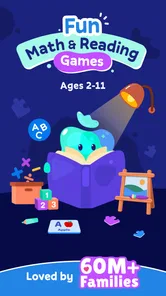
SplashLearn combines cool math games with activities that help children learn to read. Its education-focused format makes it a good option for families looking to add playful practice to early learning. The activities are designed to keep lessons engaging, while the app’s learning approach is also described as loved by kids and approved by teachers.
What age group is SplashLearn: Kids Learning App suitable for?
SplashLearn: Kids Learning App is designed for children in the age group of 3 to 8 years. It offers a range of interactive and educational activities tailored to enhance early learning in subjects like math and reading. The app adapts to the pace of each child, ensuring a personalized learning experience that keeps young learners engaged and motivated.
Is SplashLearn: Kids Learning App available on multiple platforms?
Yes, SplashLearn: Kids Learning App is available on both Android and iOS platforms. This makes it accessible for a wide range of users, whether they prefer to use a smartphone or a tablet. The app can be downloaded from Google Play Store for Android devices and the Apple App Store for iOS devices.
Does SplashLearn: Kids Learning App require an internet connection to function?
SplashLearn: Kids Learning App requires an internet connection for initial setup and downloading new activities or updates. However, once the content is downloaded, many of the learning activities can be accessed offline. This feature is particularly useful for parents who want their children to learn on the go without relying on continuous internet access.
Are there any in-app purchases in SplashLearn: Kids Learning App?
Yes, while SplashLearn: Kids Learning App offers a selection of free content, it also includes in-app purchases for access to premium features and additional content. These purchases are optional, but they can enhance the learning experience by providing a wider range of activities and personalized learning paths. Parents should consider these options based on their child's learning needs. In-app purchase options range from around eight dollars to around 144 dollars per item, so it is worth checking the purchase details before choosing.
Pros
- Engaging interactive lessons
- Wide range of subjects covered
- Personalized learning paths
- Bright, kid-friendly interface
- Frequent updates with new content
Cons
- Requires internet connection
- In-app purchases can add up
- Limited offline access
- Occasional technical glitches
- Can be distracting with games