Solvely-Math Solver & Homework
- 951.00
- 4.6
- Installs
- 5.00M
- Price
- Free

Screenshots
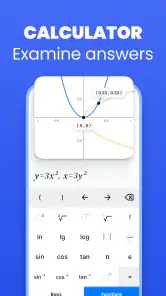
Analysis by Reviewed
I usually judge a homework app by a simple question: does it help me understand the work, or does it merely produce an answer I cannot explain? Solvely-Math Solver & Homework is built for the moment when I am stuck and need a fast route through a problem. It belongs to the education category, is free to install, and is made by Aignite Inc. Its central idea is practical: capture a question, let the app work through it, and use the result as a guide across school and college subjects.
That makes it appealing to students who move between algebra, science, reading-based assignments, and other coursework rather than using a separate tool for every class. I found the app most useful when I treated it as a second set of eyes instead of an automatic answer machine. The distinction matters. A solver can save time, but the real value comes from checking the method, spotting where my own work went wrong, and then trying a similar problem without help.
How I decide whether Solvely is the right homework tool
Start with the kind of help you actually need
Before choosing any homework assistant, I would separate four needs. The first is speed: I may need to identify what a question is asking before I spend twenty minutes going in the wrong direction. The second is explanation: an answer is much less useful if I cannot follow the reasoning. The third is range: a math-focused calculator is excellent for equations but less convenient when the assignment changes subject. The fourth is independence: the best workflow should help me return to the problem without the app.
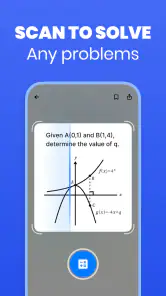
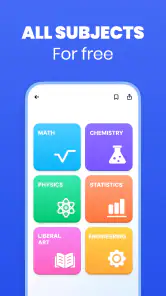
Solvely is aimed at that broad middle ground. Its store summary presents it as a math solver and homework helper that can scan questions across subjects, from K–12 work through college-level study. In practice, that positioning makes sense for students who want one starting point instead of a collection of narrowly focused apps. It is especially convenient when a worksheet contains a mixture of printed text, equations, diagrams, or instructions that would be tedious to type manually.
Scanning is also a decision point. If a question is clearly printed and well framed, taking a picture can be quicker than entering symbols on a small phone keyboard. If the page is crowded, handwritten, angled, or covered with annotations, I would slow down and inspect the captured question carefully. A mistaken symbol or missing exponent can lead to a polished-looking response to the wrong problem. My practical rule is to compare the recognized question with the original before trusting the solution.
Why the broad subject coverage matters
A dedicated math app can be the better choice when I am studying one narrow topic and want specialized graphing, symbolic manipulation, or detailed practice. Solvely’s advantage is different: it reduces the friction of changing subjects. I can use the same basic workflow when moving from a linear equation to a science question or another homework prompt, rather than learning several interfaces and remembering which app handles which task.
That breadth is valuable for younger students, families sharing a device, and college students managing several introductory courses. It also suits a quick study session in a library or at the kitchen table, where opening a single helper is easier than searching for a separate calculator, scanner, and explanation tool. The trade-off is that a broad assistant may not feel as deep as a specialist in every subject. I would choose it for convenience and coverage first, not because it replaces every advanced academic tool.
A realistic evening with the app
Imagine I am finishing a worksheet after dinner. I understand the first few questions, then reach an equation with fractions and lose track of the next step. Instead of copying the entire problem into a search engine, I scan it, check that the expression was read correctly, and study the route Solvely gives me. I then rewrite the process in my notebook, covering the result while I attempt the next question myself.
Later, I reach a written science prompt. The useful part is not simply having a response appear. I need to compare the explanation with my textbook or class notes, identify the terms my teacher expects, and rewrite the answer in my own words. In that scenario, the app saves time at two different points: it removes the mechanical burden of entering the question, and it gives me a starting structure when I do not know how to begin.
I would not use that workflow to complete an entire assignment without reading. It is too easy to accept an answer that sounds reasonable but does not match the lesson’s method. The strongest habit is to ask myself what the app changed, why each step was taken, and whether I can reproduce the result without looking. That turns a scan into study rather than submission.
Small workflow choices that improve the results
One useful habit is to crop the question as tightly as possible before scanning. Removing unrelated text, neighboring exercises, and page decorations gives the app a cleaner target and makes it easier for me to verify what it recognized. For a multi-part problem, I prefer working through one part at a time when the page layout could cause confusion. This also makes the explanation easier to compare with my own notes.
A second habit is to keep the original wording visible. A solver may focus on the numerical or factual core while overlooking a condition such as “show your work,” “round to a specified place,” or “compare two cases.” I read the prompt again after receiving help and check whether the response addresses the instruction, not just the equation. This is particularly important for word problems, where the setup often matters more than the calculation.
A third habit is to use the response as a diagnostic tool. If my answer differs from Solvely’s, I do not immediately assume the app is right or that I am wrong. I compare units, signs, parentheses, and assumptions. For science and other subjects, I check whether the question depends on a definition or classroom convention. The app is most valuable when it exposes the exact point of disagreement.
What the current app profile tells me
Solvely has a 4.6 average from around 88 thousand ratings and has passed 5 million installs, which suggests that its scan-first homework approach has reached a substantial audience. It is rated for Everyone, so its positioning is accessible to a wide range of learners. The current version is 3.0.3 and requires Android 8.0 or later, a detail worth checking before installing on an older phone or tablet.
The app is free to install, but it includes purchases ranging from $2.99 to $720 per item. That wide range makes it important to inspect the purchase screen carefully and understand what is included before committing to anything. I would begin with the free experience, decide whether the scanning and explanations genuinely fit my study routine, and only then consider paid access. A free download should not be confused with unlimited use of every possible capability.
Where this product wins over familiar alternatives
Compared with typing a question into a web search, Solvely offers a more direct path from the physical worksheet to a usable explanation. Search results can be helpful, but they often require several attempts to phrase the problem correctly. A scan can preserve the original structure and reduce the time spent translating notation into search terms. That is a meaningful advantage when I am working from a textbook or printed handout.
Compared with a standard calculator, it is better suited to questions where I need more than a final numerical value. A calculator is still preferable for quick arithmetic, repeated calculations, or situations where I already know the method. Solvely becomes more useful when the obstacle is interpreting the problem or understanding the sequence of steps.
Compared with a subject-specific math solver, Solvely is more convenient for mixed homework. I do not have to decide whether a question belongs in an equation tool, a science reference, or a general search box before getting started. That does not make it the strongest specialist in every advanced topic. It makes it a flexible first stop for students whose assignments are varied.
Compared with asking a teacher, tutor, or classmate, the app is available immediately and does not require coordinating schedules. However, it cannot replace the context a teacher brings. A teacher knows the method being taught, the expected notation, and the common mistakes in a particular class. I use Solvely for immediate clarification, then use class materials or a human explanation when the concept remains unclear.
Where another option may fit better
I would look elsewhere if my main goal were structured long-term practice. A dedicated learning platform may provide lessons, spaced review, progress tracking, and exercises that adapt to repeated mistakes. Solvely is more naturally suited to solving or unpacking the problem in front of me. It can support learning, but I would not mistake quick assistance for a complete course plan.
I would also prefer a specialist when the assignment depends on advanced visual work, formal proof, extensive graphing, or a particular notation system. In those cases, a tool designed around that discipline may offer more control and make the reasoning easier to inspect. Solvely’s cross-subject convenience is strongest at the point where I need help getting unstuck, not necessarily where I need a full professional workspace.
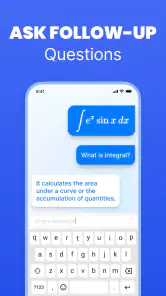
Students who learn best through conversation may find a teacher, tutor, or study group more effective. An app can show a route, but a person can notice that I misunderstood a definition, ask a follow-up question, or explain the same idea in a different way. I would skip Solvely as my primary resource if I tend to accept generated answers without checking them, because that habit can hide gaps rather than repair them.
Accuracy, privacy, and the cost of switching habits
Any scan-based homework workflow introduces a verification step. I need to inspect superscripts, minus signs, decimal points, fractions, and units. A clean image helps, but no camera-based process should be treated as infallible. For a high-stakes assignment, I compare the result with class notes, a textbook example, or another calculation. This is not unnecessary caution; it is part of using an automated helper responsibly.
I also think about the cost of switching. The first few sessions are not completely frictionless because I must learn how to frame a page, check the captured text, and decide which parts of an explanation are worth recording. Once that routine becomes familiar, the time saved can be considerable for short questions. If I only have a handful of simple calculations, opening a normal calculator may still be faster.
For personal work, I avoid photographing unrelated information around the assignment. I frame only what is needed and review the image before submitting it. That keeps the workflow focused and is a sensible habit for any app that processes a picture of schoolwork. I also avoid treating a generated explanation as a source to paste unchanged into an assignment. The safest academic use is to understand, verify, and write independently.
Who should install it, and who should pass
I would recommend trying Solvely to a student who regularly studies from printed worksheets, wants help across more than one subject, and values a quick explanation when a problem becomes confusing. It is also a good fit for parents helping with homework who need a starting point for understanding an unfamiliar exercise. The Everyone rating and broad education focus make it approachable for a wide audience, while the Android requirement is modest enough for many older devices.
I would be more cautious for a student who needs a complete curriculum, intensive exam preparation, or highly specialized mathematical tools. In those situations, a structured course or specialist app may deserve the main place in the study routine. I would also skip paid upgrades until I had personally tested the free installation and decided that the recurring workflow solves a real problem rather than simply making me curious.
My recommendation after using it as a study companion
My strongest recommendation is to use Solvely as a checkpoint, not a shortcut. Scan the question, verify what was captured, study the reasoning, and then close the app long enough to solve a similar example yourself. That approach gets the practical benefit of fast assistance without giving up the learning that homework is meant to create.
For students who want one flexible homework helper instead of several narrowly focused tools, Solvely is a convincing choice. Its broad subject aim, scan-based entry, and free starting point make it easy to test in everyday study. The 4.6 average and more than 5 million installs reflect broad adoption, though popularity alone should not decide whether it suits an individual learner.
My final view is positive but measured. Solvely works best when the problem is “I need a clear starting point” rather than “I want someone else to do my assignment.” If that matches how you study, I would install it and test it on a few real questions before spending money. If you need deep specialization, guided courses, or personal tutoring, keep those alternatives close. Used with that distinction in mind, this education app can make difficult homework feel more manageable while still leaving the thinking in your hands.
Pros
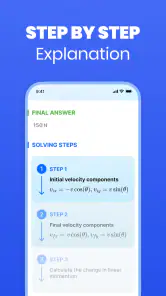
- Step-by-step solutions make difficult problems easier to follow.
- Supports photos of handwritten or printed math questions.
- Useful for checking homework before submitting it.
- Covers topics from basic arithmetic to advanced mathematics.
- Quick answers are convenient when studying independently.
Cons
- Some advanced solutions may require a premium subscription.
- Photo recognition can struggle with messy handwriting or poor lighting.
- Answers should be verified because occasional mistakes can occur.
- Requires an internet connection for many solving features.
- Frequent use may reduce practice and independent problem-solving skills.

- Category
- Education
- Version
- 3.0.3











