SnapBridge
- 8.57K
- 4.2
- Installs
- 10.00M
- Price
- Free
Screenshots

Analysis by Reviewed
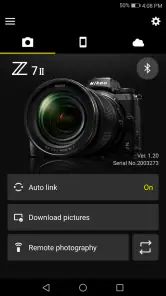
Have you ever been out in the wild, capturing the beauty of nature with your Nikon camera, only to wish you could instantly share those stunning shots with your friends? Well, let me introduce you to the solution: SnapBridge. This app seamlessly connects your Nikon camera to your smartphone, making photo transfers feel like a breeze.
Effortless Connectivity
One of the standout features of SnapBridge is its ability to establish a constant connection between your camera and smartphone. Now, I know what you’re thinking—"constant connection" sounds like a battery drainer, right? But fear not! The app uses Bluetooth Low Energy to ensure that your devices stay connected without draining the life out of them. It’s like having a magic bridge between your camera and phone that doesn’t suck up all the power.
Easy Photo Transfers
Gone are the days of fumbling with SD cards or USB cables. With SnapBridge, transferring photos is as easy as pie. Once you've paired your devices, photos automatically sync to your phone as you snap them. Imagine being at a family gathering and sharing those candid moments in real-time without missing a beat. It’s practically instant gratification.
Remote Shooting Capabilities
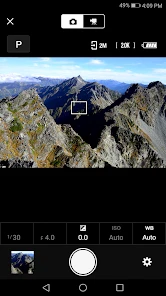
What if I told you that SnapBridge can also act as a remote control for your camera? That’s right! You can set up your camera somewhere scenic, move into the frame, and use your smartphone to snap the picture. It’s like having your own personal photographer. Perfect for group shots or those tricky angles where a selfie stick just won’t cut it.
Keep Your Photos Organized
Photo management can be a headache, but SnapBridge helps keep your images organized. The app automatically tags your photos with location data and timestamps, making it easier for you to find that perfect sunset shot from last summer’s vacation. Plus, you can add notes to each photo, so you’ll never forget the details of your adventures.
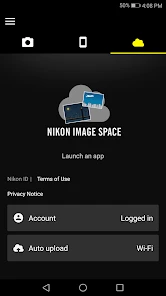
It’s also worth mentioning that the app supports seamless integration with Nikon Image Space, Nikon’s cloud storage service. This means you can back up your photos to the cloud, freeing up space on your devices while keeping your memories safe and sound.
Final Thoughts
In a world where capturing and sharing moments has become second nature, SnapBridge truly stands out as a must-have app for Nikon camera users. Its ease of use and innovative features make it a game-changer for photography enthusiasts. Whether you’re a professional photographer or just someone who loves taking pictures, this app is sure to enhance your shooting experience.
So, next time you’re out on an adventure, make sure to give SnapBridge a try. It’s like having a personal assistant for your camera, always ready to help you share your world, one photo at a time.
Pros
- Seamless camera connectivity
- Automatic photo transfer
- Remote camera control
- Easy social media sharing
- Battery-efficient operation
Cons
- Requires Nikon camera
- Limited editing features
- Occasional connection drops
- No cloud storage option
- App interface needs improvement

- Category
- Photography
- Version
- 2.13.2











