Services Info / Apk Installer
- 385.00
- 3.8
- Installs
- 1.00M
- Price
- Free

Screenshots
Analysis by Reviewed
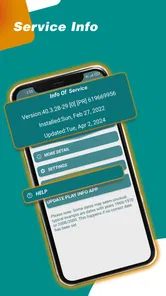
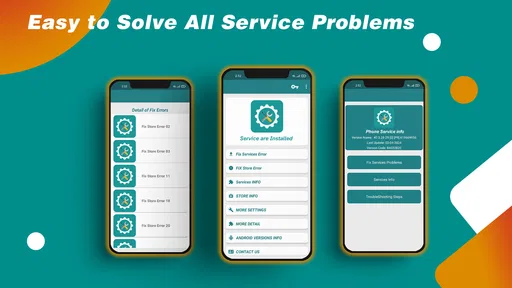
When a phone is shared around a household, a small system-services problem can quickly become everyone’s problem: one person cannot open an app, another assumes the device needs replacing, and nobody knows where to start. I see Services Update Info as a focused troubleshooting aid for that moment, rather than a general-purpose phone manager. Its purpose is to help users check the status of phone services and address system-services errors, which makes it most useful when something specific is not behaving as expected.
A shared phone, one practical starting point
Picture a family tablet or an older phone passed between household members. A child’s app stops loading, a parent needs the device for a call, and the first instinct is to restart everything or change several settings at once. I would use this app as a deliberate first check: open it, look at the service status it presents, and use that information to decide whether the issue appears related to system services before trying broader fixes.
That order matters. On a shared device, changing settings without knowing what is wrong can affect more than one person’s routine. A status-checking tool can help turn a vague complaint into a more specific question, such as whether a service needs attention or whether the problem is limited to one app. It is not a substitute for careful troubleshooting, but it can give the household a sensible place to begin.
Keep troubleshooting separate from account decisions
I would not treat a service checker as a way to manage household accounts. If different people use the same device, each person should still be clear about which account is active before changing account-level settings or following any repair steps outside the app. The useful boundary here is simple: check the phone’s services first, and avoid signing in, removing accounts, or changing another person’s setup just because one app has stopped working.
That distinction is especially helpful when the device belongs to a parent but is used by other family members. If an issue appears to involve a specific account, it may be better for the account owner to handle it through the relevant service’s own settings. I would use Services Update Info to narrow down the kind of problem, not as evidence that every account or app on the phone needs to be reset.
Coordinate without assuming family controls
For a household that shares devices, the app’s most practical role is as a common reference point. One person can check the service status, then explain what they saw before anyone else starts troubleshooting. That reduces the familiar cycle of several people trying different fixes and making it harder to tell which action changed the result.
I would also keep a short mental note of what was tried: whether the service was checked, whether the affected app was reopened, and whether the problem remained. This is a simple workflow, not a special tracking feature, but it makes follow-up clearer if another household member takes over. Services Update Info is best treated as a small part of shared-device coordination, not as a family dashboard or a way to supervise other users.
More From Our News Desk

Weather by Xiaomi Review: Clear at a Glance, Less Clear Up Close

X Under Pressure: Can It Recover When Posting Goes Wrong?

Clash of Clans Is Won Between the Battles

Android Auto Makes the Case for Quieter Car Software

MobiOffice: Transforming Mobile Productivity with Seamless Integration

EA SPORTS FC™ Mobile Soccer: Redefining Mobile Sports Gaming
Age, trust, and realistic expectations
The app is rated for Everyone, so its age classification is broad enough for a general audience. Still, I would guide younger users through system-related troubleshooting rather than asking them to make changes they do not understand. A child can point out that an app is failing; an adult can decide whether to check a service, consult the affected app’s support information, or leave the phone’s configuration alone.
Trust also means keeping expectations grounded. Services Update Info can help with checking phone services and system-service errors, but a status check cannot guarantee that a particular app will work afterward. Problems can come from the app itself, an account, a connection, or another device setting. I would treat the result as one clue, then test the original problem again before deciding that the phone is fixed.
Smart Apps Services develops the app, which sits in the libraries-and-demo area rather than serving as a full device-maintenance suite. It is free, has a 3.9 average from around 7,900 ratings, and has been installed over a million times. Those figures suggest that many Android users have tried it, but they do not tell me whether it will solve a particular household’s issue; the usefulness depends on whether the problem is actually related to phone services.
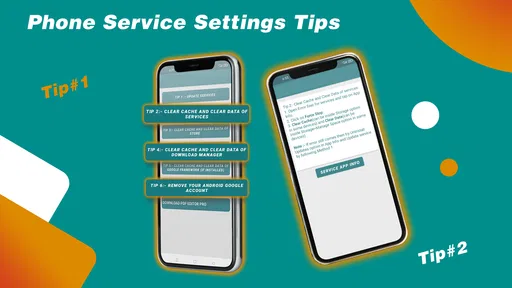
The practical question is what to do after checking. If the app points you toward a service issue, make one change at a time and retest the affected app before moving on. If there is no clear improvement, avoid repeating the same action or making increasingly broad changes. On a shared phone, that restraint protects everyone’s setup and makes it easier to explain what happened if you need help from the phone maker or the app’s support team.
There is also a useful trade-off between a focused checker and built-in system settings. The settings already on the phone are usually the better place for familiar tasks such as managing accounts or reviewing device options. A dedicated service-information app can be easier to approach when the problem is specifically about phone services, but it should not replace the operating system’s own controls. I would use each for the job it is suited to: this app to inspect service status, system settings for device changes, and the affected app’s own help when the issue appears isolated to that app.
What is Services Update Info?
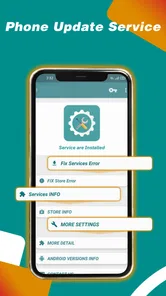
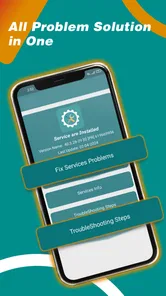
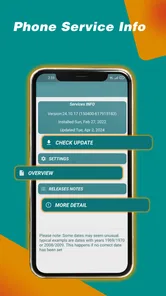
Services Update Info is a compact Android utility for checking phone-service status and addressing system-services errors. It was released on March 28, 2018, and its current version is 1.4.2, with Android 5.0 as the minimum operating-system requirement. I would describe it as a narrow diagnostic companion, not a tool that automatically keeps every app updated or guarantees repairs. That distinction helps set expectations before installing it.
When a focused check is more useful than a broad fix
In a typical libraries-and-demo category, alternatives may range from general phone-maintenance utilities to the settings already built into Android. Broad tools can bundle many device tasks, but that breadth can be unnecessary when the concern is a system service. The built-in settings remain the more appropriate choice for changing accounts and core device configuration. Services Update Info makes sense when you want a more direct service-status check, then can move to the relevant system or app settings only if the result gives you a reason.
Here is a realistic example: a shared household phone suddenly fails to load one app that had worked the day before. I would first check whether other apps are affected, then use this app to inspect the phone-service side of the problem. If the issue is limited to that one app, I would stop treating it as a system-wide failure and look at that app’s own settings or help. If several unrelated apps show trouble, the service check may be a more relevant lead. This comparison prevents a single symptom from turning into unnecessary changes across the phone.
Small habits that make the result more useful
For the clearest troubleshooting, I would avoid changing multiple things between checks. Note the original symptom in plain language, check the service status, try the least disruptive next step, and reopen the affected app. If the symptom changes, that is useful evidence; if it does not, it is a signal to stop and consider another cause. This one-change-at-a-time approach is particularly valuable when other people use the device, because it limits confusion about what was altered.
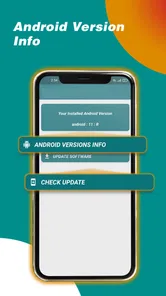
I would also check the phone’s Android version before installing, especially on an older shared handset. The minimum requirement is Android 5.0, so a device below that threshold is not a suitable fit. On a compatible phone, the app is free and rated for Everyone, but I would still have an adult oversee any troubleshooting that could lead a less experienced user into system settings. The age rating is not a recommendation to let children make technical decisions on their own.
Who should use it, and who should look elsewhere
This is a reasonable option for someone who wants a straightforward place to check phone-service status when system-related errors are suspected. It may suit a household’s designated “phone helper,” or an individual who prefers to gather one specific clue before searching through Android settings. It is less compelling for people who want a complete maintenance suite, automatic app-updating, or a tool that manages household accounts; those are different needs, and this app should not be mistaken for solving them.
If the problem is clearly confined to one app, that app’s own troubleshooting steps are likely a better next move. If the concern is an account, use the account owner’s settings and official support route. If the whole device is behaving erratically, the phone maker’s guidance or Android’s built-in settings may be more appropriate than relying on a single status checker. Knowing when to stop using a narrow tool is part of using it well.
Why You Need It
In this fast-paced digital world, app developers are constantly rolling out updates to improve functionality, add new features, or patch security vulnerabilities. Keeping track of all these updates can be overwhelming. That's where Services Update Info comes in handy. It gives you a comprehensive overview of what's new with your apps, so you can decide which updates are worth your time and data.
Imagine waking up to find all your favorite apps have been updated overnight with cool new features. It's like Christmas morning, but instead of presents, you get a bunch of awesome app upgrades!
Easy to Use Interface
The app boasts an intuitive user interface that's as easy to navigate as a Sunday stroll in the park. With just a few taps, you can access a list of all your installed apps, along with detailed update information. It even provides direct links to the app store, so you can download updates with minimal fuss.
Plus, the app doesn't bog you down with technical jargon. It's straightforward and user-friendly, making it accessible to everyone, regardless of their tech-savvy level.
Stay Ahead of the Curve
One of the best things about Services Update Info is that it keeps you ahead of the curve. With timely notifications about new updates, you're always in the loop. No more feeling left out when your friends are talking about that awesome new feature they got last week.
It's like having a crystal ball for your phone, allowing you to foresee the future of your apps and make informed decisions about which updates to install.
A Final Word
In conclusion, Services Update Info is an indispensable tool for anyone who wants to keep their device in top shape. Its user-friendly interface, timely notifications, and comprehensive update information make it a standout app in its category. If you're someone who values efficiency and staying up-to-date, this app is definitely worth checking out.
So, what are you waiting for? Give Services Update Info a try and experience the peace of mind that comes with knowing your apps are always up-to-date and ready to rock!
A household verdict: helpful as a clue, not a cure-all
My recommendation is conditional: try it when the issue plausibly involves phone services, and judge it by whether it helps you choose a sensible next step. The app’s store summary frames it around service checks and system-service errors, so that is the role I would keep in mind. I would not install it expecting a universal fix for app crashes, account problems, connectivity trouble, or every kind of sluggish performance.
For a shared device, that narrower role is a strength. It gives the person helping with the phone a concrete check to make before changing settings that affect everyone. The limitation is equally important: a useful status result does not itself prove the cause of a failure, and a successful check does not guarantee that the original app will behave normally. Retest the specific symptom and stop if the evidence points elsewhere.
Overall, Services Update Info is best for Android users who want a focused service-status reference and are comfortable treating it as one step in a careful troubleshooting process. If you want account administration, family supervision, broad maintenance, or a guaranteed repair, I would choose another route. Used with sensible boundaries, it can help a household coordinate a calmer first response instead of letting one unexplained error trigger a round of guesswork.
Services Info / Apk Installer Frequently Asked Questions
What is Services Update Info, and who develops it?
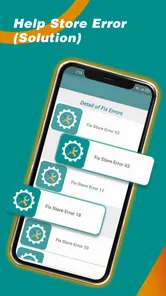
Services Update Info is a free app in the Libraries & Demo category, developed by Smart Apps Services. Its short description is “Services Update,” and its summary focuses on phone services, checking service status, and fixing system services errors. It is rated for Everyone, making it suitable for a broad audience. Before downloading, check that your device meets the app’s Android requirement.
What is the purpose of the Services Update Info app?
The Services Update Info app is designed to provide users with the latest updates and notifications about various services installed on their devices. It ensures that all apps are running on their most recent versions, enhancing performance and security. Users can rely on this app to manage and track updates efficiently without having to manually check each service individually.
How does Services Update Info notify users about updates?
Services Update Info provides real-time notifications directly to your device whenever an update is available for any of your installed services or apps. This allows users to stay up-to-date effortlessly. Notifications can be customized based on user preferences, including sound alerts, vibrations, or silent notifications, ensuring you receive updates in a manner that's most convenient for you.
Is Services Update Info compatible with both Android and iOS devices?
Yes, the Services Update Info app is compatible with both Android and iOS platforms. This cross-platform availability ensures that users on either operating system can benefit from timely updates and notifications. The app seamlessly integrates with both systems, providing a user-friendly experience regardless of the device you are using.
Does the Services Update Info app consume a lot of device resources?
No, the Services Update Info app is designed to operate efficiently without consuming excessive device resources. It runs in the background with minimal impact on battery life and memory usage. The app is optimized to ensure that it only checks for updates at specified intervals, preventing unnecessary battery drain and ensuring a smooth user experience.
Pros
- Provides timely update notifications
- User-friendly and intuitive interface
- Covers multiple services and apps
- Consumes minimal device resources
- Enhances device security with updates
Cons
- Requires constant internet connection
- May contain occasional notification bugs
- Limited customization options
- Ads can be intrusive
- Not available on all platforms










