Second Number for Call & Text
- 87.36K
- 4.2
- Installs
- 10.00M
- Price
- Free

Screenshots

Analysis by Reviewed
Ever found yourself in a situation where you wished you had a second phone number to handle business calls, or maybe just to give out to that persistent guy at the coffee shop? Well, fret no more! The Second Number for Call & Text app is here to save the day. I’ve taken it for a spin, and here’s the lowdown on how it works and why it might just be your new best friend.
A separate line for everyday boundaries
I find a second number most useful when I want a clear boundary, not just another inbox. For example, if I list an item for sale, I can share the second line with prospective buyers and keep my usual number for family and friends. When the sale is over, I can stop using that contact route rather than having buyer conversations mixed into my personal call history. The same approach can help a freelancer keep client calls distinct from personal ones, though it still takes a little discipline to check both sides.
This is also where a second-number app differs from simply using a messaging app or giving someone an email address. Those options can be better for low-urgency conversations, but they do not give you a separate phone number for calls and texts. A second SIM or another phone can create a firmer separation, yet it means managing extra hardware or a second line. I would choose the simpler app-based route when convenience matters most, and consider a separate device when I need a stronger divide between work and personal use.
Why Get a Second Number?
Let’s face it, our phones are practically glued to our hands, and having a single number for everything can be a bit chaotic. Enter Second Number for Call & Text, an app that lets you seamlessly manage personal and professional communications without buying another phone. With just a few taps, you can set up a new number directly from your existing smartphone. It’s perfect if you’re running a side hustle or just need a break from your usual contacts.
Setting Up Your Second Number
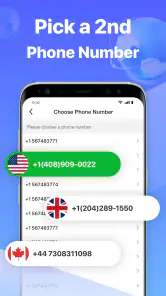
Getting started with the app is a breeze. Download it from the app store, and you’ll be guided through a simple setup process. You can choose your preferred area code, which is a nice touch if you want to appear local to your clients. The app walks you through every step, making it pretty much foolproof. Once you're set up, you can easily toggle between your main and second number, thanks to an intuitive interface.
For a smoother first day, I’d decide in advance what the new number is for and give it only to those contacts. That small habit makes the separation useful: if every contact gets both numbers, the boundary quickly disappears. I’d also test the basics with someone I trust before relying on it for an important client call, so I know which number is being used and where replies will arrive. A second number helps organize communication, but it cannot decide which conversations deserve my attention.
That first test is also a good time to settle on a simple naming convention for contacts. I’d save a buyer or client with a note that makes the second-line context obvious, instead of assuming I will remember it days later. When several conversations are active, a clear contact label can save me from starting a call on the wrong line or replying with the wrong tone. This is a small organizational step, but it makes an app-based number more useful over time.
More From Our News Desk

Weather by Xiaomi Review: Clear at a Glance, Less Clear Up Close

X Under Pressure: Can It Recover When Posting Goes Wrong?

Clash of Clans Is Won Between the Battles

Android Auto Makes the Case for Quieter Car Software

MobiOffice: Transforming Mobile Productivity with Seamless Integration

EA SPORTS FC™ Mobile Soccer: Redefining Mobile Sports Gaming
Features That Stand Out
The app isn’t just about making calls or sending texts; it’s packed with features that make it a robust communication tool. For instance, you can customize voicemail for each number, ensuring that callers get the right vibe from you. There’s also the option to schedule messages, which is super handy for business communications, or if you’re just a forgetful friend. Need to keep certain calls private? The app’s got you covered with its number masking feature.
Those tools are most helpful when they support a consistent routine. A voicemail greeting that identifies the purpose of the line can help callers understand whether they reached a business contact or a personal one. Scheduled messages may save me from sending a reminder at an awkward hour, but I would still review the wording and timing before relying on a scheduled text for anything important. Convenience is useful; it is not a substitute for checking that a message fits the situation.
I’d be deliberate about what I put in a scheduled message, too. A short appointment reminder or a follow-up I already know I need to send is a better fit than a message whose details may change. If plans shift, a scheduled text can become confusing unless I remember to revisit it. Treating scheduling as a prompt to communicate—not as a way to set and forget sensitive arrangements—keeps the feature practical.
One of my favorite aspects is the ability to record calls. Whether it’s for keeping track of business discussions or just replaying a funny conversation, this feature adds a layer of utility that’s hard to beat. Plus, the app ensures all communications are secure, which is a big plus in today’s digital age.
I’d treat call recording as an occasional tool rather than an automatic part of every conversation. Before recording, I would consider the other person’s expectations and the rules that apply where we are; a private second line does not remove that responsibility. And while privacy is one reason to separate numbers, I would not assume a second number makes every interaction anonymous or replaces sensible caution when sharing personal details.
Practical Uses and Final Thoughts
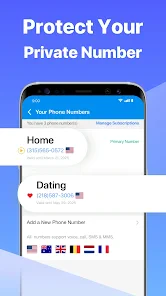
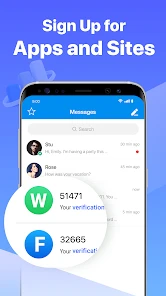
Whether you’re a freelancer, entrepreneur, or someone who values privacy, Second Number for Call & Text offers a convenient solution. You can maintain a professional persona with clients while keeping your personal life separate. It’s also great for online dating or selling items online, where you might not want to give out your primary number.
A realistic example is a weekend seller arranging a pickup: I could give interested buyers the second number, use its voicemail to set expectations, and keep the conversation on that line while the listing is active. Once the sale is done, I can stop sharing it with new contacts. For online dating, too, it may offer an extra layer of separation at the start, but I would still avoid sharing sensitive information until trust is established. The number is a boundary tool, not a guarantee of safety.
For a freelancer, I’d use the line selectively rather than publishing it everywhere. It can be the contact for a particular project or a short-term client relationship, while established clients who need reliable continuity may be better served by a dedicated business arrangement. That distinction matters: an extra number helps control who gets your everyday number, but it does not by itself provide a full office phone system, shared team inbox, or formal support process.
The app is free to download, with optional in-app purchases ranging from about one dollar to about sixty dollars per item. It is developed by Dingtone Phone, is rated for everyone, and has an average rating of about 4.2 from around 677,000 ratings, with more than 10 million installs. Those figures suggest it has reached a broad audience, but they do not tell me whether it suits a particular person’s calling habits. I’d check the available purchase choices in the app before assuming every useful option is included at no cost.
That is especially worth doing before making the number part of a routine. I’d first decide which tasks I need—occasional calls, ongoing client conversations, or a temporary contact for a listing—and then check whether the available purchase choices fit that use. A free download is an easy way to explore the app, but it should not be confused with a promise that every feature or ongoing need will cost nothing.
In conclusion, if you’re juggling multiple aspects of life or business, having a second number is a game changer. This app makes it all so easy, you’ll wonder how you ever lived without it. So, why wait? Give it a go and take control of your communications today!
Speed, stability, and what to expect
I’d approach its speed as a practical convenience rather than expecting a second line to behave exactly like the phone’s built-in service in every circumstance. Call quality and message timing can depend on the connection and the device, so I would not make the app my only route for a time-critical conversation without testing it first. For everyday coordination, the value is having a separate number in the same phone; for urgent matters, I’d keep a familiar backup contact method available.
For a quick check before a busy day, I’d place a brief test call and send a text to someone who can confirm what they receive. That gives me a chance to catch setup confusion before I’m coordinating a pickup or answering a client. It also sets realistic expectations: an app-based line is convenient, but it should not be treated as identical to the built-in number in every context.
During a busy stretch, such as handling several buyer questions while also answering personal messages, the main challenge is less about adding numbers and more about keeping track of which conversation belongs where. I’d make a habit of checking the number shown before calling or texting, especially when switching between work and personal contacts. That quick pause can prevent an awkward reply from the wrong identity and is more useful than expecting the app to manage boundaries automatically.
Recovery deserves similar forethought. If I rely on a second number for a project, I’d keep the names and important details of those contacts somewhere I can find them, and make sure I understand how I will regain access if I replace or reset my phone. I would not wait until I need to reach a client to discover that my device change has interrupted my routine. The app can make a number convenient to use, but the user still needs a backup plan for important conversations.
Who should choose another option?
This app is a sensible fit for someone who wants a convenient extra contact number without carrying another handset, and who is comfortable managing calls and texts through an app. It may be less suitable if you need a guaranteed business phone system, a line that never depends on your app or connection, or a strict separation that a dedicated work phone provides. In those cases, I’d compare a separate SIM or device rather than treating an app-based number as a complete replacement.
It is also not my first choice for someone who rarely needs to share a number and already has a good way to handle occasional enquiries. An email address or a messaging service can be simpler when calls and ordinary texts are not important. The benefit here is specifically having another phone-number-based route; if that is not part of the problem, an extra channel could become one more thing to monitor rather than a useful boundary.
Second Number for Call & Text is a social app from Dingtone Phone, and its current version is 6.4.7, with Android 6.0 as the minimum operating-system requirement. I’d check that requirement before installing it on an older device. As with any communication app, I’d also keep the app and phone software current and make sure I know how to reach important contacts if I change devices or lose access. Those are simple preparations, but they matter when a number becomes part of a work routine.
On a phone that is already short on space or running an older operating system, I’d be cautious about adding another communication app before checking compatibility and how comfortably the device handles everyday tasks. I would not assume the second line is cost-free in practical terms simply because the download is free: data use, attention, and the time spent checking another inbox are part of the trade-off. If my phone struggles with its basic duties, a second handset or a less demanding contact method may be the more sensible answer.
My performance verdict
Overall, I see this as a handy way to keep a personal number from being the default for every new contact. Its strongest case is practical separation for side work, listings, and early-stage conversations; its trade-off is that the user must manage the second channel and should not assume it replaces a dedicated phone line. If you want a straightforward extra number on the phone you already use, it is worth considering. If your priority is dependable business continuity or a hard boundary between work and home, a separate line or device may be the better fit.
My recommendation is to start with one defined purpose, such as a temporary sales listing, and learn how the number fits into your normal calling and texting habits before expanding its role. That gives you a real sense of whether managing two contact routes feels easier or merely adds another interruption. For someone who wants a modest privacy buffer and accepts that responsibility, it can be a useful middle ground between handing out a personal number and carrying another phone.
Second Number for Call & Text Frequently Asked Questions
Is Second Number for Call & Text free to download?
Yes, Second Number for Call & Text is free to download. Some features or usage options may involve in-app purchases, so it is worth checking the choices in the app before making a purchase. The app is intended to provide a second number for calls and texts, making it possible to explore its basic offering before deciding whether a paid option suits your needs.
What is Second Number for Call & Text, and what can I use it for?
Second Number for Call & Text is a social app from Dingtone Phone that offers a second phone number for calls and texts. It may be useful if you want to keep personal and work conversations separate, or prefer to give a different number to new contacts. Its store summary describes it as a second phone number for phone calls and texts.
Can I use Second Number for Call & Text without a second SIM card?
Yes. Second Number for Call & Text is designed to give you an additional phone number on your device without requiring a second SIM card. That can be handy if you want to keep personal and work conversations separate or prefer not to share your primary number with new contacts. The app is free to download, with in-app purchases available.
What is Second Number for Call & Text?
Second Number for Call & Text is an application that allows users to have an additional phone number on their device without the need for a second SIM card. This can be extremely useful for separating personal and business communications, or for maintaining privacy when interacting with new contacts.
How does the app manage multiple numbers on one device?
The app assigns a virtual phone number that operates over the internet, allowing you to send and receive calls and texts just like a regular phone number. This means you can manage multiple numbers directly from your device, switching between them seamlessly without any additional hardware.
Pros
- Provides a second phone number easily.
- Great for separating work and personal life.
- Offers affordable pricing options.
- User-friendly interface with simple setup.
- Works seamlessly with existing contacts.
Cons
- May experience occasional call drops.
- Ads can be intrusive in the free version.
- Limited features without premium upgrade.
- Requires stable internet for best performance.
- Some users report delayed text messages.
- Category
- Social
- Version
- 6.4.7











