Safeco Mobile
- 3.45K
- 4.7
- Installs
- 1.00M
- Price
- Free

Screenshots
Analysis by Reviewed
Ever had one of those days where you just need everything to be straightforward and simple? Well, let me tell you about an app that might just be your new best friend when it comes to managing your insurance on the go. I'm talking about the Safeco Mobile app. It's like having your own personal insurance assistant right in your pocket. I've been using it for a bit now and, honestly, it makes handling insurance stuff a breeze!
Getting Started with Safeco Mobile
First things first, downloading the Safeco Mobile app is as easy as pie. Available on both Android and iOS, it installs quickly and doesn’t take up much space. Once you’ve got it, the setup is pretty straightforward. You'll need to log in using your Safeco account credentials, and if you don’t have an account yet, you can easily create one directly in the app. Trust me, the app guides you gently through the process like a seasoned pro.
User Experience and Interface
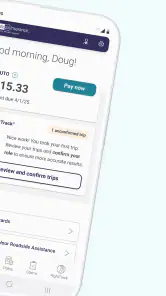
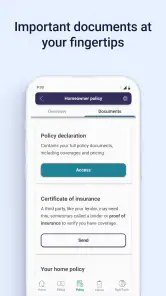
You know how some apps just look cluttered and are a pain to navigate? Well, that’s not the case here. The interface is clean, intuitive, and organized. You can tell that a lot of thought went into making everything accessible and user-friendly. From the main dashboard, you can easily access your policies, view your ID cards, and even file a claim. It's all laid out in a way that makes sense, and honestly, it saves you from a lot of potential headaches.
Features You Might Love
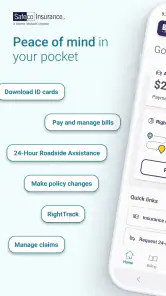
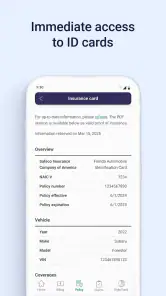
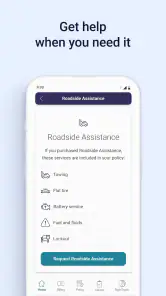
One of my favorite features is the digital ID card. I always end up misplacing the physical ones, so having a digital version that I can pull up anytime, anywhere is super convenient. You can also use the app to pay your bills and manage automatic payments—no more logging into a website or mailing checks. And if you ever need roadside assistance, you can request it directly through the app. It’s like having a little guardian angel watching over your car.
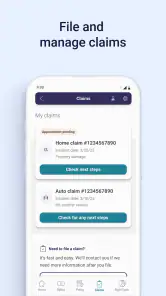
Another neat feature is the ability to file claims directly from the app. You can upload photos, add details, and submit your claim without having to make a single phone call. It’s all about making life easier, and I’m here for it!
Why You Should Give It a Try
If you’re like me and appreciate having everything at your fingertips, then Safeco Mobile is definitely worth checking out. It's not just about convenience; it's about having peace of mind knowing that all your insurance information is accessible whenever you need it. Whether you're dealing with a fender bender or just need to update your policy, it's all right there.
In conclusion, the Safeco Mobile app is a fantastic tool for anyone looking to streamline their insurance management. With its user-friendly interface and practical features, it’s definitely an app worth downloading. Give it a shot, and you might just find it becomes an essential part of your daily routine.
Pros
- User-friendly interface for easy navigation.
- Quick access to insurance policies and ID cards.
- Efficient claim filing process.
- Real-time updates on claim status.
- Secure login with fingerprint recognition.
Cons
- Limited features compared to full website.
- Occasional app crashes reported by users.
- Some users experience login issues.
- Requires internet for most functionalities.
- Limited customer service chat availability.

- Category
- Finance
- Version
- 4.33.0











