Remixlive - Make Music & Beats
- 4.67K
- 4.4
- Installs
- 10.00M
- Price
- Free

Screenshots
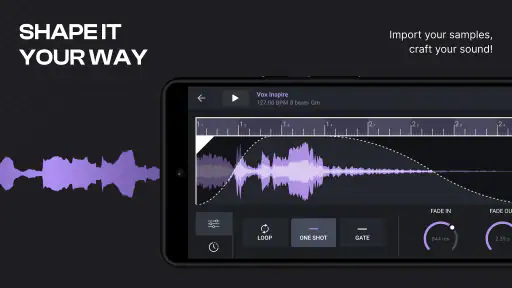
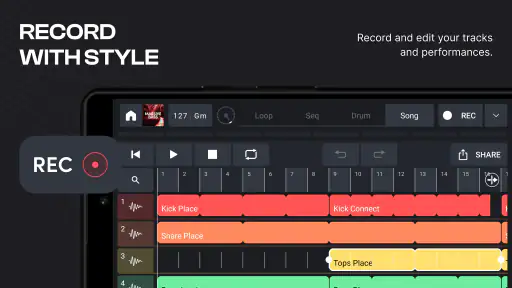
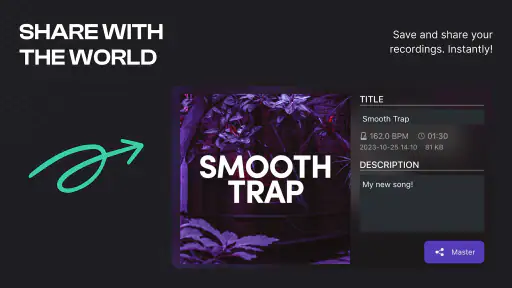

Analysis by Reviewed
On a busy bus ride, I can see myself opening Remixlive - Make Music & Beats to sketch a beat with headphones, then returning to it when I have more time. That quick-start appeal is the reason I’d consider it before a full desktop-style music program: it puts hands-on loop making at the center rather than asking me to begin with a blank timeline. It’s a free music-making app from MIXVIBES, with optional in-app purchases ranging from $0.99 to $59.99 per item, so I’d explore the included workflow before deciding whether paid content suits me.
Getting Started with Remixlive
Let’s dive straight into it. From the moment you download and open Remixlive, you’re greeted with a user-friendly interface that doesn’t intimidate. It’s designed to be intuitive for beginners while still offering depth for those more experienced in music production. The app starts with a brief tutorial that’s super helpful, guiding you through the basic functionalities without overwhelming your senses. It’s like having a friend by your side, showing you the ropes.
Readability, Navigation, and First Sessions
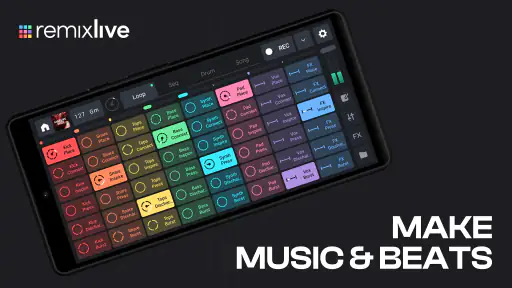
Loop-and-pad work gives the screen a clear purpose: choose sounds, trigger them, and listen to how they fit together. I find that more approachable than opening a traditional DAW and facing a large arrangement view straight away. The tutorial helps establish the basic rhythm of using the app, though a new user should still expect to learn by trying combinations rather than understanding every control at once. If you are deciding whether it is suitable for a younger or shared household, its content rating is Everyone; that is a content classification, not a guarantee that every workflow will feel equally easy for every person.
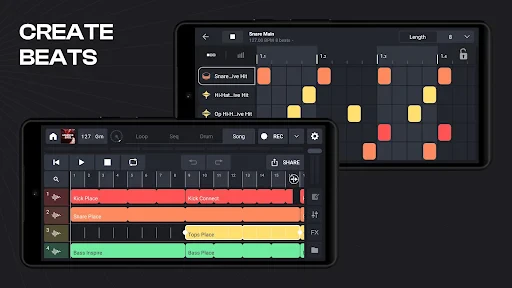
For a first session, I’d keep the goal small: pick a few compatible loops, start with a simple pulse, and add one sound at a time. This makes it easier to hear which layer is helping and which is crowding the mix. It also avoids the common beginner trap of triggering everything immediately and mistaking a dense result for a finished idea. The practical strength here is rapid experimentation; the trade-off is that a grid of choices can become less comfortable when you want careful, detailed editing.
Features That Stand Out
The first thing that caught my attention was the extensive sound library. Remixlive provides a plethora of loops, samples, and FX packs that cater to various music genres. Whether you’re into electronic, hip-hop, or even something more niche, there’s something here for you. And the best part? New packs are added regularly, keeping the content fresh and exciting.
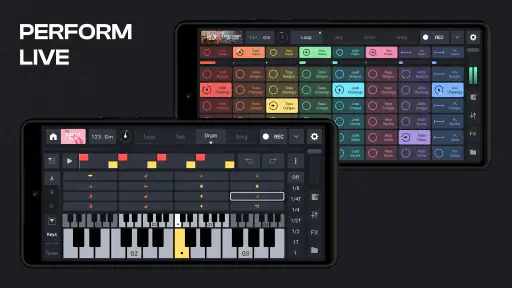
One feature I found particularly fun is the live pad mode. It allows you to trigger sounds and create beats on the fly. Imagine being at a party and suddenly becoming the DJ everyone’s talking about. The app also supports MIDI controllers, which is a big plus for those who want to integrate it into their existing setup.
Motor, Sensory, and Situational Access
Pad triggering can suit someone who prefers direct, tactile-feeling choices to drawing notes into a timeline, but it also relies on accurately selecting on-screen controls. I would not assume that this suits every motor ability: smaller targets or quick performance changes may be frustrating, especially when precision matters. A MIDI controller can shift some interaction to physical controls for people who already have a compatible setup, although it brings extra equipment and configuration into the picture rather than making the phone experience simpler for everyone.
More From Our News Desk

Weather by Xiaomi Review: Clear at a Glance, Less Clear Up Close

X Under Pressure: Can It Recover When Posting Goes Wrong?

Clash of Clans Is Won Between the Battles

Android Auto Makes the Case for Quieter Car Software

MobiOffice: Transforming Mobile Productivity with Seamless Integration

EA SPORTS FC™ Mobile Soccer: Redefining Mobile Sports Gaming
The app’s sound-led workflow also makes the listening environment important. Headphones can help when a room is noisy or when you want to hear individual layers without playing aloud; conversely, extended sessions with prominent effects may be tiring for some listeners. I’d begin at a comfortable volume and audition effects one at a time. In a quiet home, the same loop grid can be a low-pressure way to explore ideas, while a crowded commute is better for rough sketches than critical mixing. I wouldn’t treat a phone screen as a substitute for a larger, more precise setup when visual detail or fine adjustments are central to the task.
Who Will Enjoy It, and Where It Stops
I’d recommend this most to curious beginners, hobbyists who like performing with loops, and producers who want a fast way to test a rhythm before working elsewhere. Compared with a conventional DAW, its strength is immediacy: it encourages starting with playable material instead of building every sound from scratch. That same focus is a limitation if your priority is detailed arrangement, extensive editing, or a carefully controlled studio workflow. Someone who mainly wants to listen to finished albums, rather than make or perform music, should choose a music player instead.
A useful habit is to treat each short session as a capture of an idea, not a promise to finish a polished track on the phone. Try changing one layer while keeping the others steady, then listen again; it is a simple way to learn how a loop affects the whole groove. If you plan to move work into another production environment, think about that handoff early and keep your arrangement understandable. The app can be a starting point, but a more advanced DAW may be the better place for the final, fine-grained decisions.
Creating and Sharing Your Masterpieces
Once you’ve created your track, Remixlive makes it a breeze to export and share your music. You can easily upload your tracks to SoundCloud or share them directly with friends via social media. It’s incredible how quickly you can go from an idea to a full-fledged track that you’re proud to show off.
Moreover, the app’s integration with other DAWs (Digital Audio Workstations) is seamless. So, if you’re someone who uses more advanced software, you can start your project in Remixlive and finish it off elsewhere. This flexibility is something I genuinely appreciate.
For a realistic everyday use, I’d build a short loop during a lunch break, save the idea, and listen again later before sharing or developing it further. That gap is useful: a beat that feels exciting while tapping pads may need fewer layers when heard with fresh ears. For a performance, I’d also rehearse the transitions beforehand rather than relying on spontaneous taps in front of people. Familiarity with the sounds and controls matters more than simply having many options available.
Version, Value, and Practical Limits
The app has been available since October 26, 2016, and its current version is 8.6.1, with Android support starting at version 6.0. It has a 4.4 average from around 76,000 ratings, and has passed 10 million installs. Those figures suggest a well-established audience, but they don’t tell me whether its hands-on style fits my own needs; trying the free app is a better test than treating popularity as a recommendation. Paid items are optional, so I’d check what is available to me before building a workflow around a particular pack.
One question people often have is whether they need a controller to get started: no, the app’s pad-based approach is meant to be usable on its own, while MIDI support is there for people who want external control. Another is whether it replaces a full production suite. I’d say it is more convincing as a quick idea-maker and live loop tool than as the only place to handle every stage of a complex production. For sharing, the original article’s export and social options are useful, but I’d still listen back to a track before sending it out, particularly if it was assembled quickly on a small screen.
Inclusive Use in Everyday Settings
It helps to separate accessibility from convenience. A pad grid can make the musical action easy to understand, but ease of understanding does not automatically mean every control is easy to reach, see, or activate. If you have limited dexterity, try a relaxed, unhurried session first and notice whether selecting pads feels dependable before attempting fast changes. Someone who finds touchscreens tiring may prefer a physical MIDI controller, provided the added setup is comfortable and practical for them.
For people sensitive to sound, the ability to build a groove in layers offers a useful way to stay in control of what is being heard: introduce sounds gradually and pause between effect experiments. That is a listening strategy, not a special accessibility mode. In shared spaces, headphones can keep a sketch private, but they are not ideal for everyone; speakers at a considerate volume may be a better choice at home. I’d also avoid treating a loud, busy environment as the place to judge subtle balance, since background noise can make it tempting to turn playback up.
Its portability is valuable in some contexts and awkward in others. A short break at home or a quiet corner can suit exploratory beat-making, while walking, riding in a crowded vehicle, or juggling other tasks makes precise pad work less sensible. I’d wait until I could give the screen and sound my attention rather than trying to perform while distracted. If you need a workflow that is primarily voice-led, highly visual, or usable without close listening, I would compare other tools before committing to this one.
Choosing It Over Other Music Tools
Against a traditional DAW, the main trade is not simply “easy versus advanced.” Remixlive’s loop-first approach can help me discover a direction through performance: I can hear a pattern take shape by combining sounds, then decide whether it deserves a more elaborate arrangement. A DAW is usually a better fit when I already know the structure I want and need precise control over notes, tracks, and edits. If I am unsure what to make, the pads can be a more inviting starting point; if I am refining a nearly finished production, the larger workspace is likely to be more comfortable.
It also occupies a different role from a conventional music player. A player is for choosing and listening to finished recordings, while this app asks me to make choices and actively shape a sound. That distinction matters if I am looking for background music rather than a creative activity. For a first-time beat maker, I’d use the app to learn how rhythm, texture, and effects interact; for someone who wants to learn conventional composition or record a detailed arrangement, I’d pair that curiosity with a more focused production tool instead of expecting this one workflow to cover everything.
A Practical Way to Explore the Sound Packs
When browsing sounds, I’d avoid choosing solely by genre label or by how impressive a sample sounds on its own. A useful test is to build a restrained foundation first, then add one contrasting layer and listen for whether it contributes a new role or merely makes the loop busier. This makes the sound library more manageable and helps a beginner develop judgment rather than collecting options without a plan. It can also keep a quick sketch from turning into a stack of competing loops.
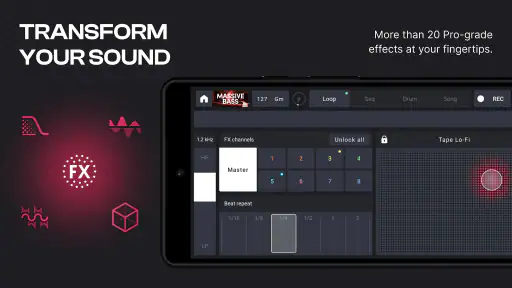
Effects deserve the same deliberate approach. I’d audition them after the basic groove works, changing one element at a time so I can tell whether the effect improves the rhythm or obscures it. That matters especially on a phone, where a lively performance can be fun but may encourage quick decisions that do not hold up on a later listen. If an idea is worth developing, I’d make a note of what I changed and what I want to test next, then revisit it in a quieter setting before deciding whether to share it or move it into a larger production workflow.
Final Thoughts
In conclusion, Remixlive - Make Music & Beats is a fantastic app for anyone looking to dip their toes into music production or even for seasoned producers who want a handy tool for creativity on the go. It’s an app that doesn’t just promise the moon but delivers it with a delightful ease of use. So, if you haven’t tried it yet, what are you waiting for? Get those creative juices flowing and let Remixlive transform you into the music producer you’ve always dreamed of being!
My more measured recommendation is to try it if loop-based creation sounds enjoyable and you want a practical way to experiment without beginning in a conventional studio workspace. I would skip it as my main tool if I needed highly detailed editing, or if tapping small controls and listening closely are not comfortable for me. As a portable creative sketchpad, though, it offers a clear invitation to make something, and its value depends on whether that inviting, performance-first approach matches the way you like to work.
Remixlive - Make Music & Beats Frequently Asked Questions
What does Remixlive do, and who develops it?
Remixlive is a Music & Audio app from MIXVIBES for making music and beats. Its central idea is hands-on creation: you can work with loops, drum pads, effects, and MIDI controllers to produce music, DJ, or play live. Rather than being a music-listening app, it is designed for people who want to build and perform their own sounds.
What devices and age group is Remixlive intended for?
Remixlive is an app for Android and iOS, and its content rating is Everyone. On Android, it requires version 6.0 or later, so it is worth checking your device’s software before downloading. The app is aimed at people interested in making music, from those exploring beats for the first time to users who already have experience creating or performing.
Can I use Remixlive to perform live, or is it mainly for making tracks?
Remixlive is made for producing, DJing, and playing live, so it can suit both studio-style experimentation and performance. Its loops, drum pads, effects, and MIDI controller support let you trigger and shape sounds as you play. You can also build ideas by layering musical parts, making it useful for trying out a beat before deciding whether to keep developing it.
What can I create with Remixlive?
Remixlive focuses on making music and beats with loops, drum pads, effects, and MIDI controllers. You can combine musical elements, experiment with different sounds, and shape a performance or a track through the app’s music-making tools. It is geared toward hands-on creation rather than simply listening to music, so it may appeal to people who want to explore rhythm and sound.
What is Remixlive and how does it work?
Remixlive is a music creation app designed for both beginners and seasoned musicians. It allows users to create music and beats through a user-friendly interface featuring loops, samples, and a variety of sound packs. Users can easily layer tracks, apply effects, and export their creations. The app offers both free and premium features, making it accessible for all levels of music makers.
Pros
- User-friendly interface for beginners.
- Extensive library of samples and loops.
- Real-time effects for dynamic creation.
- Supports multi-track editing.
- Regular updates with new features.
Cons
- Limited features in free version.
- Some in-app purchases are pricey.
- Occasional app crashes reported.
- Requires significant storage space.
- Audio export options are limited.
- Category
- Music & Audio
- Version
- 8.6.1












