Rebrand - AI Logo Maker
- 179.00
- 3.9
- Installs
- 100.00K
- Price
- Free

Screenshots
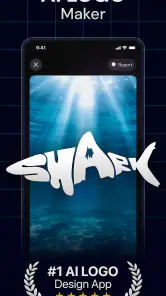
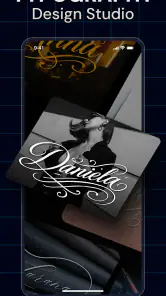
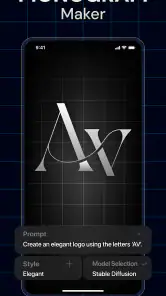
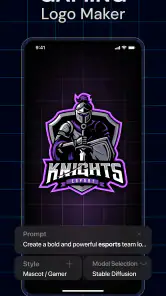
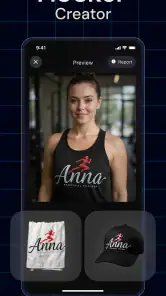
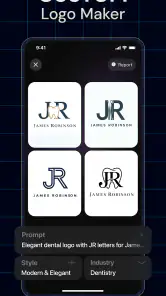
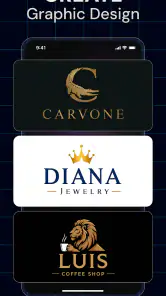
Analysis by Reviewed
I tried Rebrand - AI Logo Maker with a simple question in mind: is it useful beyond the first burst of excitement that usually comes with an AI design app? My initial impression was positive. It is focused, approachable, and clearly aimed at people who need a logo without wanting to learn a full design program. At the same time, a logo generator has to prove its value after the first few experiments, when the novelty of tapping out ideas has disappeared.
This is a free Art & Design app from HubX, with optional in-app purchases ranging from $6.99 to $59.99 per item. It is suitable for Everyone, runs on Android 7.0 or later, and its current version is 1.4.0. The app’s central promise is straightforward: use AI-assisted creation to help turn a brand idea into a logo. That makes it especially relevant to small online sellers, new creators, casual entrepreneurs, and anyone who needs a visual identity quickly.
From quick experiments to a logo you can actually keep
The first-week appeal is real
During the first few sessions, the strongest part of the experience is how easy it is to start. I did not need to approach the app like a professional designer. Instead, I could think in terms of a business mood, a product type, or a general visual direction. That lowers the barrier considerably for someone who has a name but no idea how to express it visually.
The AI angle is most useful at the beginning of a project, when the problem is not polishing a finished logo but generating a direction. A blank canvas can be intimidating, particularly when the user does not know whether the logo should be typographic, symbolic, playful, serious, minimal, or decorative. Rebrand helps move that decision forward by giving the user something to react to.
That distinction matters. I would not treat the first result as a finished identity automatically. I found the app more valuable as a rapid idea generator: it helps reveal what feels right, what looks too generic, and which visual choices deserve another round. For a first-time business owner, that can be more useful than a long tutorial explaining design theory.
A practical first-week workflow is to create several directions for the same brand rather than endlessly refining one early result. I would try a restrained version, a more expressive version, and one built around the brand name. After leaving them alone for a few hours, I would compare them again. This small pause helps expose designs that were exciting only because they were new.
The app also fits a realistic everyday situation. Imagine someone preparing an online shop over a weekend. They have chosen the shop name, opened a social profile, and need a recognizable image before publishing the first products. Rebrand can help them explore a visual starting point without arranging a design consultation or spending days learning complex software. That is a genuine strength, especially when speed matters more than a fully bespoke result.
More From Our News Desk

Clash of Clans Is Won Between the Battles

Android Auto Makes the Case for Quieter Car Software

MobiOffice: Transforming Mobile Productivity with Seamless Integration

EA SPORTS FC™ Mobile Soccer: Redefining Mobile Sports Gaming

How Microsoft OneDrive Became a Mobile Productivity Giant

How Google Translate Breaks Language Barriers Effortlessly
Who benefits most from the quick approach?
I think the best audience is made up of people who need a usable first identity rather than a complete branding system. A freelancer testing a new service, a hobby seller setting up a small storefront, or a content creator refreshing a profile can all get practical value from fast logo exploration.
It is also a reasonable choice for users who struggle to describe visual ideas to another person. AI-assisted generation gives them a way to begin with plain-language intentions and then judge the results visually. Even when the first attempts are not right, they can clarify the direction they want.
However, I would be more cautious if the logo represents a company expected to grow substantially. A quick generated mark may be perfectly adequate for an early launch, but a lasting identity often needs careful decisions about typography, spacing, color behavior, small-size legibility, and how the mark works across different materials. Those concerns are not solved merely because an image looks attractive on a phone screen.
Where it sits beside familiar design alternatives
Compared with a traditional graphic-design app, Rebrand is less intimidating and faster to approach. A conventional editor gives you precise control, but that control can become a burden when you do not already know what you want. Rebrand’s advantage is the jump from vague idea to visible concept.
Compared with hiring a designer, it is more accessible for a small experiment, a temporary project, or a user working with a tight budget. The trade-off is that professional collaboration can uncover questions an automated tool may not raise, such as whether the name is readable at small sizes or whether the symbol is too close to common visual conventions.
Compared with a basic template library, the AI-led approach feels more exploratory. Templates are often useful when you want predictable categories and quick editing. Rebrand is more appealing when you want to see unexpected interpretations of a short brief. I would choose the template route for a very conventional business card or event badge, and choose Rebrand when I am still searching for the personality of the brand.
What changes after the novelty wears off?
The first week is naturally the most entertaining period because every new prompt or concept can feel like progress. The more important question is whether the app remains useful once a logo has been selected. In my view, its recurring value depends on how often a user starts, changes, or tests a brand rather than on daily use.
Most people do not need to generate a new logo every morning. That means this is not the kind of app I would expect to become a constant habit for an ordinary user. Its value is more episodic: it becomes relevant when launching a project, renaming something, creating a side business, or reconsidering an existing visual identity.
That is not necessarily a weakness. Some tools earn their place by being dependable during occasional moments rather than by demanding frequent attention. The question is whether the app remains convenient enough that I would return to it months later instead of starting from scratch in a different tool.
Month-to-month value depends on real brand changes
For a person managing one stable brand, the need for repeated logo generation will probably decline sharply after the initial choice. Once the logo is working on a profile image, product label, or simple promotional graphic, producing more variations can become distraction rather than improvement.
For someone managing several small projects, the calculation is different. A freelance marketer, community organizer, or serial side-project builder may regularly need fresh visual directions. In that context, an AI logo app can become a useful part of the early planning stage. It can help separate one project’s tone from another before the user commits to a more polished design process.
I would also return to it after a genuine change in positioning. If a casual hobby becomes a serious shop, or if a service moves from local clients to a broader audience, the old logo may no longer communicate the right level of trust. Rebrand can help test a new direction before spending money on a full identity update.
One useful habit is to treat generated concepts as a private mood board rather than immediately publishing every attractive result. Save the strongest direction mentally, compare it with the actual audience and product, and ask whether it will still make sense when reduced to a tiny avatar. This prevents the common mistake of choosing a logo because it looks impressive in the creation screen.
The maintenance burden is lower than in a full design suite
The app’s maintenance burden is relatively light in one important sense: it does not require me to become a design technician before I can explore an idea. That makes it easier to revisit a project after a break. I can return with a clear business question instead of remembering a complicated editing workflow.
There is still a different kind of maintenance burden, though. The user must maintain judgment. AI-generated options can create the illusion that more variations always mean better results. In practice, the difficult work is deciding when to stop, when to simplify, and when a visually polished concept does not match the brand.
I would recommend keeping a short written brief beside the app. It might include the audience, the tone, the product, and a few words the brand should communicate. Without that reference, it is easy to drift toward whatever looks most striking in the moment. This is one of the most important trade-offs: Rebrand reduces the technical effort, but it does not remove the need for editorial decisions.
Maintenance also means checking whether the chosen logo remains readable and recognizable in the places where it will actually appear. A detailed mark may work on a large screen but lose its identity in a small profile image. A long brand name may look balanced in one arrangement and cramped in another. I would test the concept in the intended context before considering the job complete.
Where recurring friction can appear
The main source of fatigue is likely to be repetition. Once several generated ideas share a similar visual mood, producing more can feel less like discovery and more like browsing. That is why I would set a specific goal for each session: find a symbol, compare lettering directions, explore a tone, or reject a style. Open-ended generation is entertaining, but it can consume time without improving the final decision.
Another possible friction point is the gap between an attractive concept and a production-ready identity. A logo is not only judged by how it looks in a preview. It may need to work beside text, on a dark background, in a tiny circular crop, or in a simple black-and-white setting. Users who need exact control over those details may eventually feel limited compared with a dedicated vector editor or a designer.
The free entry point makes experimentation easier, but the presence of optional purchases is worth keeping in mind. I would begin by deciding what I actually need from the app before committing to any paid option. If I only want inspiration for a small personal project, the free experience may be enough. If I am building a commercial identity, I would carefully consider whether the resulting control and output fit the project before treating the app as the complete solution.
The app’s average rating is 3.9 from around 9.2 thousand ratings, with over 100 thousand installs. I read that as a sign of useful appeal with room for individual experiences to vary, rather than as proof that it will suit every type of logo project. The Everyone age rating makes it approachable for a broad audience, but age accessibility should not be confused with professional branding depth.
Who should skip it?
I would skip Rebrand if I already had a clear, carefully specified logo and needed microscopic control over curves, spacing, layers, or export preparation. In that situation, an advanced design tool is a better fit. I would also look elsewhere if the identity had legal, cultural, or highly specialized requirements that demanded close human review from the beginning.
It may also be the wrong choice for someone who wants a complete brand package rather than a logo concept. A logo is only one part of an identity. If the project needs a detailed style guide, coordinated packaging, carefully selected type families, or a full set of campaign assets, this app should be viewed as an early-stage helper, not the entire branding department.
Who should keep it installed?
I would keep it installed if I regularly test business ideas or manage small projects that need a visual starting point. It is especially practical for people who want to make a decision before investing in custom design. The app can shorten the distance between an idea written in a notebook and a visual direction that can be discussed with a collaborator.
I also see value for students, clubs, casual creators, and small community projects. These users may not need a permanent corporate identity, but they still benefit from a recognizable mark that feels more intentional than a random icon or plain text.
My long-term verdict
After the first-week excitement fades, Rebrand - AI Logo Maker makes the most sense as an occasional creative tool rather than a permanent daily habit. Its lasting value comes from helping me begin, compare, and rethink a logo when a project changes. It is not the app I would rely on for every stage of professional identity design, but it can be a useful bridge between having no visual direction and knowing what I want to develop further.
The strongest way to use it is with limits: define the brand purpose first, generate a small set of distinct directions, take a break, and judge the finalists in the places where the logo will actually appear. That approach keeps the AI from turning the process into endless scrolling and makes the results more useful.
HubX has positioned this app around speed and accessibility, and that focus is convincing for beginners. The free starting point lowers the risk of trying it, while the optional purchases mean serious users should evaluate their needs before spending. The current release, 1.4.0, is available for Android devices running 7.0 or later, which keeps the technical entry requirement modest.
My recommendation is therefore specific: try it if you need quick logo directions for a new or changing project, especially when you are not ready for professional design work. Keep looking if you need precision, a complete identity system, or a logo that must meet demanding production standards immediately. For the right user, it earns a place as a reliable launchpad. For everyone else, its usefulness may end once the first logo idea has been chosen.
Rebrand - AI Logo Maker Frequently Asked Questions
Does Rebrand - AI Logo Maker work on my Android device?
Rebrand is an Android app for art and design, and it requires Android 7.0 or later. Check your device’s operating-system version before downloading so you can confirm compatibility. The app is developed by HubX and is intended to make logo creation accessible on a phone, including for people who do not have experience with professional design software.
Is Rebrand suitable for beginners who have never designed a logo?
The app’s AI-powered approach is intended to make logo creation straightforward: you provide information about your brand and preferences, then review the concepts it produces. That can give beginners a useful starting point without requiring advanced design skills. You may still need to try different descriptions and adjust the result to get a logo that feels right for your project.
What is Rebrand - AI Logo Maker, and who is it designed for?
Rebrand - AI Logo Maker is a mobile design app that uses artificial intelligence to help create logos and branding materials. It is aimed at small-business owners, freelancers, creators, influencers, and anyone who needs a quick visual identity without advanced graphic-design experience. The guided process can be useful for generating initial ideas, although professional users may still want to refine the results in another design application.
How does the AI logo creation process work?
The app generally creates logo concepts from information such as your brand name, industry, preferred style, colors, and visual direction. After entering these details, Rebrand generates several design ideas that you can review and customize. Results can vary depending on how specific your description is, so it is worth experimenting with different keywords, layouts, and style choices before selecting a final concept.
Can I customize the logos generated by Rebrand?
Rebrand is intended to provide more than a single automatic result, offering editing options that may include changing colors, typography, icons, spacing, and other branding elements. The available controls can make a generated concept feel more personal and suitable for social profiles, websites, or marketing materials. However, users seeking advanced vector editing or highly precise layout control may find the mobile tools limited.
Pros
- Generates multiple logo concepts quickly from a short description.
- Useful for testing different brand styles before hiring a designer.
- Includes templates suited to social media and small businesses.
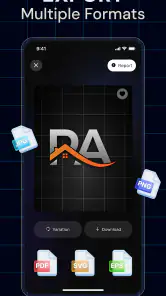
- Exports designs in formats suitable for common online uses.
- Simple editing tools make basic customization easy for beginners.
Cons
- AI results may look generic or resemble existing logo styles.
- Advanced editing options may be limited for precise brand work.
- High-resolution exports or premium assets may require payment.
- Text rendering can produce spacing
- spelling
- or layout mistakes.
- Some features may depend on an internet connection and account access.
- Category
- Art & Design
- Version
- 1.4.0