Real Time Stocks Track & Alert
- 1.93K
- 4.0
- Installs
- 100.00K
- Price
- Free
Screenshots
Analysis by Reviewed
I came away from Real Time Stocks Track & Alert with a fairly clear impression: it is a practical market-watching tool rather than a complete investing platform. I would recommend it to someone who wants to follow stock prices, read market news, check charts, and react to price changes without turning their phone into a complicated trading workstation. I would not choose it as my only source for serious research or as a replacement for a broker.
That distinction matters. The app, developed by Dajax LLC, focuses on the part of investing many people actually do several times a day: checking what is happening, comparing a few familiar companies, and deciding whether a move deserves closer attention. Its free entry point makes it easy to try, while optional purchases ranging from $1.99 to $89.99 per item mean that the experience can become more expensive depending on what a user chooses to unlock.
As a finance app rated for Everyone, it is approachable enough for a beginner who is still learning the language of the market. At the same time, its usefulness depends heavily on how disciplined the user is. A live quote can help me notice a change, but it does not explain whether that change is meaningful, temporary, or already reflected in the wider market.
What using the app feels like in everyday market watching
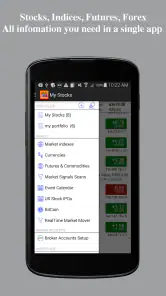
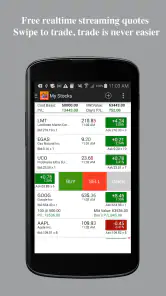
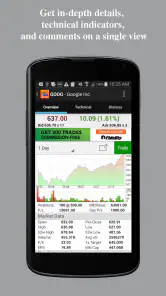
The strongest part of the experience is its focus. Real Time Stocks Track & Alert is built around quotes, prices, charts, news, and alerts, so I can open it with a specific question in mind: Is a company moving today? Has it reached a level I care about? Is there news worth reading before I make a decision?
That makes it more useful than opening a general finance website and searching from scratch. A dedicated stock-tracking app reduces the small bits of friction that often cause people to abandon a routine. When I am following a handful of companies, I want to get to their current information quickly, see the direction of movement, and leave with a clearer sense of whether I need to investigate further.
The word “real time” also sets an important expectation. The app is aimed at people who care about current market movement rather than only end-of-day summaries. That is valuable for monitoring an active position or watching a company during a busy session. However, I would still treat every displayed quote as a prompt for attention, not as an automatic trading signal. Market data can move quickly, and a screen showing a price does not remove the need to check the time, the broader market, and the reason behind the move.
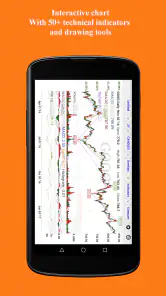
Charts are especially helpful when I resist the temptation to stare only at the latest number. A single price tells me where a stock is now; a chart gives me a chance to place that price in context. I can use it to ask whether the current move looks unusual compared with the recent pattern, whether a decline is part of a longer trend, or whether I am reacting emotionally to a short-lived change.
One practical workflow I found useful is to separate observation from action. I can first use the app to watch a stock, read the related news, and note the price behavior. Only after that do I decide whether the company deserves deeper research through financial statements, official announcements, or a broker’s research tools. This prevents the alert itself from becoming the reason for a rushed decision.
Alerts are most useful when they support a plan
The alert function is one of the app’s most practical ideas, but it works best when I set alerts before emotions take over. If I am watching a company and already know the price area that would make me review my position, an alert can save me from repeatedly checking the screen. It turns the app into a quiet monitoring assistant instead of a source of constant distraction.
There is a trade-off, though. An alert tells me that a condition has occurred; it does not tell me what to do next. If I set too many alerts, every small move can feel urgent. If I set them around sensible review points, they become more useful. I would avoid creating a notification for every minor fluctuation and instead choose levels connected to a written plan, a scheduled review, or a specific research question.
This is also where the app differs from a typical brokerage application. A broker is designed to take me from market information to an order. Real Time Stocks Track & Alert is better suited to the earlier stage: noticing, comparing, and deciding whether an opportunity or risk deserves attention. For many casual investors, that separation is healthy because it creates a pause between seeing a move and acting on it.
News and quotes work better together than separately
Price information without context can be misleading, and news without price information can be difficult to interpret. The app’s combination of market news and stock quotes gives me a more useful starting point than either one alone. If a company suddenly moves, I can look for a possible explanation. If I read a headline that sounds important, I can check whether the market appears to be reacting.
That does not mean every headline explains every movement. Markets respond to several factors at once, and news feeds can encourage quick conclusions. I would use the app’s news area as a discovery tool, then verify important claims through primary sources before making an investment decision. This is a meaningful limitation for anyone expecting a full research service: the app helps me find what to investigate, but it should not be the final authority on a company’s finances or future.
A useful habit is to compare the headline with the chart rather than reading it in isolation. If the price barely moves, the story may matter less immediately than it first appears, or the market may already have expected it. If the price changes sharply, the event may deserve closer reading, but the size of the move still does not prove that the market’s interpretation is correct.
Where the app fits beside familiar alternatives
Compared with a general web search, this app is more convenient for repeated monitoring because its purpose is already narrowed to stocks and market information. Compared with a broad personal-finance app, it is more focused on active price awareness, charts, and alerts. Compared with a broker, it is less centered on account management and trade execution.
That positioning is both its strength and its boundary. I would pick it when I want a dedicated companion for watching securities across the day. I would choose a broker when I need to place orders, review holdings, manage cash, or see tax-related account information. I would choose a deeper research service when I need detailed company analysis, valuation tools, filings, or portfolio diagnostics.
The app therefore makes the most sense as one layer in a larger setup. It can be the quick screen I use for awareness, while my broker handles transactions and more authoritative sources support research. Trying to make it perform all three jobs would likely lead to frustration.
The meaningful limitations to consider before relying on it
The first limitation is the danger of confusing convenience with completeness. A clean quote, chart, or alert can make an investment decision feel more informed than it really is. The app gives me market-facing information, but responsible investing still requires checking the company, the broader economic setting, and my own risk tolerance.
The second is the possibility of notification fatigue. Alerts are helpful only when they remain selective. A user who tracks too many stocks or sets too many thresholds may spend more time responding to noise than learning from meaningful developments. I would start with a small watchlist and add only the symbols that have a clear reason for being monitored.
The third limitation is the presence of optional in-app purchases. The app is free to start, which lowers the barrier to testing it, but users should pay attention to which functions are included in the basic experience and which may require an additional purchase. I would not buy anything immediately. I would first use the free version long enough to decide whether its quote, chart, news, and alert workflow genuinely fits my habits.
The current version is 7.1.2, and the app has been available since February 17, 2013. That long presence suggests an established product rather than a brand-new experiment, but age alone is not a reason to assume it will match every modern investing routine. I would still judge it by how comfortably it handles the symbols, alerts, and information I personally care about.
Another point is that market monitoring can become psychologically expensive even when the app itself costs nothing to install. Frequent checking may encourage short-term thinking, especially when I look at prices without a defined time horizon. Someone building a long-term portfolio may get more value from scheduled reviews and fundamental research than from watching intraday movement throughout the day.
A realistic way I would use it
Imagine I own shares in a company but do not want to open my brokerage account repeatedly during a workday. I could use the app to follow the stock, set an alert around a level that would make me review the position, and check the chart when the notification arrives. I would then read the related news and decide whether the move is worth researching. If it is, I would move to the company’s official communications or my broker before considering any action.
That workflow uses the app for what it does well: awareness and timely reminders. It also avoids a common mistake, which is treating an alert as an instruction to buy or sell. The app can shorten the path from “something changed” to “I should look into this,” but the judgment remains mine.
For a beginner, I would add one more step: keep a short note explaining why each stock is being watched. Without that reminder, a user can gradually collect symbols simply because they appeared in the news. A watchlist should answer a question, such as whether a company is approaching a planned review point or whether a particular event has changed the investment case.
Who will get the most from it
I think the best audience is the investor who already follows a few stocks and wants a quicker way to monitor them. It is also suitable for someone learning how market prices, charts, news, and alerts fit together. The free starting point makes experimentation straightforward, while the Everyone age rating keeps the presentation accessible to a broad audience.
It may also suit a long-term investor who wants occasional reminders rather than a full trading terminal. A person who checks positions once or twice a day can use alerts to reduce unnecessary manual checking. The app does not need to become the center of that person’s financial life; it can simply be a lightweight observation tool.
I would be more cautious recommending it to an active trader who needs advanced execution, extensive technical analysis, specialized order types, or highly detailed market depth. I would also steer away from it as a sole resource for someone making major investment decisions without other research. The app’s convenience is valuable, but convenience is not the same as comprehensive analysis.
It is a poor fit for anyone who knows that frequent price notifications increase anxiety or impulsive behavior. In that case, a slower routine using a broker’s periodic statements and a research-focused service may be healthier. The right finance app is not only the one with useful information; it is the one that supports sensible decisions.
Value, reach, and day-to-day practicality
Real Time Stocks Track & Alert has an average rating of 4.0 from around 7.6 thousand ratings, with about 1.9 thousand written reviews and more than 100 thousand installs. Those figures place it in the category of a broadly used, established utility rather than a niche tool that only a few market enthusiasts have tried.
Its free price is a meaningful advantage for users who want to test the workflow before committing. Still, the purchase range means I would evaluate the app based on the features I actually use, not on the assumption that every useful option is included without cost. A free download is a low-risk starting point, but the long-term value depends on whether the paid elements solve a real problem for me.
The developer, Dajax LLC, has kept the product centered on a straightforward promise: help users follow stocks and react to relevant changes. I appreciate that focus. The app does not need to replace every other financial tool to be useful, and its clearest role is as a quick market companion between deeper research sessions.
My final assessment
I would describe Real Time Stocks Track & Alert as a capable monitoring app with a sensible place in a personal investing toolkit. Its best qualities are the combination of current stock information, charts, market news, and alerts, along with a free way to try the experience. The strongest practical benefit is not that it makes investment decisions for me, but that it helps me notice when a decision deserves my attention.
The weaknesses are equally important. Alerts can create noise, market information can encourage overreaction, and optional purchases require a little care. The app also cannot replace a broker for transactions or a research platform for detailed analysis. Anyone expecting an all-in-one investing system should look elsewhere.
My recommendation is specific: use it if you want a focused way to watch selected stocks and build a more deliberate review routine. Start with a small watchlist, keep alerts tied to clear reasons, and verify important news before acting. Skip it if you need advanced trading tools or if frequent price updates make you impulsive. Used within those limits, this finance app is a useful observer—quick, accessible, and practical, but best treated as the beginning of an investment decision rather than the conclusion.
Pros
- Tracks stock prices with minimal delay during market hours.
- Custom alerts help monitor target prices without constant checking.
- Supports watchlists for organizing multiple stocks in one place.
- Clean interface makes key market data easy to scan.
- Useful for investors who follow several symbols daily.
Cons
- Some real-time data may require a paid subscription or exchange access.
- Coverage and update speed can vary by market and region.
- Frequent alerts may become overwhelming for active watchlists.
- Advanced charting and analysis tools may be limited.
- Requires a stable internet connection for live price updates.
- Category
- Finance
- Version
- 7.1.2











