Reading Eggs - Learn to Read
- 533.00
- 4.3
- Installs
- 1.00M
- Price
- Free

Screenshots

Analysis by Reviewed
When a child wants to read but is not yet ready to sit with a book for long, I look for a routine that makes practice feel manageable rather than like another lesson. Reading Eggs - Learn to Read is an education app from Blake eLearning Pty Ltd built around that early-learning challenge. It is aimed at children from ages 2 to 13, a broad range that makes choosing the right starting point important: a curious preschooler and a confident young reader will need very different kinds of support.
My most practical use for it is a short, predictable session at home: a child opens a lesson while a parent handles dinner, then the two of them talk about a new sound or word afterward. I would not treat an app as a replacement for reading together, but it can give a child a structured way to practise between shared books. The key is to keep an adult involved enough to notice when the activity is too easy, too difficult, or simply no longer holding attention.
Start with a small, clear goal
Before a first session, I’d choose one simple intention: practise a sound, spend a few minutes with a lesson, or see whether a child enjoys learning through short digital activities. That keeps the app from becoming an open-ended screen session. It also gives a parent a useful way to judge the experience afterward: did the child stay engaged, understand what to do, and have something they could talk about once the device was put away?
That kind of check matters because children can be drawn to movement, characters, and rewards without necessarily understanding the reading task underneath. I’d ask what a screen is asking them to do, rather than only whether they completed it. If the child can explain the sound or recognize the word again in a different setting, the practice has begun to travel beyond the screen.
Getting Started with Reading Eggs
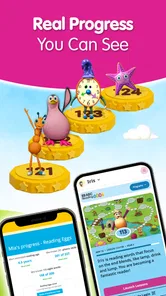
First off, let me say that setting up Reading Eggs - Learn to Read is a breeze. Available on both Android and iOS, the app welcomes you with a colorful and user-friendly interface that’s sure to catch the eye of your little learners. The sign-up process is straightforward, and you can even start with a free trial to get a feel for what the app offers.
Finding a Useful Place in the Routine
Before handing over a phone or tablet, I’d decide when the app fits into the day and what a good stopping point looks like. A few focused minutes after school can work better than opening it when a child is already tired or restless. For a younger learner, I’d stay nearby to help with the device and turn a confusing screen into a quick conversation; an older child may be ready to work more independently, though checking in still helps keep screen time purposeful.
Families comparing it with picture books, phonics worksheets, or general learning games should think about what they want practice to do. A book is better for cuddling up and discussing a story together, while a worksheet can be a quieter, less screen-focused option. Reading Eggs offers a more interactive route, which may suit a child who responds to immediate activities and rewards. That difference is useful, but it also means the app should complement real books rather than take their place.
More From Our News Desk

 Bolt: Request a Ride
Bolt and the Shift from One-Tap Rides to More Legible Trips
Bolt shows how ride-hailing is shifting from a one-tap taxi request toward a more legible, choice-driven trip, while leaving the hardest questions of price and reliability unresolved.

 Farm Land - Farming life game
Farm Land Review: A Small Island Farm with a Satisfying Loop
A bright, breezy island farm turns a few quick chores into a satisfying cycle of planting, harvesting, expanding, and deciding what to build next.

 Android Auto
’s Community Takes Shape in the Passenger Seat
Its most valuable network is not a public feed but a shared set of routes, voice habits, app integrations, and advice that make driving less isolating—and sometimes more complicated.

 My Talking Angela
 Makes the Virtual Pet Feel Personal
A polished pet-raising game built on small rituals, playful customization, and a character who gives everyday screen time a surprisingly personal rhythm.

 Google Translate
 Review: A Pocket Tool for the Small Frictions of Travel
From menus and signs to quick conversations, Google Translate earns its place by cutting the little delays that make unfamiliar language feel like a barrier.

 Shazam: Find Music & Concerts
Shazam’s Best Trick Is Turning a Song Into a Night Out
A few seconds of recognition can settle an argument, rescue a half-remembered chorus, and point toward a live show. Shazam’s real trick is what happens after the match.
Latest News



Interactive Lessons and Games
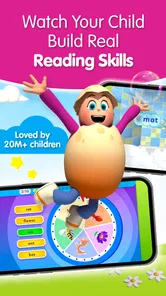
Once you’re in, the app offers a plethora of interactive lessons designed to make learning to read a delightful experience. The lessons are structured in a way that progressively builds on your child’s current reading level, helping them to improve without feeling overwhelmed. What really stood out to me is how the app uses games as a primary teaching tool. These aren’t just any games; they’re cleverly crafted to reinforce reading skills like phonics, vocabulary, and comprehension.
One of my personal favorites is the “Driving Tests,” where kids can earn rewards as they master different reading skills. It’s like seeing your child’s face light up as they realize they’re actually learning while playing!
Making Practice More Than Tapping
A small but useful habit is to ask the child to say a sound or read a word aloud before moving on, rather than letting quick taps become the whole activity. That creates a natural handoff from screen practice to spoken reading, and it gives a parent a better sense of whether the child understands the task. If a child gets stuck, I’d pause and try the prompt together instead of treating speed or completion as the goal.
The reward loop can be motivating, but it is worth setting expectations before a session. Golden eggs and avatar choices may keep a child eager to return; they are not, by themselves, evidence that a skill has clicked. I’d use rewards as a fun finish to practice, then ask the child to find a familiar letter or word in a paper book or a sign at home. That simple transfer is a more meaningful check than collecting in-app items.
Turning a lesson into a family handoff
A realistic routine might start just after a snack, with a parent nearby while a child works through an activity. When the child reaches a natural pause, the adult can take over briefly: ask them to name a sound, explain a choice, or point out a word they remember. Then a picture book can provide a different context for that same kind of noticing. This is not about testing the child after every screen; it is a low-pressure way to connect a digital exercise with ordinary reading.
For a caregiver who has only a short window, the useful handoff is between adults as much as between app and book. One parent can note which sounds or words the child seemed comfortable with and mention that to the person reading with them later. That avoids restarting from scratch each time. I would keep those observations informal, though: a child’s mood, tiredness, or interest can change from one session to the next, so a single difficult activity should not be treated as a verdict on ability.
Personalized Learning Paths
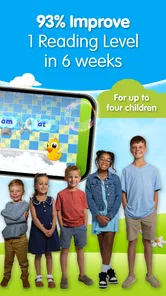
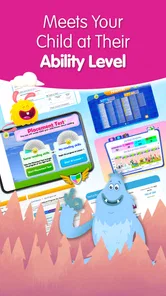
Another feature that deserves a shoutout is the app’s ability to tailor lessons to each child’s learning pace. With its personalized learning paths, Reading Eggs - Learn to Read ensures that no child is left behind. Whether your kid is just starting to learn letters or already reading full sentences, the app adapts to their needs, offering challenges that are just right.
Because the intended ages cover such different stages, I would not assume that one child’s experience predicts another’s. If a beginner loses confidence, an adult can sit alongside them and treat the next activity as shared practice. If a more capable reader finds the work repetitive, that is a cue to reassess whether this style of guided learning is still a good match, rather than insisting that every child needs the same screen routine.
What parents can look for between sessions
Rather than judging progress by how many activities a child completes, I’d watch for small changes in what they do away from the app. Do they notice a letter on a cereal box, try to sound out part of a familiar word, or volunteer to look at a book? These are modest signs, not proof of mastery, but they can help a parent decide whether the practice is supporting curiosity or simply filling time.
If a child repeatedly needs help with the same kind of prompt, I’d make the next session slower and more conversational instead of pushing through more activities. If they are breezing through, I’d invite them to read something real aloud and see whether the confidence carries over. The app can supply a structured activity; the adult’s role is to notice whether that activity is landing and adjust the surrounding routine.
Engaging Content and Rewards
Let’s talk about motivation. We all know how important it is to keep kids motivated, and this is where the app truly excels. As children progress through the lessons, they earn golden eggs (the app’s currency) that they can use to buy items for their avatar or to play more games. This reward system not only makes learning feel like an adventure but also encourages kids to keep coming back for more.
Plus, the variety of engaging content—from songs and animations to books and puzzles—ensures that kids never get bored. It’s a bit like having a library, a school, and a playground all rolled into one handy app.
Choosing the right alternative for the child
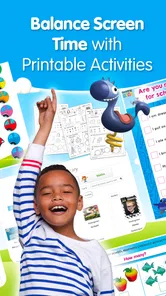
Compared with a basic phonics worksheet, this app gives practice a more animated, responsive feel, which may be a real advantage for a child who avoids pencil-and-paper tasks. The trade-off is that worksheets can make it easier to see a child’s own written attempts, while a digital activity may invite quick selections. For a child who needs handwriting practice or a calmer, less stimulating task, I’d pair the app with paper activities or choose those instead.
Compared with reading a book together, the app offers a more guided sequence and game-like motivation, but a shared book gives the adult more room to follow the child’s questions and talk about meaning. Neither approach covers everything. I’d reach for Reading Eggs when a child needs a little structure and enjoys interactive practice; I’d choose a book when connection, discussion, and listening to the child read are the main goals. General learning games may be more entertaining, but they are not automatically a substitute for focused reading practice.
For a parent weighing the cost, the app is free to download, with in-app purchases listed from $4.99 to $99.99 per item. I’d look carefully at the purchase choices with a child before settling into a routine, so enthusiasm for a lesson does not turn into an unexpected request to buy something. Its Everyone age rating makes the intended audience clear, but younger children may still need help navigating both the activities and purchase prompts.
Where It May Not Fit
There are good reasons to choose another approach. A child who resists screens, needs more conversation than a self-guided activity provides, or learns best through a teacher’s direct feedback may get more from shared reading, classroom support, or hands-on letter games. Likewise, an adult looking for a complete reading curriculum for every learner should judge the app as one tool in a wider routine, not assume it can address every need on its own.
There is also a practical question of adult attention. The app may make an activity accessible, but younger children can still need help with navigation, understanding instructions, or settling after a frustrating moment. If a caregiver has to manage several competing demands, it may be better to start alongside the child and keep the first sessions modest rather than expect the app to occupy them independently. For an older child who already reads comfortably, the most useful choice may instead be a book they want to explore or a task matched to their current interests.
It has a substantial audience, with over 1 million installs and an average rating of 4.5 from around 10,000 ratings. Those figures can help indicate that many families have tried it, but they cannot tell me whether a particular child will enjoy its pace or reward style. The app was released on August 13, 2019, and its current version is v2.15.3+108, with a minimum OS requirement of 9. I’d check that a device meets the requirement before planning a session around it.
Deciding whether to keep it in the routine
I would give the app a fair test by looking beyond a child’s first reaction. A bright interface or a burst of excitement can make an opening session feel successful, while the more useful question is whether the child remains willing to practise and can carry any learning into another setting. A few calm sessions at different times of day can reveal whether the format suits the child, or whether interest depends mostly on rewards and novelty.
It is also reasonable to stop using it if the routine becomes a negotiation or repeatedly ends in frustration. There is no benefit in preserving a digital habit just because it is educational in intention. Switching to a story, a game with physical letters, or a conversation about words in the environment can be a better choice for that child on that day. The strongest use of the app is as one flexible option, not an obligation.
So, what’s the final verdict? Well, if you ask me, Reading Eggs - Learn to Read is definitely worth a try. It’s a fantastic blend of education and entertainment that could very well be the key to unlocking your child’s reading potential. Happy reading!
I’d recommend it most to families who want a playful way to add guided reading practice to the week and are willing to stay involved, especially at the beginning. It is less suited to households seeking a screen-free method or a substitute for an adult listening to a child read. Try it as one small part of a routine, watch how your child responds to the lessons and rewards, and keep the shared books and conversations in the mix.
Reading Eggs - Learn to Read Frequently Asked Questions
Is Reading Eggs free to download, and what costs should parents expect?
Reading Eggs is free to download, with in-app purchases available. This gives families a chance to look at the app before deciding whether to buy anything. In-app purchase prices range from $4.99 to $99.99 per item, so check the purchase options in the app and make sure a child has permission before making a purchase.
Is Reading Eggs suitable for children, and what is its age rating?
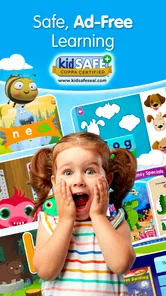
Reading Eggs has an Everyone content rating and is described as a learn-to-read app for children aged 2 to 13. Its child-focused educational content is intended for a broad range of early and developing readers. Parents can explore the activities with their child and decide whether the lessons and learning approach suit the child’s age and current reading needs.
What age group is Reading Eggs suitable for?
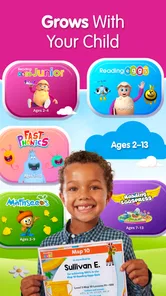
Reading Eggs is designed for children aged 2 to 13 years. The app offers a structured learning path that adapts to the child's reading abilities, making it suitable for early learners as well as older children looking to enhance their reading skills. Each level is tailored to engage and challenge children appropriately, promoting growth and a love for reading.
How does Reading Eggs support learning to read?
Reading Eggs uses a variety of interactive activities, games, and lessons to teach children essential reading skills. The app focuses on phonics, sight words, spelling, and comprehension through entertaining and educational content. By combining these elements, Reading Eggs helps build a strong foundation in literacy, encouraging children to learn at their own pace while having fun.
Is Reading Eggs available on multiple devices?
Yes, Reading Eggs is accessible on multiple devices, including tablets, smartphones, and computers. The app is compatible with both Android and iOS platforms, allowing for flexible use at home or on the go. This multi-device compatibility ensures that children can continue their learning journey wherever they are, providing a seamless educational experience.
Pros
- Engaging for kids with interactive lessons.
- Comprehensive phonics program included.
- Adapts to child's reading level.
- Offers a wide range of reading materials.
- Includes fun games to reinforce learning.
Cons
- Requires a subscription after trial.
- Limited offline access to content.
- Some games may feel repetitive.
- Might be too easy for advanced readers.
- Not all features available on mobile.