Quiz AI: AI Homework Helper
- 150.00
- 4.4
- Installs
- 1.00M
- Price
- Free

Screenshots

Analysis by Reviewed
When I first open a homework helper, I want to know one thing quickly: can it help me get unstuck without turning studying into a hunt for buttons or a stream of answers I cannot check? Quiz AI: AI Homework Helper is aimed at that moment. It brings question-solving and study support together on a phone, and I find it most useful when I treat it as a patient starting point for understanding a specific problem, not as a substitute for doing the work.
For a first-time user, the most reassuring way to begin is with one specific question rather than a broad topic. Have your notes or textbook open, identify the exact point that is confusing, and enter it in the app. That gives you something concrete to check against your class material, and it makes the first visit feel more like a focused study session than a search through a pile of answers.
What Makes Quiz AI Stand Out?
First off, let me just say that the user interface of Quiz AI: AI Homework Helper is super intuitive. You don't need to be a tech wizard to navigate through it, and that's always a win in my book. The moment I opened the app, I was greeted with a sleek design that immediately made me feel like I was in good hands.
Quiz AI is an education app from INTSIG PTE, and its appeal is easy to understand: it brings question solving and study help into one mobile experience. It is free to install, though in-app purchases range from $0.99 to $299.99 per item, so I would check any purchase screen carefully rather than assume every option is included at no cost. The app is rated for Everyone, has an average rating of 4.4 from around 7,100 ratings, and has over 1 million installs. Those figures suggest a broad audience, but they do not replace checking whether its answers suit your subject and learning style.
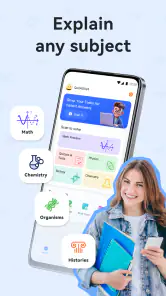
The app covers a wide range of subjects, from math and science to literature and history. It's like having an entire library of knowledge right on your smartphone. The best part? It's powered by artificial intelligence, which means it's constantly learning and updating its database to provide the most accurate and up-to-date information.
Starting Without Overcomplicating Things
I would approach the first session as a small test of fit rather than a setup project. Pick a question whose answer you can partially check from a textbook, class notes, or worked example. That makes it easier to judge whether the explanation is clear and relevant before relying on it for a harder assignment. If the first response feels too broad, narrow the question to one term, calculation, or reasoning step instead of asking for an entire lesson at once.
For a student switching between subjects, it can help to keep each question self-contained. A math problem needs its numbers and any conditions copied accurately; a history question benefits from naming the period or topic being studied. That small bit of context can make the exchange more useful, while also giving you a clear way to compare the answer with your course material. I would avoid pasting a whole assignment as a shortcut: it is harder to spot a mistake in a long response, and much easier to lose track of what I personally understand.
More From Our News Desk

Clash of Clans Is Won Between the Battles

Android Auto Makes the Case for Quieter Car Software

MobiOffice: Transforming Mobile Productivity with Seamless Integration

EA SPORTS FC™ Mobile Soccer: Redefining Mobile Sports Gaming

How Microsoft OneDrive Became a Mobile Productivity Giant

How Google Translate Breaks Language Barriers Effortlessly
How Does It Work?
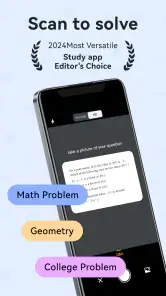
Using Quiz AI is as easy as pie. You simply type in your question, and the app does the rest. It scours the internet, textbooks, and scholarly articles to give you the best possible answer. I was particularly impressed with how quickly it responded, and how detailed the explanations were. It's not just about giving you the answer; it's about helping you understand the concept.
For a useful first attempt, phrase the prompt so it asks for the reasoning, not merely the final result. In algebra, for example, ask yourself to follow each transformation and compare it with the method your teacher expects. If a step seems surprising, treat that as a cue to ask a narrower follow-up or revisit the relevant rule in your notes. That habit makes an AI explanation easier to evaluate and helps prevent a polished answer from being mistaken for a lesson you have already mastered.
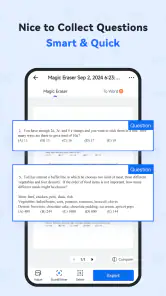
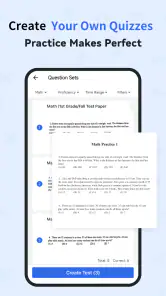
The app also features a handy quiz function, where you can test your knowledge on various topics. It's a great way to reinforce what you've learned and ensure that the information sticks.
A practical routine is to solve a question yourself first, then use the explanation to locate the exact step where your approach diverged. After that, try a similar problem without looking back. The quiz function can help shift the session from reading an explanation to checking what you can recall, although it is still worth returning to class notes for the precise terminology and methods your course uses.
When a Quick Answer Needs a Second Look
One subtle point with any AI study tool is that an explanation can sound confident even when it does not match the conventions used in a particular class. I would check units, signs, definitions, and the assumptions behind a math or science answer, rather than only checking whether the final number looks plausible. In writing-heavy subjects, use a response to clarify a concept or find a direction for further reading, then make the argument and wording your own.
If a response leaves me unsure, I would not keep rephrasing the same broad question and hope for certainty. I would isolate the disputed claim, ask for the reasoning behind that part, and compare it with a trusted source. This is especially useful when a question depends on a specific textbook passage or a teacher’s preferred method. The app can help me move forward, but a source tied to the course is still the right final check.
My Personal Experience
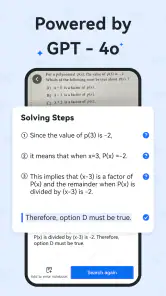
I decided to put Quiz AI to the test with some tricky algebra problems that had been giving me a headache. To my surprise, the app not only solved the equations but also provided step-by-step solutions, explaining each part of the process. It felt like having a patient teacher guiding me through the problem.
That kind of help is most valuable when I have already tried the problem and can point to what is confusing. If I paste in a whole worksheet without thinking through it, I risk collecting answers without learning the pattern. I would use the app to untangle one difficult step, then close it and attempt the next question independently. It is a small change in workflow, but it turns instant help into active practice.
Another time, I used it to help with a history assignment. The app pulled up relevant information and even suggested additional reading material to deepen my understanding. It's like having a research assistant that's always ready to help.
For a realistic weekday use, imagine having a short study window before dinner and getting stuck on a history prompt. I would ask for a clear explanation of the topic, note the key ideas, then check those ideas against the course reading before writing anything in my own words. That approach is more reliable than treating an AI response as a ready-made assignment, especially when the teacher expects evidence from a particular chapter or source.
Where It Fits Among Study Tools
Compared with a standard web search, Quiz AI is more directly oriented toward turning a question into an explanation or practice. A search engine can be better when I need to find an original source, compare several viewpoints, or confirm a recent fact. A textbook remains the better reference for the definitions and notation used in a specific class, while a teacher or tutor can notice misunderstandings and adapt the explanation through conversation. I see this app as a convenient study companion between those resources, not a replacement for them.
That distinction matters when choosing what to open first. If I know exactly which chapter contains the answer, the textbook is often faster and more dependable for the wording my course uses. If I need several perspectives or a primary source, web search is the more suitable starting point. If I have repeated the same mistake and cannot tell why, a human teacher can ask questions and respond to my reasoning in a way an automated explanation may not. Quiz AI makes the most sense in the middle: I have a focused question, want a quick explanation, and will still check important details.
It is a good fit for students who want quick explanations, a way to practise after reviewing a topic, or help getting past a point of confusion when studying alone. Curious learners may also appreciate being able to ask questions outside a formal lesson. I would be more cautious if I needed guaranteed subject-specific wording, detailed feedback on a full essay, or a human tutor who can diagnose why I keep making the same mistake. In those situations, course materials, a teacher, or a dedicated tutoring option may serve me better.
Making the First Session Count
For a first successful attempt, I would choose a question with a clear stopping point: one equation, one unfamiliar term, or one historical cause-and-effect link. Read the response once for the main idea, then return to the original question and explain the answer aloud or in your own notes without looking. If you cannot do that, the useful next move is to identify the missing step, not to copy the response again. This quick self-check helps separate an explanation that feels familiar from one you can actually use.
For revision, I would also keep a short list of the questions that exposed a real gap in understanding. The point is not to save every answer, but to notice recurring problems: perhaps I keep mishandling negative signs, confusing two related terms, or overlooking evidence in a reading passage. That list gives the quiz function a purpose, because I can return to those topics and test recall after reviewing them. It is a more deliberate use of the app than opening it only when a deadline is close.
The app is free, but the presence of in-app purchases means I would pay attention to what an optional purchase covers before confirming it. It runs on Android 8.0 or later, and the current version is 4.18.6.20251124. For a new user, the easiest path is to start with one small question, check the explanation against trusted study material, and only then decide whether the app’s style suits regular revision.
My overall recommendation is to try Quiz AI if you often study alone and want a fast way to get an initial explanation or quiz yourself after learning a topic. I would not choose it as the sole authority for graded work, source-based research, or feedback that needs to account for a teacher’s instructions. Used with that boundary in mind, it can make a stuck moment less frustrating and help me return to the actual task with a clearer next step.
In conclusion, if you're a student or someone who loves to learn, Quiz AI: AI Homework Helper is a game-changer. It's a blend of convenience, efficiency, and intelligence all rolled into one. Whether you're cramming for an exam or just curious about a topic, this app has got your back. So, go ahead, give it a try, and make your homework sessions a breeze!
Quiz AI: AI Homework Helper Frequently Asked Questions
Can I use Quiz AI: AI Homework Helper on my Android device?
Quiz AI: AI Homework Helper is an education app for Android devices, with a minimum operating system requirement of Android 8.0. Before downloading, check that your device meets this requirement and has enough available space. The app is free to download, though some features or content may involve in-app purchases.
What is Quiz AI: AI Homework Helper and how does it work?
Quiz AI: AI Homework Helper is an innovative educational app designed to assist students with their homework by leveraging artificial intelligence. The app uses AI algorithms to provide quick and accurate answers to a wide range of questions across various subjects. It also includes features like step-by-step solutions and explanations, making it easier for students to understand complex topics and enhance their learning experience.
Is Quiz AI: AI Homework Helper suitable for all age groups?
Yes, Quiz AI: AI Homework Helper is designed to be beneficial for students of all ages. Whether you're in elementary school, high school, or even college, the app's comprehensive database and AI-driven insights can cater to different educational levels. However, younger students might need parental guidance to fully utilize some of the advanced features and ensure proper understanding. The app has an Everyone content rating, while the developer is INTSIG PTE.
Does Quiz AI: AI Homework Helper require an internet connection?
Yes, Quiz AI: AI Homework Helper requires an active internet connection to function effectively. This is because the app relies on cloud-based AI technology to access the latest databases and algorithms for providing accurate solutions. While some features might be available offline, for the best experience and up-to-date information, staying connected is recommended.
Are there any subscription fees or in-app purchases involved?
Quiz AI: AI Homework Helper offers both free and premium versions. The free version includes basic functionalities, while the premium version, available through a subscription, unlocks advanced features such as personalized learning plans, unlimited question submissions, and ad-free usage. Users can choose to upgrade based on their educational needs and budget. The app is free to download, and in-app purchase prices range from $0.99 to $299.99 per item.
Pros
- AI-driven personalized quiz sessions.
- Comprehensive coverage of various subjects.
- User-friendly interface with real-time feedback.
- Supports multiple learning styles.
- Offline access for uninterrupted learning.
Cons
- Limited free features.
- Occasional AI inaccuracies.
- Requires stable internet for updates.
- Some users report slow loading times.
- Premium subscription can be pricey.
- Category
- Education
- Version
- 4.18.6.20251124












