Publix Delivery & Curbside
- 16.97K
- 4.7
- Installs
- 1.00M
- Price
- Free

Screenshots
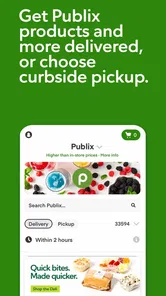
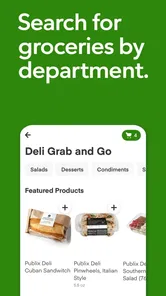
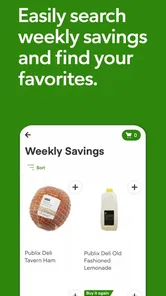
Analysis by Reviewed
I find grocery apps most useful when they make a real shopping trip easier, not just when they put product photos on a screen. Publix Delivery & Curbside is designed for people who already shop at Publix and want to arrange delivery or pickup from a phone. In my experience, the biggest practical question is whether the app stays useful when you’re away from reliable Wi-Fi, moving between errands, or trying to make a quick change. Because shopping and order updates depend on a connection, I’d treat it as a connected service rather than a way to prepare an order offline.
Where a steady connection matters
Browsing departments, checking promotions, building a basket, and arranging a delivery or curbside pickup all happen inside an online shopping flow. That works well at home, where I can take my time and compare what I need, but it is less comfortable if my signal keeps dropping. I’d avoid leaving a nearly finished order until the last minute in a place with patchy reception: a slow connection can turn a quick checkout into repeated waiting or checking.
For a more dependable routine, I’d put the main order together while connected to Wi-Fi, then review it before submitting. That is especially helpful for a larger weekly shop, where a product search or an accidental change can take longer to sort out than it would for a few essentials. I also wouldn’t assume a basket or an order update has been saved until the app has had time to respond.
Shopping between home, car, and store
The app is most convenient when I can give it a little attention in one place. At home, I can look through categories such as produce, dairy, and bakery without rushing. In a car, I’d use it only while parked; trying to browse or report arrival while driving is an unnecessary distraction. Curbside pickup is particularly useful when getting inside the store is inconvenient, while delivery suits days when leaving home is the harder part.
A realistic use case is a busy evening when I realize the household is short on a few staples. I can check the available options, add the items, and choose delivery or pickup according to what fits the day. If I’m already close to a Publix and can collect an order, curbside may be the better fit; if I’m juggling work or family responsibilities, delivery may save more effort. The choice is less about one option being universally better and more about whether travel or waiting is the bigger burden that day.
When the app slows down or plans change
Connection trouble is most frustrating at the point when I need a clear confirmation: while placing an order, checking its progress, or letting the store know I’ve arrived for pickup. If a screen seems stuck, I’d first give it a moment and check that the phone has a working connection before tapping repeatedly. Repeated submissions can make it harder to tell whether an action went through, so I’d look for an order confirmation before trying again.
For a change of plan, I would check the order in the app rather than assume an edit is possible at any point. The practical lesson is to build in a little breathing room, especially if the order matters for a meal or a busy schedule. A grocery app can simplify the handoff, but it cannot make a delivery or pickup convenient if the chosen timing no longer works for you.
More From Our News Desk

Weather by Xiaomi Review: Clear at a Glance, Less Clear Up Close

X Under Pressure: Can It Recover When Posting Goes Wrong?

Clash of Clans Is Won Between the Battles

Android Auto Makes the Case for Quieter Car Software

MobiOffice: Transforming Mobile Productivity with Seamless Integration

EA SPORTS FC™ Mobile Soccer: Redefining Mobile Sports Gaming
Using it without wasting time or data
If I’m watching mobile data, I’d do the browsing and basket-building on Wi-Fi when possible, then use mobile connectivity for the parts that actually need to happen while I’m out, such as checking an order or coordinating a curbside arrival. I’d also make a short shopping list first. It keeps me from spending extra time searching through categories and makes it easier to notice whether I’ve forgotten a basic item.
Previous orders can be a useful shortcut for repeat purchases, but I would still review the basket rather than reorder automatically. Household needs change, and a past order is a starting point, not proof that every item is needed again. I’d also check current promotions while planning, then make the final choice based on what I actually need instead of letting a discount dictate the whole shop.
Seamless Shopping Experience
From the moment I opened the app, I was impressed by its user-friendly interface. It’s super intuitive, which means even if you’re not tech-savvy, you’ll find it easy to navigate. The home screen presents you with categories like dairy, produce, bakery, and more, making it a breeze to find exactly what you're looking for.
Wide Range of Products
I was pleasantly surprised by the wide range of products available on Publix Delivery & Curbside. It’s not just about groceries; you can also find household items, pet supplies, and even personal care products. Basically, it’s your one-stop shop for all your household needs.
One thing I particularly loved was the ability to see what’s on sale. Who doesn’t love a good deal, right? The app highlights current promotions and discounts, so you can easily spot where you can save a few bucks. Trust me, every penny counts!
Convenience at Your Fingertips
Scheduling a delivery or a curbside pickup was a breeze. The app allows you to choose a time slot that suits your schedule, and the best part? You can get your groceries as soon as within an hour or plan for a later time if that’s more convenient for you. It’s all about flexibility!
And here’s a feature I found really handy: the app keeps track of your previous orders. This means, if you’re like me and tend to buy the same items regularly, you can quickly reorder without having to search for each item again. It’s these little touches that make the app stand out.
Reliable Delivery Service
I was curious about the reliability of the delivery service, and I have to say, it didn’t disappoint. The groceries arrived on time, and everything was in perfect condition. The fresh produce was indeed fresh, and nothing was missing from my order. Plus, the delivery personnel were friendly and professional, which is always a nice touch.
For those of you who prefer the curbside option, the process is equally smooth. You just park in a designated spot, let them know you’ve arrived through the app, and they bring your groceries out to you. It’s as simple as that!
Who benefits most, and what to weigh
Publix Delivery is powered by Instacart, and the app is developed by Publix Super Markets Inc. It’s a free Food & Drink app for everyone, with a 4.6 average from around 37,000 ratings and over a million installs. Those details make it a well-established option, but they don’t guarantee that every order will suit every shopper. I’d recommend it most to people who regularly shop at Publix, value delivery or curbside convenience, and are comfortable managing an order through a connected phone app.
Compared with shopping in person, the main trade-off is control: browsing from home is easier, but choosing produce yourself or making an immediate substitution is simpler in the aisle. Compared with a general grocery marketplace, this app makes the most sense if Publix is already your preferred store; shoppers who want to compare many retailers in one place may prefer a broader service. If I only need one or two items and can pop into a nearby store, the app may add more steps than it saves.
I’d also keep expectations practical around timing. Choosing a slot helps organize the day, but I’d still leave room for the handoff and check the order details before relying on it for a specific meal. If an item is important, reviewing the basket carefully before checkout is a better habit than assuming a previous order or promotion has everything covered.
Making repeat shops work harder
For a household that buys the same basics each week, I’d use the previous-order shortcut as a draft rather than a finished list. Start with the regular staples, then check the quantities and remove anything left over from last time. This small pause helps avoid an easy mistake: a fast reorder can be convenient, but it can also carry forward an item that no longer fits the week’s meals.
Promotions are most useful when they match an item I already planned to buy. I’d browse offers after making my list, not before, so a discount doesn’t send me searching for extras that complicate the order. That approach makes the sale information a planning aid rather than the reason for adding something to the basket.
Choosing the right shopping method
I’d choose this app when I want Publix groceries but don’t want to spend the trip walking the aisles. Delivery is the stronger choice when leaving home is difficult; curbside makes more sense when I’m already out and can reach the store without turning collection into a separate chore. For a larger planned shop, those options can save meaningful effort. For a single forgotten ingredient, going into a nearby store may be quicker than building and coordinating an order.
The main question a new user may have is whether the app is useful without being a regular Publix shopper. I think it is most compelling for people who already know the store and its products. If I want one place to compare groceries across several retailers, a broad marketplace is a better fit. If I care most about selecting every piece of produce myself, shopping in person gives me more direct control.
Final Thoughts
All in all, the Publix Delivery & Curbside app has been a game-changer for my grocery shopping routine. It saves me time, it’s super convenient, and the service is reliable. Whether you’re juggling a busy schedule or just want to avoid the hassle of in-store shopping, this app is definitely worth checking out.
So, if you’re looking for a hassle-free way to get your groceries, give it a try! You might just find yourself wondering how you ever lived without it.
My connectivity verdict
The app works best when I plan the order somewhere with a stable connection and keep my phone available for the final steps. Its current version is 8.94.3, and it runs on Android 7.0 or later. For someone who wants Publix groceries brought home or carried to the car, that connected convenience can be worthwhile. If you prefer choosing every item in person, have unreliable mobile service during errands, or need a shopping method that does not depend on an app connection, a regular store visit is the more dependable choice.
Publix Delivery & Curbside Frequently Asked Questions
Does Publix Delivery & Curbside work in my area?
Before downloading, consider whether the app offers the service you want at your location. Publix Delivery & Curbside is designed for ordering groceries from Publix, with delivery or curbside pickup options presented during shopping. Entering your location in the app helps show which services and products are available for your order, so you can check the choices that apply to you.
Do I need an account to shop with Publix Delivery & Curbside?
The app is built around browsing groceries and arranging a delivery or curbside pickup, so you should expect to provide the details needed to manage an order. Having those details ready can make it easier to review products, select a service option, and complete checkout. The app is focused on Publix grocery shopping rather than general online shopping.
Can I use the app to choose a delivery or pickup time?
Yes. As you build your grocery order, you can select a delivery or curbside pickup time that suits you from the options available in the app. It is worth checking the offered times before finalizing your plans, since the choices shown are relevant to your location and order. Scheduling gives you a clearer idea of when to expect your groceries.
Is Publix Delivery & Curbside free to download, and what devices does it support?
The app is free to download and is intended for grocery shopping through Publix Delivery & Curbside. It supports Android devices running version 7.0 or later, so checking your device’s operating system before installing is a simple way to avoid compatibility issues. The app is listed for Everyone, making it suitable for a general audience.
What is Publix Delivery & Curbside and how does it work?
Publix Delivery & Curbside is a convenient app that allows customers to shop for groceries online and choose either delivery to their doorstep or curbside pickup at a nearby store. After selecting your preferred items from the app, simply schedule a delivery or pickup time that suits you, ensuring a hassle-free shopping experience.
Pros
- User-friendly interface for easy navigation
- Wide range of products available
- Real-time order tracking
- Secure payment options
- Efficient customer support
Cons
- Limited delivery areas
- Occasional app crashes
- Some items may be out-of-stock
- Delivery fees can be high
- Inconsistent delivery times











