PocketBook reader - any books
- 2.63K
- 4.2
- Installs
- 5.00M
- Price
- Free

Screenshots
Analysis by Reviewed
I like an e-reader best when it still feels useful after the first burst of enthusiasm, and PocketBook Reader has a practical case for staying installed: it can handle a broad mix of reading material rather than tying me to one book format or one kind of book. It is a free Books & Reference app from Pocketbook International SA, with an average rating of 4.2 from around 100,000 ratings and over 5 million installs. Those figures suggest a well-used reader, though they do not tell you whether its particular approach suits your habits.
Why it can click in the first week
The initial appeal is easy to understand if your files are scattered across formats. PocketBook can read EPUB and PDF alongside DjVu, FB2, CHM, CBR, MOBI, MP3, M4B, AZW and other formats. That makes it useful for someone who alternates between novels, scanned documents, comics and spoken material, instead of maintaining separate apps for each. The app is rated for Everyone, and its current version is 5.61.1.28617.release, for devices running Android 8.0 or later.
A good first test is to bring in one item you already own, then see how comfortable it feels to read on your phone. A reflowable novel and a fixed-layout PDF behave very differently: the former can adapt more naturally to a small screen, while the latter may require zooming and panning. That distinction matters more than a long format list. If most of your reading is ordinary novels, the experience may feel straightforward; if you mainly read dense academic PDFs, a tablet or a dedicated PDF tool may be less tiring.
I would also test a file from each part of your real routine rather than importing an entire archive on day one. Open a novel, a document you consult regularly, and one audio title if those formats matter to you. That quick check reveals whether the app fits your material before you spend time organizing it. It is especially useful for people who receive reading files from different places and want one familiar app to open them, but less compelling if all their books already sit neatly inside a single store’s reader.
On a phone, the best reading choice often depends on the task, not simply the file extension. A novel is a natural fit for a short commute; a reference document may be better left for a larger screen where diagrams and page layouts are easier to inspect. I treat broad compatibility as a way to reduce app switching, not a promise that every format will be equally pleasant in every situation.
Your Personal Library on the Go
Imagine carrying hundreds, if not thousands, of books without the extra weight in your backpack. That’s exactly what the PocketBook Reader offers. The app supports a plethora of formats, including EPUB, PDF, MOBI, and even CBR for those comic book enthusiasts. I found the flexibility in formats incredibly convenient, especially when switching between different types of content.
Reading that has to fit real life
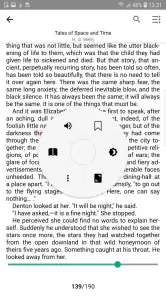
Let’s talk about the reading experience. The interface is clean and user-friendly. You can customize the font size, background color, and even the brightness to suit your reading environment. One feature that stood out to me was the text-to-speech functionality. Imagine having your book read to you while you’re cooking or driving – it’s a game-changer!
Not to forget, the app syncs seamlessly across devices. I started a novel on my tablet and continued on my phone without missing a beat. It’s like having a bookmark that follows you around.
For a realistic daily routine, I’d keep a novel for a commute and a reference PDF for a study session, then switch between them as needed. Text-to-speech may also help when your eyes need a break, but it is not a substitute for checking whether a particular book’s layout works well in audio form. Before relying on it while travelling, I’d test the controls and playback with a short section at home. And although device syncing can make a handoff convenient, I would check that the latest reading position has carried over before closing the book on the device I started with.
That small habit matters most when you switch between devices during an unfinished chapter or while consulting a document. I would make the handoff deliberate: finish a passage, allow the reading position to update, then confirm it on the second device before settling in. If you mostly read on one device, syncing is a useful backup rather than a reason to change how you read. If you move between phone and tablet often, it can save the annoying search for your place, but a quick check prevents a minor mismatch from becoming a distraction.
Keeping a library manageable
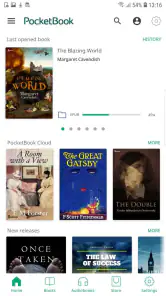
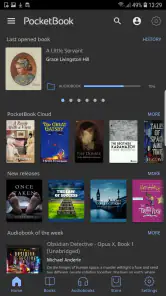
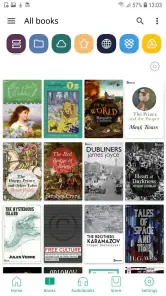
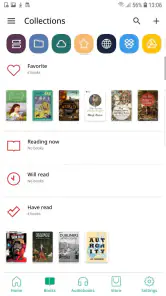
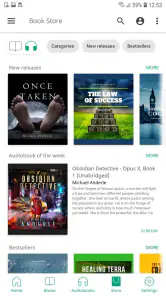
One thing I really appreciate about this app is its organizational prowess. You can create shelves, tag books, and sort them by author or genre. It’s like having a librarian at your service. Plus, the integrated bookstore allows you to discover new titles and download them directly to your library.
That organization becomes more valuable as a collection grows. I’d use a small number of clear shelves—such as “currently reading,” “reference,” and “finished”—rather than trying to tag every detail. It is a simple way to keep the next book easy to find without turning reading into a cataloguing project. The bookstore is handy if you want to browse from within the app, but readers who already buy through another shop or rely on a particular subscription may prefer to keep that existing route and use PocketBook mainly for reading compatible files.
A useful maintenance trick is to decide on a naming and shelving habit before the library gets crowded. I would keep titles recognizable and avoid making a shelf for every temporary interest. A small, stable structure is faster to scan and easier to maintain when new files arrive. If a book is only a one-time reference, it can still be worth keeping, but I would separate it from the handful of titles I expect to return to often. That way, the app remains a reading space rather than a second job spent sorting files.
The bookstore and imported-file route serve different needs. Someone who likes choosing and reading titles in one place may appreciate browsing there, while a reader with an established purchasing routine can treat the app as a flexible home for compatible material. Before changing an existing setup, I would try opening a file already on the device and see whether that alone solves the problem. There is no need to move an entire collection if the main benefit is simply having a dependable reader for a few formats your usual app handles poorly.
Month-to-month value and trade-offs
And if you’re someone who loves sharing book recommendations, you’ll enjoy the social features. You can connect with fellow readers, share your thoughts, and even join book clubs. It’s like a mini book community right at your fingertips!
For me, the lasting value is less about trying every feature and more about whether the app reduces friction in a routine: opening a file, finding my place, and returning to it later. Compared with a reader built around a single bookstore, PocketBook’s broad format support is its strongest reason to stay. A store-focused alternative may be simpler if nearly all your books come from that one ecosystem; PocketBook makes more sense when your reading is spread across formats and sources. The trade-off is that a flexible library can ask more of you: imported files need sensible names and shelves if you want to find them quickly, and a busy collection can become its own maintenance task.
That is why I would judge its value after the novelty has settled, not by how many options I explore in the first few days. Does it make it easier to return to a book? Can I find a document when I need it? Do I actually use more than one of its supported formats? If the answer is yes, the flexibility earns its place. If my reading stays within one shop and I never open outside files, a simpler store-linked app may be more comfortable because it asks less of me.
For a student or someone who keeps manuals and reading material in different formats, the practical gain can be having one starting point rather than remembering which app opens which file. For a casual reader with a single source of books, the same breadth may go unused. I would not treat unused options as a flaw by themselves, but they do make the case for installing it weaker when a simpler reader already covers your needs.
What may wear thin
Customizing the display is useful, but it is worth setting it once for your common reading conditions instead of repeatedly adjusting it. Frequent switching between fonts, brightness and backgrounds can add fiddling to a habit that should feel restful. Likewise, broad format support does not make every file equally comfortable on a phone; a large or fixed-layout document can still be awkward to navigate. If your priority is polished reading of long technical PDFs, or a distraction-free device designed only for books, another option may suit you better.
Another possible source of fatigue is a library that mixes leisure and reference material without a clear routine. When a title is easy to import, it is also easy to leave it buried among files you rarely open. I would periodically remove clutter from the shelves I use most, while keeping the organizing work modest. If managing the collection starts taking longer than finding something to read, I would simplify the shelves rather than add more labels. The point is to make reading easier, not to build a perfect catalogue.
The free download makes it reasonable to test the fit before committing to a new routine. There are in-app purchases from $0.49 to $294.99 per item, so I would review the purchase details before choosing anything paid and use the app’s reading functions first to decide whether they suit me. The price range alone does not tell me what a particular item includes, so I would not assume that every reader needs to buy anything. I would also keep my expectations focused on the actual task: opening and reading my material comfortably.
If you read mostly on a phone, the strongest reason to keep the app is variety of sources, not a guarantee that every page will be ideal at that size. A fixed page can call for more zooming, and an audio version will not necessarily suit every kind of content. Those are normal trade-offs to check with your own files. Someone who values a dedicated e-reader’s focused screen and minimal distractions may prefer that device for long sessions, while PocketBook is more convenient when the phone or tablet is already the reading device at hand.
Final Thoughts
Overall, the PocketBook Reader is a must-have for anyone who loves reading. It’s versatile, easy to use, and packed with features that make reading more enjoyable. Whether you’re a casual reader or a book addict, this app is bound to enhance your reading journey. So, why not give it a shot? Who knows, you might just find your next favorite book!
My more measured verdict is that it earns space when it solves a recurring problem: keeping different kinds of reading together and making them accessible across your devices. It is not automatically the best choice for a reader who wants one tightly controlled bookstore, nor will its format range make every document pleasant on a small screen. But if you already have books and documents in several formats, I’d try it with a novel, a PDF and an audio file before building your whole library around it. If those everyday tasks feel comfortable, PocketBook has a sensible chance of remaining useful long after the novelty wears off.
I would recommend trying it first to people who already own files across several formats, switch between a phone and tablet, or want to keep novels and reference reading within one reader. I would be more cautious if nearly all my reading came from a single bookstore, if long technical PDFs were my main use, or if I wanted the most stripped-back experience possible. In those cases, a store’s own app, a dedicated PDF reader, or a purpose-built e-reader may fit better.
The habit I would aim for is simple: keep a few active titles easy to reach, use shelves only when they solve a real search problem, and check a sample of each important file type before relying on it. That approach keeps maintenance light and makes the app’s range useful instead of overwhelming. For me, that is the difference between an appealing first-week download and a reader that still has a place months later.
PocketBook reader - any books Frequently Asked Questions
Is PocketBook Reader suitable for someone who reads more than just standard ebooks?
It may be a good fit if your library includes a mix of books, documents, comics, or audio files. PocketBook Reader supports formats including PDF, EPUB, DjVu, FB2, CHM, CBR, MOBI, MP3, M4B, and AZW. That range makes it worth considering if you want one app for varied digital reading material rather than a reader limited to a single ebook format.
Who is PocketBook Reader intended for, and what age group can use it?
PocketBook Reader is a Books & Reference app for people who want to read digital books and documents on a mobile device. Its content rating is Everyone, so it is presented as suitable for a broad audience. Whether it suits a particular reader will depend on their preferred formats and how they like to read, but its purpose is straightforward: opening and reading digital content.
What is the current version of PocketBook Reader?
The current version is 5.61.1.28617.release. If you are deciding whether to install it, checking the version can help you confirm which release you are looking at and distinguish it from an older installation. PocketBook Reader is a book and document reader, and its listed format support includes PDF, EPUB, DjVu, FB2, CHM, CBR, MOBI, MP3, M4B, and AZW.
Is PocketBook Reader free to download, and what should I know about its in-app purchases?
PocketBook Reader is free to download, so you can try it without paying upfront. The app also offers in-app purchases, with items ranging from $0.49 to $294.99, so check the purchase details before confirming anything. Its core purpose is reading books and documents, and whether you need a paid option depends on your own preferences and the features you choose to use.
Which devices can run PocketBook Reader?
PocketBook Reader is available for Android and iOS devices. On Android, it requires version 8.0 or later, so check your device’s operating system before downloading. The app is developed by Pocketbook International SA and is in the Books & Reference category. Its content rating is Everyone, making it suitable for a broad audience.
Pros
- Supports multiple eBook formats.
- User-friendly interface.
- Customizable reading settings.
- Offline reading mode.
- Syncs across devices.
Cons
- Limited audiobook support.
- Occasional sync issues.
- Ads in free version.
- Requires account for full features.
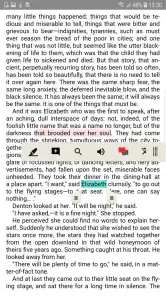
- Limited annotation tools.

- Category
- Books & Reference
- Version
- 5.61.1.28617.release