PNC Mobile
- 114.76K
- 4.6
- Installs
- 5.00M
- Price
- Free

Screenshots
Analysis by Reviewed
Hey there! If you’re like me and always on the lookout for convenient ways to manage your finances, then you’ve probably heard of the PNC Mobile app. Today, I’m diving into what makes this app a handy tool for managing your money on the go. So let’s get cracking!
Getting Started with Ease
First things first, downloading the PNC Mobile app is a breeze. Available on both Android and iOS, it’s just a quick tap away in the app stores. Once installed, setting up your account is a straightforward process. You’ll need your PNC account details handy, but once you’re in, the layout is pretty intuitive.
Features Galore
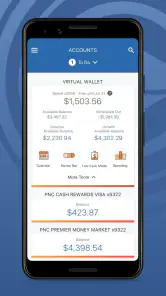
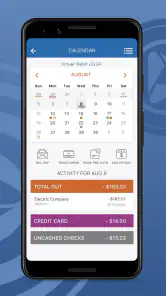
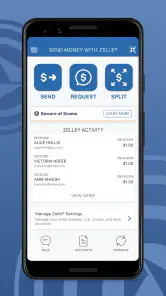
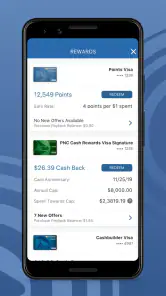
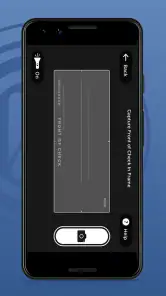
One of the things I love about the app is its rich feature set. You can check your account balances, view recent transactions, and even deposit checks without having to step into a bank. There’s also a nifty feature called "Virtual Wallet" that helps you manage your spending, savings, and growth accounts all in one place. Talk about a money manager in your pocket!
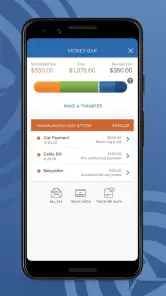
Another cool feature is the ability to pay bills directly from the app. No more writing checks or logging into multiple websites. Everything is centralized, which saves a ton of time. Plus, the app sends you alerts for upcoming due dates, so you’ll never miss a payment.
Security You Can Trust
Now, I know what you’re thinking. Is it secure? Absolutely! The PNC Mobile app uses advanced encryption and multi-factor authentication to keep your data safe. There’s also an option to use biometric authentication, like fingerprint or facial recognition, for an extra layer of security. Peace of mind? Check!
User Experience
Using the app is pretty smooth. The navigation is simple, and the interface is clean, which I appreciate. There are a few ads here and there, but they’re not too intrusive. The app runs efficiently and I haven’t experienced any crashes or glitches. It’s perfect for those quick check-ins when you’re on the move.
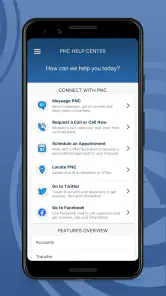
If you ever need help, the app has a built-in help section, and you can also contact customer service directly through the app. They’re pretty responsive, which is always a plus in my book.
Final Thoughts
All in all, the PNC Mobile app is a solid choice for anyone looking to manage their finances with ease and convenience. Whether you’re checking your balance, paying bills, or depositing checks, it’s all right there at your fingertips. It’s like having a mini-bank in your pocket!
If you haven’t tried it yet, I’d say give it a whirl. It could just become your new favorite financial tool. Happy banking!
Pros
- User-friendly interface for easy navigation.
- Real-time updates on account activities.
- Secure login with biometric authentication.
- Wide range of financial services accessible.
- 24/7 customer support available.
Cons
- Limited features compared to desktop version.
- Occasional app crashes reported by users.
- Requires stable internet for optimal use.
- Notifications can be overwhelming at times.
- Initial setup can be time-consuming.

- Category
- Finance
- Version
- 4.61











