Photo Video Maker - InSlide
- 1.77K
- 4.6
- Installs
- 10.00M
- Price
- Free

Screenshots
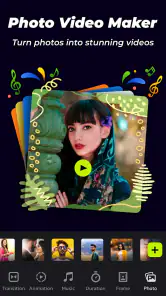
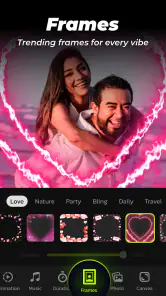
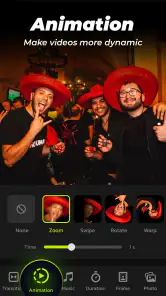
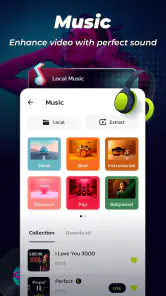
Analysis by Reviewed
I like making a short video from photos when I want to share a moment without asking friends to scroll through a whole album. Photo Video Maker - InSlide is built around that simple job: pick images, shape them into a slideshow, and give the result a musical or visual mood. It is a free video editing app from Daily AI Studio, rated for Everyone, and its approachable style suits casual projects more than detailed filmmaking.
A practical starting workflow
For a birthday recap, weekend outing, or quick travel memory, I’d start by choosing a small, related group of photos rather than selecting every image from the day. That one decision makes the finished sequence feel like a story instead of a camera roll. From there, a theme gives the slideshow a visual direction, and music can help tie separate pictures together. The app’s average rating is 4.6 from around 134,000 ratings, and it has passed 10 million installs, so this lightweight photo-to-video format clearly has broad appeal.
There is a useful middle ground between making a clip in a hurry and overworking it. I first decide what the viewer should remember: the people, the place, or a particular moment. Then I choose photos that support that idea, including a clear opening image and a closing shot that feels like an ending. This small bit of planning matters because a template can give pictures a shared look, but it cannot decide which memories belong together.
Choosing images with a story in mind
When I have a lot of similar shots, I keep the one with the clearest expression or strongest composition instead of including every near-duplicate. That keeps the pace from feeling like a rapid camera-roll dump. I also pay attention to orientation: mixing portrait and landscape photos can change how a sequence feels, so I preview the result rather than assuming every image will sit equally well inside a chosen design. If a photo looks cramped or loses an important face, I would swap it out instead of trying to rescue the whole sequence with more effects.
This approach is especially handy for small, specific updates: a child’s first day at a new activity, a meal shared with friends, or a few highlights from a walk. In each case, the clip has one clear subject and does not need a long explanation. For a large holiday album, I would split the material into several short themes—food, scenery, and people, for example—rather than asking one slideshow to carry every part of the trip.
Transforming Photos into Videos: A Breeze!
First things first, let's talk about what Photo Video Maker - InSlide brings to the table. This app is like having a mini studio in your pocket. The interface is super intuitive, which means you don’t need a degree in video editing to get started. Seriously, it's as simple as selecting your favorite photos, choosing a theme, and voilà, you’ve got yourself a video!
Dive into the Features
One of the features that caught my eye is the variety of themes available. Whether you’re looking to create a romantic slideshow or a vibrant travel diary, InSlide has got you covered. The themes are well-designed and add a professional touch to your videos. And guess what? You can even add music from your library to set the perfect mood. I mean, who wouldn't want their vacation photos dancing to their favorite tunes?
More From Our News Desk

Weather by Xiaomi Review: Clear at a Glance, Less Clear Up Close

X Under Pressure: Can It Recover When Posting Goes Wrong?

Clash of Clans Is Won Between the Battles

Android Auto Makes the Case for Quieter Car Software

MobiOffice: Transforming Mobile Productivity with Seamless Integration

EA SPORTS FC™ Mobile Soccer: Redefining Mobile Sports Gaming
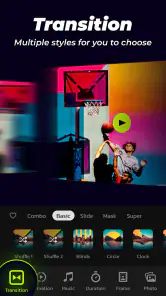
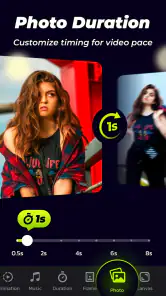
Now, if you're like me and love adding personal touches, you’ll appreciate the editing tools. InSlide lets you tweak transitions, adjust the speed, and even add text overlays. It’s like having a creative playground where you’re the director. The best part is that you can preview your edits in real-time, so you’ll know exactly how your masterpiece is shaping up.
Settings and habits that save time
I get better results by deciding on the soundtrack and overall mood before I start adjusting individual transitions. Then I preview the whole sequence once, watching for places where a title or a change of pace helps the story. This is more useful than tweaking every image in isolation: the flow between pictures is what makes a simple slideshow feel intentional. If I’m making several clips from one event, I also keep each one focused on a distinct moment rather than forcing every highlight into a single edit.
A repeatable routine makes the process less fiddly. I select the pictures, apply a theme, preview from beginning to end, and only then adjust the transitions, speed, or text that actually need attention. I try not to change several things at once: if the middle section suddenly feels rushed, I adjust the pacing and preview again before changing the music or visual style. That makes it easier to see whether the edit improved, and it prevents small fixes from turning into a string of unrelated tweaks.
Music, titles, and the final watch-through
Music can set a mood, but it also affects how quickly a sequence seems to move. A lively track may suit a celebration, while a calmer choice can leave room for scenic photos. I treat text overlays as signposts rather than captions for every image: a brief opening label or a location can orient someone who was not there, while repeated descriptions can compete with the pictures. Before I share a clip, I watch it once without pausing. That gives me a better sense of whether the whole thing flows than stopping after every adjustment.
The app is at its best when I want a finished, shareable memory quickly, not when I need fine control over every frame. It sits between a basic slideshow tool and a full timeline editor: themes and quick assembly are more approachable than building every transition manually, while a conventional editor is the better choice for layered footage, precise audio timing, or a complex sequence. That trade-off is helpful to know before starting a project.
Where this format fits—and where it does not
Compared with a general-purpose mobile video editor, this photo-led workflow asks for less planning around a timeline and works well when the source material is already still images. That convenience has a limit: someone trying to combine recorded footage, fine-tune a voiceover against exact moments, or build a sequence with several overlapping visual layers will likely be more comfortable in an editor designed for those jobs. I would not choose a slideshow maker just because it looks quicker if the project’s main challenge is precise video editing.
It also differs from simply sending an album. An album lets viewers choose what to open and how long to linger; a slideshow makes those choices for them, which is better for a short, guided recap but less suitable when every photo deserves individual attention. I use the video format when I want a compact story someone can watch in one sitting. If the purpose is to preserve a full set of images or let relatives browse at their own pace, sharing the album is the more considerate option.
Sharing, audience, and practical limits
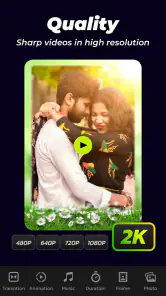
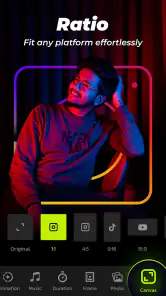
Once you're happy with your creation, sharing it with the world is a piece of cake. InSlide offers seamless sharing options, allowing you to post your videos directly to social media platforms. Whether it’s Instagram, Facebook, or even WhatsApp, your friends and family will be wowed by your video-making skills. Plus, the app supports high-definition exports, so your videos will look crisp and clear, just the way you want them.
A realistic use is a quick family update: after a gathering, I’d choose a handful of group and candid shots, add a short title, and use a soundtrack that fits the mood. Before sharing, I’d watch the preview with sound on and check that the chosen images appear in a sensible order. Music from a personal library can be a nice touch, but it also means the track choice is part of the editing work; a song that overwhelms the pictures can make even a polished theme feel distracting.
For a recurring event, I would keep the same simple checklist each time: choose a focused set of photos, decide on the mood, apply a theme, add only the text that gives context, and watch the complete preview before sending it out. Repeating that order saves time without making every clip feel identical, because the pictures and soundtrack still determine the character of each one. It is also a practical way to catch an awkward image or a title that is hard to read before the video leaves my phone.
Who will get the most from it?
I’d recommend it to people who want to turn photos into an attractive clip without learning a traditional editor: parents making a small family recap, travelers sharing a few highlights, or anyone who wants a themed slideshow for a personal occasion. It is a particularly comfortable fit when speed and a cohesive look matter more than frame-by-frame precision. If you enjoy choosing images and music but do not want to build a video timeline from scratch, its emphasis on templates and straightforward adjustments makes sense.
I would steer away from it when the brief calls for detailed footage editing, exact synchronization, lots of audio layers, or a highly controlled visual identity. A creator preparing a polished piece with several kinds of media may prefer a conventional editor, while someone who only wants relatives to see all the original photos may be better off sharing an album. Those are not failures of the slideshow approach; they are different jobs, and choosing the right format saves effort.
The app is free to download, with optional in-app purchases ranging from $1.49 to $23.99 per item, so I’d explore the basic workflow before paying for anything. Its 1,800 reviews offer another snapshot of how people respond to it. For a first project, I would make a short test clip with photos I already know well, then decide whether the available editing flow suits my habits before considering a purchase.
Practical expectations before you begin
One question I would ask before starting is whether the finished video needs to be a quick personal share or a carefully produced edit. For the first, InSlide’s photo-centered approach is a sensible shortcut. For the second, I would compare the time saved by a theme with the control I would gain in a timeline editor. The same choice applies to music: if a particular track must begin and end at exact moments, a tool with detailed audio controls is a safer fit than relying on a quick slideshow workflow.
Another useful check is whether the images tell the story on their own. If I need several paragraphs of explanation to make the sequence understandable, I would narrow the selection or add a short title that provides context. A slideshow is most effective when the viewer can follow the subject without stopping to decode the edit. Keeping the project focused also makes the preview easier to judge and the final clip more comfortable to watch on a phone.
Final Thoughts
So, is Photo Video Maker - InSlide worth a download? Absolutely! It’s user-friendly, packed with features, and makes video creation fun and accessible to everyone. Whether you're a newbie or a seasoned creator, this app is sure to unleash your creativity. So go ahead, give it a try, and let your photos tell a story like never before.
In a world where visual storytelling is king, having an app like InSlide on your side is a no-brainer. Happy video making, folks! The current version is 2.1.0.1 and it requires Android 8.0 or later. Photo Video Maker belongs to the video players and editors category, and I see it as a focused shortcut for turning still pictures into shareable clips rather than a replacement for a full editing suite.
Photo Video Maker - InSlide Frequently Asked Questions
Can beginners create a slideshow with Photo Video Maker - InSlide?
The app is designed to make photo-video creation approachable, using photos, music, and templates to build a slideshow. That makes it a reasonable option for someone starting out who wants to put images together without beginning with a complex editing workflow. More experienced users may also find it useful for quick projects, while the result will depend on the materials and choices used.
What kinds of projects can I make with Photo Video Maker - InSlide?
Photo Video Maker - InSlide focuses on turning photos into videos and slideshows, with music and templates as part of the creative process. It may suit personal projects such as collecting images into a visual memory, as well as simple presentations you want to prepare on a mobile device. Consider whether a slideshow format fits your idea before downloading; the app is centered on that kind of creation.
What devices and operating system versions can run Photo Video Maker - InSlide?
Photo Video Maker - InSlide is a mobile app in the Video Players & Editors category, developed by Daily AI Studio. On Android, it requires version 8.0 or later, so checking your device’s software version before downloading can help you avoid installation problems. The app is free to download, with optional in-app purchases.
Who is Photo Video Maker - InSlide intended for?
The app is described as a photo video maker, with tools for creating slideshows from photos, music, and templates. Its content rating is Everyone, making it suitable for a broad audience. It may appeal to people who want to assemble visual memories or prepare a slideshow on a mobile device, whether they are new to editing or already familiar with basic creative apps.
What is Photo Video Maker - InSlide and what does it do?
Photo Video Maker - InSlide is a versatile mobile application designed to transform your photos and videos into stunning slideshows. It offers a range of features, including customizable transitions, music integration, and various editing tools, allowing users to create professional-quality presentations directly from their smartphones. Ideal for both personal and professional use, it simplifies the slideshow creation process with intuitive design and user-friendly interface.
Pros
- User-friendly interface simplifies editing.
- Wide range of customizable templates.
- Quick export options save time.
- High-quality video output.
- Supports various media formats.
Cons
- Limited music library options.
- Occasional in-app ads can be disruptive.
- Some features require in-app purchases.
- No cloud storage integration.
- Lacks advanced editing tools.
- Category
- Video Players & Editors
- Version
- 2.1.0.1












