Photo Scan App by Photomyne
- 2.77K
- 4.2
- Installs
- 5.00M
- Price
- Free

Screenshots




Analysis by Reviewed
Have you ever stumbled upon an old photo album and wondered how you could bring those cherished memories into the digital world? Enter Photo Scan App by Photomyne, the ultimate tool for resurrecting your old, dusty photographs into vibrant digital images. Let me take you through my journey with this app, which has quickly become one of my go-to tools for photo scanning.
Getting Started with the App
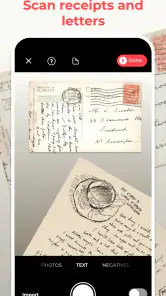
The first thing I noticed about Photo Scan App by Photomyne is its sleek and user-friendly interface. Downloading and setting up the app was a breeze, and within minutes I was ready to dive into my first scanning session. The app offers a quick tutorial for newbies, which I found super helpful in getting acquainted with its features.
Features that Stand Out
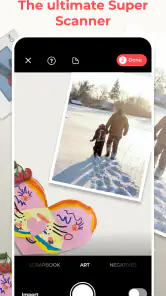
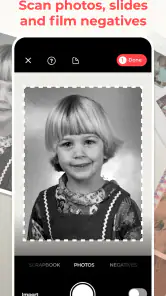
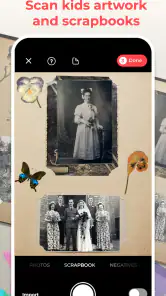
One of the standout features of this app is its ability to scan multiple photos at once. I had a pile of old family photos, and instead of scanning them one by one, I could capture several in a single shot. The app automatically detects and crops each photo, making the process incredibly efficient.
Another cool feature is the app’s color restoration capability. Those faded photos from the 70s? The app does a fantastic job of restoring their colors, giving them a new lease on life. Plus, the app allows you to easily share your scanned photos on social media or save them to your device, which is a huge plus in today’s digital age.
Performance and Usability
Performance-wise, the app is smooth sailing. I experienced no lags or crashes during my time using it, which is crucial when you’re dealing with a large batch of photos. The scanning process is impressively quick, and the quality of the scanned images is top-notch. They look almost as good as the originals, if not better!
The app also offers a cloud backup option. This means you can safely store your digitized memories without worrying about losing them, which, let’s be honest, is a relief for anyone with a tendency to misplace things.
Final Thoughts
In conclusion, if you’re looking for a reliable and efficient way to digitize your photo collection, Photo Scan App by Photomyne is definitely worth considering. Its user-friendly interface, coupled with powerful features, makes it a standout choice in the sea of photo scanning apps available today. Whether you're a tech-savvy individual or someone who's just getting started with digital tools, this app caters to all.
So, next time you find yourself flipping through an old album, consider giving this app a try. It might just be the perfect bridge between your past and the digital present.
Pros
- Easy to use interface for quick scanning
- High-quality photo digitization
- Supports multiple photo scanning
- Automatic photo enhancement
- Fast processing time
Cons
- Limited editing tools
- Requires subscription for full features
- Occasional app crashes
- Ads in free version
- Limited cloud storage

- Category
- Photography
- Version
- 26.2.2.2602200L











