Photo Retouch- Object Removal
- 574.00
- 4.3
- Installs
- 10.00M
- Price
- Free

Screenshots
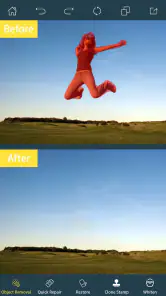

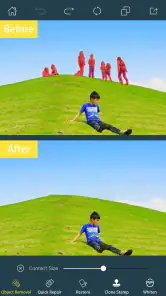
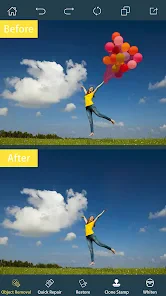
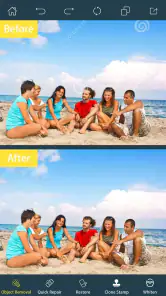

Analysis by Reviewed
Have you ever snapped a nearly perfect photo, only to realize there's an unwanted object photobombing your masterpiece? Trust me, I've been there. But fear not, because Photo Retouch-Object Removal is here to save the day! This app does exactly what its name suggests, and it's a game-changer for anyone looking to clean up their photos effortlessly.
Getting Started with Photo Retouch
First things first, let's talk about the user interface. When you open up Photo Retouch-Object Removal, you're greeted by a clean and intuitive layout. The app is designed to be user-friendly, even for those who might not be tech-savvy. You won't find yourself lost in a sea of options; instead, everything is laid out clearly, making the process of removing unwanted objects as simple as a few taps.
The Magic of Object Removal
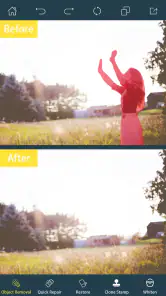
Now, onto the main attraction: object removal. This feature is where the app truly shines. You simply upload your photo, highlight the object you want to remove, and watch the magic happen. The app intelligently fills in the background, making it look like the object was never there. I have to admit, I was skeptical at first, but after using it a few times, I was genuinely impressed with how seamless the results were.
Another cool feature is the ability to adjust the brush size. This allows for greater precision, especially when dealing with smaller or more intricate objects. It's these little details that make the app stand out from other photo editing tools.
Additional Features Worth Mentioning
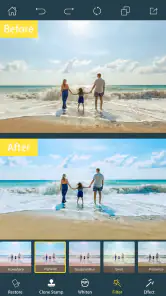
Aside from object removal, the app also offers a variety of other editing tools. You can adjust brightness, contrast, and saturation, giving you full control over the final look of your photo. For those who love adding filters, there are plenty to choose from, allowing you to give your photos that extra pop.
One feature I found particularly useful is the ability to undo changes. We all make mistakes, and having the option to go back a step is a lifesaver. It gives you the freedom to experiment without the fear of ruining your photo.
Final Thoughts
In a world where capturing the perfect photo can sometimes feel like an impossible task, Photo Retouch-Object Removal provides a simple solution. Its object removal feature alone makes it worth downloading, and the additional editing tools are just the cherry on top. Whether you're a professional photographer or just someone who loves snapping photos on your phone, this app is definitely worth checking out.
So, next time you find that pesky object ruining your otherwise perfect shot, give this app a try. You might just find yourself wondering how you ever lived without it!
Pros
- User-friendly interface
- Quick object removal
- High-quality editing tools
- Supports various image formats
- No watermark on final images
Cons
- Limited free version features
- Occasional crashes on large files
- Ads in free version
- Requires internet for some features
- Limited undo history

- Category
- Photography
- Version
- 6.1.2











