Photo Gallery: AI Photo Editor
- 710.00
- 4.2
- Installs
- 5.00M
- Price
- Free

Screenshots





Analysis by Reviewed
Ever stumbled across an app that made you go, "Where have you been all my life?" Well, that was my reaction when I first tried out the Photo Gallery: AI Photo Editor. It's like having a personal photo studio right in your pocket, and trust me, it's a game changer.
Unleashing Your Inner Photographer
If you're anything like me, you have a gazillion photos on your phone, and sorting through them is a task you'd rather avoid. Enter the Photo Gallery: AI Photo Editor. This app does more than just organize; it understands your photos. Using its AI capabilities, it categorizes images, making it super easy to find that one photo from your trip to Bali three years ago.
Editing Made Easy
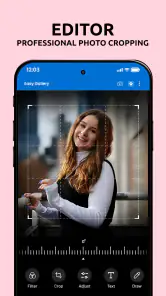
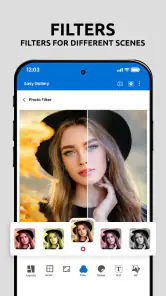
Now, let's talk about the editing features. The app offers a plethora of tools that can transform your average shot into a masterpiece. It's got all the usual suspects like filters, crops, and adjustments, but it doesn’t stop there. The AI-powered enhancements are something else. With a tap, you can enhance colors, remove blemishes, and even adjust lighting to get that perfect shot. It's like having Photoshop skills without actually having them.
Creative Features
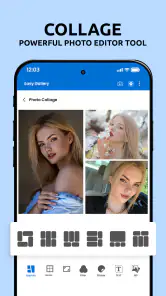
What sets this app apart from the rest is its creative features. You can create stunning collages, add text overlays, and even insert fun stickers. The templates are constantly updated, so there’s always something fresh to try out. I found myself spending hours just exploring the different possibilities. It’s addictively fun!
Another cool feature is the ability to animate photos. Yes, you heard that right. Animate! You can bring your images to life with simple animation effects, giving a new dimension to your photos.
Sharing is Caring
Once you've edited your photos to perfection, sharing them is a breeze. The app integrates seamlessly with social media platforms, so you can post directly to Instagram, Facebook, or wherever your heart desires. The AI even suggests hashtags to boost your post's visibility. How cool is that?
But wait, there’s more! You can create personalized photo books and prints directly from the app. It’s a great way to showcase your memories in a tangible form, and they make for fantastic gifts too.
Final Thoughts
All in all, the Photo Gallery: AI Photo Editor is more than just a photo editing tool; it's an experience. Whether you're a seasoned photographer or just someone who loves taking pictures, this app has something for everyone. It's user-friendly, feature-packed, and most importantly, it makes editing fun. So, if you haven't already, do yourself a favor and give this app a try. You won't regret it!
Pros
- User-friendly interface
- easy to navigate.
- Advanced AI editing features available.
- Wide variety of filters and effects.
- Supports multiple photo formats.
- Fast processing and saving of edits.
Cons
- Limited free version features.
- Occasional app crashes reported.
- High battery usage during editing.
- Requires internet for full functionality.
- In-app purchases can be expensive.

- Category
- Photography
- Version
- 1.6.5











