Photo Editor - Face Makeup
- 794.00
- 4.5
- Installs
- 5.00M
- Price
- Free

Screenshots
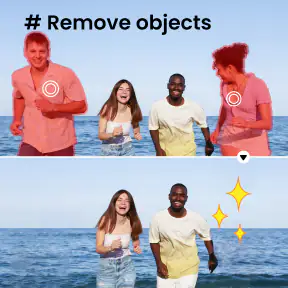
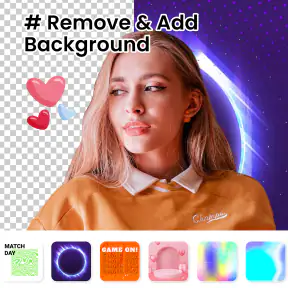

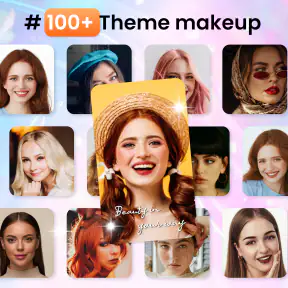
Analysis by Reviewed
When I choose a selfie editor, I care less about having every possible tool than about getting a natural-looking result without turning a quick touch-up into a project. Photo Editor - Face Makeup is aimed squarely at that everyday job: it combines face-focused edits with basic photo adjustments, so I can tidy a portrait and make a few finishing changes in one place. It is a photography app from Diavostar PTE. LTD, and its focus makes it easiest to judge as a quick portrait editor rather than a replacement for a full desktop-style editing workflow.
A quick test before you commit
For a fair trial, I would choose a familiar selfie with ordinary lighting rather than the most difficult picture in my camera roll. Start with the face tools you are curious about, then look at the whole image at its usual size. That makes it easier to notice whether a change is helping the portrait or simply drawing attention to the editing. If your main goal is a small, quick improvement, this face-centred approach is the point; if you want to build a polished image from many separate adjustments, a more extensive editor may be the better starting place.
It is also worth deciding what “natural” means to you before editing. Some people want a visible makeup effect for a playful post, while others only want to reduce a temporary distraction. I find it useful to keep those goals separate: a stronger look can be fun for a particular picture, but it is not necessarily the right finish for a work profile or a family snapshot. Having a clear aim helps prevent a quick edit from turning into a string of changes that no longer suit the moment.
Where a selfie-first workflow helps
A dedicated portrait tool can save time when the same kind of adjustment comes up repeatedly. Rather than opening a broad editing workspace and searching through general controls, I can begin with the face-related changes that matter for a selfie, then use brightness, contrast, saturation, or a filter to bring the image together. That order is handy when I want a presentable result quickly, especially for a profile picture or a casual photo I plan to share soon.
There is a useful trade-off here: fewer decisions can make editing approachable, but a focused tool is not automatically the best fit for every image. A landscape, a product photo, or a carefully composed travel shot may call for adjustments that have little to do with makeup or facial retouching. I would not choose an app primarily for selfies as my only photo tool if most of my editing happens outside portraits.
Small habits that improve the result
I would make a quick mental note of the original lighting and skin tone before changing anything. When a face looks dull because the room was dim, correcting the overall brightness first can be more useful than reaching immediately for a beauty effect. If the light is uneven, I would avoid compensating with a strong filter: it may change the mood, but it can also make the skin colour feel less consistent with the rest of the scene.
For a photo I may use in more than one place, I would keep an untouched version and make a separate edited copy if my workflow allows it. That gives me room to make a playful version for a social post without losing the more ordinary portrait. I would also check the image after stepping away from the editing screen for a moment. A face adjustment that seems restrained while I am concentrating on it can look much stronger when I return and view the complete picture.
More From Our News Desk

Weather by Xiaomi Review: Clear at a Glance, Less Clear Up Close

X Under Pressure: Can It Recover When Posting Goes Wrong?

Clash of Clans Is Won Between the Battles

Android Auto Makes the Case for Quieter Car Software

MobiOffice: Transforming Mobile Productivity with Seamless Integration

EA SPORTS FC™ Mobile Soccer: Redefining Mobile Sports Gaming
Who is likely to enjoy it
This app makes the most sense for someone who takes selfies often, wants approachable face-focused edits, and does not want every small change to require a full photo-editing lesson. It can also suit a person who enjoys trying makeup or hair-colour effects for fun, as long as they see the result as an experiment rather than a reliable preview of a real-world look. Casual portraits of friends and family can be a fit too, provided the edits stay light and everyone still looks like themselves.
I would be more hesitant to recommend it to someone who wants precise control over a large set of images, relies on a repeatable professional process, or prefers to keep portraits completely unretouched. It is also not the choice I would make for edits where fine detail across the whole frame matters more than facial effects. In those cases, a general-purpose photo editor or a tool designed for more involved image work is likely to feel less limiting.
What to expect from the free option
The app is free to download and rated for Everyone. Optional in-app purchases range from $1.49 to $29.99 per item, so I would begin by trying the available editing flow with the kinds of photos I actually take. Before buying anything, I would identify a specific feature I want and check whether it is part of a paid option. That is a more practical way to judge value than assuming an upgrade is necessary just because it is offered.
For an occasional selfie editor, the free starting point may be all you need. If you edit portraits regularly, the relevant question is whether a paid choice adds something you will use often enough to justify the cost. I would not spend just to explore a tool once; I would first see whether the app fits my routine and whether its face-focused approach produces the sort of finish I want.
The app is supported on Android 7.0 and later, and its current version is 2.2.8.20251028. Its average rating is 4.5 from around 61,000 ratings, and it has passed 5 million installs. It also has 794 written reviews. Those figures give a sense of its reach, but I would still judge it by how its edits look on my own photos: beauty effects are personal, and lighting, angle, and individual preference all affect the result.
What I would decide before installing
The useful question is whether you mostly edit portraits or need a general-purpose photo workspace. If your camera roll is full of selfies, profile pictures, and casual group shots, the emphasis on makeup and face edits is a practical fit. If you mainly correct landscapes, manage batches of images, or want precise layer-based work, a broader editor is more likely to suit you. The app is free to download, rated for Everyone, and has optional in-app purchases ranging from $1.49 to $29.99 per item, so I would explore the free tools before paying for anything.
It has an average rating of 4.5 from around 61,000 ratings, with more than 5 million installs. Those figures suggest it has found an audience, but they do not tell me whether a particular edit will match my taste. I would treat them as a reason to give it a try, not as a promise that every filter or face adjustment will look convincing on every photo.
Transforming Your Photos with Ease
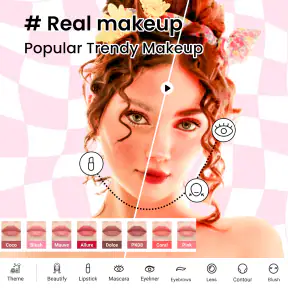
Have you ever taken a selfie and wished you could tweak it just a little bit to make it perfect? Well, with the Photo Editor - Face Makeup app, those wishes can come true! The app is packed with features that let you enhance your photos with just a few taps. From smoothing out skin to adding a touch of blush, it's like having a pocket-sized makeup artist!
User-Friendly Interface
One of the things I love about this app is its super intuitive interface. Even if you're not tech-savvy, you'll find it a breeze to navigate. The tools are neatly organized, making it a joy to edit your photos. Plus, the real-time preview feature lets you see changes as you make them, so you can adjust until you get that perfect look.
That live preview is especially useful when I am deciding how far to take a beauty effect. My practical tip is to make one change at a time and pause to compare it with the untouched image; a light adjustment can look believable on its own, while several strong effects together can make a face feel noticeably altered. For a profile photo, I would keep a natural copy and a more playful version rather than overwrite the only image I like.
Features Galore
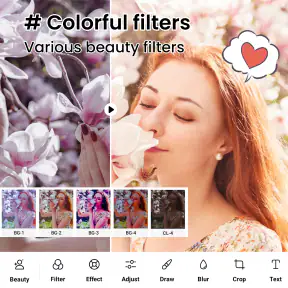
Now, let's dive into the features. This app is not just about adding makeup; it's a full-fledged photo editor. You can adjust brightness, contrast, and saturation to make your photos pop. The app also offers a variety of filters that are perfect for setting the mood, whether you're going for a vintage vibe or something more modern.
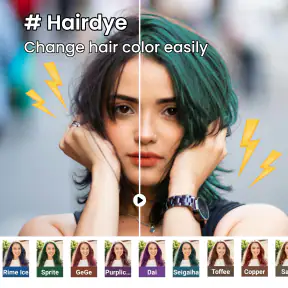
If you're into more detailed editing, you'll appreciate the blemish remover and teeth whitening tools. They're precise and easy to use, which is a huge win in my book. And for those days when you're feeling experimental, the hair color change tool is a fun way to see what you'd look like with a completely different look.
Where a different editor may fit better
The face-first approach is also the main trade-off. For a quick portrait, putting makeup-style edits, blemish correction, and basic color tuning together saves me from hopping between several apps. But someone who wants careful control over a whole image, repeatable edits across many photos, or a workflow built around cropping and detailed tonal correction may prefer a general photo editor. Social apps can be faster when the only goal is to post immediately with a preset look; this app makes more sense when I want to shape the portrait before sharing it.
In an everyday situation, imagine taking a selfie in uneven indoor light before a video-call profile refresh. I would first adjust brightness and contrast, then try a restrained face touch-up, and finally compare the result with the original at normal viewing size. That order matters: increasing saturation or smoothing first can make skin color look less natural, while checking the whole image helps catch an edit that seemed subtle when zoomed in. For a group photo, I would be more cautious with face-specific changes so one person does not end up looking noticeably different from everyone else.
Getting a result you still recognize
Beauty tools are most useful when they support the photo rather than become its subject. I would use the hair-color option for experimentation, not as evidence of how a real dye job will look under different lighting. Likewise, blemish removal can help with a temporary distraction, but repeatedly removing ordinary skin texture can make a portrait feel flat. The best workflow here is selective: choose the one or two changes that solve the actual problem, then stop once the photo still looks like you.
If you are wondering whether it works for more than selfies, the brightness, contrast, saturation, and filter tools make it useful for casual portraits and snapshots too, though its strongest reason to install is still face editing. If you are deciding whether the free download is enough, I would try your usual workflow first and only consider a purchase if a paid option solves a specific need you have. The app has 794 reviews and runs on Android 7.0 or later; its current version is 2.2.8.20251028.
Why It's Worth Your Download
So, why should you download the Photo Editor - Face Makeup app? Simply put, it's a versatile tool that's perfect for anyone who loves taking photos. Whether you're a selfie enthusiast or someone who enjoys capturing moments with friends and family, this app has something for everyone.
Plus, it's available for both Android and iOS, so no one gets left out. The app is free to download, with some in-app purchases available if you want to unlock more features. But even without spending a dime, you'll find plenty to keep you entertained and your photos looking fabulous.
My recommendation is straightforward: try it if you regularly edit portraits and want approachable face-focused tools alongside basic adjustments. Skip it if you need a precise, all-purpose editor or prefer leaving faces untouched. Released on February 16, 2023, it has developed a clear identity as a casual beauty and selfie editor; I would use it for quick, controlled retouching, while keeping another option for more demanding image work.
In conclusion, the Photo Editor - Face Makeup app is a must-have for anyone who wants to take their photography game to the next level. It's user-friendly, packed with features, and most importantly, it's a lot of fun to use. Give it a try, and I promise you won't be disappointed!
Photo Editor - Face Makeup Frequently Asked Questions
Can I edit photos without creating an account?
If you want to try a beauty-camera app without adding another account to manage, Photo Editor - Face Makeup may be worth exploring. Its focus is on selfies and makeup filters, so you can judge whether those editing options suit you. Before sharing or saving personal photos, check the app’s on-screen prompts and your device’s privacy settings.
Can I save or share edited selfies from the app?
The app is built around beauty-camera selfies and makeup effects, so saving or sharing a finished image is a natural part of using it. Check the options shown after editing to see which actions are available on your device, and review a result before posting it. This helps ensure that the final photo looks the way you intended.
Is Photo Editor - Face Makeup appropriate for younger users?
Photo Editor - Face Makeup has an Everyone age rating, making it suitable for a broad audience. Its stated focus is beauty selfies and makeup filters, so families may want to consider whether that kind of appearance-focused editing is appropriate for a younger user. It is also sensible to discuss photo sharing and privacy before a child uses any camera or editing app.
Can I use Photo Editor - Face Makeup on my phone?
Photo Editor - Face Makeup is a photography app for Android devices running version 7.0 or later. Before downloading, check your device’s operating system version to make sure it meets this requirement. The app is intended for a broad audience, with an Everyone age rating, and its focus is on beauty-camera selfies and makeup effects.
Who develops Photo Editor - Face Makeup, and how widely is it used?
The app is developed by Diavostar PTE. LTD. It has an average rating of 4.5 from around 61,000 ratings, with more than 5 million installs. Those figures suggest that it has reached a substantial audience, though individual results and preferences can vary. If you are comparing photo editors, its emphasis is on selfie beauty tools and makeup filters.
Pros
- User-friendly interface for quick edits.
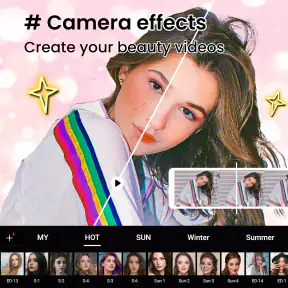
- Wide variety of filters and effects.
- Real-time makeup application.
- High-resolution output images.
- Supports various photo formats.
Cons
- Contains in-app purchases for premium features.
- Occasional ads may interrupt usage.
- Requires internet for some features.
- Limited free features.
- Some tools need improvement.
- Category
- Photography
- Version
- 2.2.8.20251028












