Phone Tracker : Family Tracker
- 10.00
- 4.1
- Installs
- 10.00M
- Price
- Free
Screenshots
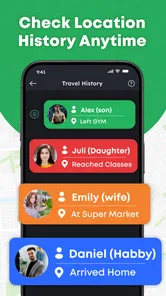
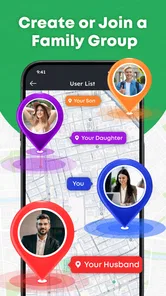
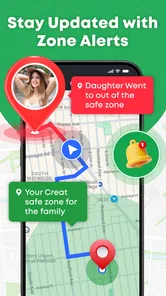
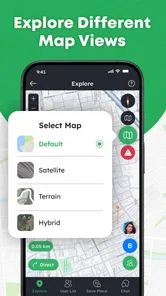
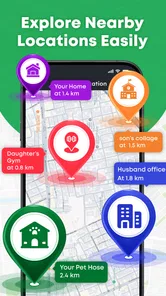
Analysis by Reviewed
Phone Tracker: Family Tracker is the sort of navigation app that sounds simple until someone’s location stops updating just when you need it. I find it most useful as a shared point of reference for people who already agree to keep one another in the loop—not as a way to monitor someone without their knowledge. Its appeal is practical: open a map, check where a connected person appears to be, and avoid a chain of “Are you there yet?” messages. The experience depends on sensible setup and cooperation, though, so it is worth knowing where the usual snags can arise.
Who benefits from a shared map
I would consider this app when a small group has a recurring reason to coordinate, such as meeting after work or checking whether a relative has begun a journey. The benefit is not that it replaces conversation; it gives everyone a common reference point before deciding whether a message or call is needed. That distinction keeps the map useful without turning it into a running commentary on someone’s movements.
For example, imagine two adults arranging a pickup after an appointment. They can agree in advance that one person will check the map near the expected time, while the other will send a message if the plan changes. That avoids repeated “Where are you?” texts, but it still leaves important details—such as a changed entrance or a delay—to direct communication. A shared location is most helpful when the group agrees on what action it should prompt.
This setup can also suit friends spending a day in a busy public place who want an easy way to orient themselves around one another. It is less useful if the group meets only occasionally, does not want location sharing enabled, or needs navigation instructions rather than a view of shared positions. In those cases, a meeting point, a message, or a conventional route-planning app is simpler.
Where location sharing can get confusing
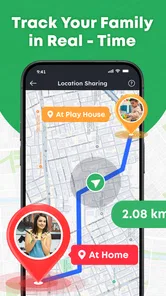
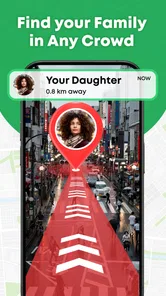
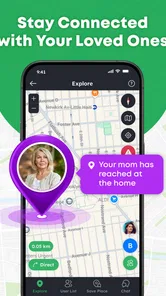
Made by Code Cookies, this free maps and navigation app is built around viewing shared locations on a GPS map. That narrow focus can be a benefit: a family member checking whether someone has started the drive home does not necessarily need a full navigation suite. But a map marker is only useful if everyone understands what sharing means and has configured the app as intended.
One common source of confusion with any shared-location tool is treating a displayed position as a live guarantee. A phone may have a weak connection, be indoors, or have limited battery, and the map may not immediately reflect a person’s current position. If a marker looks stale, I would first treat it as an update problem rather than assume the person is still exactly where the map shows. A location app can reduce uncertainty, but it cannot remove it.
That distinction matters in everyday use. If I were waiting for a family member to arrive, I would use the map as a quick indication of progress, then contact them directly if timing mattered. I would not rely on a location display as proof of safety or as a substitute for an agreed check-in. This is especially important when someone is travelling through patchy coverage or has put their phone away.
More From Our News Desk

Weather by Xiaomi Review: Clear at a Glance, Less Clear Up Close

X Under Pressure: Can It Recover When Posting Goes Wrong?

Clash of Clans Is Won Between the Battles

Android Auto Makes the Case for Quieter Car Software

MobiOffice: Transforming Mobile Productivity with Seamless Integration

EA SPORTS FC™ Mobile Soccer: Redefining Mobile Sports Gaming
The app’s purpose also makes consent central, not optional etiquette. Everyone involved should know who can see their location and when sharing is expected. If a relative is uncomfortable with ongoing sharing, a direct message or a planned arrival call is a better arrangement than trying to persuade them to use a tracker. Location sharing works best when it is mutual, understood, and easy to discuss.
Start with a clear, shared setup
Before relying on the map, I would have each person install the app, open it on their own device, and complete whatever in-app steps it presents. The key is to confirm that the intended people are connected and that each person understands how their location is being shared. A map that shows only one participant, or none, may reflect an incomplete setup rather than a fault with the phone’s location hardware.
It helps to test the arrangement while everyone is together. Have each person open the app, check what appears, then move a short distance and look again. This simple trial catches confusion about which account or device is being used before anyone depends on the app during a commute. It also gives the group a chance to agree on practical expectations: for example, whether they will check the map only around a planned pickup rather than watch it continuously.
If the app requests access to location or other phone capabilities, read the prompt and choose settings that match your intended use. Phone settings can affect whether an app can obtain location while it is not in the foreground. I would avoid changing several settings at once; make one relevant adjustment, reopen the app, and see whether the map behaves differently. That makes it easier to identify what actually helped.
There is also a useful household habit that costs nothing: decide who will check the map and who will send a message if plans change. Without that small agreement, several people may repeatedly refresh the app, while nobody contacts the person whose location looks delayed. The tracker is more helpful when it supports a simple communication routine instead of becoming the routine itself.
Recover the workflow before starting over
When a location is missing or seems old, I would work through a short sequence rather than immediately uninstalling the app. First, check that the phone has an internet connection and that the app can be opened. Then ask the person whose location is missing to open it on their device and confirm that they are looking at the same shared group or connection. This is a practical first check, not a guarantee that every update issue has the same cause.
Next, review the phone’s location settings and the app’s access to them. If the device has restricted background activity or is in a battery-saving mode, that may affect how promptly an app can refresh. The exact controls differ between Android and iOS, so I would use the phone’s own settings screens rather than follow instructions written for a different model. After changing a setting, give the app a fresh test while the person is available to confirm what appears.
If the map still does not look right, close and reopen the app on both sides, then check the connection again. Restarting a phone can be a reasonable later step if other apps are also behaving strangely, but it is not the first thing I would try for a single stale marker. Reinstalling should come later still: it can mean repeating the setup, and it will not solve an account mix-up or weak network signal by itself.
A useful recovery trick is to compare the map with a direct, low-effort check-in. Ask the other person to send a message confirming they are safe and whether they have opened the app. If the message arrives but the marker remains unchanged, the issue is more likely specific to location updating or app settings than to total connectivity. If messages also fail, looking only at the tracker is unlikely to clarify what is happening.
Know when the phone or situation is the issue
Location estimates are affected by the phone and its surroundings. A device deep inside a large building, below ground, or in an area with poor reception may not provide a useful update. A phone that is switched off, out of battery, or offline cannot send a fresh position. Those are ordinary limits of phone-based tracking, not reasons to assume that the app has failed or that a person is deliberately withholding information.
For that reason, I would not use this app as the sole plan for emergencies, child safety, or time-critical travel. A map can be a convenient extra, but urgent situations call for direct contact and appropriate local emergency services. Likewise, if someone’s phone is unreliable or they do not want location sharing enabled, this app cannot make that arrangement dependable. A scheduled call or a clear meeting point may be the better solution.
It is also worth resisting the urge to interpret every pause in movement. A marker may remain in one place because the phone has not refreshed, not because its owner has stopped there. A thoughtful user checks context, asks a direct question when needed, and gives the other person room to answer. That approach makes the technology less likely to create unnecessary worry or conflict.
How it fits beside other navigation choices
Compared with a conventional navigation app, Phone Tracker: Family Tracker is aimed at seeing shared people rather than planning a route from one address to another. If I need turn-by-turn directions, traffic-aware routing, or help discovering a destination, I would reach for a dedicated navigation tool. If the main question is whether a connected family member has started travelling, a shared map can be more immediately relevant.
Compared with texting, the map can save a few back-and-forth messages when everyone has agreed to share. Texting still wins when the important detail is not a location: “I’m running late,” “Meet me at the side entrance,” or “Please pick up groceries.” I would use the two methods together rather than expect a marker to explain a change in plans.
Phone Tracker: Family Tracker is free to install, with in-app purchases ranging from $1.99 to $24.99 per item. I would look carefully at any purchase screen before paying and decide whether the available experience already suits the household’s needs. Its broad audience is reflected in an Everyone age rating, but that does not replace a family conversation about privacy and consent.
A practical verdict for families and friends
The app has an average rating of 4.1 from around 377 ratings, and it has passed 10 million installs. Those figures suggest that many people have tried it, but they do not tell me whether it will fit a particular family’s habits. Version 2.7 is the current version, and it runs on Android 8.0 or later. I would check compatibility on each person’s phone before building a shared routine around it.
I can see this being useful for a family coordinating pickups, adults checking that a relative has begun a journey, or friends who mutually want a map-based check-in during a day out. A good first use is deliberately modest: set it up together, test it nearby, and agree on when checking the map is helpful. That reveals whether the app suits the group without making anyone feel watched.
I would skip it if you need dependable emergency tracking, detailed route guidance, or a way to locate someone who has not knowingly agreed to share. I would also choose a simpler messaging routine if the group rarely needs to check positions or finds location settings confusing. The strongest case for Phone Tracker: Family Tracker is not constant observation; it is a convenient shared reference that can make ordinary coordination a little easier.
Overall, I’d recommend trying it with a clear purpose and a short setup test, while keeping direct communication as the fallback. Developed by Code Cookies, Phone Tracker: Family Tracker offers a focused option for people who want to see mutually shared locations on a map. Its usefulness depends less on staring at the screen than on setting expectations, checking the phone when updates stall, and remembering that a map is only one part of staying connected.
Phone Tracker : Family Tracker Frequently Asked Questions
What is Phone Tracker : Family Tracker, and how does it work?
Phone Tracker : Family Tracker is intended to help family members share their locations and check where one another are on a map. Its features and setup can vary by app version, so review the current store listing before installing. Location sharing generally requires each participating person to install the app, grant the requested location permissions, and agree to share their location; it is not a way to track someone secretly.
Does everyone in my family need to install the app and give permission?
Typically, yes. Each person whose location will be shared needs access to the app on their device and must explicitly enable sharing and approve relevant permissions. Exact requirements may depend on the version and device, so check the app’s setup instructions. Make sure everyone understands what information is shared, with whom, and how to pause or stop sharing before creating a family group.
Does Phone Tracker : Family Tracker track a phone without internet or GPS?
Location updates usually depend on the phone’s location services and a working connection, such as mobile data or Wi-Fi, to send information to other members. If a device is offline, has location services disabled, or restricts background activity, its position may be delayed or unavailable. Treat map locations as approximate and potentially out of date, rather than as guaranteed real-time information.
Is Phone Tracker : Family Tracker free, and are there in-app purchases or ads?
Pricing can change, and availability of free features, subscriptions, advertisements, or in-app purchases may differ by platform, region, and app version. Check the Google Play or Apple App Store listing and the purchase screen before signing up. If a trial is offered, note its renewal date and cancellation terms; uninstalling an app alone may not cancel a subscription managed through your store account.
How can I protect my privacy and battery life while using the app?
Share location only with people you trust, review the app’s permissions and privacy policy, and use your phone’s settings or the app’s controls to limit or stop sharing when appropriate. Continuous location access and background updates can affect battery use, though the impact varies with settings and device. Avoid relying on the app for emergencies, and check what data is collected, retained, or shared before use.
Pros
- Lets family members share their location with one another.
- Can help coordinate pickups and meetups without repeated calls.
- Location updates can provide reassurance when family members are traveling.
- A shared map makes it easier to see where participating relatives are.
- Useful for families who want a dedicated location-sharing app.
Cons
- Everyone being tracked needs to install the app and agree to share location.
- Location accuracy may vary with GPS signal
- connectivity
- and device settings.
- Frequent location updates can increase battery use.
- Location sharing raises privacy concerns
- especially for children and teens.
- Some features may require a subscription or in-app purchase.












