Pearson+ | Study help & eTexts
- 783.00
- 4.7
- Installs
- 500.00K
- Price
- Free

Screenshots
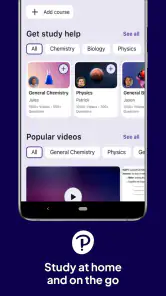
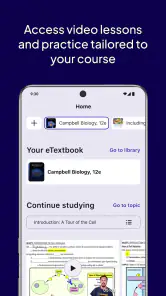
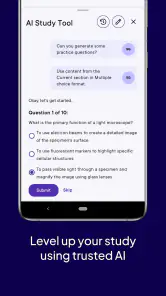
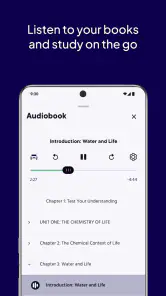
Analysis by Reviewed
I approached Pearson+ as a study companion rather than another general reading app. Its purpose is straightforward: help learners reach Pearson course material at home, during a commute, or in the quiet gaps between classes. That focus makes it especially relevant for students who already use Pearson textbooks or digital learning content and want a more convenient way to keep their study material close.
My overall impression is positive, but with an important qualification: this is most useful when Pearson is already part of your course routine. It is not a replacement for every learning tool, and it will not magically organize an entire semester for someone who has no Pearson materials to work with. When it fits your classes, though, the app can reduce the friction of carrying books, finding the right chapter, and turning a short spare moment into a useful review session.
How Pearson+ feels during everyday study
Speed expectations when opening study material
The first thing I look for in an education app is whether it gets out of my way. A study session may begin with only ten minutes available, so unnecessary waiting quickly becomes irritating. Pearson+ is designed around access to digital Pearson content, which means the experience depends heavily on how much material I am trying to reach and the condition of my connection. In normal use, I would treat it as a focused reading and study workspace rather than an app that should be judged by the instant response of a simple notes tool.
That distinction matters. A digital textbook can involve more content than a basic page of text, and moving between chapters or sections is a different task from opening a lightweight checklist. I found the best approach was to decide what I wanted to study before opening the app, then use the available time for a specific section instead of browsing without a plan. This makes the experience feel faster because I am not asking the app to become my entire study strategy.
The app comes from Pearson Education, Inc., a developer already associated with educational publishing and course materials. That context gives Pearson+ a clear advantage over a generic document reader: it is intended to place Pearson learning content in a study-friendly setting. The trade-off is that its usefulness is tied to that ecosystem. If your books and assignments come from another publisher, a general e-reader or your institution’s learning platform may feel more direct.
I also appreciate that the app is free to install. That lowers the barrier to trying it, although the value you get still depends on the Pearson content connected to your studies. “Free” here should not be confused with a complete library of every textbook or course. I would install it first when a teacher, school, or course already points me toward Pearson materials, not simply because I want an unrestricted collection of educational books.
What happens during heavier study sessions
The more demanding moment is not opening one short reading. It is a longer session in which I move through several sections, return to earlier material, and switch between reading and note-taking outside the app. This is where a purpose-built study reader can be more comfortable than trying to manage a textbook through scattered files, browser tabs, or photographs of printed pages.
More From Our News Desk

Clash of Clans Is Won Between the Battles

Android Auto Makes the Case for Quieter Car Software

MobiOffice: Transforming Mobile Productivity with Seamless Integration

EA SPORTS FC™ Mobile Soccer: Redefining Mobile Sports Gaming

How Microsoft OneDrive Became a Mobile Productivity Giant

How Google Translate Breaks Language Barriers Effortlessly
My practical advice is to divide a heavy session into clear targets: one concept, one chapter segment, or one set of review notes. That workflow reduces repeated searching and makes it easier to recover if I need to leave the app. It also exposes an important limitation. Pearson+ can make access more convenient, but it cannot decide which ideas I have misunderstood. I still need a notebook, flashcards, practice questions, or class discussion when passive reading is not enough.
For exam preparation, I would use the app as the source of explanation and terminology, then build a separate active-recall routine. Reading the same digital page repeatedly can feel productive without proving that I can answer a question independently. A useful pattern is to read a short passage, close the material, and write the main idea from memory. Pearson+ fits well into that process because it keeps the reference material nearby, but the learning improvement comes from how I use it.
Another realistic scenario is a student waiting between lectures. Carrying a physical textbook may be inconvenient, while opening a phone can tempt me into unrelated notifications. A focused digital study session can turn that waiting period into a quick review of definitions or a recap of the previous class. I would not attempt a complicated assignment in that setting, but reviewing a clearly chosen section is a sensible use of the app.
Stability and recovering from interruptions
Reliability matters more in education than it may seem. Losing my place in a novel is annoying; losing my place while comparing a concept with handwritten notes can break concentration and waste a limited study window. I therefore judge Pearson+ by how easy it is to resume a session after switching apps, locking the phone, or moving from one task to another.
The safest habit is to create a visible stopping point before leaving a chapter. I might mark a page in my notes, write down the section heading, or record the question I want to answer next. That is useful even when an app behaves perfectly, because it prevents me from spending the first few minutes of the next session trying to remember where I was. It is also a sensible recovery method when a connection changes or the app needs to reopen the material.
I would avoid relying on any digital reader as the only place where important study plans exist. Keep assignment deadlines, key questions, and personal summaries somewhere you control. This is not a criticism aimed only at Pearson+; it is a good rule for every education platform. Digital access is convenient, but a separate record makes recovery much less stressful if I change devices, lose a session, or simply need to find a reminder quickly.
The app has an average rating of 4.7 from around 13 thousand ratings, with roughly 783 written reviews. That suggests a generally strong reception, while still leaving room for individual differences in course setup, device behavior, and expectations. I would read that rating as encouragement to try it, not as a promise that every textbook workflow will feel identical for every student.
Device constraints and choosing the right screen
Pearson+ is available for devices running iOS 9 or later, which gives it a broad compatibility range. Even so, compatibility is not the same as comfort. A small phone screen is convenient for checking a paragraph or reviewing a definition, but extended textbook reading can become tiring. If I am working through diagrams, dense tables, or long explanations, a larger screen is usually the better choice.
That leads to a useful division of labor. I use a phone for short reviews, quick reference, and study moments away from home. I prefer a tablet or computer-sized display for longer chapters, side-by-side notes, and serious preparation. If your main goal is deep reading, device size may influence your satisfaction more than the app itself. A reader can be well designed and still feel cramped when the screen is too small for the material.
Older compatible hardware can also change the experience. A device may meet the operating-system requirement yet have limited free storage, an aging battery, or less comfortable multitasking. I would leave room for the app and the rest of my study tools, keep the operating system current when possible, and avoid beginning an important reading session with a nearly empty battery. These are simple precautions, but they matter when the app is part of a deadline-driven routine.
Resource demands are best considered in context. Reading a single section should be a lighter task than keeping multiple study apps open while switching between notes, a browser, and a video lesson. If the device begins closing background apps or slowing during multitasking, I would simplify the session rather than assume Pearson+ alone is responsible. Open only the materials needed for the current task, and save broader research for a larger screen or a separate study block.
Where it beats ordinary alternatives
The usual alternative is a physical textbook. Paper still wins for quick annotation, visual familiarity, and reading without thinking about a battery or screen. It can also be easier on the eyes during a long session. Pearson+ wins on portability and immediate access: I can keep study material available without carrying a heavy book, and I can use small periods of time that would otherwise be lost.
Another alternative is a generic PDF or document reader. That option may be preferable when I need to combine files from several publishers or maintain complete control over locally stored documents. Pearson+ is more relevant when my course already uses Pearson content and I want that material presented through a service built around Pearson’s educational catalog. The choice is less about which app is universally superior and more about whether my materials match the platform.
Compared with a school learning-management app, Pearson+ serves a different role. A campus platform is usually where I expect announcements, submissions, schedules, and class communication. I would not treat Pearson+ as a complete replacement for those functions. Instead, I would use the learning-management system to understand what I need to study and Pearson+ to reach the associated Pearson reading material.
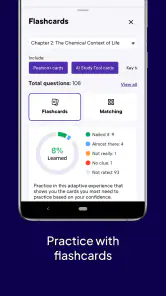
It also differs from flashcard applications and video-based learning services. Those tools can be better for active recall, demonstrations, or short explanations. Pearson+ is strongest when I need sustained access to structured written content. A student who learns mainly through quizzes or visual lessons may prefer another primary tool, using Pearson+ only when the textbook explanation is the authoritative reference for the course.
Three workflows that make the app more useful
My first recommended workflow is the “next-session note.” Before closing a study session, I write one sentence stating exactly where I should resume and one question I still need to answer. This turns the app from a passive bookshelf into part of a repeatable routine. When I return later, I have a reason to open the material instead of wandering through chapters.
The second is a two-pass reading method. On the first pass, I look for structure: headings, definitions, examples, and the relationship between sections. On the second, I return only to the parts connected to my assignment or exam objectives. This is more efficient than highlighting everything, and it helps control screen fatigue during a long reading block.
The third is to separate reference from proof of learning. I keep Pearson+ open for explanations, but I test myself away from the page. After reading, I explain the idea aloud, solve a related problem, or write a short summary without looking. This trade-off is easy to miss: a convenient digital textbook can improve access while still requiring a separate method to confirm understanding.
Who should use it, and who should skip it?
I would recommend Pearson+ to students whose courses already rely on Pearson eTexts or related Pearson learning materials. It is also a good fit for commuters, students moving between home and campus, and anyone who dislikes carrying several textbooks. The broad Everyone age rating makes it suitable for a general educational audience, although the usefulness naturally depends on the subjects and materials connected to a person’s studies.
I would be more cautious if I needed one app to manage a complete academic workflow. Students looking for assignment submission, detailed planning, collaborative discussion, advanced flashcards, or a broad mix of non-Pearson resources may be better served by combining their school platform with specialized tools. Pearson+ can sit inside that setup, but it should not be expected to replace every part of it.
I would also skip it as a primary choice if most of my reading comes from printed books, open documents, or another publisher. In that situation, a flexible document reader may reduce duplication. The free installation makes experimentation easy, but installing an app is not the same as having the right content available for a particular course.
Current state and my performance verdict
Pearson+ was released on June 29, 2021, and its current version is 1.3.26. It has passed half a million installs, which gives it a meaningful presence among education apps. Those figures do not change the central judgment, but they do reinforce that this is an established study product rather than an obscure experiment.
In my view, the app’s perceived speed is best when I use it for a defined reading task on a suitable device, not when I expect it to replace every study tool at once. Its stability is easiest to protect through sensible session habits: keep a clear stopping point, avoid excessive multitasking on older hardware, and maintain a separate record of important notes and deadlines. Recovery becomes much simpler when I treat the app as one dependable part of a study system rather than the system’s only memory.
My bottom line is simple: Pearson+ is a practical access tool for Pearson-based study, not a universal learning solution. I like it most for portable textbook reading, quick revision between commitments, and keeping course material close when a physical book is inconvenient. I would pair it with active recall, personal notes, and the school’s own learning platform. If that matches your situation, the free app is worth trying; if your learning materials live elsewhere, another reader or study service may be the more efficient choice.
Pearson+ | Study help & eTexts Frequently Asked Questions
Is Pearson+ free to download, and what could I need to pay for?
Pearson+ is free to download, but that does not mean every textbook or learning resource is free to use. Most Pearson+ content requires a paid subscription or access provided through your school, instructor, or course materials. Before getting started, check that the title you need is included and review any plan’s billing, renewal, and cancellation terms.
What devices can I install Pearson+ on?
Pearson+ is an education app from Pearson Education, Inc. that is available for Android and iOS devices. On Android, it requires operating system version 9 or later. Checking your device’s operating-system version before downloading can help avoid installation issues. If you plan to switch between devices or use a browser, make sure you can sign in with the same Pearson account.
What is Pearson+ | Study help & eTexts?
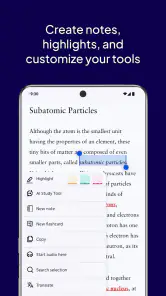
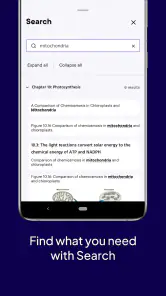
Pearson+ is a digital learning platform that gives students access to selected Pearson eTextbooks, study tools, and additional learning support in one app. Depending on the title and subscription, you may be able to read textbooks online, search for specific topics, highlight important passages, add notes, and review content more conveniently than with a physical book. Availability varies by course and region.
Do I need a subscription to use Pearson+?
Most Pearson+ content requires a paid subscription or access provided through your school, instructor, or course materials. The exact price and available features can differ depending on the selected plan, textbook, country, and promotional offer. Before downloading, check whether your required title is included and review the billing terms, renewal conditions, and cancellation policy carefully.
Can I use Pearson+ offline?
Pearson+ may allow users to download supported eTextbook content for offline reading, which is useful when traveling or studying without a reliable internet connection. However, not every feature necessarily works offline, and some content may require periodic online verification. Download availability can also depend on the textbook, device, subscription plan, and app version.
Pros
- Access thousands of Pearson eTextbooks from one mobile app.
- Offline downloads let you study without a constant internet connection.
- Audio playlists make reviewing selected textbook content more convenient.
- Built-in notes
- highlights
- and bookmarks help organize study materials.
- Available on multiple devices
- making it easy to continue studying elsewhere.
Cons
- Access usually requires a qualifying Pearson subscription or course purchase.
- The catalog and available features vary depending on your institution and region.
- Some textbooks may have limited interactive tools or offline functionality.
- Large downloads can consume considerable storage and mobile data.
- Navigation and performance may feel inconsistent across different textbooks.
- Category
- Education
- Version
- 1.3.26











