Passport Photo Maker & Editor
- 1.79K
- 4.5
- Installs
- 5.00M
- Price
- Free
Screenshots
Analysis by Reviewed
Imagine you're planning a trip abroad and suddenly realize your passport photo is outdated. You could either rush to a professional service, or you could use a handy app right from your phone. Enter Passport Photo Maker & Editor, a nifty app that promises to simplify creating passport photos. Let's dive into what makes this app tick and why it might just be what you need.
Getting Started with Ease
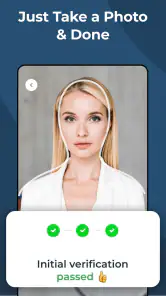
Setting up the Passport Photo Maker & Editor is a breeze. Available for both Android and iOS, downloading and installing the app is as straightforward as it gets. Once you're in, the user-friendly interface greets you with simple navigation options. You don't have to be a tech whiz to figure this one out, which is a huge plus when you're in a hurry.
Features that Stand Out
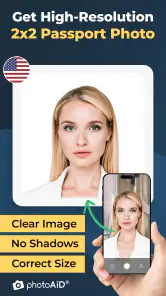
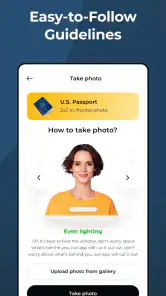
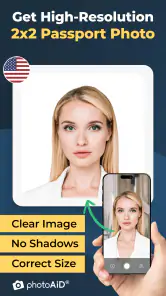
This app is packed with features that make it incredibly versatile. It supports multiple country formats, ensuring that your photo meets the specific requirements of whichever country you plan to visit. The app guides you through the process with its smart cropping tool that automatically adjusts your photo to the right size. Say goodbye to guesswork!
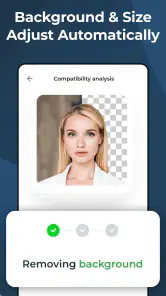
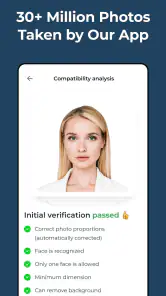
Moreover, the background removal tool is a lifesaver. It efficiently erases any unwanted background elements, allowing you to replace them with a neutral, passport-approved background. This is especially handy if you snapped your photo in a less-than-ideal setting.
Editing Made Simple
Editing your photo is intuitive and quick. With just a few taps, you can adjust brightness, contrast, and even remove blemishes for a polished look. The app doesn’t overcomplicate things—each tool is easy to use without a steep learning curve.
Why It’s Worth Your Time
What sets this app apart is its ability to deliver professional-quality results without the professional price tag. Whether you're a frequent traveler or just need a quick photo for a visa, Passport Photo Maker & Editor has got you covered. It's like having a photo studio in your pocket.
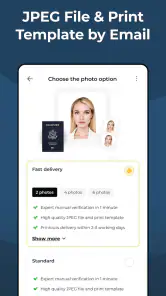
Another highlight is the ability to save and share your creations directly from the app. You can either print your photo or send it digitally, depending on your needs. This flexibility is perfect for the modern-day traveler who values convenience.
In conclusion, if you're looking for a reliable, easy-to-use app that simplifies the passport photo process, this one is definitely worth checking out. Its robust features and user-friendly design make it a must-have tool in your travel arsenal. So next time you're prepping for a big trip, give Passport Photo Maker & Editor a try. You might just find it’s exactly what you needed.
Pros
- User-friendly interface for easy navigation.
- Wide range of photo editing tools.
- Supports various passport photo sizes.
- Quick photo processing time.
- Offline functionality available.
Cons
- Limited free features in the app.
- Occasional ads can be intrusive.
- Requires in-app purchases for premium features.
- Limited customer support options.
- Some tools may have a learning curve.

- Category
- Photography
- Version
- 1.19.1











