OKX: Buy Bitcoin BTC & Crypto
- 3.72K
- 4.3
- Installs
- 10.00M
- Price
- Free

Screenshots
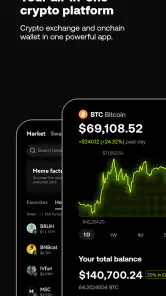
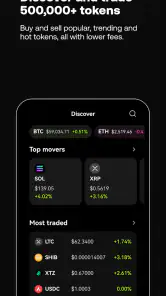
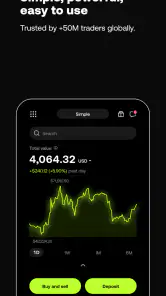
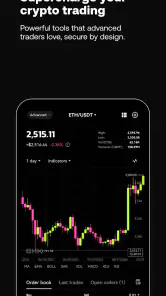
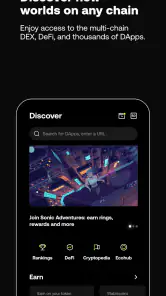
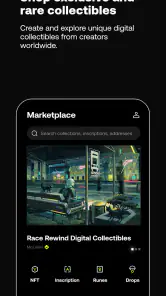
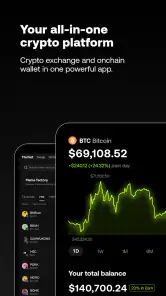
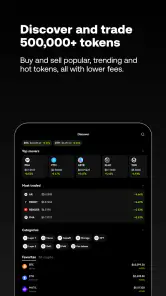
Analysis by Reviewed
When I’m choosing a finance app, I want the basics to feel clear before I commit time or money: what I can do, how quickly I can find it, and whether the app suits the way I actually manage risk. OKX: Buy Bitcoin BTC & Crypto brings buying and trading crypto together with a Web3 wallet, so it reaches beyond the simple buy-and-hold experience. I see that breadth as its main appeal—and its main reason to take a moment to learn the layout rather than tap through on autopilot.
Speed expectations and quick checks before a trade
Crypto prices can move while you are deciding, so an app’s speed is not just about how quickly screens open. In OKX, I would treat market information as a way to check conditions, not as a promise that a displayed price will still be available by the time an order is placed. Before confirming a trade, pause to review the asset, order details, and any costs shown in the flow. That small habit is more useful than trying to act fast because a chart looks urgent.
A practical routine is to decide what you want to do before opening the app: check a price, make a planned purchase, or review a wallet. Keeping those tasks separate helps prevent browsing from turning into an impulsive trade. If you are comparing several coins, write down the names first and check them one at a time. The app’s broad scope can make exploration easy, but it can also invite more activity than you intended.
For someone who checks prices briefly and rarely trades, the useful measure of speed is whether the relevant information is easy to reach—not whether the app encourages constant refreshing. I would open it with a specific question, such as whether an asset is at a level I had already planned to review, and close it when that check is done. This keeps a quick glance from becoming a string of distracted decisions.
Heavy-use moments and switching between tools
The busiest moments are likely to be the ones where you switch between market checks, trading tools, and wallet activity. I would avoid assuming that every part of this wider crypto experience behaves identically: a market screen, a trade flow, and a Web3 wallet serve different purposes, and each deserves a deliberate check before you act. If a screen feels crowded, return to the specific task you came in for rather than opening more sections while a decision is pending.
That workflow matters especially for anyone who is new to crypto. A beginner may be better off learning one basic action at a time instead of jumping immediately between products with different risks. More experienced users may appreciate having several kinds of crypto activity available in one place, but convenience does not remove the need to understand what each action does.
A realistic everyday use might be checking a coin during a commute, then waiting until you are somewhere you can read an order screen carefully before buying. I would not treat a brief mobile check as the right moment to explore unfamiliar products or rush through a transaction. If you need to compare details, pause and return to the task when you can give it your attention; having multiple tools together is useful only when you can keep their purposes straight.
More From Our News Desk

Weather by Xiaomi Review: Clear at a Glance, Less Clear Up Close

X Under Pressure: Can It Recover When Posting Goes Wrong?

Clash of Clans Is Won Between the Battles

Android Auto Makes the Case for Quieter Car Software

MobiOffice: Transforming Mobile Productivity with Seamless Integration

EA SPORTS FC™ Mobile Soccer: Redefining Mobile Sports Gaming
There is also a practical trade-off in keeping exchange activity and wallet use under one roof: fewer app changes can make a routine feel more convenient, but it raises the importance of knowing which area you are using before you confirm anything. I would make a habit of checking whether I am viewing an exchange balance or handling a wallet action, then verify the destination and details whenever a transfer is involved. That extra pause is worthwhile because a familiar interface can make an unfamiliar action feel deceptively routine.
Reliability, account access, and recovery habits
I would judge reliability by whether I can complete routine checks calmly, not by expecting uninterrupted access at every moment. For any finance app, it is sensible to keep account recovery details secure and to understand the sign-in steps before relying on the app while away from home. Two-factor authentication can add a useful security layer, but it also means you should keep access to the method you use for verification. Never share codes or passwords with someone claiming to help.
For recovery, I would prepare before there is a problem: keep login information private, make sure the verification method you rely on is accessible, and avoid handling recovery while distracted. If you change devices or lose access to a sign-in method, account recovery can become more urgent than checking a price. I would not assume that a quick reinstall alone solves every access issue; the sensible approach is to know your sign-in details and verification route in advance.
When an app is used for money-related activity, a calm workflow matters as much as a polished screen. I would avoid confirming a transaction immediately after a loading delay or a confusing screen change. First check what action is pending and whether the details still match your intention. That pause helps distinguish a temporary display issue from an order or wallet action that needs a different response.
Device constraints and everyday fit
The app is listed for devices running Android 8.0 or later, which gives older compatible phones a possible route in, though the actual experience can vary with the device and its available resources. If your phone is short on storage or already struggles with apps that display changing information, avoid opening several demanding tasks at once and keep the operating system current where possible. I would also test your usual sign-in and account checks before depending on the app for a time-sensitive decision.
On a device that feels slow, I would keep the routine simple: open the section needed for the task, finish the check, and avoid switching rapidly among market views and wallet activity. That is not a guarantee of better performance, but it reduces needless multitasking and makes mistakes less likely. If your phone regularly struggles with finance apps, a stable device and connection are more important than trying to monitor every market movement from a small screen.
Getting Started with OKX
The first thing you'll notice when you download the OKX: Buy Bitcoin BTC & Crypto app is how sleek and intuitive the design is. From the get-go, it’s evident that they've put a lot of thought into making this app accessible to both beginners and seasoned traders. Setting up your account is a breeze. All you need is your email, a strong password, and you're ready to explore the vast world of cryptocurrencies.
Features that Stand Out
Now, let's talk about the features. The app offers a wide range of cryptocurrencies to trade. Whether you're looking to buy Bitcoin, Ethereum, or any of the altcoins, OKX has got you covered. One of the standout features is the real-time market data. It’s like having a mini stock exchange in the palm of your hand. The data is refreshingly up-to-date, ensuring you make informed decisions every time you trade.
Another feature worth mentioning is the security measures. In the world of crypto, security is paramount, and OKX doesn’t disappoint. With two-factor authentication and advanced encryption, your assets are well protected. It gives you peace of mind knowing that your investments are safe.
Trading Made Easy
Trading on OKX is almost too easy. The app provides various trading options, whether you're into spot trading, futures, or margin trading. The interface is so intuitive that even a newbie can start trading within minutes. Moreover, the app offers tutorials and guides, making sure you’re never lost in this complex world of crypto trading.
And let's not forget about the fees. OKX offers competitive trading fees, which is a big plus for those who are serious about trading. It’s always nice to keep more of your earnings, right?
Additionally, they have a demo trading feature where you can practice your trading strategies without the risk of losing real money. It's perfect for those who are just starting and want to get a feel of the market dynamics.
Choosing the right level of involvement
One everyday use case is checking the market during a lunch break, then leaving a planned purchase until you have time to review the details without rushing. I find that approach safer than reacting to every price movement. If you only want occasional exposure to crypto, a simpler buy-and-hold app may feel less busy. OKX makes more sense if you expect to use its range of trading options or want the wallet functionality alongside exchange activity.
For a first-time user, I would begin with a small, clearly understood task and learn where confirmations and account controls appear before trying more involved tools. Futures and margin trading are not just extra buttons; they involve risks that are different from a straightforward purchase. If you do not already understand how those products work, stick to learning and basic actions rather than treating their availability as a recommendation.
The Web3 wallet also changes the comparison with a conventional exchange app. It can be useful if you want to explore activity beyond buying and selling through an exchange, but managing crypto in a wallet calls for care with addresses and transaction details. A regular bank app is a better fit for everyday bills and predictable balances; a dedicated crypto tracker may be preferable if you only want to watch prices. OKX is for someone who wants to do more than either of those narrow tasks.
That distinction is worth thinking through before installing another finance app. If your main goal is simply to see what a coin is worth, a tracker can keep the task focused without putting trading and wallet actions alongside it. If you already use a crypto exchange and want a Web3 wallet in the same general environment, OKX’s wider scope may save some app switching. I would choose based on the actions I expect to take, not on the number of tools available.
One useful personal rule is to separate learning from investing. I would use educational material and a practice option to understand how an order behaves before using real funds, and I would treat practice as rehearsal rather than evidence that a real trade will have the same outcome. A demo can help with navigation and decision habits, but it cannot remove market risk or make a strategy dependable.
Who it suits, and where I would be cautious
OKX is a free finance app from OKX, with an Everyone content rating. It has a 4.3 average from around 921,000 ratings and over 10 million installs, suggesting that it has reached a broad audience. Its current version is 6.148.0, and the app was released on February 21, 2021. Those figures tell me it is established, but they do not tell me whether its tools are right for a particular user or whether crypto itself is a sensible choice for them.
I would recommend it to someone who is comfortable learning a multi-purpose crypto interface and wants buying, trading, and wallet access in one app. I would hesitate to recommend it to a person who finds volatile assets stressful, needs a very simple way to handle ordinary finances, or is likely to confuse a practice environment with a real trade. The app can organize access to tools; it cannot make a risky decision safe.
It is also a poor fit if you want an app to make financial choices on your behalf or expect a smooth path through every kind of crypto activity without preparation. Before using any exchange or wallet, I would decide how much complexity I am willing to manage and whether I can keep account access secure. If those responsibilities feel like more than you want from a phone app, a price-only tracker—or simply staying out of crypto—may be the more comfortable choice.
Final Thoughts
In conclusion, OKX: Buy Bitcoin BTC & Crypto is a fantastic app for anyone interested in the world of cryptocurrency. Whether you're a beginner or an experienced trader, this app offers something for everyone. With its user-friendly interface, comprehensive features, and robust security measures, it's no wonder that it's becoming a favorite among crypto enthusiasts.
So, if you're considering venturing into crypto trading, give OKX a try. Who knows, you might just find yourself becoming a crypto aficionado in no time!
My practical verdict is more measured: OKX is most appealing when you want several crypto tools together and are willing to learn them carefully. It may not be the quickest-feeling choice for someone who wants only a simple price glance, and no app can remove the need to check orders, protect account access, and understand the risks. If you approach it with a specific purpose instead of treating every feature as an invitation, its range can be useful without making your routine unnecessarily complicated.
OKX: Buy Bitcoin BTC & Crypto Frequently Asked Questions
Do I need to create an account before I can use OKX?
OKX is designed for people who want to buy, sell, or trade crypto and use wallet features, so you should expect to set up an account to access those activities. Take time to review the account setup and security options before adding funds or making transactions. Keeping your login details private and enabling available protections can help you use the app more carefully.
Can I use OKX for more than buying and selling cryptocurrency?
Yes. OKX brings together crypto trading and wallet-related features, and its app description also highlights NFTs and Web3. That makes it relevant to users who want to explore more than straightforward buying or selling. These activities can involve different steps and risks, so read each screen closely and make sure you understand what you are confirming before moving assets.
Is OKX available in my country, and can I use all of its features there?
The services and features available in a crypto app can vary by location, so check the options shown during account setup and in the app for your region. This matters especially if you are interested in particular trading or wallet functions. Review any local eligibility requirements before relying on OKX for a specific activity, and confirm that the feature you want is available to you.
What should I consider before storing crypto in the OKX wallet?
Before using any crypto wallet, understand how access and recovery work, protect your sign-in credentials, and check every transaction address before confirming a transfer. OKX includes wallet features, including a Web3 wallet, but storing or moving digital assets still calls for care. Consider starting with a small, manageable transaction while you learn the app’s screens and options.
Is OKX free to download, and what should I know about trading costs?
OKX is free to download, but using a crypto exchange can involve costs that are separate from the app itself. Trading and withdrawals may have fees, and the amount can depend on the transaction and account details. Check the fee information in OKX before confirming a trade or withdrawal, so you understand the cost that applies to your activity.
Pros
- User-friendly interface for beginners.
- Wide range of cryptocurrencies supported.
- Low transaction fees.
- Advanced trading features available.
- Responsive customer support.
Cons
- Limited payment options for fiat currency.
- Occasional app performance issues.
- Requires KYC for higher withdrawal limits.
- No offline wallet support.
- Limited educational resources.
- Category
- Finance
- Version
- 6.148.0











