NoBroker Rent, Buy, Sell Flats
- 1.42K
- 3.6
- Installs
- 10.00M
- Price
- Free

Screenshots





Analysis by Reviewed
When I use a property app, a smooth search is only part of the job: I also need a reliable connection when I’m comparing homes, checking details, or trying to reach an owner. NoBroker is built around direct property discovery for renting, buying, and selling, so its usefulness is closely tied to the moments when I can get online and act on what I find.
When a connection matters most
Browsing homes is rarely a single, uninterrupted task. I might save a few possibilities mentally, revisit them later, and then need to check a listing while arranging a viewing. That makes a stable connection especially helpful when loading property details or moving between search results. I would treat the app as a way to organize and pursue leads, rather than assume every detail will be ready at the exact moment I need it.
For a practical routine, I’d narrow a search before contacting anyone: choose the area and property type, compare the options that fit, then write down the questions that matter, such as move-in timing or what is included. This reduces back-and-forth and makes each conversation more useful. It also helps if a listing changes or disappears while I’m deciding; property searches can move quickly, so I wouldn’t rely on a screenshot as proof that a home is still available.
Using it between errands and viewings
The app makes the most sense on a phone when I’m fitting a housing search around work, errands, or travel across town. I can use short sessions to review a few candidates, but I’d save longer comparisons for a moment when I can focus. A small screen makes it easy to skim past important distinctions, so I’d pause on each promising property and check its details before arranging a visit.
Imagine I’m looking for a rental near a new workplace. During a break, I can browse and shortlist homes; later, while planning the route, I can contact owners and confirm a viewing. I’d keep my questions in a note on my phone so I don’t forget them during a quick call. That simple habit is more useful than sending several vague enquiries and trying to remember which owner said what.
Handling interruptions and changing plans
Real estate searches are full of interruptions: a call comes in, a train loses signal, or a property is no longer available by the time I follow up. I’d avoid treating a partially viewed result as a complete record. Once I have a connection again, I would reopen the listing, verify the current details, and confirm the viewing directly rather than assume my earlier understanding is still accurate.
There is also a human side to recovery. If an owner does not respond, I would move on to another suitable listing instead of waiting on one lead, and keep a clear record of whom I contacted. Direct contact can make conversations feel more personal, but it also means I have to manage follow-ups myself. That trade-off is worth considering if I prefer a broker to coordinate appointments and keep communication moving.
More From Our News Desk

Weather by Xiaomi Review: Clear at a Glance, Less Clear Up Close

X Under Pressure: Can It Recover When Posting Goes Wrong?

Clash of Clans Is Won Between the Battles

Android Auto Makes the Case for Quieter Car Software

MobiOffice: Transforming Mobile Productivity with Seamless Integration

EA SPORTS FC™ Mobile Soccer: Redefining Mobile Sports Gaming
Keeping a property search focused
Repeated browsing and messaging can use mobile data, so I’d avoid opening every result without a reason. A focused search—set the area, decide what is non-negotiable, then compare a manageable shortlist—is easier to follow and helps me spend time on realistic options. If I’m using a limited data plan, I’d do the heavier browsing when connected to a dependable network and save mobile sessions for checking a specific home or arranging a viewing.
I would also be careful with personal information. The app’s direct-owner approach can reduce the need for a middleman, but I’d still share only what is needed to arrange a conversation or visit. Before making a payment or committing to a property, I’d verify the relevant details and documents independently. A listing app can help me find leads; it cannot replace careful checks or an in-person assessment.
When it comes to finding the perfect place to live, the NoBroker app has become a game-changer for many home seekers. Whether you’re looking to rent, buy, or sell flats, this app has positioned itself as a one-stop solution in the real estate market. As someone who loves exploring new apps, I was stoked to dive into NoBroker and see if it lived up to the hype.
Why NoBroker Stands Out
In a world where brokers often dominate the real estate scene, NoBroker takes a refreshing approach by eliminating these middlemen. This means no brokerage fees, which is a huge relief for anyone who's ever had to shell out extra cash just to secure a place. The app is designed to connect homeowners and potential buyers or tenants directly, making the whole process feel more personal and less transactional.
User Experience
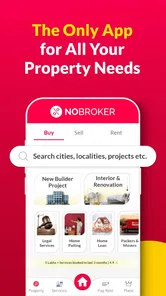
The first thing that caught my attention was the user-friendly interface. Navigating through the app is a breeze, with intuitive menus and a clean design. Whether you’re tech-savvy or not, finding your way around is simple. I appreciated the detailed filters that allow you to refine searches based on your specific needs—be it budget, location, or property type. This makes the tedious task of house hunting feel almost effortless.
Features That Make a Difference
One of the standout features is the verified listings. It’s reassuring to know that each property is verified by the NoBroker team, reducing the chances of falling into scams or misleading ads. Moreover, the app offers a plethora of options, from rental apartments to flats for sale, catering to a wide range of preferences and budgets.
Another nifty feature is the “Click to Call” service, which allows you to contact property owners directly without revealing your phone number. This feature comes in handy for maintaining privacy while still being able to have those essential conversations with potential landlords or sellers.
Support and Services
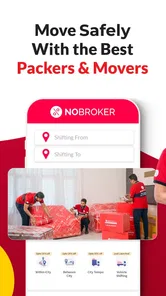
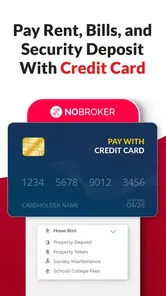
NoBroker goes beyond just being an app. They offer a variety of value-added services like home cleaning, painting, and even legal assistance for documentation. It’s like having a mini concierge service at your fingertips. Plus, their customer support is pretty responsive, always ready to assist with any queries you might have.
For those looking to sell, the app provides a platform to list properties with ease. The process is straightforward, and the app’s wide reach ensures that your listing gets the attention it deserves. This is particularly beneficial in a competitive market where visibility is key.
Who benefits most from NoBroker?
I think the app suits renters and buyers who are comfortable taking an active role in the search: setting their own priorities, comparing homes, and speaking directly with owners. It can also help a seller who wants to put a property in front of people already looking, while keeping control of the initial conversations. NoBroker Technologies Solutions Pvt Ltd has built a housing app with a broad audience in mind; it is free to download, rated for Everyone, and has an average rating of 3.6 from around 435,000 ratings, with more than 10 million installs.
It is less compelling if I want someone else to screen every lead, negotiate on my behalf, or coordinate each appointment. A traditional broker may be worth the fee for someone short on time, unfamiliar with a neighborhood, or uncomfortable handling multiple owner conversations. I would also compare the same home across other property sources rather than assuming one platform has every suitable listing.
Small choices that improve the search
One useful habit is to separate “must have” requirements from preferences before opening the search. For example, I’d decide the maximum budget and acceptable commute first, then treat furnishing or a particular floor as negotiable if necessary. That keeps filters from becoming so narrow that I miss a workable home, while still preventing a long list of poor matches.
I’d also use direct calls strategically. Before contacting an owner, I’d prepare a short set of questions about availability, the viewing, and any detail that could rule the property out. The privacy-minded calling option described above is useful, but it does not remove the need to judge each conversation carefully. For sellers, clear and accurate listing information is equally important: a wider audience helps only when the property description answers the questions serious prospects are likely to ask.
What to expect from a property platform
NoBroker is best understood as a starting point for a housing transaction, not a guarantee that a listing will suit me or that a deal will be simple. Verification can offer reassurance, yet I would still inspect a property, confirm important claims, and review documents before committing. The app can bring the search and first contact together; the final decision remains mine.
The usual alternative is to search several property platforms and ask brokers or local contacts for leads. NoBroker’s direct-owner approach may help me avoid an intermediary in the early stages, while a broker may provide more hands-on coordination. Neither route is automatically better: the right choice depends on whether I value control and direct communication more than help managing the process.
Designed for an ongoing housing search
NoBroker is a free House & Home app, and its current version is 8.0.12 for devices running Android 6.0 or later. It has been available since November 18, 2017, and its scale suggests it is familiar to many people searching for a home. I would still judge it by the quality of the options and conversations I find in my own area, since a large audience does not make every local search equally easy.
For me, its strongest case is practical: it brings rental, purchase, and sale searches into one place and gives users a route to contact property owners directly. The trade-off is that a hands-on approach calls for patience, careful checking, and follow-up. I’d recommend trying it if avoiding a broker is a priority and I’m ready to manage the search myself; if I need a representative to do that work, I’d use it alongside other options rather than as my only route.
The Final Verdict
In conclusion, the NoBroker app is a must-try for anyone in the real estate market. Its no-brokerage fee model is not just innovative but also a breath of fresh air. The app’s ease of use, coupled with its robust features, makes it a valuable tool for renters, buyers, and sellers alike. Whether you’re moving to a new city or just looking for a change, NoBroker simplifies the process and helps you find your dream flat without the usual headaches. Give it a shot, and you might just find your next home sweet home without the hassle!
NoBroker Rent, Buy, Sell Flats Frequently Asked Questions
Can I use NoBroker to search for homes, shops, and office spaces?
Yes. NoBroker is intended for renting, buying, and selling housing, apartments, shops, and office properties. That range may make it useful if you are looking for somewhere to live or a space for a business. You can explore the kinds of properties that suit your plans, then review each listing and discuss its details directly with the owner.
What should I consider before contacting someone about a property?
Before reaching out, think about what you need from the property and compare those priorities with the listing details. Ask the owner about any points that affect your decision, and arrange to review the property before making a commitment. NoBroker is designed to connect users and owners directly, so you should be ready to handle those conversations and assess whether the property is right for you.
Is NoBroker suitable for renters, home buyers, and property owners alike?
NoBroker is aimed at people looking to rent, buy, or sell housing, apartments, shops, and office properties. Renters and buyers can explore listings, while owners can use the app to advertise a property. Its focus on direct connections may appeal to people who want to handle property conversations themselves, though the usefulness of any listing depends on its details and how well it matches your needs.
What is NoBroker and how does it work?
NoBroker is an innovative real estate platform designed to facilitate the renting, buying, and selling of properties without involving brokers. This app connects property owners directly with potential buyers or tenants, thereby cutting down on brokerage fees. Users can search for properties based on their criteria, contact owners directly, and negotiate terms without third-party interference. It uses advanced algorithms to match user preferences with available property listings. The app is free to download and is intended for a general audience.
Is NoBroker free to use or are there any hidden charges?
NoBroker offers a free basic service where users can browse listings and contact property owners. However, there are premium plans available that provide additional features such as personalized assistance, legal support, and property management services. These premium services come with a subscription fee. Users are encouraged to consider their needs and choose a plan that best suits them, but basic usage does not incur any hidden charges. The app’s free download makes it easy to explore before deciding whether any paid option suits you.
Pros
- No brokerage fees involved.
- User-friendly interface with intuitive design.
- Wide range of property listings.
- Verified property details enhance trust.
- Efficient customer support team.
Cons
- Limited to select cities only.
- App may have occasional bugs.
- Some properties have outdated info.
- High demand can lead to quick unavailability.
- Limited negotiation options through app.







