Night Sky Guide - Planetarium
- 208.00
- 4.3
- Installs
- 500.00K
- Price
- Free
Screenshots

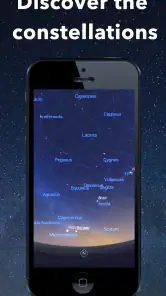
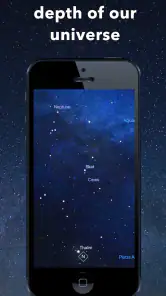
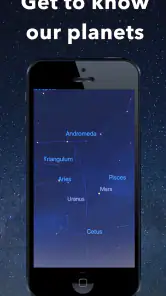

Analysis by Reviewed
I treat a sky guide as a way to turn a passing glance into a question I can answer, not as a replacement for looking up. That distinction matters with Night Sky Guide - Planetarium: its appeal is the link between a phone’s view and the real sky, with educational context to make an identified object more memorable. I’d use it for a first introduction to stargazing, a quick check during an evening outdoors, or a shared activity with someone who is curious but does not know where to begin.
Make the first outing simple
For a first session, I would choose a place with a reasonably open view and begin with one bright, easy-to-notice point of light. Trying to label the whole sky at once makes the experience feel like a test; starting with one target gives me a clear question to follow. I can consult the display, look away from the phone, and then check again if I lose the object. That rhythm is especially helpful when I’m introducing the night sky to a child or a friend who may not want a long technical explanation.
A practical detail is to decide in advance how I’ll use the phone once I find something. I might use the visual guide to orient myself, then lower the screen while we talk about the object, returning to the app only when another question comes up. This prevents the device from becoming the center of attention and makes it easier to notice the sky itself. If I’m taking a short walk, I’d stop somewhere safe before looking at the screen rather than trying to navigate and identify objects at the same time.
Set expectations before relying on the display
A phone’s on-screen view can make directions easier to understand, but it cannot make a faint object bright or remove cloud cover. I would treat the labels as a guide to where to look, then use my eyes to judge what is actually visible. If the alignment seems off, I’d pause, hold the phone steadily, and compare its view with more than one visible point rather than trusting a single label immediately.
Location and conditions shape the experience. A cluttered horizon, nearby lighting, or a bright urban sky can hide objects that the screen still indicates. For that reason, I would not judge the app solely by a session from a balcony surrounded by buildings. A darker location with a clearer view can make an outing more satisfying, although planning around weather and the local horizon remains part of stargazing whatever guide I use.
Who will get the most from it
I’d recommend trying it if you are new to identifying stars and planets, or if you want an accessible way to add context to an evening outside. It is also a natural fit for families who prefer to learn through short questions and discoveries rather than a formal lesson. Someone with an established observing routine may still find it useful for orientation, but it is less likely to replace the detailed preparation and equipment that serious observing can involve.
If you want a purely screen-free night, a printed chart is the better match. If you want to study astronomy in depth, a book or specialist reference can provide a more deliberate learning path. I see the app’s particular strength as immediate connection: it can help me relate a direction on a screen to the patch of sky I’m facing, then give me a reason to look more closely. That is different from using a telescope, which is for viewing through optics, or from reading a broad astronomy article indoors.
More From Our News Desk

Clash of Clans Is Won Between the Battles

Android Auto Makes the Case for Quieter Car Software

MobiOffice: Transforming Mobile Productivity with Seamless Integration

EA SPORTS FC™ Mobile Soccer: Redefining Mobile Sports Gaming

How Microsoft OneDrive Became a Mobile Productivity Giant

How Google Translate Breaks Language Barriers Effortlessly
Using Night Sky Guide - Planetarium with confidence
First things first, downloading and setting up the Night Sky Guide - Planetarium app is a breeze. Available for both Android and iOS, it took me just a couple of minutes to install. Once you open it, the app greets you with a simple tutorial that guides you through its features. Trust me, even if you’re like me and not exactly tech-savvy, you’ll find this app super user-friendly.
A practical first-night routine
I get the most from a sky guide when I decide what I want to learn before stepping outside. With this app, I’d start by picking one obvious target, such as a bright planet or a familiar constellation, rather than trying to identify everything at once. Then I can use the screen as a reference, look up with my own eyes, and return to the display when I lose my bearings. That simple back-and-forth is more useful than staring at a phone continuously, especially when I’m sharing the sky with someone who wants to see it too.
A realistic use is a short evening walk: I spot a bright point, check the guide, and use the identification as a starting point for a conversation rather than treating the app like a complete astronomy lesson. For a family outing, I’d let a child choose what to investigate, then read the available details together. The educational value is strongest when the phone answers a question prompted by the actual sky, not when it becomes the whole activity.
Features That Shine Brighter Than a Supernova
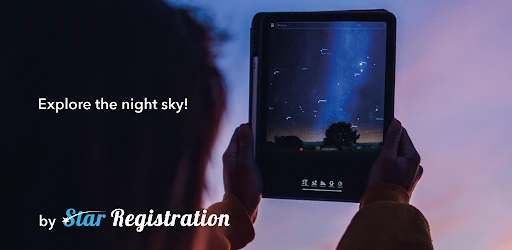
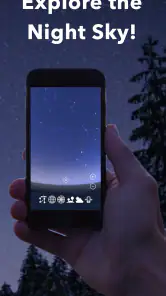
The standout feature has to be the augmented reality mode. As soon as you point your phone at the sky, the app overlays constellations, planets, and stars on your screen. It’s like magic! I was able to spot Orion without squinting and guessing for the first time in my life. The app also provides real-time updates on celestial events, ensuring you never miss a meteor shower or a lunar eclipse again.
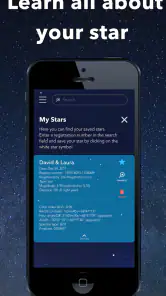
Another feature I love is the detailed information it provides. Tap on any celestial body, and you'll get a wealth of information, including its history, mythology, and scientific data. It’s not just an app; it’s an educational tool that makes learning about the universe fun and engaging.
Settings and habits that make viewing easier
Before relying on an AR overlay, I’d check the phone’s orientation and hold it steadily, then compare the labels against a few visible stars instead of assuming the first alignment is perfect. If the view seems out of place, slowly changing where I point the phone is a better first step than repeatedly tapping around. Nearby buildings, bright streetlights, and a washed-out sky can make faint objects hard to pick out; that is a limit of the viewing conditions, not a reason to expect the display to make every star visible to the eye.
I also find it helpful to treat event information as a prompt to plan, not a guarantee that a sight will be easy to see from my location. Weather, the local horizon, and light pollution still matter. Checking the sky from a darker spot and giving my eyes time to adjust can make the outing more rewarding, while keeping the phone brightness modest helps avoid spoiling that adjustment. These are small habits, but they turn a quick identification tool into a more comfortable companion outdoors.
Who benefits, and where alternatives fit
This is a good match for beginners, casual stargazers, and anyone who wants a visual nudge when familiar-looking points of light become confusing. Compared with a printed chart, the AR view can be easier to relate to the direction I’m facing; compared with a general astronomy article, it is more useful in the moment because I can check an object while standing under the sky. A paper chart or a dedicated observing guide may still suit someone who wants a quiet, screen-free session or a structured plan for serious observing.
I would not choose it as my only resource for technical observing or for someone who expects a phone to overcome clouds, glare, or city light. The app’s educational explanations can make an object more interesting, but curious readers who want deeper study may prefer books or specialist astronomy resources alongside it. I’d also check the purchase screen carefully before paying for anything: the app is free to download, while optional in-app purchases range from $2.99 to $179.99 per item, so it is sensible to see what a purchase includes and whether it suits your needs.
Room for Improvement?
While the app is pretty stellar, there are a couple of things that could enhance the experience. For instance, sometimes the AR mode can be a bit finicky, especially in areas with light pollution. But hey, no app is perfect, right? A little patience goes a long way, and I’m sure the developers are working on it.
That friction is worth keeping in perspective. I wouldn’t use a moment of uncertain alignment to make a confident claim about a dim object; I’d use the overlay to narrow down the area, then verify with what I can actually see. If the interface feels awkward outdoors, it can also be easier to pause, lower the phone, and try again rather than keep adjusting while walking. For a relaxed outing, that occasional reset is manageable. If precise, uninterrupted tracking is the main goal, I’d compare other planetarium tools before settling on this one.
What to expect from the app
It is an education app from Star Registration, and its focus is practical: connecting the objects on a screen with the sky in front of you. The current version is 2.0.15, with a 4.3 average from around 7.4 thousand ratings; it has passed 500 thousand installs and is rated for everyone. It first appeared on November 16, 2020, and works on Android 6.0 or later. Those details make it approachable for a broad audience, although I’d still check that a particular phone runs the version available to it before planning a group activity around the app.
One question I’d ask before downloading is whether it costs anything to try: it is free, though optional purchases are available, so I’d begin with the free experience and decide later whether an add-on is worthwhile. Another is whether it replaces a telescope or a sky chart. It doesn’t; I see it as a companion for orientation and learning, not an observing instrument. A telescope helps examine what can be viewed through its optics, while a chart can be better for a deliberate, screen-free session. This guide earns its place when quick identification and accessible explanations are the priority.
A more confident way to use a sky guide
With repeat use, I’d build a small routine: choose one target, use the overlay to locate its patch of sky, put the phone down, and then return to the information panel only when I have a question. That keeps the night from turning into a sequence of screen checks. When I’m with friends, taking turns choosing a target gives everyone a reason to look up instead of making one person the permanent phone operator. It is a simple habit, but it makes the guide feel like part of the outing rather than the outing itself.
My advice is to start with a clear, bright target and avoid judging the app by a difficult first attempt in a brightly lit place. If the overlay is confusing, use it as a rough pointer, move to a clearer view if possible, and check again. That approach suits the app’s strengths while respecting the fact that a phone display cannot improve the actual sky. It also gives newcomers a manageable first success, which is often what keeps a casual interest in astronomy alive.
My verdict after a few nights
For me, the best reason to keep a sky guide handy is not to collect labels but to build confidence: I can start with something recognizable, follow the overlay, and gradually rely less on the screen. With this app, I would make that progress intentional. On one outing, I might use the display to learn where a constellation sits; on a later walk, I could try to find it first by eye and open the guide only to check. That small change turns a convenient lookup into a repeatable learning habit.
I would also set a limit on how much I expect from any single session. If clouds roll in or the sky is bright, I can still read about an object, but I should not mistake that for having observed it. On a clear night, the guide is more rewarding when I already know what I hope to find and have time to pause. This makes it a better companion for an unhurried outing than for a rushed attempt to identify everything before heading indoors.
In conclusion, if you’re even remotely interested in astronomy, the Night Sky Guide - Planetarium app is definitely worth checking out. It’s informative, engaging, and most importantly, makes learning about the night sky accessible and fun. So why not give it a try? You might just find yourself falling in love with the stars all over again.
Night Sky Guide - Planetarium Frequently Asked Questions
Is Night Sky Guide - Planetarium free to download, and does it include in-app purchases?
Night Sky Guide - Planetarium is free to download, so you can try its basic experience without paying upfront. The app also offers in-app purchases, with individual items ranging from around three dollars to around 180 dollars. Check the purchase details shown in your app store before confirming anything, and consider whether the free features meet your needs first.
Which devices and age groups is Night Sky Guide - Planetarium intended for?
Night Sky Guide - Planetarium is an education app for Android and iOS, with an Everyone content rating. Its Android version requires Android 6.0 or later, so check your device’s software version before downloading. Since the app is built around exploring the night sky, it can suit curious beginners as well as people who already enjoy learning about astronomy.
What is Night Sky Guide - Planetarium?
Night Sky Guide - Planetarium is an advanced mobile application designed for astronomy enthusiasts and casual stargazers alike. It provides users with a comprehensive view of the night sky, allowing them to identify stars, constellations, planets, and other celestial objects. The app uses augmented reality technology to superimpose information on your device's camera view, making star identification intuitive and engaging. It is available for both Android and iOS devices.
What features does Night Sky Guide - Planetarium offer?
Night Sky Guide - Planetarium offers a range of features to enhance your stargazing experience. These include real-time sky maps, constellation tracing, and detailed information on celestial bodies. The app also provides notifications for significant astronomical events, like meteor showers or eclipses. Additionally, it includes a night mode to reduce glare and preserve your night vision while observing the stars.
Is Night Sky Guide - Planetarium suitable for beginners?
Yes, Night Sky Guide - Planetarium is designed to accommodate users of all skill levels. For beginners, the app includes a user-friendly interface and simple tutorials to help you get started. It offers educational content to teach users about astronomy basics and how to navigate the night sky. Advanced users can benefit from its detailed star maps and customizable settings to tailor the experience to their preferences.
Pros
- Detailed star maps with real-time updates.
- User-friendly interface for easy navigation.
- Comprehensive celestial event notifications.
- Offline access to stargazing guides.
- Augmented reality feature enhances experience.
Cons
- Requires a stable internet connection initially.
- Some features locked behind a paywall.
- Occasional lag in augmented reality mode.
- Limited to specific geographical regions.
- Battery consumption can be high with prolonged use.
- Category
- Education
- Version
- 2.0.15











