Nibble: Daily Learning & Quiz
- 1.16K
- 4.4
- Installs
- 1.00M
- Price
- Free
Screenshots
Analysis by Reviewed
I like learning apps best when they fit into the scraps of time I already have, rather than asking me to build my day around a course. Nibble: Your Bite of Knowledge is aimed at exactly that kind of casual curiosity: short lessons and quizzes that make a spare few minutes feel a little more useful. It suits a coffee queue or a quiet pause, though I wouldn’t mistake quick exposure to a topic for a complete education in it.
What a short session is good for
The format is a natural fit when I want a starting point, not a textbook. A lesson can give me enough context to understand a new idea and decide whether I want to explore it further. The quiz element also gives a session a more active finish than simply scrolling past another article. For a learner who struggles to begin with a long course, that small, defined task can be a practical way in.
A realistic use case is a short break between errands: I can pick a topic that caught my attention, work through a compact lesson, and use the quiz to check what stuck before I return to the day. I’d treat the result as a prompt for curiosity rather than proof of mastery. If I need detailed explanations, citations, or a sequence that builds toward a qualification, a book, a dedicated course, or a specialist reference is the better tool.
Speed is part of the appeal, not a promise about the phone
The lesson design is meant for brief visits, so I’d expect the main time commitment to be reading and answering rather than settling in for a long study session. That is different from claiming the app itself always loads instantly: how quickly it feels can depend on the device and connection. I’d use it as a low-friction option for a gap in the day, while saving longer or more demanding study for a format designed around it.
On a day when I have several little gaps, I’d avoid treating each one as a race to finish as much content as possible. A better rhythm is one lesson, a pause to recall its main point, then a quiz if I still have time. That quick mental recap is useful because a brisk format can make information feel familiar before I can actually explain it. The trade-off is clear: convenience helps me start, but retaining an idea still takes attention.
How Nibble fits into everyday learning
That balance matters most during heavier use. A single short session is easy to place between other activities; a string of lessons can turn into another stretch of screen time. I’d set a small intention before opening the app—one topic, or one quiz—especially if I’m using it during a break. That keeps the format helpful rather than letting “just one more” crowd out rest or a task I meant to finish.
Choosing a useful moment
I find the format easiest to use when I know roughly how much attention I can spare. Waiting for an appointment is a better fit than opening a lesson while walking, cooking, or trying to follow a conversation. Even short educational content deserves enough focus to make the quiz meaningful; otherwise, I may finish the screen without remembering the point. If my break is genuinely tiny, I’d rather stop after a single idea than rush through several.
More From Our News Desk

 Bolt: Request a Ride
Bolt and the Shift from One-Tap Rides to More Legible Trips
Bolt shows how ride-hailing is shifting from a one-tap taxi request toward a more legible, choice-driven trip, while leaving the hardest questions of price and reliability unresolved.

 Farm Land - Farming life game
Farm Land Review: A Small Island Farm with a Satisfying Loop
A bright, breezy island farm turns a few quick chores into a satisfying cycle of planting, harvesting, expanding, and deciding what to build next.

 Android Auto
’s Community Takes Shape in the Passenger Seat
Its most valuable network is not a public feed but a shared set of routes, voice habits, app integrations, and advice that make driving less isolating—and sometimes more complicated.

 My Talking Angela
 Makes the Virtual Pet Feel Personal
A polished pet-raising game built on small rituals, playful customization, and a character who gives everyday screen time a surprisingly personal rhythm.

 Google Translate
 Review: A Pocket Tool for the Small Frictions of Travel
From menus and signs to quick conversations, Google Translate earns its place by cutting the little delays that make unfamiliar language feel like a barrier.

 Shazam: Find Music & Concerts
Shazam’s Best Trick Is Turning a Song Into a Night Out
A few seconds of recognition can settle an argument, rescue a half-remembered chorus, and point toward a live show. Shazam’s real trick is what happens after the match.
Latest News



There is also a small but useful distinction between using a lesson to fill time and using it to answer a question. When a topic has already caught my interest, a compact introduction gives me a clearer next step: keep exploring, or leave it there for now. I’d jot down a question that remains unresolved and look it up later in a deeper source. That turns a quick session into a launchpad instead of treating it as the final word.
First Impressions
From the moment you open Nibble: Your Bite of Knowledge, you’re greeted with a clean, intuitive interface. It’s designed to get you right into the action without any fuss. The app is all about delivering quick, engaging nuggets of information across a variety of topics. Think of it as speed dating for your brain cells—short, sweet, and surprisingly satisfying.
A World of Knowledge at Your Fingertips
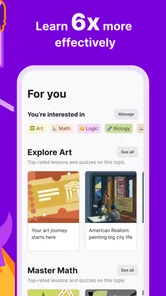
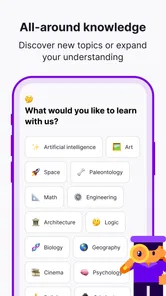
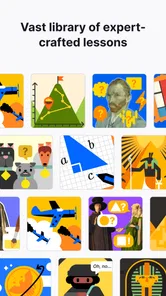
One thing I absolutely love about Nibble is the breadth of topics it covers. Whether you’re into science, history, pop culture, or technology, there’s something here for you. The app curates content in a way that feels spontaneous yet organized, like the perfect balance between chaos and order. You can choose to dive deep into a subject or just nibble on a few facts here and there. Either way, you’re bound to learn something new.
That variety is most useful when I’m not ready to commit to a single subject. I can follow a passing interest without signing up for a course or spending time building a reading list first. The trade-off is that broad browsing can leave me with a collection of interesting fragments rather than a connected understanding. If I notice myself returning to the same subject, that is my cue to switch from sampling to a more deliberate source.
The User Experience
Using Nibble is as easy as pie. The app is well-structured and user-friendly, making it effortless to navigate through different sections. Each piece of content is crafted to be consumed quickly, perfect for those breaks between meetings or while waiting for your coffee to brew. Plus, the app doesn’t bombard you with ads, which is always a pleasant surprise.
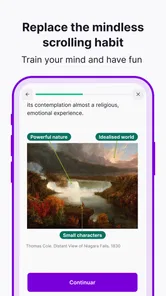
The bite-sized articles are not only informative but also engaging, with a conversational tone that makes learning feel less like a chore and more like a chat with a curious friend. The visuals are a nice touch too, breaking up the text and making each piece more digestible.
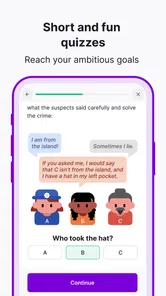
For me, the quiz is worth approaching as a retrieval check, not just a finish line. Before tapping through an answer, I can pause and try to say the lesson’s main idea in my own words. If I can’t, I know I probably need to revisit the point rather than trusting a familiar-looking option. This is a simple way to get more learning value from a short format without turning a casual session into formal homework.
Why You'll Love It
What truly sets Nibble apart is its versatility. It’s like having a buffet of knowledge right in your pocket. You can explore at your own pace, diving deep into topics you’re passionate about or skimming through the highlights when you’re pressed for time. It’s also a great conversation starter—how cool is it to casually drop a fun fact about black holes or the history of jazz at your next dinner party?
Additionally, the app’s ability to personalize content based on your interests keeps things fresh and engaging. You’re not just reading random facts; you’re crafting your own learning journey, tailored to your unique tastes.
Making the most of a quiz-led lesson
A practical routine is to choose one subject, read at a pace that lets me follow the explanation, and then use the quiz to identify what I actually recall. If a question exposes a gap, I can revisit that idea before switching topics. If I get through the quiz easily, I still try to explain the lesson without looking; that quick self-check helps separate real recall from recognition. It’s a modest habit, but it makes short sessions feel less like passive browsing.
I would not use a quick quiz score as evidence that I can apply a concept in a real-world decision. A short lesson can make an unfamiliar subject approachable, but topics involving health, money, safety, or professional work deserve more careful research. My rule is simple: use Nibble to orient myself and generate better questions, then consult specialist material when the consequences of getting something wrong matter.
Room for Improvement
While Nibble does a fantastic job at what it sets out to do, there’s always room for growth. As a user, I’d love to see more interactive elements, maybe quizzes or challenges to test what I’ve learned. It could also benefit from a social feature, allowing users to share and discuss their favorite nibbles with friends. Imagine a community built around curiosity and shared learning!
Another potential addition could be a daily streak or reward system to encourage regular use. It’s a small thing, but gamifying the learning experience could add an extra layer of motivation to keep coming back for more.
The most important limitation for me is not the short format itself, but what it asks the learner to supply: patience with broad introductions and the initiative to go deeper when a subject warrants it. A person who wants a fixed syllabus, carefully staged practice, or a record of progress toward a formal goal may find the open-ended browsing less satisfying. In that situation, I’d choose a structured course or textbook and use this app only as an occasional change of pace.
Reliability and device fit
For practical context, Nibble is a free education app from KREMITAL LIMITED, with optional in-app purchases ranging from $6.99 to $89.99 per item. It is rated for Everyone, and its minimum OS requirement is 8.0. The current version is 1.3.9. I’d check the purchase details before committing to anything: the free entry point makes it easy to try, but optional purchases mean it’s sensible to understand what an item offers and whether it suits the way you plan to learn.
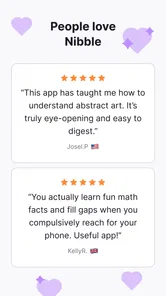
The app has a 4.2 average from around 52,000 ratings, and more than a million installs. That gives a prospective user some sense that it has reached a broad audience, but popularity is not a guarantee that every lesson will match your interests or that every session will feel equally useful. I’d judge it by whether the short format and topic selection work for me, not by the crowd alone.
I can’t fairly promise a particular level of speed, stability, battery use, or data consumption across different phones. In ordinary use, I’d keep the device’s available storage and operating system in mind, as I would with any learning app, and make sure the app is up to date if something behaves unexpectedly. If a session is interrupted, I’d reopen it and check where I left off rather than assume every lesson state is saved exactly as I expect. That is a sensible habit for any mobile study routine, not a claim about a special recovery feature.
If I were deciding whether the free starting point is enough, I’d first try the way I actually expect to use it: a lesson on a topic I care about, followed by its quiz, rather than judging the app from a quick browse through headings. I’d then consider whether I want more access or a different learning routine before buying anything. Since purchases are optional, there is no reason to treat them as necessary just to find out whether the format suits me; I would read each purchase description carefully and make the decision based on its specific value to my habits.
For an older or more constrained phone, I’d keep expectations practical. The stated minimum OS is one compatibility check, not a guarantee that every device will feel equally responsive. Closing other demanding tasks before a study session and keeping some free storage are ordinary troubleshooting steps if an app feels sluggish, though neither can guarantee a particular result. If performance is important to you, a brief trial on your own phone is more informative than assuming that short lessons automatically mean low resource use.
Who should choose it—and who may not
I’d recommend Nibble to curious people who want a gentle daily learning habit, especially those who prefer a guided lesson and a quiz over an unstructured web search. It may also suit someone who wants variety: the appeal is being able to move between broad subjects without enrolling in a full course for each one. If you learn best by watching long lectures, taking detailed notes, or following a formal syllabus, a video-course platform or a structured textbook will likely serve you better.
Compared with general-purpose articles and search results, the advantage here is a more contained learning session, with the quiz offering a reason to recall what you just read. The trade-off is that a short app lesson cannot replace the depth or source-checking you may need for serious research. I’d use it to discover a subject, then turn to reliable specialist material when accuracy, nuance, or practical expertise matters.
Compared with a long-form course, Nibble asks for less planning and makes it easier to sample unrelated subjects, but it is not the choice I’d make when I need a carefully ordered sequence or sustained practice. Compared with simply watching short videos, its lesson-and-quiz approach gives me a more deliberate moment to test recall, while video may be a better fit for someone who learns best by hearing and seeing a demonstration. The right alternative depends on whether I need discovery, depth, or a particular teaching style.
It is especially well suited to someone who likes learning but rarely has a clear hour available, or who wants a light way to explore subjects outside work or school. It is less suited to a reader who dislikes quizzes, wants references to check every claim, or needs material calibrated to a professional exam. I’d also skip it as my main study tool if I know that quick, varied content tends to distract me from a larger goal; a single focused course would keep that learner on track more reliably.
Final Thoughts
All in all, Nibble: Your Bite of Knowledge is a delightful app that makes learning accessible and fun. It’s perfect for anyone looking to enrich their mind without a significant time investment. Whether you’re a trivia buff, a lifelong learner, or simply someone who enjoys a good nugget of information, Nibble is worth checking out.
So, if you’re ready to satisfy your intellectual cravings and add a dash of knowledge to your day, give Nibble a try. You might just find it’s the perfect companion for your daily commute, lunch break, or those quiet moments in between.
Nibble: Daily Learning & Quiz Frequently Asked Questions
Is Nibble a good choice for someone who wants to learn in short sessions?
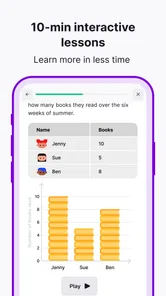
Nibble is built around interactive lessons that take about ten minutes, with quizzes included to make learning more active. That format may work well if you want to explore a topic during a break rather than commit to a long study session. It is an education app, so its focus is on quick learning rather than entertainment alone.
How much does Nibble cost, and are there purchases inside the app?
Nibble is free to download, but it offers in-app purchases. The available purchase options range from about $7 to $90 per item, so review the purchase details in the app before buying anything. The original description says the free version provides basic features and a limited selection of content, while premium access includes exclusive articles and ad-free browsing.
What is Nibble: Your Bite of Knowledge?
Nibble: Your Bite of Knowledge is an educational app designed to deliver quick, digestible insights on a wide range of topics. Its store description highlights interactive lessons that take about ten minutes, along with quizzes. Whether you're interested in science, history, or technology, Nibble provides curated content to enhance your understanding in a fun and engaging way. Ideal for curious minds seeking to learn something new each day.
Who is Nibble designed for, and what age rating does it have?
Nibble is suited to curious learners who enjoy exploring bite-sized educational content and testing what they have learned with quizzes. Its content rating is Everyone, so it is presented as suitable for a broad audience. The app is developed by KREMITAL LIMITED and has an average rating of around 4.2 from roughly 52,000 ratings, offering prospective users a sense of its audience reception.
What platforms and devices can I use Nibble on?
Nibble is available for Android and iOS devices. On Android, it requires version 8.0 or later, so it is worth checking your device’s operating system before downloading. The app is designed for mobile learning through short lessons and quizzes, making it a convenient option for fitting a little study into a break or another spare moment.
Pros
- User-friendly interface that's easy to navigate.
- Wide range of topics to explore and learn.
- Regular updates with new content.
- Interactive quizzes enhance retention.
- Compact format suits busy schedules.
Cons
- Limited offline access available.
- Some topics lack depth.
- Occasional ads can disrupt learning.
- Requires stable internet connection.
- Premium features behind a paywall.