My Card Wallet
- 1.42K
- 4.7
- Installs
- 1.00M
- Price
- Free
Screenshots
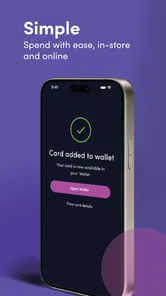
Analysis by Reviewed
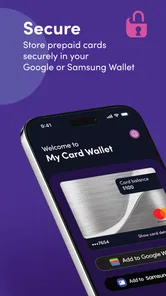
When I’m deciding whether a card app is worth keeping, I start with a practical question: does it manage the cards I actually use, or does it just add another place to check? My Card Wallet is a free finance app from Blackhawk Network, and its focus is prepaid cards. It can also connect eligible cards with Google Wallet or Samsung Wallet, which makes it most appealing if you want one place to keep track of prepaid options rather than a replacement for every payment tool on your phone.
Choose by the job you need done
The first decision is whether your problem is organizing prepaid cards or making everyday payments. Those sound similar, but they lead to different tools. A payment wallet is built around using supported cards from your phone at checkout. A bank app is where I’d look for the broader account relationship and card-specific management. This app is most relevant when prepaid cards sit awkwardly between those two: useful enough to keep, but easy to forget or mix up.
I’d also decide how much of my routine depends on one particular card. If a card is essential for a purchase, I wouldn’t make the app the only way I can access it until I’ve confirmed the card behaves as I expect. If I’m simply trying to keep a few prepaid options organized, the risk of trying a dedicated wallet is much lower. That distinction helps set realistic expectations before spending time moving anything.
Support and compatibility are the first checks
That distinction matters. A bank’s own app is usually the more natural home for a checking account or credit card, while a phone’s payment wallet is built for tap-to-pay and cards that can be added there. My Card Wallet makes more sense when prepaid cards are the ones you tend to forget, misplace, or leave with small balances. Before relying on it, I’d check whether the particular card I use is supported and whether it can be added to the phone wallet I prefer.
The app has been available since March 7, 2018, and its current version is 6.0.1.g. Its 4.6 average comes from around 8,500 ratings, with about 995 written reviews, and it has more than 500,000 installs. Those figures suggest a sizable user base, but I’d still judge it by whether it fits my own prepaid-card routine. It’s rated for Everyone and requires iOS 11 or later.
Keeping prepaid cards within reach
Imagine carrying all your cards without the bulk of a physical wallet. That's exactly what My Card Wallet offers. The app lets you store all your debit, credit, loyalty cards, and even your gym membership cards electronically. It's like having a digital vault in your pocket. No more worrying about leaving a card at home or misplacing it.
Seamless User Experience
The first thing I noticed when I started using My Card Wallet is how user-friendly it is. From the get-go, the interface is intuitive, making it super easy to add new cards. All you need is a few taps on your screen, and you're good to go. Plus, the app supports a wide range of card types, so chances are, you'll be able to add any card you own.
More From Our News Desk

 Bolt: Request a Ride
Bolt and the Shift from One-Tap Rides to More Legible Trips
Bolt shows how ride-hailing is shifting from a one-tap taxi request toward a more legible, choice-driven trip, while leaving the hardest questions of price and reliability unresolved.

 Farm Land - Farming life game
Farm Land Review: A Small Island Farm with a Satisfying Loop
A bright, breezy island farm turns a few quick chores into a satisfying cycle of planting, harvesting, expanding, and deciding what to build next.

 Android Auto
’s Community Takes Shape in the Passenger Seat
Its most valuable network is not a public feed but a shared set of routes, voice habits, app integrations, and advice that make driving less isolating—and sometimes more complicated.

 My Talking Angela
 Makes the Virtual Pet Feel Personal
A polished pet-raising game built on small rituals, playful customization, and a character who gives everyday screen time a surprisingly personal rhythm.

 Google Translate
 Review: A Pocket Tool for the Small Frictions of Travel
From menus and signs to quick conversations, Google Translate earns its place by cutting the little delays that make unfamiliar language feel like a barrier.

 Shazam: Find Music & Concerts
Shazam’s Best Trick Is Turning a Song Into a Night Out
A few seconds of recognition can settle an argument, rescue a half-remembered chorus, and point toward a live show. Shazam’s real trick is what happens after the match.
Latest News



Enhanced Security Features
Now, I know what you're thinking: "Is it safe?" Trust me, I had the same concern. But My Card Wallet has got you covered with top-notch security features. It uses encryption to protect your card details, and you can set up a PIN or use biometric authentication for added security. It's like having a personal security guard for your wallet!
Quick Access Anytime, Anywhere
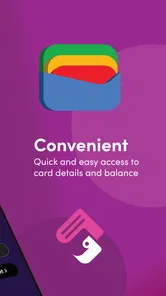
One of the standout features of My Card Wallet is the quick access it provides. Whether you're at the checkout counter or logging into your favorite online store, your cards are just a tap away. It's incredibly convenient, especially when you're in a rush and don't want to dig through your bag.
Another detail I love is the app's ability to organize your cards. You can categorize them, making it easier to find the one you need in a pinch. Plus, the search feature is a lifesaver for those of us who aren't as organized as we'd like to be.
Make a useful card easier to find
A small but practical benefit of organizing prepaid cards is being able to distinguish the card you mean before you’re standing at a checkout. I’d give each one a name that identifies its purpose, not just the issuer, especially if several cards look alike. A label such as “gift” or “travel” can be more useful in the moment than a generic card name. That habit also makes search and categories worthwhile rather than decorative.
For someone who keeps a card for a particular shop or occasion, the app can function as a reminder that the card exists. I’d review the list when I receive a new prepaid card and remove or rename entries when my habits change. The point isn’t to build a perfect catalogue; it’s to reduce the time spent guessing which card has the balance or purpose I have in mind.
A useful everyday routine, with limits
Here’s a realistic use: I receive a prepaid card, add it to the app, then check that it’s available before heading to a shop. At checkout, I can bring up the card without sorting through a stack of plastic. If it can be added to Google or Samsung Wallet, that gives me another route for using it on my phone. I’d still keep the physical card until I’ve confirmed the setup works; a digital record is handy, but it’s not a reason to assume every retailer or payment terminal will accept it.
For a smoother routine, I’d add cards when I have a quiet moment rather than in a queue, and use clear names or categories so similar prepaid cards don’t blur together. I’d also check balances or card status with the card issuer when making a purchase decision; a wallet app can organize access, but it shouldn’t be treated as a substitute for the issuer’s own account information. That small distinction helps avoid an awkward moment when a card isn’t usable as expected.
What to check before depending on it
If you’re wondering whether you can leave the plastic card at home, I wouldn’t make that assumption at the start. First confirm that your card is supported, then check whether the way you intend to pay works through the app or through a connected phone wallet. A card that is visible in a digital organizer is not automatically the same thing as a card ready for contactless payment. Keeping the physical card nearby for the first few uses gives you a sensible fallback.
Another useful check is whether you need the app to answer a balance question or simply help you find the right card. For decisions about how much you can spend, I’d go to the issuer’s own channel rather than infer anything from an organized card entry. This division of labor is not a drawback if you know it in advance: the app can make prepaid cards easier to keep together, while the issuer remains the reference point for account details.
When another option is better
If most of your spending comes from a bank card already set up in your phone’s payment wallet, that wallet is likely the simpler everyday choice. If you need detailed account management, the card issuer’s app may be a better source for card-specific information. My Card Wallet is the more targeted option when prepaid cards are the clutter you want to handle. I wouldn’t choose it expecting it to replace a bank app, a payment wallet, or a physical card in every situation.
There is also a small switching cost: you need to spend time adding cards and checking that the ones you care about work the way you expect. If you only carry one prepaid card occasionally, keeping it in your regular wallet may be less effort. If you regularly juggle several, the organizational benefit is easier to justify. And because card details are sensitive, I’d use the app only on a device I protect with a screen lock and avoid treating a stored card as risk-free just because it is digital.
Who gets the most from this kind of wallet
I’d consider it most useful for someone who receives prepaid cards regularly, carries several for different purposes, or tends to forget small balances until a later trip. It can also suit a household where one person is responsible for keeping track of gift cards or prepaid spending cards, provided each card is supported and the person is comfortable managing them on a phone. The value comes from reducing the mental load of remembering what is tucked away, not from replacing the financial tools used for everyday banking.
By contrast, I’d skip it if I almost never use prepaid cards, prefer to keep every card physically in one place, or need a single app to show a complete picture of accounts and transactions. It may also be a poor fit if I’m not willing to spend a little time checking compatibility and organizing entries. For those users, the phone’s built-in payment wallet, the card issuer’s app, or a simple physical-card routine may be more direct.
Why You Should Give It a Try
In a world where everything is going digital, keeping up with the trend is crucial, and My Card Wallet does just that. It's designed to make your life easier by reducing clutter and keeping all your important cards just a swipe away. Whether you're a frequent traveler, a shopping enthusiast, or just someone who loves technology, this app is a game-changer.
So, are you ready to ditch your bulky wallet and embrace the digital age? Give My Card Wallet a try and experience the convenience of having all your cards in one secure place. I promise, once you start using it, you'll wonder how you ever managed without it!
Keep the transition small and reversible
I’d treat the first setup as a trial rather than a full move. Add the prepaid card I use most, give it a clear label, and test the route I expect to use before adding everything else. That makes it easier to spot whether the app solves a real problem for me. If it doesn’t, I can leave the rest of my routine untouched instead of investing time in a complete migration.
It’s also worth deciding what “working” means before I start. If my goal is to find a card quickly, clear organization may be enough. If my goal is to pay by phone, I need to verify that the card can be used through the relevant wallet and that the intended checkout accepts that method. Separating those goals avoids judging a card organizer by payment functions that belong to a different part of the setup.
My recommendation
I’d recommend trying it if prepaid cards are a recurring part of your routine and you want an easier way to keep them together, especially if you already use Google Wallet or Samsung Wallet. I’d skip it if you rarely use prepaid cards or expect one app to handle all banking and payments. The useful test is simple: add the prepaid card you reach for most, confirm how it works for your needs, then decide whether managing the rest there saves you time.
My Card Wallet Frequently Asked Questions
What should I know about My Card Wallet before downloading it?
My Card Wallet is a finance app from Blackhawk Network for managing prepaid cards and adding them to Google or Samsung Wallet. It is free to download and has an Everyone content rating. If your main goal is keeping prepaid cards together and making them easier to use with supported digital wallets, its stated purpose is straightforward.
Which devices can install My Card Wallet?
The current version is 6.0.1.g, and the minimum operating system requirement is version 11. Check that your device meets this requirement before downloading, since an older operating system may prevent installation or use. My Card Wallet is listed as an Android app, so make sure you are viewing the version intended for your device.
What features does My Card Wallet offer for organizing cards?
My Card Wallet offers a comprehensive suite of features designed to make organizing and managing your cards effortless. Users can seamlessly store and categorize various types of cards including credit, debit, loyalty, and membership cards. The app includes a secure cloud backup to ensure your data is never lost, and a user-friendly interface that allows for quick access and management of your cards. Additionally, the app supports barcode and QR code scanning to easily add new cards.
How secure is My Card Wallet in protecting my personal information?
Security is a top priority for My Card Wallet. The app employs advanced encryption standards to protect users’ personal and financial information. It features a secure login process with options for biometric authentication, such as fingerprint and face recognition, to ensure that only you can access your card details. Furthermore, all data is securely backed up in the cloud, providing an additional layer of protection against data loss.
Can I use My Card Wallet offline, or does it require an internet connection?
My Card Wallet is designed to be functional both online and offline. Users can access and manage their stored cards without an internet connection, making it convenient for use in situations where connectivity is limited. However, for features like cloud backup and syncing across devices, an internet connection is necessary to keep your information up-to-date and secure.
Pros
- Secure storage for multiple card types
- Easy-to-use interface
- Supports digital receipts
- Offline access available
- Customizable categories
Cons
- Limited cloud backup options
- No biometric authentication
- Occasional sync issues
- Ads in free version
- Lacks multi-device sync