MoneyLion: Banking & Cash Back
- 42.36K
- 4.4
- Installs
- 5.00M
- Price
- Free

Screenshots



Analysis by Reviewed
Finance apps often become frustrating at the moment you need them most: a screen will not load, a connection step stalls, or an option turns out not to work the way you expected. I think it helps to approach MoneyLion: Bank & Earn Rewards as a hub for several kinds of money tools, rather than assuming every service will be equally useful from day one. That expectation makes setup and everyday use easier to judge.
Where setup and access can feel slow
MoneyLion is a free finance app from MoneyLion Inc. for Android and iOS, and its mix of banking, rewards, cash advances, personal loan offers, and other money tools is appealing if you want fewer separate apps. The trade-off is that an all-in-one dashboard can take more attention than a basic bank app. Before relying on any feature, I would check that the app is current, the account details are entered correctly, and the phone has a stable connection. The current version is 7.140.0, and the minimum operating system requirement is 7.0.
A common point of uncertainty with financial apps is whether a feature is ready for a particular person or situation. I would treat cash advances and loan offers as options to review, not money to count on before checking the terms and eligibility shown in the app. If you only need a place to view transactions, a simpler account app may feel more direct; MoneyLion makes more sense when you are willing to explore several tools and decide which ones fit.
Small checks before troubleshooting
If a screen appears stuck, I would first close and reopen the app, confirm the connection, and check that the device’s operating system meets the requirement. Then I would retry the action once rather than repeatedly tapping buttons, especially around financial steps where duplicate attempts can cause confusion. If the issue concerns linked financial information, reviewing the details you entered is a sensible next step. For anything involving access to funds or an account decision, use the in-app support route instead of guessing.
For rewards, I would make a habit of checking the applicable conditions before changing where I spend. A reward is only useful if the eligible activity matches purchases you already planned. That keeps the app from nudging you into spending more just to chase a perk. Likewise, cash advances can help with a short-term gap, but they are not a substitute for a budget or a regular income plan.
Making the dashboard work for your habits
A useful way to test an all-in-one finance app is to decide what job you want it to do before you start exploring. For example, I might use MoneyLion as a weekly spending check-in, then look at rewards only when I am already planning a purchase. That keeps the dashboard from turning into another stream of financial prompts to monitor. If the app helps with that one routine, I can gradually decide whether any other section deserves my attention.
I would also separate “available to view” from “ready to use.” Seeing a financial tool or offer in an app does not automatically make it the right choice for a particular bill or purchase. Before accepting an advance or pursuing a loan offer, I would pause to read its terms, compare the cost and timing with alternatives, and consider whether the repayment would make the next pay period harder. Convenience matters, but it should not replace that check.
More From Our News Desk

 Bolt: Request a Ride
Bolt and the Shift from One-Tap Rides to More Legible Trips
Bolt shows how ride-hailing is shifting from a one-tap taxi request toward a more legible, choice-driven trip, while leaving the hardest questions of price and reliability unresolved.

 Farm Land - Farming life game
Farm Land Review: A Small Island Farm with a Satisfying Loop
A bright, breezy island farm turns a few quick chores into a satisfying cycle of planting, harvesting, expanding, and deciding what to build next.

 Android Auto
’s Community Takes Shape in the Passenger Seat
Its most valuable network is not a public feed but a shared set of routes, voice habits, app integrations, and advice that make driving less isolating—and sometimes more complicated.

 My Talking Angela
 Makes the Virtual Pet Feel Personal
A polished pet-raising game built on small rituals, playful customization, and a character who gives everyday screen time a surprisingly personal rhythm.

 Google Translate
 Review: A Pocket Tool for the Small Frictions of Travel
From menus and signs to quick conversations, Google Translate earns its place by cutting the little delays that make unfamiliar language feel like a barrier.

 Shazam: Find Music & Concerts
Shazam’s Best Trick Is Turning a Song Into a Night Out
A few seconds of recognition can settle an argument, rescue a half-remembered chorus, and point toward a live show. Shazam’s real trick is what happens after the match.
Latest News



For someone sharing household costs, the app may be useful as a personal place to review their own spending and rewards, but I would not assume that a single dashboard automatically gives everyone in a household a shared picture. Keep track of which purchases and accounts you are reviewing, and avoid making decisions based on a partial view. This is a small habit, but it prevents a tidy-looking screen from being mistaken for a complete household budget.
Get to Know MoneyLion
So, what is MoneyLion all about? At its core, it’s a financial app available for both Android and iOS that offers a unique combination of banking services and rewards. It’s designed to help you take control of your finances while rewarding you for doing so. It’s like hitting two birds with one stone! The app provides a range of services, including free checking, cash advances, and even investment options. Plus, you can earn rewards for everyday spending, which is pretty sweet.
Features that Make a Difference
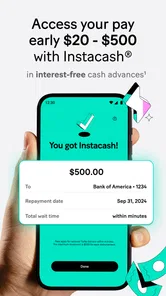
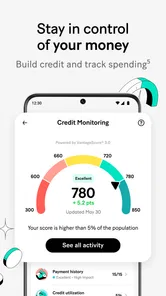
The app’s interface is super user-friendly. From the moment you log in, you’re greeted with a dashboard that neatly categorizes your financial activities. You can easily track your spending, savings, and investments all in one place. One of my favorite features is the cash advance option. It’s a lifesaver when you’re in a pinch and need a quick financial boost without the pesky interest rates.
Another standout feature is the rewards system. Who doesn’t love earning points for making purchases? With MoneyLion, every transaction gets you closer to rewards like gift cards and cashback. It’s a fantastic incentive to keep using the app for your daily expenses.
Using it in an ordinary week
The app’s strongest case is for someone who already checks their spending and wants to add rewards or compare available financial tools without switching between several services. I could see opening the dashboard after a grocery run, checking where money went, and then reviewing rewards without changing my usual routine. If a bill is due before payday, a cash-advance option may be worth examining, but I would compare its displayed terms with other ways to bridge the gap before acting.
That workflow is different from a conventional bank app, which is usually best for routine account tasks, or a standalone rewards app that focuses narrowly on offers. MoneyLion’s broader approach can save app-hopping, but it also means not every section will matter to every user. I would start with the one or two tools I actually need, learn their conditions, and leave the rest alone until there is a reason to explore them.
When another option may suit you better
I would skip MoneyLion if you want only a plain checking interface, dislike managing multiple financial features in one place, or would be tempted to borrow simply because an advance is available. A traditional bank’s own app may be clearer for someone who values a single provider and straightforward account servicing. Someone focused only on earning purchase rewards may prefer a dedicated program whose rules are easier to compare. The practical question is whether the combination is useful enough to justify the extra choices.
MoneyLion is rated 4.7 on average, with around 201,000 ratings and 40,000 reviews, and it has over 5 million installs. It is rated for Everyone and has been available since May 19, 2016. Those figures suggest broad uptake, but they do not tell me whether a particular advance, offer, or reward will fit your circumstances. I would judge those options by their own terms, not by the app’s popularity.
Security and Support
When it comes to handling money online, security is a top concern for many of us. Thankfully, MoneyLion takes this seriously. They use bank-level encryption to protect your data, and I’ve always felt secure knowing that my financial information is in safe hands. Plus, their customer support is just a tap away. Anytime I’ve had questions, their team has been prompt and helpful, which is always a big plus in my book.
If a problem persists after basic checks, I would note which screen or task failed and contact support through the app rather than repeatedly retrying. Some delays can come from a connection or device issue, while a declined or unavailable financial option may depend on eligibility or the details of that request, not a broken app. Keeping those possibilities separate helps you troubleshoot without making unnecessary changes to your accounts.
When the app may not be the cause
It is tempting to treat every interrupted action as a software fault, but financial requests can have several stages: entering details, reviewing an option, and waiting for an outcome. If one step does not proceed, note where it stopped and whether the screen gave an instruction. A general connection check and a careful review of the information you entered are reasonable first moves; changing account details repeatedly is not. For a decision about eligibility or access to funds, support is a more useful route than trying the same request again and again.
There is also a difference between an offer not matching your needs and a technical problem. If an advance or loan option is available but its terms do not work for your budget, leaving it alone is a valid outcome. If an expected reward does not seem to apply, check the conditions attached to that reward before assuming a purchase qualifies. I would keep a simple note of the screen and the action involved if I needed help, so I could explain the issue clearly without sharing sensitive account information unnecessarily.
Choosing a sensible first use
MoneyLion is most appealing to people who are comfortable reviewing several kinds of financial tools and can resist treating every prompt as a recommendation. A person who tracks expenses and wants rewards alongside other money options may appreciate that breadth. Someone who only wants to check a balance, move money, or manage one account may find a bank’s focused app easier to navigate. The best choice depends less on the number of features and more on whether the combined dashboard makes your routine simpler.
For a realistic example, imagine checking spending after a weekly grocery trip and seeing a reward that might apply to a purchase you were already planning. I would compare its conditions with the purchase, then decide whether it is worth using; I would not add something to the cart just to earn a perk. Later, if an unexpected bill falls before payday, I would review any available cash option only after considering the repayment and other ways to cover the timing gap. That sequence uses the app as a source of choices rather than letting it set the budget.
One practical tip is to make your first session an orientation rather than a commitment: find the areas relevant to your goal, read the terms for anything involving borrowing or rewards, and leave unrelated tools unopened. Another is to revisit rewards before a planned purchase instead of checking them while browsing for things to buy. These habits make the rewards feature more likely to complement ordinary spending rather than encourage extra spending, and they keep the app’s broader menu from becoming a distraction.
Final Thoughts
In a nutshell, MoneyLion: Bank & Earn Rewards is a solid app for anyone looking to streamline their financial management while reaping the benefits of a rewards system. It’s intuitive, secure, and genuinely rewarding. Whether you’re looking to save, spend, or invest, MoneyLion covers all bases. So, if you’re on the hunt for a versatile financial app, give MoneyLion a try. You might just find it’s exactly what you’ve been looking for.
My practical advice is to begin with a specific goal—tracking spending, checking a reward, or understanding an available offer—rather than trying to adopt every tool at once. That makes it easier to see whether the dashboard genuinely helps and whether the terms suit your habits. If it does, the convenience is real; if you mainly need basic banking, a simpler alternative may be a better fit.
MoneyLion is free to download and is intended for Everyone; its established presence in finance, reflected in over 5 million installs, may reassure people who prefer an app with a substantial user base. Still, popularity does not settle the personal questions that matter most: whether the interface fits your routine, whether an offer suits your circumstances, and whether you are comfortable keeping several financial tools together. I would use those as my own decision points rather than treating an average rating as a promise of a particular outcome.
The app’s current release is 7.140.0, and it has been available since May 19, 2016. Those details are useful when checking compatibility and deciding whether to update, but they do not remove the need for ordinary troubleshooting. If a feature behaves unexpectedly, I would check the connection, confirm the device meets the operating-system requirement, and try again once. If the issue is tied to an account decision or a financial request, I would stop there and ask support rather than assuming an update or repeated attempts will change the result.
MoneyLion: Banking & Cash Back Frequently Asked Questions
Can I use MoneyLion to get a cash advance or compare personal loan offers?
MoneyLion’s app summary highlights fast cash advances and personal loan offers alongside banking and cash-back rewards. These options may be useful if you are comparing ways to access money, but borrowing is a financial commitment, not simply another app feature. Review the specific terms, repayment expectations, and any charges shown for an offer before deciding whether to proceed.
How do I know whether MoneyLion’s tools fit the way I manage money?
Think about which features you actually want to use before downloading: banking, investing, borrowing, spending tools, rewards, or financial guidance. MoneyLion brings these types of services together, so it may suit someone who prefers exploring several money tools in one app. You can also focus on the features relevant to you rather than treating every offering as necessary.
Who is MoneyLion designed for, and what can I use it for?
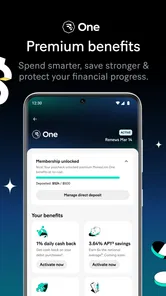
MoneyLion is a finance app for people who want to bring everyday money tools together in one place. Its offerings include banking, investing, borrowing, spending tools, rewards, and financial guidance. The range can make it useful for exploring several kinds of money management in one app, though the services you choose to use may have their own terms and conditions.
Is MoneyLion free to download, and which devices can run it?
MoneyLion is free to download, and its age rating is Everyone. The app runs on Android devices with Android 7.0 or later, so checking your device’s operating system before installing is a sensible first step. Some services inside the app may involve charges or other terms, so free installation should not be taken to mean that every financial product or feature is free to use.
What is MoneyLion and how does it work?
MoneyLion is a financial app designed to help users manage their money, offering services like banking, investing, and borrowing. It provides users with tools to track their spending, earn rewards through their spending habits, and access personalized financial advice. The app aims to simplify financial management by integrating various financial services into a user-friendly platform.
Pros
- User-friendly interface for easy navigation.
- Offers rewards for regular usage.
- Instant access to earned cash rewards.
- Comprehensive financial tracking tools.
- Secure and reliable banking features.
Cons
- Limited availability outside the US.
- Some features require a premium account.
- Occasional app glitches reported.
- Limited customer support hours.
- Rewards may take time to accumulate.