MetaMask - Crypto Wallet
- 6.40K
- 4.5
- Installs
- 10.00M
- Price
- Free

Screenshots
Analysis by Reviewed
Have you ever found yourself intrigued by the world of blockchain but unsure where to start? Well, let me introduce you to MetaMask - Blockchain Wallet, a nifty app that bridges the gap between you and the expansive universe of decentralized finance (DeFi). After spending some quality time with this app, I’m here to spill the beans on what makes it a must-have for crypto enthusiasts.
The Gateway to Decentralized Apps
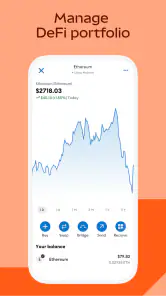
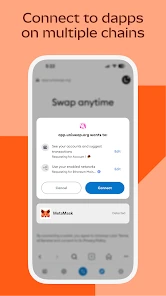
MetaMask isn’t just any digital wallet; it's your passport to the decentralized web. At first glance, you might mistake it for a straightforward crypto wallet, but it’s so much more. The app allows you to store and manage Ethereum-based assets effortlessly. But that’s not all – it also lets you seamlessly interact with decentralized applications (dApps). Imagine having all your favorite dApps just a tap away!
Easy Setup and User-Friendly Interface
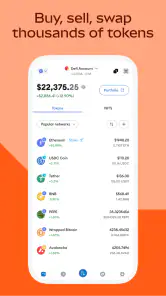
Let’s talk about the setup process, which is as easy as pie. Trust me, even if you’re new to the crypto world, this app won’t leave you scratching your head. The installation is quick, and the user interface is intuitive. You’ll find it easy to navigate through your assets, check your transaction history, and even explore new dApps without any hassle.
Security: Your Assets are Safe
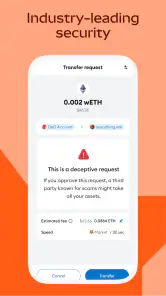
Security is a top priority when dealing with cryptocurrencies, and MetaMask - Blockchain Wallet doesn’t disappoint. It features a robust security system that includes password encryption, secure login, and recovery options. The app empowers users by storing private keys locally on your device, so you remain in control. Remember, in the crypto world, control over your private keys means control over your assets!
Seamless Transactions and Exchange
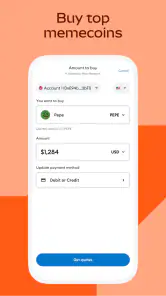
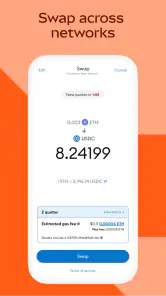
Transacting with MetaMask is a breeze. Whether you’re sending or receiving tokens, the process is smooth and fast. The built-in exchange feature allows you to swap tokens without leaving the app, which is a huge time-saver. Plus, the app supports multiple networks, giving you the flexibility to manage various types of cryptocurrencies with ease.
In conclusion, MetaMask - Blockchain Wallet is not just a tool; it’s an experience. It opens doors to the decentralized world in a way that’s accessible and user-friendly. Whether you’re a seasoned crypto trader or a curious newbie, this app will cater to your needs while ensuring your assets remain secure. So why wait? Dive into the future of finance with MetaMask and explore the endless possibilities it offers!
Pros
- User-friendly interface for beginners.
- Supports multiple cryptocurrencies.
- Secure login with biometric options.
- Easy integration with dApps.
- Regular updates and improvements.
Cons
- Requires internet connection.
- Limited customer support options.
- Complex for non-tech-savvy users.
- No built-in exchange for all coins.
- Can be vulnerable to phishing attacks.

- Category
- Finance
- Version
- 7.60.2











