Manta: Comics & Graphic Novels
- 3.83K
- 3.7
- Installs
- 5.00M
- Price
- Free

Screenshots





Analysis by Reviewed
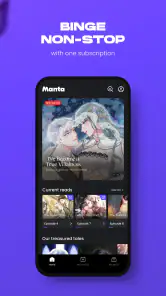
I like a comics app best when it makes it easy to find a series that suits my mood, then lets me read without turning every spare moment into a hunt through menus. Manta: Comics & Graphic Novels is built around that kind of browsing, with comics, webtoons, Korean manga and webnovels gathered in one place. It is a free app from RIDI Corporation, and its focus feels especially appealing if you enjoy discovering serialized stories rather than buying individual print volumes.
What the current version is built for
Manta sits in the comics category, but its mix of formats gives it a broader reading feel than a digital shelf devoted only to traditional comic books. The vertical, phone-friendly approach suits short sessions: I can read a chapter while waiting for a coffee or pick up a story at home without needing to set aside a long stretch of time. Its Teen age rating also makes it important to remember that the catalogue is aimed at teen readers and older, not necessarily young children.
The app has been available since November 9, 2020, and its current version is 25.11.434. That gives existing readers a clear sense that this is an established product rather than a newly launched experiment. I would treat the version number as a snapshot of its present state, not a promise about what a future update will add. With a 3.7 average from around 61,000 ratings and more than 5 million installs, it has found a sizable audience, though those figures alone cannot tell you whether its particular stories will match your taste.
A Treasure Trove of Stories
The first thing that caught my attention about Manta was its extensive library. Whether you’re into romance, fantasy, or action-packed adventures, Manta has got something for everyone. I was particularly impressed by the diversity of genres and the quality of the artwork, which is nothing short of stunning. The app updates regularly, so there’s always something new to explore. Imagine having a comic book store right in your pocket!
User-Friendly Experience
Now, let’s talk about the user experience. Navigating through the app is a breeze, thanks to its intuitive design. As someone who appreciates a seamless interface, I found the layout easy to use and visually appealing. It’s like the app just knows what you’re looking for and presents it in the most accessible way. Plus, the offline reading feature is a lifesaver for those moments when you’re away from a Wi-Fi connection but still crave a good story.
One small habit makes browsing more rewarding: I keep a short mental shortlist of stories to sample instead of committing to the first appealing cover. I’ll open a few options, read enough to judge the artwork and pacing, and then decide which one deserves a place in my routine. That approach is especially useful when I have only a brief break; it stops the discovery process from taking longer than the reading itself.
Immersive Reading Features
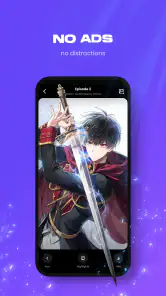
Reading on Manta is not just about flipping digital pages; it’s an immersive experience. The app allows you to zoom in on the artwork, which is great for those who love to appreciate every detail. The scrolling feature is smooth, making the transition between panels feel almost cinematic. Trust me, it’s easy to lose track of time when you’re so engrossed in the storytelling.
More From Our News Desk

Weather by Xiaomi Review: Clear at a Glance, Less Clear Up Close

X Under Pressure: Can It Recover When Posting Goes Wrong?

Clash of Clans Is Won Between the Battles

Android Auto Makes the Case for Quieter Car Software

MobiOffice: Transforming Mobile Productivity with Seamless Integration

EA SPORTS FC™ Mobile Soccer: Redefining Mobile Sports Gaming
One practical way I use a serialized-reading app is to keep a short list of promising stories to sample, rather than committing to the first attractive cover. With recommendations in the mix, I can follow one familiar genre and still leave room for a surprise. If I’m reading on a commute, I also decide beforehand what I want to continue, so I spend the ride reading instead of browsing. That small habit matters most when a series has a cliffhanger and I have only a few minutes before my stop.
Who will get the most from it
I’d point Manta toward readers who enjoy illustrated serials, particularly anyone curious about Korean comics and webnovels alongside more familiar comic formats. It can work well as a low-effort evening routine: browse after dinner, try a story, and return to it in short chapters during the week. Readers who prefer a complete graphic novel in one purchase, a broad mix of publishers in a single storefront, or the tactile feel of print may find a conventional ebook shop, another comics service, or a local library a better fit.
Compared with a general ebook reader, Manta is more centered on illustrated and serialized reading, so its format is a strength when that is what you want and a limitation when you mainly read prose. Against other comics apps, the deciding factor is less the scrolling itself than whether the available series and access model suit your habits. I would browse a few sample titles before settling in; a polished reader cannot make a genre or catalogue feel right if the stories are not for you.
A realistic test is to fit it into a week you already have, rather than imagining an ideal reading schedule. I might sample a story over breakfast, continue a chapter while waiting for an appointment, and save a longer session for the weekend. If I keep returning to the same series without feeling that I need to browse endlessly, the app is earning its place. If I open it only to search and leave without reading, a more focused storefront or a library’s ready-to-finish volumes may suit me better.
Subscription and Access
While Manta offers a plethora of free content, there is a subscription model for those who want to unlock everything the app has to offer. It’s priced reasonably, especially considering the quality and quantity of stories available. I found the subscription to be a worthy investment for any avid reader, ensuring you have access to exclusive content and early releases.
For a new reader, the useful question is not simply whether the app is free, but how often you expect to read and what access you need. Manta costs nothing to install, while optional in-app purchases range from $0.49 to $59.99 per item. I’d start by exploring the free material and only spend once I understand how the particular series I want to follow is made available. That avoids paying for an access pattern that does not suit my reading pace. Someone who reads occasionally may be happier sampling free stories; a regular reader may value broader access, provided the subscription terms match what they actually want.
Before paying, I would check the exact access choice shown for the series I plan to follow and consider how consistently I read. A subscription can make sense when I move between several stories, but a reader who follows one title slowly may not get the same value from paying for broader access. I also avoid assuming that one purchase automatically covers every story or reading situation. Taking a moment to understand the option at checkout is more useful than judging value from the app’s free install alone.
Small trade-offs that shape the experience
Offline reading is useful when a connection is unreliable, but it is worth thinking about downloads as part of a reading routine rather than assuming every story will be ready without planning. Before a flight or a long trip, I would open the titles I intend to read and check that the chapters I need are available offline. Likewise, recommendations can save browsing time, but I would not let them become the only route to new stories: following a familiar taste can make the feed feel comfortable while narrowing what I discover. A deliberate search outside my usual genres is a simple way to keep the catalogue feeling fresh.
There are also ordinary screen-reading trade-offs. A phone makes vertical episodes convenient, but dense artwork and small lettering can be less comfortable on a compact display; zooming helps with detail, though it can interrupt the flow. If I expect a long session, I would use a larger screen where possible or take breaks rather than treating every chapter as a quick scroll. The minimum operating system requirement is Android 7.0, so readers should check their device compatibility before planning to make it their main library.
For a commute, I would prepare before leaving rather than rely on a last-minute connection. I’d choose a specific story, open the chapters I hope to read, and test that offline access works before putting my phone away. This turns a useful feature into a dependable routine and avoids arriving at a weak-signal stretch only to discover I should have planned ahead. It also helps me keep a trip’s reading focused instead of using mobile data to browse the catalogue as I go.
What to expect as a returning reader
For existing users, the current version number gives a concrete point of reference, but it does not by itself reveal which features have changed over time. The more useful test is whether the app still makes your own routine easy: can you find the series you follow, continue reading comfortably, and manage access in a way that feels worthwhile? I would judge an update by those everyday details rather than assuming that a higher version number guarantees a major redesign or a specific new feature.
There is room for friction, especially if you dislike paid access in a reading service or want every title to work under one simple arrangement. The in-app purchase range is wide enough that I would inspect the specific option before confirming a purchase, rather than treating the low end as representative of every choice. Ratings and review totals can help set expectations about the size of the community, but they are not a substitute for trying a few chapters yourself.
When revisiting the app after an update, I would check the parts that affect my own habits first: whether the stories I follow are easy to reach, whether my reading setup still feels comfortable, and whether the access options remain clear to me. That is a more useful personal check than expecting every update to change how the whole service works. If a change makes my routine less convenient, I can reassess whether the app still fits rather than assuming I need to adapt to it.
My recommendation
In conclusion, Manta: Comics & Graphic Novels is a fantastic app for anyone looking to dive into the world of comics and graphic novels. With its vast library, user-friendly interface, and immersive reading features, it provides a reading experience that is both enjoyable and engaging. So, if you haven’t checked it out yet, I highly recommend giving Manta a try. Who knows, you might just find your next favorite comic series!
My recommendation is strongest for readers who like discovering serialized stories on a phone and are willing to check how access works for the titles they care about. I would skip it if my priority were print, one-off purchases of complete volumes, or a mainly prose-based library. Otherwise, the sensible approach is simple: browse first, sample a few stories, and see whether the artwork, pacing, and payment choices fit the way you actually read. That is a better test than any headline rating, and it gives you a realistic feel for whether this particular comics app belongs in your daily rotation.
Manta: Comics & Graphic Novels Frequently Asked Questions
What is the minimum operating-system version needed to install Manta?
Manta’s minimum operating-system requirement is Android 7.0 or later. Check your device’s software version before downloading to make sure it meets that requirement. The app is developed by RIDI Corporation and is available for Android and iOS, so readers can use a compatible phone or tablet. It is free to download, with optional in-app purchases.
Is Manta free to download, and what can lead to extra costs?
Manta is free to download, and optional in-app purchases are available. Some purchases range from 49 cents to $59.99 per item, so check the price shown for an item before confirming a transaction. The app offers comics, graphic novels, webtoons, Korean manga, and webnovels, with access and costs depending on the content or purchase you choose.
What kinds of stories and formats does Manta offer?
Manta’s catalog includes official webcomics, webtoons, Korean manga, and webnovels. Its stories cover a range of genres, including romance, fantasy, horror, and action, with different styles of storytelling and artwork. If you have a particular genre in mind, the variety may make it worth browsing the catalog to see whether its titles match your reading preferences.
Who develops Manta: Comics & Graphic Novels, and what devices can run it?
Manta: Comics & Graphic Novels is an app developed by RIDI Corporation. It is available for Android and iOS, so readers can use it on a compatible phone or tablet. Before downloading, check that your device meets the app’s minimum operating-system requirement: Android 7.0 or later. The app is free to download, with optional in-app purchases.
What is Manta: Comics & Graphic Novels?
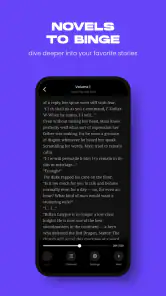
Manta: Comics & Graphic Novels is a digital platform that offers a wide array of comics and graphic novels for enthusiasts. Available on both Android and iOS, it provides a seamless reading experience with a rich library of diverse genres. Users can enjoy stories ranging from romance and fantasy to action and adventure, all accessible through a user-friendly interface. Its collection also includes official webcomics, webtoons, Korean manga, and webnovels.
Pros
- Extensive library of diverse comics.
- High-quality artwork and visuals.
- User-friendly interface.
- Regular updates with new content.
- Offline reading available.
Cons
- Requires internet for some features.
- Limited free content access.
- Ads in free version.
- No option to buy individual comics.
- Subscription model may be costly.
- Category
- Comics
- Version
- 25.11.434