WASticker-Sticker for WhatsApp
- 165.00
- 4.3
- Installs
- 5.00M
- Price
- Free

Screenshots
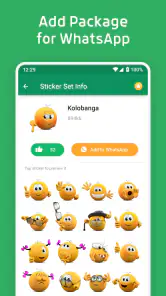
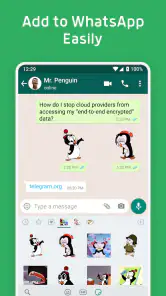
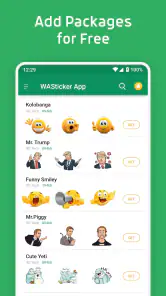

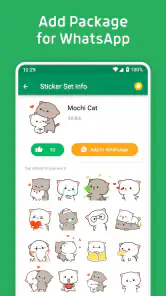
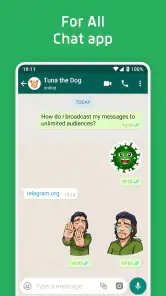
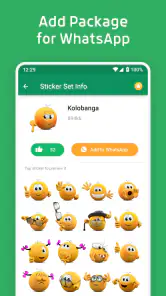
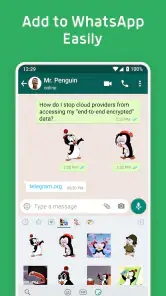
Analysis by Reviewed
For me, the first question is not whether a sticker collection looks fun; it’s whether I’ll actually use it in the chats I already have. WASticker-Sticker for WhatsApp is a free comics app from Office Tools built around adding sticker packs to WhatsApp. That narrow purpose is its appeal: I can try it without paying, then decide whether its designs earn a place in my everyday conversations.
Free to try, with value tied to use
The app is free, so I can try it without deciding whether a sticker collection is worth a purchase. That makes it an easy experiment for anyone who already chats on WhatsApp and wants more expressive replies. Free access is the clear value here; I wouldn’t treat it as a promise about every possible cost or feature beyond that.
It has a 4.3 average from around 21,000 ratings and over 5 million installs. That suggests plenty of people have tried it, but popularity can’t tell me whether a particular pack matches my sense of humor or fits the people I message. I’d use those figures as context, not as a substitute for checking the designs and seeing whether I reach for them.
How sticker packs fit into everyday WhatsApp
Let's face it, emojis are great, but stickers? They take expression to a whole new level. With WASticker-Sticker for WhatsApp, you're not just sending a smiley face; you're sending a whole vibe. Whether it's a cheeky wink or an adorable animal, these stickers help convey emotions in a more nuanced way. And let's be honest, sometimes a sticker says it better than a text ever could.
That difference is most useful when a chat is moving quickly. A sticker can acknowledge a joke, soften a short reply, or add warmth when I don’t have time to write a full message. It is less useful when the other person prefers plain text or when a conversation needs clear details: I wouldn’t use a playful image to replace an answer someone actually needs.
Choosing packs instead of collecting everything
Diving into the app, you'll find a user-friendly interface that's a breeze to navigate. The app boasts a wide array of sticker packs, each more delightful than the last. From cute animals and quirky cartoons to romantic gestures and holiday-themed stickers, there's something for everyone. Plus, they keep updating their collection, so you're always in for a surprise!
One feature that stands out is the ability to create your own sticker packs. Yes, you heard me right! You can unleash your creativity and personalize your chat experience. Just imagine sending your friends stickers of your pet or inside jokes that only your circle would get. It's a game changer!
More From Our News Desk

Weather by Xiaomi Review: Clear at a Glance, Less Clear Up Close

X Under Pressure: Can It Recover When Posting Goes Wrong?

Clash of Clans Is Won Between the Battles

Android Auto Makes the Case for Quieter Car Software

MobiOffice: Transforming Mobile Productivity with Seamless Integration

EA SPORTS FC™ Mobile Soccer: Redefining Mobile Sports Gaming
For a small friend group, custom packs have a different appeal from a huge public collection: they can make a running joke recognisable without explaining it each time. I’d keep the pack focused rather than adding every funny photo I own; a few images that work in different moments are easier to find and more likely to get reused. This is also where the app’s value depends on your habits: if you rarely send stickers, making a personal pack may be more effort than it is worth.
Before settling on a pack, I’d think about where it will appear. A design that feels funny among close friends can be confusing in a family group where not everyone knows the reference. I’d also favour images that communicate a reaction at a glance; if a sticker needs a long explanation, it may not save time or add much to the exchange. That small bit of curation matters more than having a large selection.
Custom stickers are most useful when they serve a recurring purpose, not just because a personal image can be turned into a pack. A pet’s familiar expression might work as a simple greeting or reaction, while a photo that only makes sense once could lose its charm after the original joke has passed. I’d choose images that remain understandable out of context and consider how comfortable the people in a photo would be with it being shared in a chat.
Getting from selection to a real conversation
Integrating these stickers into WhatsApp is as smooth as butter. Once you've downloaded your favorite sticker packs, adding them to WhatsApp is just a tap away. The app seamlessly integrates with WhatsApp, ensuring that your sticker-sending experience is as enjoyable as possible.
A useful everyday routine is to browse packs when you have a spare minute, add only the ones you can picture using, then try them in a real conversation rather than collecting everything at once. For example, if a family chat often shares pet photos, a relevant animal pack may be more useful there than a general set of reaction stickers. Keeping the selection intentional makes it easier to find the right expression later and avoids turning sticker choice into a distraction.
Compared with searching for a single image online or relying only on WhatsApp’s built-in emoji, sticker packs offer ready-made expressive images in a format intended for chat. The trade-off is that packs have their own visual style, and a joke that works with close friends may feel out of place in a work conversation. I’d choose a restrained pack for mixed-audience chats and save more personal or silly choices for people who know the context.
One practical test is to ask whether a sticker improves the message or merely decorates it. If I’m replying to a friend’s photo, a fitting reaction can make the exchange feel warmer. If I’m coordinating a time or explaining a change of plans, text is clearer and less likely to be misunderstood. Keeping stickers as a complement rather than a replacement for words helps them stay enjoyable instead of becoming noise.
Another useful habit is to avoid adding a pack simply because one design catches my eye. I’d look at the collection as a whole and consider whether its tone matches the chats where I expect to use it. A pack that is mostly romantic gestures may have little value if my regular conversations are with friends sharing everyday jokes. The best pack is not necessarily the most eye-catching one; it is the one I can use naturally without searching for an excuse.
For someone who wants a single image rather than a collection, finding or saving that image elsewhere may be simpler. For someone who wants expressive replies ready within WhatsApp, a sticker pack is more convenient than repeatedly searching the web. Those are different needs, so I wouldn’t call one approach universally better. The decision turns on whether I want a dependable set of reactions or occasional, one-off images.
Where the convenience has limits
So, what's the final verdict? As someone who practically lives on WhatsApp, I find WASticker-Sticker for WhatsApp to be an absolute must-have. It's not just about the stickers themselves, but the joy and ease they bring to conversations. They add personality and depth to otherwise mundane chats and can even spark new conversations.
Whether you're trying to break the ice, lighten the mood, or simply make your friends laugh, these stickers are your best bet. So why not give it a whirl? Who knows, you might just become the sticker guru among your friends!
Even a convenient pack can add friction if I have to scroll past designs I never use. A smaller, well-chosen set is easier to browse and keeps the act of replying quick. I’d also remember that the same image can land differently with different people: a sarcastic reaction might be obvious among friends but read as dismissive in a conversation with less context. When tone matters, a short sentence alongside the sticker is often the safer choice.
It is worth considering the receiving side, too. Stickers are a visual style choice, and not every contact will enjoy them or interpret them the way I do. In a busy group conversation, repeated images can clutter the flow rather than help it. I’d use them selectively, especially when several people are coordinating something, and save playful exchanges for moments when they add something rather than interrupt the thread.
Someone choosing between this and a general comics app should note the difference in purpose: this is for sticker use in WhatsApp, not for reading comic issues or following a story. If the main goal is to browse or read comics, I’d pick an app made for that instead. If the goal is to add ready-to-send visual reactions to WhatsApp, this focused approach makes more sense than a broad comics catalogue.
Who should try it, and who can skip it
I would skip it if you want a general comics reader rather than a way to decorate WhatsApp chats, or if stickers are not part of how you communicate. It is also not the right choice for someone who needs every message to stay formal and unambiguous. The app is rated for teens, and it runs on Android 7.0 or later; its current version is 3.4.2, and it was released on May 6, 2019. With 165 reviews alongside its ratings, there is some user feedback to consider, but I’d still make the decision based on whether the available designs fit your circle.
I’d recommend giving it a try if WhatsApp is already where I keep up with friends or family and I enjoy communicating with images. The strongest use case is not sending a sticker in every reply; it is having a few fitting options for recurring moments, such as congratulating someone, reacting to a shared joke, or acknowledging a pet photo. If I rarely use visual replies, the app’s main benefit may simply not matter to me.
For a typical evening, imagine a family chat where someone shares a picture of a dog doing something ridiculous. A well-matched animal sticker can make my reply feel more personal than a generic emoji, while a quick line of text can explain what I found funny. If the conversation then turns to who is picking someone up, I’d put the stickers aside and answer plainly. That switch between playful and practical is where I think a sticker app works best.
For parents or anyone choosing apps for younger users, the Teen rating is a useful point to keep in mind, but it doesn’t tell me whether every individual pack will suit every household. I’d look through the designs together before using them in a family chat, especially if a child plans to create personal packs. The app is better treated as a tool for selecting and sharing visual messages than as something that automatically makes every sticker appropriate for every audience.
My recommendation after weighing the tradeoffs
For me, the best reason to try it is the combination of free access, WhatsApp-focused use, and the option to make sticker packs feel personal. I’d start with a couple of packs that match the people I message most, then keep only the ones I actually send. If that small bit of added expression sounds enjoyable, it is worth a try; if you prefer words, emojis, or a quieter chat, you can comfortably skip it.
Because the app is free, my decision is less about whether it justifies a purchase and more about whether it earns a place in my routine. I’d try it with a clear purpose: find one pack for a chat I use often, send a few stickers, and notice whether they make replies easier or more fun. If I end up browsing without using anything, that is a good sign that the format is not for me, and I can move on without having spent money on access.
My recommendation is therefore specific: try it if you want to make WhatsApp exchanges more expressive and are willing to choose packs with care. Keep text for information, use stickers where tone or humour benefits from a visual reply, and avoid building a collection just for its own sake. For that kind of user, the app offers a straightforward free way to personalise chats; for everyone else, ordinary emoji or plain messages may be the better fit.
WASticker-Sticker for WhatsApp Frequently Asked Questions
Can WASticker-Sticker for WhatsApp be used without WhatsApp?
The app is designed to provide stickers for WhatsApp chats, so its main purpose depends on having WhatsApp installed. You can browse the sticker options in the app, but adding and sending them is part of using WhatsApp. If you are looking for a general-purpose sticker keyboard or stickers for other messaging services, this app may not fit that need.
Is WASticker-Sticker for WhatsApp suitable for younger users?
The app has a Teen content rating, which is worth considering before installing it for a younger user. Parents and guardians can review that guidance and decide whether it is appropriate for the person using the device. Since the app focuses on stickers for chats, it may appeal to users who want more visual ways to express themselves in WhatsApp conversations.
What should I know about WASticker-Sticker for WhatsApp before downloading it?
WASticker-Sticker for WhatsApp is a free app in the Comics category, designed to decorate WhatsApp chats with stickers. Its store description highlights sticker packs and sticker-making features. The app is rated for Teen audiences, so it may be worth checking that age guidance before installing, especially if the device is used by a younger family member.
Which devices can run WASticker-Sticker for WhatsApp?
The Android version requires Android 7.0 or later. Before downloading, check the operating system version on your device to make sure it meets that requirement. The app is intended for use with WhatsApp, so you will also need WhatsApp installed to add and send stickers through chats. The app is free to download.
What is WASticker-Sticker for WhatsApp and how does it enhance my messaging experience?
WASticker-Sticker for WhatsApp is an app that provides a wide range of stickers to enhance your messaging experience on WhatsApp. These stickers allow users to express themselves more vividly and creatively in chats. With a diverse collection of stickers, from emojis to themed packs, it adds an extra layer of fun to your conversations.
Pros
- Wide variety of stickers available.
- Easy to use and integrate with WhatsApp.
- Regular updates with new stickers.
- High-quality and vibrant sticker designs.
- Lightweight and doesn't consume much space.
Cons
- Limited customization options.
- Some stickers are not free.
- Requires frequent updates for new content.
- Ads can be intrusive at times.
- Compatibility issues on older devices.
- Category
- Comics
- Version
- 3.4.2