네이버 웹툰 - Naver Webtoon
- 747.00
- 4.4
- Installs
- 10.00M
- Price
- Free

Screenshots

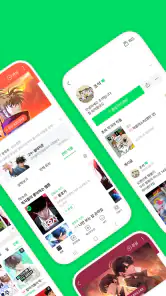




Analysis by Reviewed
When I read comics on a phone, the experience depends on more than finding a story I like: the page needs to be comfortable to follow, and browsing should not feel like work. 네이버 웹툰 - Naver Webtoon is a comics app from NAVER WEBTOON, and its appeal is the breadth of stories and the steady habit of checking in for another episode. It is free to install, though some in-app purchases are available, so I’d treat it as a flexible way to explore rather than assume every part of reading will be free.
A good fit for serial reading
The app makes the most sense if you enjoy following a story in installments rather than picking up a complete comic and reading it all at once. That rhythm suits a few spare minutes between errands, but it can also make a series part of a regular routine: I might read one episode at lunch and return to the same story later in the week. If I want a self-contained read with a definite ending, I’d look for a complete work instead of assuming every series will offer that kind of closure.
It is also worth considering how I like to discover comics. Naver Webtoon is designed around browsing a broad catalogue and returning to ongoing stories, while a digital shop or library app may be a better match if my first priority is selecting specific books or organizing a collection. Neither approach is automatically better. The useful question is whether I want a stream of episodes and new possibilities, or a shelf of titles I have deliberately chosen.
Reading comfort and finding your way
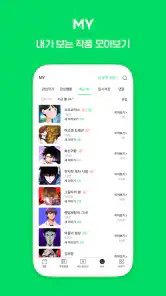
Imagine having a library of thousands of webtoons in your pocket. That’s exactly what 네이버 웹툰 - Naver Webtoon offers. With a vast array of genres to choose from, you’ll never run out of options. Whether you’re into fantasy, sci-fi, comedy, or drama, there’s a webtoon waiting to capture your imagination. The app’s user-friendly interface makes it super easy to scroll through and discover new series.
Long, vertical episodes suit a phone naturally: I can read at my own pace, move through a scene with a thumb, and stop between panels when I need to. That format is less like turning pages in a traditional comic reader and more like following a continuous strip. It works especially well for expressive scenes and cliffhangers, though readers who prefer seeing a full page at once may find the flow less familiar. Trying a short episode before committing to a long-running series is a sensible way to see whether the format feels right.
Recommendations, routines, and choice
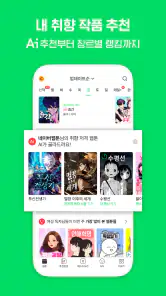
One of my favorite features is the personalized recommendation system. The more you read, the better the app gets at suggesting comics that match your taste. It’s like having a personal librarian who knows exactly what you love. Plus, you can save your favorite webtoons and get notified when new chapters are released, ensuring you never miss a beat in your favorite stories.
For a useful routine, I’d save only the series I genuinely want to follow and use recommendations when I’m ready to browse, rather than treating every suggestion as a must-read. This keeps a growing reading list manageable and makes it easier to return to a story after a busy week. If I’m choosing something for a quick break, I’d look for a premise that can hold my attention in one sitting; for evenings, a longer serial is easier to settle into. Recommendations can help surface possibilities, but they are still a starting point, not a substitute for checking whether a story’s tone and pacing suit me.
More From Our News Desk

Weather by Xiaomi Review: Clear at a Glance, Less Clear Up Close

X Under Pressure: Can It Recover When Posting Goes Wrong?

Clash of Clans Is Won Between the Battles

Android Auto Makes the Case for Quieter Car Software

MobiOffice: Transforming Mobile Productivity with Seamless Integration

EA SPORTS FC™ Mobile Soccer: Redefining Mobile Sports Gaming
Making discovery less overwhelming
A large catalogue is useful only if I can narrow it down without turning browsing into another task. I’d start with a genre or premise I already enjoy, sample an episode, and then decide whether the art, dialogue, and pacing work for me on a phone. That quick trial is more informative than judging a comic from its thumbnail alone. If the opening does not hold my attention, I can move on rather than saving a long list of titles I may never revisit.
Personalized suggestions can help after I have read enough to establish a pattern, but there is a trade-off: they may keep drawing me toward familiar tastes. When I want something different, I’d deliberately browse outside my usual genres instead of relying only on the home feed. This is a small but practical way to balance convenience with variety, especially if I find myself repeatedly opening the same kind of story.
Motor and sensory considerations
Scrolling gives readers control over pace, which can be helpful when a panel is dense or a scene deserves a second look. At the same time, a long episode may mean repeated thumb movements, and small text or busy artwork can be tiring on a compact screen. I’d try reading with the phone held in the position that feels most comfortable and take breaks rather than pushing through eye strain. The app’s Teen age rating is also a useful cue for families, but it does not replace checking an individual comic’s subject matter with a younger reader.
Notifications can make following a favorite feel effortless, but they may interrupt concentration or arrive at inconvenient times. I’d keep alerts focused on series I actively follow and adjust notification settings on the device if they become distracting. Readers who are sensitive to frequent visual movement, need larger text throughout every screen, or find extended scrolling uncomfortable should test the experience before making it their main comics reader. Accessibility needs vary, and comfort with one series or device does not guarantee the same experience everywhere in the app.
Reading in different settings
The vertical format can be convenient when I have one hand free, but it is not automatically comfortable in every posture. Holding a phone for a full episode while standing in a crowded queue may be tiring, and reading while walking is a poor trade-off for both attention and safety. I’d save longer chapters for a seat and use brief pauses for a quick check-in. A phone stand or a change of grip may help some readers, but those are personal workarounds rather than a guarantee that every session will feel accessible.
For readers who use screen magnification, captions, or other device-level tools, the practical question is whether the combination remains comfortable across both the menus and the artwork. Comics rely heavily on visual storytelling, so enlarging a panel can mean seeing less of the composition at once. I’d test a representative episode, not just the opening screen, and notice whether the reading flow still feels manageable. That small trial can prevent committing to a series whose lettering or panel arrangement is difficult on a particular device.
Community, connection, and offline moments
What makes reading on Naver Webtoon even more exciting is the vibrant community of fellow readers. You can leave comments on episodes, discuss plot twists, and connect with other fans. It’s like joining a book club but with a global audience. The sense of community adds a whole new dimension to the reading experience, making it more interactive and engaging.
Comments are best enjoyed after finishing an episode: checking them first can expose reactions that change how a reveal lands, while reading afterward turns the thread into a shared discussion. They can add context and enthusiasm, but they are not essential to following the comic, so I’d skip them when I want a quieter, more focused session. Compared with a conventional digital comic reader centered on owning or organizing individual issues, this app feels more like following ongoing web series and joining the conversation around each installment.
Keeping the reading experience comfortable
Community features are optional in spirit even when they are visible as part of the reading experience. If I’m reading to relax, I can treat the comic itself as the main event and leave discussion for another time. That separation matters for readers who prefer less social input, or who want to avoid spoilers and heated reactions. A quieter session can also make it easier to focus on artwork and dialogue without feeling obliged to respond to anyone.
For younger readers, the Teen rating offers a broad age cue, not a judgment about every individual story. I’d look at the series itself and talk through its themes rather than relying on the overall label alone. That is especially useful when a family shares a device or when a reader is sensitive to particular subjects. The same habit helps adults too: a comic’s genre does not always tell me whether its tone will be light, intense, or emotionally demanding.
We all know that pesky feeling when you’re in the middle of a gripping story, and suddenly, you lose internet connection. Naver Webtoon has got your back with its offline reading feature. You can download your favorite webtoons and read them anytime, anywhere, without worrying about Wi-Fi. It’s a game-changer, especially for those long commutes or travel days.
For a practical commute workflow, I’d prepare episodes while connected rather than wait until the train enters a tunnel, then open the saved material before signal becomes unreliable. That makes the app useful for travel and waiting rooms, but it does require a little planning. I’d also avoid downloading more than I expect to read soon, so the offline selection stays easy to find. If I mainly want a polished, fixed-page collection or prefer browsing without a network-dependent routine, another comics app may suit me better.
What to expect from a free-to-start app
The app costs nothing to install, which makes trying a few series a low-commitment way to see whether its format suits me. In-app purchases range from a small amount to a much larger amount per item, so I would distinguish between browsing casually and choosing to spend on particular content. If I’m managing a budget, I’d decide on a limit before making purchases and pay attention to prompts rather than treating them as part of the basic reading routine.
The app is developed by NAVER WEBTOON, has a 4.4 average from around 305,000 ratings, and has been installed over 10 million times. Those figures show that it has a substantial audience, but they do not tell me whether I will like the scrolling style, the stories available to me, or the amount of social interaction. I’d use a short trial as the deciding test. The current version is 2.37.0, and the Android minimum is 7.0, so it is sensible to check compatibility before trying to install it on an older device.
Who will enjoy it—and where it can frustrate
This is a strong fit for readers who like discovering serial stories, checking back for new chapters, and sharing reactions with other fans. It is less ideal for someone who wants every comic to behave like a complete book, dislikes scrolling, or does not want notifications and community features in the mix. The app is free, with optional purchases priced from a small amount up to a much larger one per item, so I’d pay attention to purchase prompts and decide in advance whether I want to spend. Its 4.4 average from around 305,000 ratings and more than 10 million installs suggest a well-established audience, but popularity alone cannot tell you whether its reading style fits your needs.
On an ordinary day, I can imagine opening it during a lunch break, reading one episode, and saving the next for a trip home. The current version is 2.37.0 and supports Android 7.0 or later, which helps readers check basic device compatibility before installing. For anyone comparing options, the key distinction is the serial, vertical-webtoon experience: choose this when that rhythm and reader community appeal to you; choose a more traditional issue-based reader when page layouts and collection management matter more.
My inclusive verdict
I would recommend giving it a try if phone-first, vertical comics feel natural to you and you enjoy returning to stories over time. It has clear strengths for flexible reading: I can set my own pace, browse for something new, and plan episodes around a commute or a quiet break. The app’s format is not equally comfortable for everyone, though. Long scrolling, small lettering, notifications, and the visual demands of comic art can all become barriers depending on the reader, the device, and the setting.
In conclusion, if you’re a fan of comics or just looking for a way to unwind, Naver Webtoon is a must-have app. It’s not just about reading; it’s about exploring new worlds, connecting with a community, and finding stories that resonate with you. So why not give it a try? Dive into the captivating world of webtoons and let your imagination run wild!
네이버 웹툰 - Naver Webtoon Frequently Asked Questions
Does Naver Webtoon need an internet connection to read comics?
An internet connection is useful for browsing the catalog, loading episodes, and keeping up with newly available comics. The app also supports downloading selected episodes for offline reading, which can help when you expect to be without a connection. If offline access matters to you, prepare the episodes you want while connected and check that they are available on your device before you travel.
Can I read comics on Naver Webtoon without making a purchase?
Yes. Naver Webtoon is free to download and offers a substantial amount of content that readers can access without paying. Some episodes or premium content may involve in-app purchases, so you can decide whether those options are worthwhile as you explore. The app’s purchases range from ten cents to $69.99 per item, but spending is not required to enjoy its free comics.
Is Naver Webtoon available on both Android and iOS?
Naver Webtoon is available for Android and iOS, making it an option for readers using either of the two major mobile platforms. Before installing, check that your device’s operating system is supported and that you are choosing the version intended for your device. The app is designed around reading comics on mobile, so browsing and following series can be done from a phone or tablet.
What languages and regions does Naver Webtoon support?
Naver Webtoon is a comics app developed by NAVER WEBTOON, and its store summary describes a steady stream of new comics. Before downloading, check that the app’s available titles and language options suit what you want to read. The experience can vary depending on the edition and region you use, so it is worth checking the app’s own catalog and interface after installation.
Is Naver Webtoon suitable for younger readers?
Naver Webtoon carries a Teen content rating, so it is intended for teen audiences rather than being presented as an app exclusively for children. Its comics span different genres and may suit readers with different interests. Parents and younger users should still consider the themes and content of individual series, since a general age rating does not mean every comic will be appropriate for every reader.
Pros
- Huge library of webtoons in various genres
- Frequent updates with new episodes
- Available in multiple languages
- User-friendly interface for easy navigation
- Offline reading option available
Cons
- Ads can be intrusive at times
- Some content requires in-app purchases
- Limited free daily episodes
- Occasional loading issues
- Notifications can be overwhelming
- Category
- Comics
- Version
- 2.37.0