Manga UP!
- 609.00
- 4.4
- Installs
- 5.00M
- Price
- Free

Screenshots
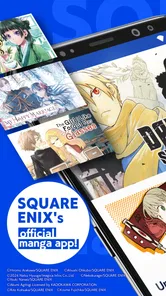















Analysis by Reviewed
I like Manga UP! best as a place to explore manga from SQUARE ENIX Co.,Ltd. rather than as a promise that every series I want will be there. That distinction matters: it gives the app a clear identity, and it makes it a natural starting point if you’re curious about the publisher’s catalogue. It’s free to install, rated Teen, and its 4.4 average from around 18,000 ratings suggests plenty of readers have found something to enjoy. I’d still browse with a particular series or genre in mind, since a large catalogue is only useful when it fits your taste.
What the current version tells me
The app launched in 2022 and is now at version 2.15.6, so it has moved through multiple iterations rather than arriving as a one-off release. That is useful context for existing readers: the current build is the one to assess, while the version number alone can’t tell me which features changed or how the interface evolved. I’d keep the app updated through the platform’s usual process and judge it by how it handles your own reading routine, not by assuming every new version means a major redesign.
Its popularity is also easy to place in context: Manga UP! has passed a million installs, and the Teen rating makes it more suitable for older children and adults than for young readers without a parent checking the material. Manga itself spans very different tones, so I wouldn’t treat an age label as a substitute for looking at an individual title before handing over a device.
The Ultimate Manga Companion
So, what’s the deal with Manga UP!? Right off the bat, it’s an app that brings a colossal library of manga right to your phone. We’re talking about thousands of titles spanning every genre you can think of. Whether you’re into action-packed shonen or heartwarming slice-of-life stories, this app has you covered.
User Experience
The first thing that caught my attention was the app’s sleek and intuitive design. Navigating through the app is a breeze, thanks to its user-friendly interface. You know how some apps feel like you're wrestling an octopus just to get to the content you want? Not this one. With Manga UP!, everything is neatly organized, and finding your next read is as easy as pie.
One of the features I absolutely adore is the ability to bookmark your favorite manga. It’s like having your personal manga library on the go. Plus, the app syncs across devices, so you can start reading on your phone and pick up right where you left off on your tablet. No more losing your place when you switch devices!
Discover New Titles
If you’re someone who likes to discover new stories, the app’s recommendation algorithm is a lifesaver. It suggests new titles based on your reading history, so you’re always a tap away from your next obsession. And let’s be honest, who doesn’t love to binge-read a new series?
More From Our News Desk

Weather by Xiaomi Review: Clear at a Glance, Less Clear Up Close

X Under Pressure: Can It Recover When Posting Goes Wrong?

Clash of Clans Is Won Between the Battles

Android Auto Makes the Case for Quieter Car Software

MobiOffice: Transforming Mobile Productivity with Seamless Integration

EA SPORTS FC™ Mobile Soccer: Redefining Mobile Sports Gaming
Oh, and did I mention the offline reading feature? You can download chapters to read when you’re without Wi-Fi, like during a flight or a long road trip. It’s the little things that make a big difference, right?
Reading around a busy day
For me, the most practical way to use a chapter-based manga app is to make it fit small gaps rather than rely on it for a long, uninterrupted session. I might save a series while I have a few minutes at home, then read a chapter during a commute or while waiting for an appointment. Before travelling, I’d download the chapters I actually expect to read and open them once to make sure they’re ready; that simple check avoids discovering a connection problem when I’m already offline.
Bookmarks are especially helpful when I’m following several stories at once. I use them as a lightweight reading queue: save a title when it catches my interest, then return to it when I have time instead of trying to remember its name. If you switch between phone and tablet, check that your reading position has synced before closing the first device. That gives you a quick way to catch a sync delay before it becomes a lost-page annoyance.
Making recommendations work for you
I’d use recommendations as a discovery aid, not as a substitute for browsing. Reading history can point you toward something related to what you already enjoy, but it may also keep steering you toward familiar territory. When I want a change of pace, I’d deliberately search outside my usual genres and treat suggested titles as one route into the catalogue rather than the whole map.
A useful habit is to bookmark promising titles before deciding what to read next. That separates the quick act of noticing something interesting from the slower choice of committing to a series. It also helps when you’re browsing in a short break: collect a few possibilities, then choose one later when you can look at its premise and decide whether the tone suits you.
How it compares, and where it may fall short
Compared with a general digital bookstore or a manga service built around a broad mix of publishers, Manga UP! has a more focused appeal: it is an official SQUARE ENIX reading app. That focus can be a strength if its titles match your interests, but it also means I’d use another service when I want to search across publishers or keep a collection gathered from several sources. I wouldn’t choose any one catalogue on the assumption that it contains every series I follow.
The app is free, but that does not mean every reading choice is necessarily cost-free. In-app purchases range from $0.99 to $169.99 per item, a wide spread that makes it sensible to check the price shown for a specific purchase before confirming it. I’d begin by browsing and reading what is available without paying, then decide whether a paid option is worthwhile for a series I’m already enjoying. Readers who want a predictable, all-inclusive subscription—or who dislike optional spending inside reading apps—may prefer a service with a pricing model that better suits them.
Choosing a reading setup
The choice between a publisher-focused app, a multi-publisher manga service, and a digital bookstore mostly comes down to how you want to find and pay for reading. I’d start here when the SQUARE ENIX catalogue is the reason I’m opening an app. If I’m trying to follow titles from several publishers in one place, a broader service or bookstore is more practical, even if it feels less tailored to this particular catalogue.
Physical volumes remain a better fit for readers who enjoy collecting editions, lending books, or reading without looking at a screen. A phone-based reader wins on portability and quick access, but a small display can make a long session less comfortable than paper or a larger tablet. For a brief commute, that trade-off works well; for hours of reading at home, I’d choose the format that feels easiest on my eyes and hands.
Who I’d recommend it to
I’d suggest Manga UP! to readers who enjoy discovering SQUARE ENIX manga, want to keep a personal shortlist, and appreciate being able to read on a phone or tablet. It can also suit someone new to digital manga who wants a free way to look around before committing money. The recommendations may help surface a follow-up read, but I’d treat them as a prompt, not a guarantee that every suggestion will fit; browsing by your own interests is still the better way to choose.
I’d skip it if your priority is a single, comprehensive home for manga from many publishers, if you prefer owning physical volumes, or if you want every title to be included in one fixed payment. For a younger teen, I’d also check the particular series rather than assume the app-wide age rating describes every story equally. Those aren’t flaws unique to this app; they’re practical limits of choosing a publisher-focused digital reader.
Keeping spending and access intentional
For someone sharing a device with a younger reader, I’d make the purchase decision part of the setup rather than leaving it until a chapter catches their attention. Since optional purchases have different prices, checking the amount attached to the exact item before confirming is a sensible pause. That approach is useful for adults too: it keeps casual sampling separate from spending on a series you already know you want to continue.
Before relying on the app for a trip, I’d also make a small reading plan: choose the titles, download only the chapters I expect to get through, and confirm they open while I still have a connection. This avoids treating offline access as something to sort out at the last minute. If a download is not ready, I can adjust the plan at home rather than waste travel time troubleshooting.
Community and Interaction
Another cool aspect of Manga UP! is its community features. You can join discussions, share your thoughts, and even make new friends who share your passion for manga. It’s like having a mini-convention in your pocket, 24/7.
The app also hosts events and challenges where you can participate and win some cool prizes. Engaging with the community adds a whole new layer of fun to the reading experience.
What I’d keep an eye on
For an existing reader, the useful question is less “Is there a new version?” and more “Does the current app still make my usual reading easier?” I’d watch for changes that affect finding titles, keeping bookmarks and reading positions, and preparing chapters for offline sessions. Those are the details that shape everyday use, especially if I rely on the app during a commute. Version 2.15.6 is a concrete marker of the current release, but I wouldn’t infer specific new features from that number alone.
I’d also keep an eye on whether the catalogue continues to match my interests and whether optional purchases feel worthwhile for the stories I choose. A reader who mostly wants to sample titles may be perfectly happy without spending; someone following a particular series should check the purchase options in the app before making it part of a budget. That small bit of planning makes the free entry point easier to evaluate without treating every in-app offer as necessary.
How I’d judge it over time
For a returning reader, I’d judge changes by their effect on familiar tasks rather than by version numbers: can I get back to a saved title, resume reading where I stopped, and prepare a few chapters before leaving home? Those small checks tell me more about whether the app still fits my routine than a broad impression of novelty. If those basics remain smooth and the catalogue still has stories I want, it earns a place on my device.
For a new reader, I’d give myself time to explore before deciding whether to spend. A strong first impression is not enough on its own; the better test is whether I find titles I genuinely want to continue and whether the available purchase choices feel reasonable for my habits. If not, there is little reason to force the app into a reading routine when another format or catalogue may suit me better.
In conclusion, if you’re a manga fan looking for a comprehensive app that not only allows you to read your favorite titles but also connects you with a community of like-minded individuals, Manga UP! is definitely worth a download. It’s got everything you need to fuel your manga addiction, and then some.
Manga UP! Frequently Asked Questions
Can I use Manga UP! without creating an account?
Before installing Manga UP!, it is worth considering how you want to manage your reading. The app is SQUARE ENIX’s official manga app, and you can download it for free. If you prefer to keep your reading activity or access consistent across devices, check the sign-in options presented in the app. You can also review its basic browsing features before deciding how you want to use it.
Will Manga UP! work well on a phone, or can I use it on a tablet too?
Manga UP! is a mobile app intended for reading comics on a portable device, and it is available for Android and iOS. A phone is convenient for reading on the go, while a tablet may offer a larger page view if you prefer more screen space. Check the operating-system version of the device you plan to use before downloading, and consider whether its screen and storage suit your reading habits.
Who publishes Manga UP!, and what kind of app is it?
Manga UP! is SQUARE ENIX’s official manga app, built for reading comics on a mobile device. It is a free-to-download app, so you can install it and explore its features without paying upfront. Before downloading, check that your device meets the app’s operating-system requirement. Manga UP! is rated Teen, which is worth keeping in mind when deciding whether it is suitable for younger readers.
What devices can run Manga UP!?
Manga UP! is available for Android and iOS, and its minimum operating-system requirement is version 8.0. Before downloading, check the operating-system version on your phone or tablet and make sure there is enough available storage for the app and any content you choose to save. If your device meets those requirements, you can install the app and browse its manga-focused features.
What is Manga UP! and how does it work?
Manga UP! is an app designed for manga enthusiasts, offering a vast library of manga titles across various genres. Users can read manga chapters online or download them for offline reading. The app provides a user-friendly interface, making it easy to search for specific titles or explore new genres. It also offers personalized recommendations based on reading history, ensuring users can easily discover new manga to enjoy.
Pros
- User-friendly interface for easy navigation.
- Wide variety of manga genres available.
- Offline reading mode for convenience.
- Regular updates with new manga releases.
- High-quality images enhance reading experience.
Cons
- In-app purchases for premium content.
- Advertisements can be intrusive.
- Limited free content compared to rivals.
- Requires a stable internet connection.
- Some manga titles are region-locked.













