Magic Eraser - Remove Objects
- 3.58K
- 4.9
- Installs
- 5.00M
- Price
- Free

Screenshots





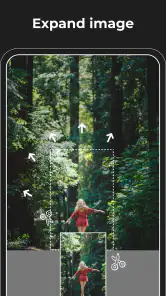
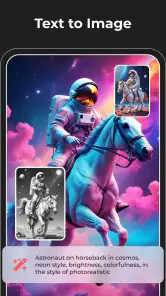

Analysis by Reviewed
Ever wished you could erase that random photobomber from your perfect holiday picture? Or maybe just remove an unwanted object that’s messing up the vibe of your otherwise flawless Instagram post? Well, say hello to Magic Eraser - Remove Objects, the app that’s about to become your new best friend.
The Magic Behind Magic Eraser
So, what’s the deal with this app? Basically, Magic Eraser - Remove Objects does exactly what it says on the tin. With just a few taps, you can remove unwanted objects from your photos as if they never existed. The app uses some pretty nifty technology to analyze your image and seamlessly fill in the gaps left behind by the removed objects. It’s like magic, but without the wand!
Easy Peasy Interface
Let’s talk about the user interface for a second. You know how some apps seem to require a PhD just to navigate? Not this one. The interface is super intuitive, making it easy for anyone to use, whether you're a tech-savvy millennial or someone who still struggles with setting the DVR. Just upload your photo, select the object you want gone, and poof – it’s like it was never there. The ease of use is definitely a highlight here.
Performance and Features
Now, I know what you’re thinking – does it actually work? In my experience, it does a pretty stellar job. The app is quick, the edits look natural, and it supports high-resolution images, so you don’t have to worry about sacrificing quality for convenience. Plus, it’s not limited to just removing objects. You can also retouch blemishes, clean up backgrounds, and more. It’s kind of like having a mini Photoshop in your pocket.
Endless Possibilities
One of the things I love about this app is how it opens up a world of creative possibilities. Want to create surreal landscapes by removing parts of the scenery? Go for it! Or maybe you’re just tired of that ex who keeps popping up in your favorite photos. Either way, the sky’s the limit with what you can do.
So, whether you're a professional photographer looking to streamline your workflow, or just someone who wants to make their selfies pop a bit more, Magic Eraser - Remove Objects has got you covered. It’s fast, efficient, and a whole lot of fun to use. I’d say it’s definitely worth a download if you’re looking to up your photo game.
In conclusion, if you’re keen on keeping your photo gallery looking pristine and free of unwanted distractions, this app is a solid choice. It’s simple yet powerful, and best of all, it makes photo editing accessible to everyone. So why not give it a whirl? You might just find it’s the missing piece in your digital toolkit.
Pros
- Easy to use interface for quick edits.
- Efficiently removes unwanted objects.
- Supports high-resolution images.
- Includes multiple editing tools.
- Fast processing and export times.
Cons
- Limited free version features.
- Occasional glitches in object removal.
- Ads can be intrusive.
- Requires internet for full functionality.
- No batch editing feature.

- Category
- Photography
- Version
- 2.23.11











