LogicLike: ABC & Math for kids
- 297.00
- 4.7
- Installs
- 10.00M
- Price
- Free
Screenshots
Analysis by Reviewed
When a young child asks for a game while you are waiting for dinner, I prefer having an activity that gives the screen time a little direction. LogicLike: ABC & Math for kids is an education app from Massiana - Educational Games, built around early learning through puzzles, number practice, and letters. I see its best role as a short, guided activity that can turn a spare few minutes into a chance to think, rather than as a replacement for books, conversation, or hands-on play.
Before opening the app, choose the moment
The most useful starting point is not a particular lesson but a clear purpose. If a child has a little energy and wants something to do, a quick puzzle can be an inviting way to settle into a thinking activity. If they are hungry, tired, or already upset, I would not expect an educational game to fix the mood. Picking the right moment makes the difference between a child approaching a challenge with curiosity and treating it as one more demand.
I also find it helps to set expectations before handing over the device. Say that you will try one activity, or that the app is for a short turn before dinner, rather than leaving the endpoint vague. This gives the child a simple boundary and gives the adult a natural point to check whether the activity is working. It is a small adjustment, but it can prevent a pleasant start from becoming a struggle to stop.
From a spare moment to a learning routine
The app is free to install, rated for Everyone, and has a 4.7 average from around 62 thousand ratings. It has been installed over 10 million times, which suggests it has reached many families, though popularity alone cannot tell you whether its style suits your child. The current version is 2.99.0, and it requires Android 7.0 or later. I would treat the free entry point as a way to see whether the activities fit your household: in-app purchases range from $1.99 to $129.99 per item, so check the purchase options before handing the device over.
Choosing a useful starting point
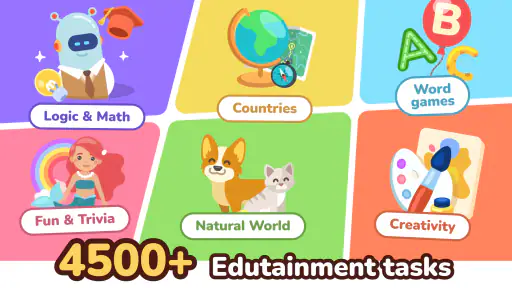
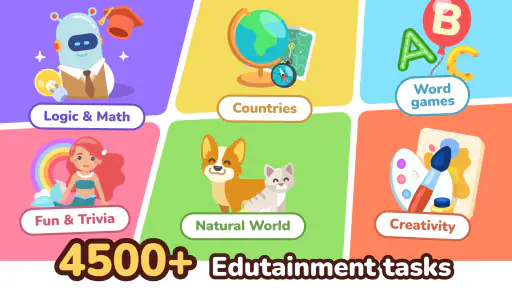
First off, the variety of content in LogicLike: ABC & Math for kids is pretty impressive. From puzzles to quizzes, it offers a range of activities that cater to different learning styles. This isn't just about rote learning; it's about making connections and developing critical thinking skills. The app is like a playground where each swing and slide is a new challenge or a fun fact waiting to be discovered.
For a child who is just beginning to recognize letters or numbers, I would start with a brief session and watch how they respond rather than assume that every activity will land equally well. A child who enjoys matching and visual challenges may take to puzzles quickly; another may need an adult nearby to read prompts or help make sense of a mistake. That first observation is useful: it tells you whether to make the app a solo activity, a shared one, or simply something to revisit later.
What the child does, and what the adult can add
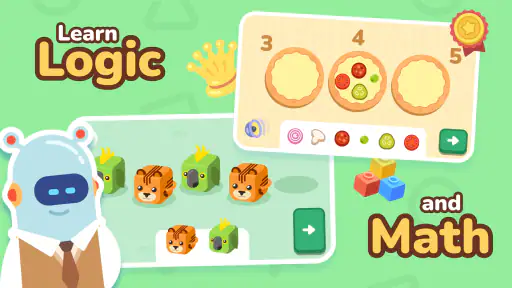
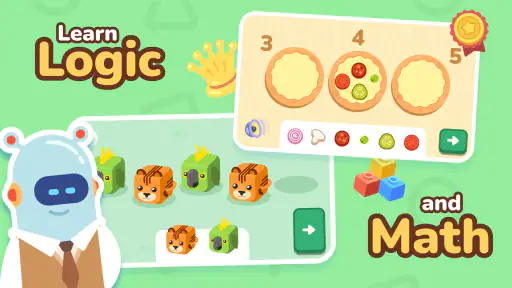
What sets LogicLike apart is its interactive approach. Kids aren't just passive observers but active participants. They get to solve puzzles, tackle math problems, and even learn basic ABCs in a way that feels like play rather than work. This approach not only keeps them engaged but also encourages a love for learning.
More From Our News Desk

Clash of Clans Is Won Between the Battles

Android Auto Makes the Case for Quieter Car Software

MobiOffice: Transforming Mobile Productivity with Seamless Integration

EA SPORTS FC™ Mobile Soccer: Redefining Mobile Sports Gaming

How Microsoft OneDrive Became a Mobile Productivity Giant

How Google Translate Breaks Language Barriers Effortlessly
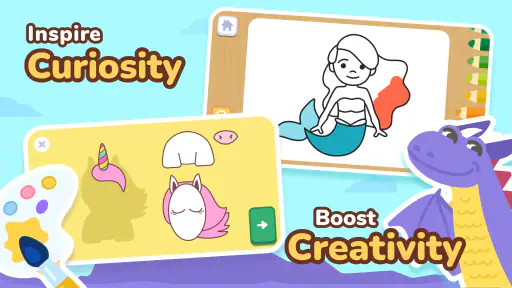
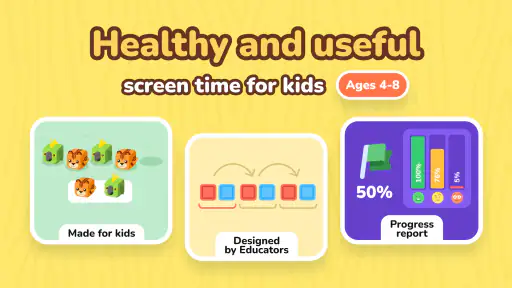
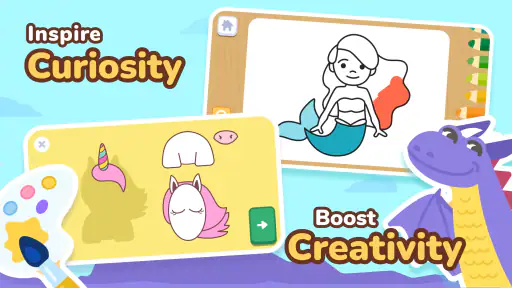
And let's talk about the design. The app is visually appealing with bright colors and cute animations that are sure to capture the attention of young learners. It's intuitive and easy to navigate, which means kids can explore on their own without getting frustrated.
A practical handoff works better than simply giving a child the device and walking away. I would sit with them for the first activity, ask them to explain why they chose an answer, then let them try the next one independently. Afterward, bring the idea back into the room: count fruit while setting the table, or look for a letter on a book cover. This connects screen practice with everyday learning and gives you a clearer sense of what the child actually understood.
Turning a short session into a useful everyday routine
For example, on a quiet afternoon before dinner, I might invite a child to try one activity while I prepare food nearby. Once it is finished, I would ask them to show me what they were thinking, then give them a small real-world follow-up: find a printed letter on a package or count a few pieces of fruit. That handoff matters because it turns a tap on a screen into a conversation. The aim is not to quiz them or demand proof that they learned something; it is to see whether the idea can travel beyond the app.
This kind of routine also makes it easier to share the device between children. Rather than asking siblings to compete over who gets the longest turn, an adult can make the app one part of a shared activity: one child tries a task, and the other helps explain or spots a related letter nearby. That will not suit every age or temperament, but it can reduce the feeling that the device is a private reward and keep the adult involved without taking over every answer.
Motivation, pacing, and the purchase question
One of the standout features of LogicLike is its gamified learning environment. By turning educational content into games, children are more likely to stay interested and motivated. The app cleverly rewards progress with badges and stars, which adds an element of achievement. It's like getting a gold star in school but way cooler!
Moreover, the app provides a personalized learning journey. It adapts to the child's pace, offering challenges that match their level of understanding. This is crucial in avoiding the dreaded "I'm bored" or "This is too hard" scenarios.
I would still keep sessions purposeful. For example, before a grocery trip, a parent could open one short activity, then ask the child to count a few items together at home rather than using the app as background entertainment. If a task causes repeated frustration, pause and switch to talking through the idea or practising with objects; if it feels too easy, use it as a quick confidence-builder and move on. The app can support a routine, but an adult’s judgement is what makes the routine fit the child.
LogicLike also offers a safe learning environment. As a parent, you can rest easy knowing that the content is age-appropriate and devoid of any ads or in-app purchases that could distract or mislead your child. It's purely educational and focused on the child's growth.
Because purchases are available, I would not rely on that older assurance that there are no in-app purchases. The app is free to try, but families should review the purchase choices and set device-level purchase safeguards before a child explores alone. That small bit of preparation can prevent an otherwise smooth learning session from turning into a discussion about an unexpected checkout.
How it compares with other early-learning choices
Compared with alphabet videos, this app asks a child to make choices and solve tasks instead of only watching and repeating. Compared with paper workbooks, it is more animated and responsive, but a workbook is easier to pause, share between siblings, and use without a screen. It also differs from open-ended drawing or building play: those activities can encourage imagination and fine-motor practice, while LogicLike gives a more directed path through early learning exercises. I would choose based on the goal, not treat any one option as a complete substitute for the others.
It may suit families who want a child-friendly way to practise early letters, numbers, and reasoning, especially when an adult can help with the first few sessions. I would skip it if you are looking for a fully offline activity, a substitute for direct teaching, or a screen experience with no purchase options to manage. It is also not the right answer every time a child needs to settle: if they are tired or already frustrated, a conversation, story, or physical activity may work better than another challenge.
Who is likely to get the most from it?
I would recommend it most readily to a caregiver who wants a flexible extra activity for a preschool-age learner and is willing to stay close enough to notice when help is needed. It can be useful in a waiting room, during a calm stretch at home, or as a change of pace after a book—not as a dependable way to occupy a child for a long stretch. A child who likes answering, matching, and trying again may enjoy that structure. A child who learns best by moving, talking, or handling objects may need those activities to remain the main event.
It is also worth thinking about what “practice” means in your household. If you want a focused way to revisit one specific letter or skill, a workbook, teacher-selected exercise, or direct conversation may be more precise. If you want variety and a playful invitation to explore several early-learning ideas, the app has a stronger case. I would not use a child’s enthusiasm for the animations as evidence that they have mastered a concept; a quick follow-up away from the screen gives a more honest signal.
Where the routine can falter
The same bright presentation that attracts a young learner can make it harder to stop when a session is meant to be brief. I would agree on the stopping point before opening the app and give a calm warning before switching activities. Another possible snag is independence: intuitive navigation helps, but it does not mean every child can read instructions or handle every task alone. Staying close at first lets you notice confusion rather than mistaking it for lack of interest.
There is also a trade-off in the breadth of an early-learning app. A mix of puzzles, maths, and ABC practice offers variety, but a child who needs focused support in one narrow area may benefit more from a specific workbook or from activities chosen with a teacher. If you use LogicLike alongside school or home practice, keep the goal small and concrete—such as recognizing a letter or thinking through a simple number problem—rather than expecting an app session to demonstrate lasting progress by itself.
Small choices that make the handoff smoother
One practical tip is to preview the first turn together instead of asking a child to navigate and interpret everything at once. An adult can read a prompt aloud, then let the child make the choice. If the child is confident, step back; if they keep looking to you for reassurance, stay involved without answering for them. That middle ground supports independence while keeping a confusing instruction from being mistaken for a difficult learning concept.
Another useful distinction is between a child who is stuck and one who simply wants to stop. Repeating the same instruction may not help either situation. Try asking what they notice, or offer a brief pause and a non-screen example. If they can engage with the idea using objects or conversation but not the app task, the format may be the friction. If they are tired of the activity altogether, ending the session is a reasonable outcome, not a failure of the routine.
Before a child uses the device without an adult beside them, I would also check the purchase settings and make sure the child knows to ask before selecting anything that appears to involve buying. This does not mean every family needs to avoid the app; it simply recognizes that the free starting point and the available paid items are different parts of the experience. A quick adult check is easier than trying to resolve a surprise purchase after the fact.
Final Thoughts
In a world where screens are often seen as a distraction, LogicLike: ABC & Math for kids stands out as a beacon of positive screen time. It's educational, engaging, and most importantly, fun. Whether you're a parent looking to supplement your child's learning or a teacher seeking interactive tools for the classroom, this app is worth checking out.
So, why not give it a try? With its combination of fun and learning, LogicLike might just become your child's new favorite way to learn. Happy learning!
LogicLike: ABC & Math for kids Frequently Asked Questions
What is LogicLike: ABC & Math for Kids?
LogicLike: ABC & Math for Kids is an educational app from Massiana - Educational Games. It focuses on preschool learning, with a store summary describing number games and ABC learning for children. Families looking for an app centered on early learning can explore its activities as a playful way to introduce foundational concepts.
What does the app’s age rating mean for families?
LogicLike is rated Everyone, which makes it a family-oriented app to consider for children. The content is presented as preschool learning, but families should still decide whether the activities and experience are right for their own child. Parents and guardians can review the app together with a child and help guide how it is used.
How popular is LogicLike, and who makes it?
LogicLike is developed by Massiana - Educational Games and has more than 10 million installs. Its average rating is 4.7, based on around 62,000 ratings, with close to 300 written reviews. These figures provide a broad snapshot of its reach and reception, though the best fit still depends on a child’s interests and learning needs.
Is LogicLike: ABC & Math for Kids free to download, and what might cost extra?
LogicLike is a free educational app, so families can try it without paying for the download. Some content or features may require an in-app purchase, with listed purchases ranging from $1.99 to $129.99 per item. It is worth checking the purchase options in the app and discussing them with a parent or guardian before a child explores paid content.
Will LogicLike work on my child’s Android or iOS device?
LogicLike: ABC & Math for Kids is an app for children and is available for Android and iOS users. On Android, it requires version 7.0 or later, so check the device’s software version before downloading. The app is developed by Massiana - Educational Games and is rated for Everyone, making it a family-oriented option for introducing early learning activities.
Pros
- Engaging puzzles for kids.
- Enhances logical thinking.
- Colorful and user-friendly interface.
- Parental control features.
- Regular content updates.
Cons
- Limited free content.
- Requires internet connection.
- In-app purchases can add up.
- No offline mode available.
- Ads in free version.
- Category
- Education
- Version
- 2.99.0











