Live Wallpapers, 4K Wallpapers
- 2.30K
- 4.5
- Installs
- 5.00M
- Price
- Free
Screenshots
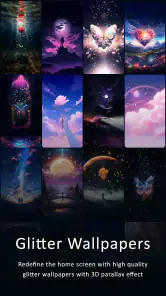
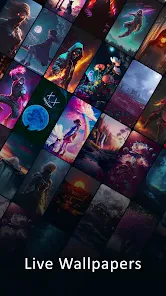
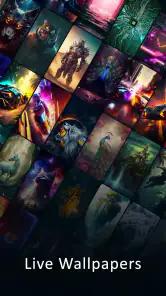
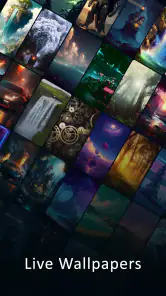

Analysis by Reviewed
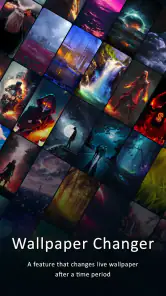
I tend to notice my phone wallpaper most when I’m waiting for something: a bus, a kettle, or a slow page to load. That small patch of screen can make the device feel more personal, and Live Wallpapers, 4K Wallpapers is aimed at people who want more than a single static picture. Its central appeal is the choice between still images and motion, with an automatic wallpaper changer for people who prefer not to settle on one look indefinitely.
Why motion changes the wallpaper experience
A live background gives the home screen a little movement, while a static image is calmer and tends to stay out of the way. I see the distinction as practical rather than simply decorative: motion can make a screen feel lively when I unlock it, but a detailed still image may suit a lock screen or a layout crowded with app icons better. The option to choose between them means you can match the backdrop to how you actually use your phone.
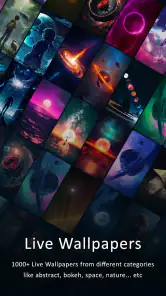
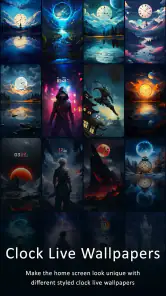
The app also brings together glitter and clock-themed designs with high-resolution still wallpapers. That range is useful if you like changing the mood of your device without searching across several separate wallpaper apps. HD Pro Walls develops it, and the app sits in the personalization category. It is free to install, with in-app purchases ranging from $4.99 to $35.90 per item, so I’d explore the free experience first and decide later whether any paid option is worthwhile for you.
How I’d use the changing options
An automatic changer is most useful when you want variety without turning wallpaper selection into a recurring chore. I’d start by picking a small set of images that work with my icons, then let the rotation bring a different look to the screen over time. The key is choosing backgrounds that remain legible behind the parts of the interface you use most; a beautiful image can still be annoying if its brightest details compete with icons or text.
For a normal weekday, I might choose a subdued static image for a busy work screen, then switch to a more colorful or animated background when I want the phone to feel less utilitarian. If you use a live design, check how it looks on both the home screen and lock screen before committing. A motion effect that feels charming during a quick preview may become distracting when you unlock your device repeatedly.
What to expect from browsing and performance
The interface is straightforward to move around, so I wouldn’t expect a learning curve before trying different looks. The app has an average rating of 4.5 from around 47,000 ratings, and it has passed 5 million installs. Those figures suggest it has found a substantial audience, though they can’t tell you which styles you’ll personally enjoy or how a particular design will suit your phone.
High-resolution artwork can look crisp, but the best result depends on the display and how an image is cropped to fit it. I’d preview a wallpaper on the actual screen rather than judging it only from a thumbnail. With automatic changes, another useful habit is to favor images with similar brightness and contrast; that keeps the phone feeling consistent instead of making every transition seem like a completely different theme.
More From Our News Desk

Weather by Xiaomi Review: Clear at a Glance, Less Clear Up Close

X Under Pressure: Can It Recover When Posting Goes Wrong?

Clash of Clans Is Won Between the Battles

Android Auto Makes the Case for Quieter Car Software

MobiOffice: Transforming Mobile Productivity with Seamless Integration

EA SPORTS FC™ Mobile Soccer: Redefining Mobile Sports Gaming
The Visual Feast
First things first, let's talk about the eye candy. The sheer variety of wallpapers available on Live Wallpapers, 4K Wallpapers is mind-blowing. From serene landscapes to vibrant abstract designs, there’s something for everyone. And the fact that these are 4K? That's just the cherry on top! Your screen will thank you for the upgrade.
Endless Customization
One of the standout features of this app is its customization options. Not only can you pick from a vast library of stunning wallpapers, but you can also tweak them to your liking. Want to adjust the colors a bit or add some personal flair? Go for it! The app gives you the freedom to make your wallpaper truly yours.
And let’s not forget about the live wallpapers. They’re dynamic, engaging, and can turn your phone into a mini art gallery. Watching them move across your screen is oddly satisfying and adds a touch of life to your device.
Smooth Experience
Navigating through the app is a breeze. The user interface is intuitive, making it easy to find what you're looking for without any hassle. You won’t need a tutorial to get started here, which is always a plus in my book!
Performance-wise, Live Wallpapers, 4K Wallpapers doesn’t disappoint. Even though it hosts an extensive collection of high-resolution images, the app runs smoothly without any noticeable lags. Plus, it’s regularly updated with new content, keeping things fresh and exciting.
Choosing it over simpler alternatives
If you only want one dependable picture, your phone’s built-in wallpaper picker is likely the quicker option. This app makes more sense when you want to browse several visual styles, try motion, or let a wallpaper changer refresh the screen for you. The trade-off is that more choice asks for a little more time: narrowing down images and checking how they sit behind your icons is part of getting a result you’ll enjoy every day.
I’d skip it if you prefer a completely static, distraction-free screen and have no interest in exploring alternatives. Live backgrounds can draw attention, and a detailed image may make app labels harder to pick out. If clarity matters more than personality, a plain built-in background is a sensible choice, not a compromise.
Making the automatic changer work for you
The changer is best treated as a curated rotation, not a reason to add every attractive image you find. I’d keep a short group of wallpapers with a shared palette or similar visual weight. That way, the screen can change without making the phone feel visually chaotic. It also gives you a simple way to test whether you enjoy variety itself or just like browsing new designs occasionally.
There is a useful distinction between a wallpaper that looks impressive in a preview and one that works as part of your everyday interface. Before adding a candidate to a rotation, imagine the places where your most-used icons sit. A bright focal point under an app label can become an irritation, while a quieter area of color may make the same image feel polished. For clock designs, check that the artwork and the phone’s own interface elements do not compete for attention.
A realistic day with changing backgrounds
On a busy morning, I’d rather unlock my phone and find the calendar, messages, and work apps immediately than admire a complicated scene. A restrained still image is a sensible starting point for that routine. Later, when I have a few minutes waiting for a ride or taking a break, a livelier background can make the device feel less like a work tool. The point is not to keep changing settings throughout the day; it is to choose a setup that suits the moments when you actually see the screen.
If you share that phone with someone or rely on a consistent visual layout, a rotating collection may be less appealing. Familiarity matters when you glance at a screen quickly, and a sudden shift in color or movement can make icons feel less settled. In that case, I’d use the app to find one image you like and leave the automatic changing aside. The collection can still be useful as a way to discover a look, even if you do not use every capability.
Balancing detail, motion, and readability
High-resolution artwork is attractive, but resolution alone does not guarantee a good wallpaper. A detailed image can become visually noisy once app icons and labels sit on top of it. I’d look for open, darker or softer areas where interface elements remain easy to distinguish, then check the crop on the phone rather than assuming the full picture will fit as expected. This is especially worthwhile with landscapes or abstract art, where a small change in framing can shift the image’s focal point.
Motion has a similar trade-off. It can make unlocking feel more expressive, but it is not automatically an improvement for every screen or every person. If you often check your phone in short bursts, a subtle effect may be enjoyable; if you want the screen to recede while you focus, a static choice is likely more comfortable. I would judge live designs by how they feel after repeated everyday use, not only by the first preview.
What it offers compared with wallpaper basics
A phone’s built-in wallpaper tools are usually the most direct route to setting a single image, and they suit people who already know what they want. A dedicated personalization app is more useful when you are undecided, want to compare still and animated styles, or value an automatic rotation. The difference is less about one being universally better and more about whether discovery and variety are worth the extra browsing time to you.
Compared with using several narrowly focused wallpaper apps, having glitter, clock-themed designs, live backgrounds, and still artwork in one place can make experimenting feel less fragmented. The compromise is that a broad selection may take longer to narrow down than a small hand-picked collection. I’d go in with a specific mood or color in mind rather than scrolling without a purpose; it is easier to spot a wallpaper that suits your layout when you know what you are trying to improve.
Who gets the most from it
This is a good fit for someone who likes refreshing a phone’s appearance, enjoys animated visuals in moderation, or wants a convenient way to try both moving and still designs. It is rated Everyone, and version 5.6 supports Android 6.0 and later. The app was released on June 29, 2019, and its continued appeal is easy to understand if you enjoy treating your home screen as a small part of your personal style.
One practical approach is to begin with a static image, see whether its colors leave your icons easy to read, and only then try a live option. If you like the motion but find it too busy, switch back rather than forcing yourself to keep it. That simple comparison helps you decide whether the animated effect adds pleasure to your routine or merely makes the screen less restful.
When I’d choose something else
I would pass on this app if my only goal were to set a plain photograph once and forget about it. The built-in picker is often enough for that, and it avoids turning a simple task into a browsing session. I’d also choose a static background if I needed a screen that stays visually quiet, or if I found motion distracting during frequent checks. Having live options is valuable only when the movement improves the experience for you.
The free starting point makes it reasonable to explore, but I would not assume that every design or customization choice is included at no cost. Since optional in-app purchases range from $4.99 to $35.90 per item, I’d decide what I actually want before spending. If a particular paid option does not solve a problem you have—such as finding a style you genuinely prefer—it may be better to stay with the free choices or use a simpler alternative.
Wrap-up
All in all, if you're on the hunt for an app that can provide stunning, high-quality wallpapers with plenty of customization options, I’d say give this one a shot. It’s a visual delight and a breeze to use. So go ahead, download it, and let your phone screen come to life with some gorgeous 4K wallpapers.
Happy wallpaper hunting!
Live Wallpapers, 4K Wallpapers Frequently Asked Questions
Is Live Wallpapers, 4K Wallpapers suitable for first-time wallpaper app users?
Yes. Its purpose is straightforward: browse wallpaper choices, preview one, and apply it to your device. The collection includes static and animated styles, so you can start with a simple image and explore more elaborate options when you feel comfortable. The app is free to download, and its Everyone age rating makes it suitable for a broad audience.
Will live wallpapers work on both my home screen and lock screen?
You can choose where to apply a wallpaper, but the options available depend on your device’s wallpaper controls and the type of wallpaper selected. The app provides a preview and setting option, so check the result before confirming. If your phone offers separate home-screen and lock-screen choices, you can use those controls to select the placement that suits you.
Do I need to pay to download Live Wallpapers, 4K Wallpapers?
The app is free to download and use, so you can get started without paying upfront. It also offers optional in-app purchases, with prices ranging from about $5 to $36 per item. Those purchases may provide additional content or features. Review the purchase details shown in the app before confirming, especially if you only intend to use its free options.
What devices and operating systems can run Live Wallpapers, 4K Wallpapers?
Live Wallpapers, 4K Wallpapers is a personalization app for Android devices running Android 6.0 or later. Before downloading, check your device’s Android version in its settings to make sure it meets that requirement. The app is free to download, and its age rating is Everyone, so it is intended for a broad audience.
Can I use Live Wallpapers, 4K Wallpapers without an internet connection?
You may be able to use wallpapers already saved on your device without an internet connection, as setting a downloaded image generally relies on your phone’s wallpaper controls. Browsing or downloading new designs may require connectivity. If you expect to change wallpapers while offline, it is sensible to save your preferred images ahead of time and check that they remain available in your device’s gallery.
Pros
- Stunning 4K resolution enhances display
- Wide variety of wallpapers available
- Regular updates with new content
- User-friendly interface
- Low battery consumption
Cons
- Ads can be intrusive at times
- Limited customization options
- Requires internet for downloading
- Premium content behind a paywall
- Occasional app crashes
- Category
- Personalization
- Version
- 5.6











