Live Glitter Girly Wallpaper
- 89.00
- 4.8
- Installs
- 5.00M
- Price
- Free
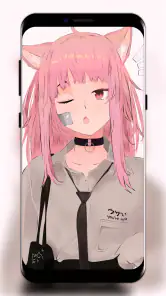
Screenshots




Analysis by Reviewed
I judge a wallpaper app less by how striking it looks in a preview than by whether I still want it on my screen after the first burst of novelty. Live Glitter Girly Wallpaper makes a very particular promise: a phone can feel brighter and more personal through glittery motion, without asking you to reorganize the rest of its interface. That focused approach is its main appeal, but it also sets a clear limit. If sparkles are not already your style, there is little here to persuade you otherwise.
A small change with a noticeable first-week effect
The first few days with Live Glitter Girly Wallpaper are all about the visual change: a familiar screen gets a moving, glittery look instead of another static background. I can see the appeal if you enjoy bright, decorative designs and like your phone to feel personal rather than understated. The effect is most noticeable when you unlock the device or pause on the home screen, so it adds a small moment of fun to a routine you already repeat.
That first impression is most useful when you treat it as a real-world test rather than a preview-screen decision. Pick a look, use the phone normally, and pay attention to whether the animation feels pleasant during quick checks as well as longer pauses. The preview can make glitter seem like the whole point; everyday use reveals whether it sits comfortably behind the things you actually need to see.
Where the first-week novelty comes from
As a personalization app from ArtPicStudio, it focuses on live glitter wallpaper rather than trying to be a full theme or launcher. The motion and sparkle give the display more presence than a standard image, while the girly aesthetic makes its taste clear from the outset. It is free, rated for Everyone, and has a 4.8 average from around 6,800 ratings, which suggests that many people enjoy this particular style. I would still treat the look as a matter of taste: if you prefer clean, quiet screens, the shine may feel like too much rather than a welcome refresh.
One practical way to test whether it suits you is to use a design for several ordinary days, not just admire it in the wallpaper preview. Notice whether you still enjoy seeing it during quick checks for messages, maps, or appointments. A moving background can make a phone feel more cheerful, but it also competes with icons and text. I would choose a design whose colors leave the app labels easy to read, especially if your home screen is already busy.
Keeping the sparkle useful
Once you download Live Glitter Girly Wallpaper, you're greeted with an array of dazzling live wallpapers that seem almost too good to be true. From shimmering stars to glittery hearts, the variety is enough to make anyone feel like they've stepped into a digital wonderland. Each wallpaper is designed to move and sparkle as you interact with your phone, creating a mesmerizing visual experience.
Customization at Its Best
One of the standout features of this app is its customization options. You can choose from a plethora of themes, adjust the speed of the glitter effects, and even select the color schemes that match your mood or outfit of the day. It's like having a personal stylist for your phone's wallpaper. Plus, the app is user-friendly, making it easy for even the least tech-savvy individuals to navigate.
More From Our News Desk

Weather by Xiaomi Review: Clear at a Glance, Less Clear Up Close

X Under Pressure: Can It Recover When Posting Goes Wrong?

Clash of Clans Is Won Between the Battles

Android Auto Makes the Case for Quieter Car Software

MobiOffice: Transforming Mobile Productivity with Seamless Integration

EA SPORTS FC™ Mobile Soccer: Redefining Mobile Sports Gaming
That flexibility is most valuable when it helps you settle on a comfortable everyday setup, not when it turns choosing a background into another task. I would first decide what matters more on your screen: a strong decorative effect or easy scanning of icons. Then make a single adjustment at a time. If a color choice makes labels blend in, change the palette before deciding the wallpaper itself is unusable; if the motion still pulls too much attention, slowing it down may be a better test than abandoning the look immediately.
Performance and Usability
Now, you might be wondering if all that glitter comes at a cost to your phone's performance. Luckily, the app is optimized to ensure minimal battery drain, so you can enjoy your sparkling wallpapers without worrying about constant charging. It's compatible with a wide range of devices, both Android and iOS, ensuring smooth operation and vibrant displays.
Animated backgrounds do have a practical trade-off: they add visual activity to a screen that is otherwise often still. For a person who checks a phone frequently, even a small movement can become tiring if it is always in the foreground. I would pay attention to how it feels during a long day, not just whether it looks smooth during setup. If you notice yourself avoiding the home screen or wanting to turn the display away, that is a sign that a static background may suit your habits better.
Not to mention, the app doesn't bombard you with ads, which is a huge relief. You can enjoy the shimmer without interruptions, making it a pleasant experience overall.
Who benefits from this focused style
I think the app is best for someone who wants a decorative accent without adopting a whole new phone layout. It can be a good fit if you enjoy bright, feminine visuals, like matching a screen to your mood, or simply find a little motion more cheerful than a plain color. It is less suited to anyone who prefers restrained design, needs a very quiet screen for concentration, or wants a wallpaper that blends into a professional or minimalist setup.
The usual alternatives serve different priorities. A static wallpaper gallery is the better choice when you want a photograph, a calm illustration, or a crisp image with no movement. A full theme or launcher is more appropriate if you want icons, widgets, and wallpaper to feel coordinated as one redesign. This app occupies a narrower middle ground: it changes the atmosphere of the background while leaving the broader interface alone. That can be an advantage if you like your current layout, but a limitation if you expect a complete makeover.
A Final Touch of Glam
In conclusion, Live Glitter Girly Wallpaper is much more than just an app; it's a fashion statement for your phone. Whether you're a glitter enthusiast or just someone looking to add a bit of pizzazz to your device, this app is definitely worth a try. Its customization features, coupled with its performance efficiency, make it a top choice for anyone looking to glam up their screen.
My more measured recommendation is to try it as a reversible change, not a permanent commitment. Since it is free, you can see how the style feels on your own device before deciding whether it deserves a lasting place. A wallpaper is easy to swap, and there is no need to keep a lively effect just because it looked impressive at first. The right choice is the one that makes ordinary use more enjoyable without getting in the way.
From daily use to long-term value
The app has reached over 5 million installs, and its current version is 1.1, released on November 12, 2022. Those figures tell me it has found a sizable audience, but lasting value depends more on whether you keep enjoying its visual style than on how many people have tried it. I would treat it as a low-commitment personalization choice: try a wallpaper, live with it through a normal week, and switch back if the motion stops feeling pleasant.
For an everyday routine, imagine checking your phone while waiting for a bus or between tasks. A glitter background can make that brief glance more expressive, but it should not make icons harder to spot or distract you when you need to act quickly. A useful approach is to choose a calmer color combination for the home screen and keep a more elaborate look for a lock screen, if your device lets you set them separately. That way the decoration does not have to compete with everything you use.
A second useful scenario is handing your phone to someone to show a photo or check an appointment. In those moments, a wallpaper is part of the device’s first impression, but it should remain a backdrop rather than the thing everyone has to look past. If you often use your screen in bright surroundings, check the contrast there too; a palette that looks clear indoors may feel busier when you are trying to find a shortcut quickly. This simple check can prevent a decorative choice from becoming an everyday annoyance.
Who will enjoy it, and who may prefer another option
I would recommend it to someone who likes feminine, sparkly visuals and wants a simple way to refresh a phone without rebuilding its layout. It is also a reasonable pick if you enjoy changing the look to match a mood or outfit. If you want a neutral background, a photographic landscape, or a complete icon-and-widget makeover, a regular wallpaper gallery or a broader theming app will probably fit better. Those alternatives give more room for restrained styles or coordinated interface changes; this one is specifically about glittery motion.
There is a trade-off with any animated wallpaper: the effect is most enjoyable when it remains in the background, yet bright movement can draw the eye away from icons. I would preview a design against your usual home-screen layout and check text contrast before settling on it. If you rely on a crowded screen of shortcuts, simplicity may serve you better than the most elaborate option. That small check is more useful than picking solely by the thumbnail.
One question worth answering before installing is whether you need a live effect at all. If you mainly want a fresh look for a few days, this is an easy experiment; if your priority is an image that stays visually quiet for work, reading, or navigation, a still wallpaper is the more practical choice. And if you are hoping to change the icons or the arrangement of the phone, this focused wallpaper app is not a substitute for a broader customization tool. Knowing which kind of change you want makes the decision much simpler.
Keeping it fresh without making it a chore
Customization can help the wallpaper last beyond its initial novelty, but it can also tempt you to keep adjusting instead of settling on a look. I would make one deliberate choice—select a palette, set the glitter speed to a level you can comfortably ignore, then leave it in place for a few days. If it still makes routine unlocks feel nicer, keep it; if you start noticing the movement as irritation, switch to a still image. The useful question is not how often you can change it, but whether the background quietly improves the phone you already use.
For anyone concerned about setup, the app is intended for Android devices running version 5.0 or later. It is free, so trying it does not require a purchase, and its Everyone age rating makes the intended audience broad. I would still check how the chosen wallpaper looks on your own screen before committing to it, since display size, icon placement, and personal tolerance for motion all affect the result. That is also the best way to decide whether a live effect feels smooth and comfortable in your daily use.
Does it earn a place after the novelty?
For me, the answer depends on the role I want the phone’s background to play. If a little sparkle makes frequent unlocks feel more cheerful and the animation fades into the background after the first few days, it can earn its place without demanding much attention. If I keep noticing the movement, changing settings repeatedly, or struggling to distinguish icons, the novelty has become maintenance rather than value. In that case I would switch to a static image and keep the live style as an occasional change.
The best long-term habit is to review the wallpaper when your routine changes, rather than constantly chasing a new look. A home screen used mainly for a few favorite apps can tolerate more decoration than one packed with shortcuts for work and errands. Likewise, someone who enjoys visual variety may welcome occasional changes, while a person who wants a consistent, low-distraction screen may be happier choosing one still image and leaving it alone. The app’s appeal is strongest when the effect fits the way you already use your phone.
So, if you’re ready to add a bit of sparkle to your life, head over to your app store and download Live Glitter Girly Wallpaper today. Trust me, your phone will thank you!
Live Glitter Girly Wallpaper Frequently Asked Questions
What should I check before installing Live Glitter Girly Wallpaper?
Live Glitter Girly Wallpaper is a free personalization app from ArtPicStudio, and it is intended for everyone. Before installing, check that your device runs Android 5.0 or later, as this is the minimum supported operating system. The app is designed to make your phone screen more beautiful and unique, so it may suit you if you enjoy decorative wallpaper and a glittery look.
What is Live Glitter Girly Wallpaper and how does it work?
Live Glitter Girly Wallpaper is a personalization app designed for those who love to add a touch of sparkle to their device screens. It offers a wide selection of animated wallpapers featuring glittery designs that move and shimmer as you interact with your phone. The app is easy to install and allows you to choose and apply wallpapers with just a few taps, enhancing the aesthetic appeal of your device.
Is Live Glitter Girly Wallpaper safe to use on my device?
Yes, Live Glitter Girly Wallpaper is safe to use. The app is available on official app stores such as Google Play Store and Apple App Store, which means it has been vetted for security and safety standards. However, as with any app, it's recommended to read user reviews and ensure your device's permissions are appropriately set to maintain privacy.
Does Live Glitter Girly Wallpaper consume a lot of battery?
Live Glitter Girly Wallpaper, like other live wallpaper apps, may consume more battery than static wallpapers due to its animated nature. However, the developers optimize the app to minimize battery consumption. Users can manage settings to reduce the impact, such as adjusting the animation frequency or choosing less battery-intensive designs.
Can I customize the wallpapers in Live Glitter Girly Wallpaper?
While Live Glitter Girly Wallpaper offers a range of pre-designed glittery wallpapers, it also provides some customization options. Users can often change colors, adjust animation speeds, or select specific elements to include in their wallpaper. This feature allows for a degree of personalization, enhancing user experience by allowing you to create a look that suits your style.
Pros
- Vibrant and eye-catching designs
- Customizable wallpaper options
- Easy to navigate interface
- Regular updates with new designs
- Compatible with most devices
Cons
- Contains ads that may be intrusive
- Limited free options available
- Can drain battery life quickly
- May slow down older devices
- Requires in-app purchases for premium designs
- Category
- Personalization
- Version
- 1.1











