Litmatch—Make new friends
- 1.82K
- 4.0
- Installs
- 100.00M
- Price
- Free

Screenshots



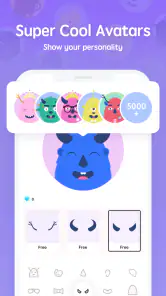

Analysis by Reviewed
I’d judge Litmatch less by how quickly I can scroll through it and more by whether it helps me settle into a conversation without a lot of setup. That distinction matters: this is a social app built around meeting people, so the useful measure of speed is how comfortable the first exchange feels, not how many profiles I can skim. I like that focus, though it also means the experience depends heavily on the other person’s mood and availability.
What a quick visit can—and cannot—tell you
When I have only a few spare minutes, I can use a brief visit to see whether I’m in the mood to meet someone new. I wouldn’t expect every quick check-in to produce a meaningful connection, and I find it easier to enjoy the app when I don’t make that the goal. A short conversation can simply be a pleasant pause in the day; it does not need to turn into a new friendship to have been worthwhile.
That open-endedness is also the main trade-off compared with a conventional social feed. A feed gives me familiar posts to browse even when I don’t want to interact. Litmatch asks me to take part more directly, which feels refreshing when I want a conversation but less useful when I’m tired, distracted, or only looking for passive entertainment.
A more deliberate way to use voice
I’d choose a voice interaction when I have enough privacy and attention to listen properly, rather than treating it as something to launch while rushing between tasks. If I’m somewhere noisy, text is the more considerate option for both people. This small bit of planning can prevent a promising first contact from being undermined by interruptions or a rushed reply.
I also see value in deciding beforehand what I’m comfortable sharing. An anonymous opening can make conversation feel less intimidating, but it is not a reason to disclose personal details quickly. I’d keep early exchanges focused on interests and everyday topics, then let trust develop gradually if the conversation continues.
Who may prefer another kind of social app?
Litmatch makes the most sense for someone who enjoys spontaneous conversation and is comfortable with the uncertainty of meeting strangers. It is a weaker fit for anyone who needs dependable access to a known group, wants a detailed public identity, or prefers to control exactly who appears in their social space. In those cases, an established messaging service or a network centered on existing friends is likely more practical.
I’d also be cautious about using it when I’m seeking a specific outcome, such as a guaranteed local friendship or a professional connection. The app’s appeal is the possibility of an unexpected exchange, not a promise that every conversation will match a particular need. Knowing that before installing it makes the experience easier to evaluate fairly.
More From Our News Desk

Weather by Xiaomi Review: Clear at a Glance, Less Clear Up Close

X Under Pressure: Can It Recover When Posting Goes Wrong?

Clash of Clans Is Won Between the Battles

Android Auto Makes the Case for Quieter Car Software

MobiOffice: Transforming Mobile Productivity with Seamless Integration

EA SPORTS FC™ Mobile Soccer: Redefining Mobile Sports Gaming
If you've ever felt the urge to connect with new people but found the usual social platforms a bit overwhelming, then Litmatch—Make new friends might just be the breath of fresh air you need. This app really caught my eye because it offers a unique twist on social networking. Let me take you through my experience with it.
Who benefits from a more conversational social app?
I’d point a friend toward Litmatch if they want to meet people through conversation rather than build a public profile for an existing circle. It suits someone who is curious about strangers, happy to start with a short exchange, and open to a chat that may or may not become a lasting friendship. It is less suited to people who want a polished feed, reliable contact with people they already know, or a clearly predictable way to find friends nearby.
A realistic use is opening the app during a quiet break, trying a brief conversation, then deciding whether to continue when you have more time. That works better than treating every match as an obligation. I’d also avoid sharing identifying details just because an exchange feels warm; anonymity can make an opening feel easier, but trust still takes time to earn.
Connecting in a Safe Space
First off, one of the standout features of Litmatch is the emphasis on creating a safe environment for users. It's like a cozy little corner of the internet where you can be yourself without the pressure of likes and followers. The app prioritizes meaningful interactions, and you can genuinely feel it. I was able to have some pretty interesting conversations without any of the typical social media stress.
The app encourages users to connect through various features that make it easier to break the ice. Whether it's through chat, voice, or even the unique Soul Game, each interaction feels intentional. I found myself intrigued by the idea of connecting with someone through shared interests rather than a curated online persona.
Features That Stand Out
One of my favorite features has to be the "Soul Game." It’s essentially a timed chat where you and another user can have a deep conversation without revealing your identities. This element of anonymity brings out genuine discussions, making it feel like a real heart-to-heart. It’s refreshing to engage with someone without preconceived notions, and I often found myself surprised by the connections I made.
Another neat feature is the "Voice Game." It’s a bit like a voice-based chat room where you can talk to others in real-time. For those who prefer vocal communication over text, it's a fantastic way to express yourself. I had several engaging conversations that felt more personal than a typical text chat.
Choosing text or voice at the right moment
These formats serve different moods. I’d use text when I want time to think, when I’m in a public place, or when I’m not ready to speak with someone new. Voice is more immediate and can make it easier to catch tone, but it also asks for more attention and a quieter setting. Starting with text and moving to voice only when comfortable is a sensible way to keep the first contact low-pressure.
The timed, anonymous format has a trade-off: it can help people speak freely, but it also means a promising conversation may not immediately give you a clear picture of who the other person is. I’d enjoy the spontaneity without treating a good first exchange as proof of compatibility. If a conversation becomes uncomfortable, I’d end it rather than feel obliged to keep going.
User Experience and Design
The app's interface is user-friendly and visually appealing. Everything is laid out in a way that feels intuitive, so you don’t have to spend ages figuring out how to navigate it. The design is sleek, with a calming color scheme that enhances the overall experience. This simplicity makes it easy to focus on the interactions rather than getting bogged down by complicated menus.
Downloading and setting up Litmatch was a breeze. The registration process is straightforward, and you can quickly dive into exploring the app’s features. I appreciated how user-centric the design felt, with a clear emphasis on making connections as seamless as possible.
Speed, stability, and heavier sessions
For this kind of social app, speed matters most at the moment of joining a conversation: a pause or a confusing transition can make an introduction feel awkward. My impression is that the simple layout helps keep the experience easy to follow, though no social app can guarantee that every interaction will feel instant or smooth. Connection quality and the activity happening in the app can shape how responsive it feels, so I wouldn’t judge it from one slow session.
Longer use can be more demanding than a quick check-in, especially when switching between text and live voice. I’d start a voice conversation when I can give it my attention rather than while multitasking or relying on a weak connection. If the app feels sluggish, closing and reopening it is a practical first step; I’d also check that the device has enough free space and that the app is up to date before assuming the service itself is the problem.
Litmatch is free to install, with optional in-app purchases listed from $0.13 to $254.99 per item. I’d explore the free experience first and only consider spending if a particular paid option clearly matters to me. That approach is especially useful for a social app, where the value depends on whether the conversations and community suit you, not simply on how many options are available.
Community and Interaction
What struck me most was the friendliness of the community. The users I interacted with were genuinely interested in getting to know me, and I felt a sense of camaraderie that’s often missing from larger platforms. It was like finding a hidden gem where everyone is eager to make new friends.
The app also does a commendable job of moderating content and interactions, ensuring that the space remains welcoming and safe. This attention to community standards really sets it apart, making it an app I felt comfortable using regularly.
Safety, expectations, and alternatives
A welcoming atmosphere is valuable, but I still treat any online conversation with ordinary care. I keep personal details private at first, pay attention to whether the other person respects boundaries, and leave an exchange that makes me uncomfortable. Those habits matter even when a service feels friendly; no social space can make every stranger trustworthy.
Compared with familiar social networks built around posts, followers, and updates from people you already know, Litmatch puts more weight on meeting someone through a conversation. That makes it appealing when I want a fresh interaction, but less useful when my goal is to share photos with friends, follow a particular community, or keep up with people in my life. A conventional messaging app is better once I already know whom I want to contact; Litmatch is more relevant when the discovery itself is the point.
The app is rated Mature 17+, so I would not treat it as a social option for younger teens. For adults, the same practical judgement applies: use the interaction style that feels comfortable, take breaks when conversations become tiring, and don’t mistake an easy icebreaker for a promise of a close friendship.
Device fit and reliability
Litmatch runs on Android 7.0 and later, which gives it a broad range of compatible devices, though an older phone may not feel as fluid as a newer one. I wouldn’t expect a specific battery or data cost from the app without knowing how someone uses it; in general, live voice sessions involve a different kind of use from a quick text exchange. If conserving battery or mobile data is important, keeping sessions shorter and choosing text when it suits the moment are straightforward choices.
CONSTRUCT TECHNOLOGY develops the app, which has been available since March 29, 2019. Its current version is 7.66.1. It has an average rating of 4.0 from around 1.3 million ratings, with roughly 1,800 written reviews and over 100 million installs. That reach suggests many people have tried it, but popularity alone doesn’t tell me whether I’ll find the right conversational fit; the quality of individual encounters remains personal.
Final Thoughts
In a world where social apps are a dime a dozen, Litmatch—Make new friends stands out by fostering genuine connections in a safe environment. Whether you're looking to make new friends, engage in meaningful conversations, or just explore something different, this app is definitely worth a try.
In conclusion, if you're tired of the same old social media experience and want to try something fresh and authentic, give Litmatch a go. Who knows, you might just make a connection that truly lights up your life!
My recommendation is to approach it as a place to explore conversations, not as a guaranteed shortcut to friendship. If you enjoy meeting strangers and can set your own boundaries, its mix of text and voice offers a different rhythm from a standard social feed. If you prefer predictable contacts, public posts, or a less open-ended experience, another social or messaging app will probably fit better.
A practical way to decide whether to keep using it
I’d give the app a few low-pressure visits rather than judging it by one unusually good or awkward chat. Notice whether the conversation formats suit your routine, whether you feel comfortable ending an exchange, and whether you leave the app feeling pleasantly engaged or drained. Those are more useful signals than expecting every session to deliver a new friend.
For a first try, I’d choose a moment when I can pay attention, begin with the format that feels least exposing, and keep the conversation light until I know how it feels. If voice seems appealing later, I can make that choice when I have privacy and time. This gradual approach makes the app easier to assess without turning a casual social experiment into a commitment.
My performance verdict
Overall, I see Litmatch as a focused conversation space rather than an all-purpose social network. The straightforward presentation and choice between text and voice give it an approachable starting point, while live interaction makes the experience more dependent on timing, connection quality, and the people available. I would not choose it for passive browsing or dependable communication with friends I already know, but I would recommend trying it if meeting strangers through conversation is genuinely appealing.
It is free to begin, and its broad audience means there is a substantial community to encounter, but neither fact guarantees that every session will click. My best advice is to approach it with modest expectations, protect your privacy, and use the format that fits the moment. If those conditions sound right for you, it can be a refreshing change from a feed; if not, a familiar social network or messaging app will likely feel more reliable for your needs.
Litmatch—Make new friends Frequently Asked Questions
Can Litmatch be used without sharing personal details publicly?
Litmatch is a social app built around meeting people, so it is sensible to think about what you want others to learn about you before starting conversations. Review your profile and privacy choices, and avoid sharing sensitive details with people you have just met. Taking a cautious approach can help you enjoy the community while keeping control over what you reveal.
How can I handle unwanted conversations or interactions on Litmatch?
If an interaction makes you uncomfortable, use the app’s blocking and reporting tools rather than feeling obliged to continue the conversation. Litmatch encourages respectful interaction, and these tools can help you manage who contacts you and flag behavior that concerns you. It is also wise to avoid sharing personal information with someone until you feel comfortable and trust has developed.
Is Litmatch free to download, and what should I know before creating an account?
Litmatch is free to download, so you can try its social features without paying upfront. Before joining, consider what you are comfortable sharing and take time to review your profile and privacy choices. The app is intended for a mature audience, so it may not be appropriate for younger users. You can explore its community and decide whether its style of social interaction suits you.
What is Litmatch and how does it work?
Litmatch is a social networking app designed to help users make new friends through various interactive features. It offers unique ways to connect, such as voice chat, text conversations, and group communities. Users can engage in virtual activities, allowing for fun and easy interaction with people worldwide. The app's user-friendly interface makes it accessible for everyone.
Is Litmatch safe to use, and what privacy measures are in place?
Litmatch takes user safety seriously by implementing strict privacy measures. It includes features like blocking and reporting to ensure a safe environment. Users' personal information is protected, and interactions are monitored to prevent inappropriate behavior. The app encourages respectful interaction, making it a secure place to meet new friends.
Pros
- User-friendly interface for easy navigation.
- Diverse chat options including voice and video.
- Safe environment with robust privacy settings.
- Frequent updates enhance user experience.
- Engaging community events and activities.
Cons
- Limited features in the free version.
- Occasional in-app advertisements.
- Compatibility issues on older devices.
- Requires stable internet connection.
- Profile customization options are limited.
- Category
- Social
- Version
- 7.66.1











