Lingokids - Play and Learn
- 2.82K
- 4.3
- Installs
- 50.00M
- Price
- Free

Screenshots




Analysis by Reviewed
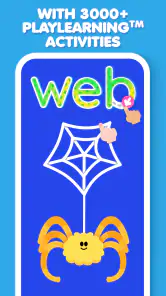
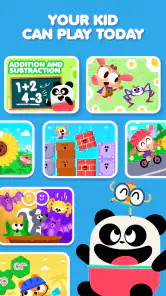
Hey there, fellow parents and guardians! If you’re on the hunt for an app that combines learning with fun for your kiddos, let me introduce you to Lingokids - Play and Learn. This app has been a lifesaver in turning screen time into productive learning sessions. Let's dive into what makes this app a must-have for your little ones.
A routine that keeps learning manageable
I’d treat Lingokids as a short, shared activity rather than handing over a phone and expecting it to teach on autopilot. A practical routine is to let your child choose an activity, stay nearby while they try it, then ask them to explain or repeat one thing they noticed. That small conversation helps connect a colorful game or song to something beyond the screen.
For example, during a busy morning, I’d use one activity while getting ready, then ask about a word or idea from it at breakfast. The point is not to turn every session into a lesson; it’s to make the app a starting point for curiosity. This works especially well for young children who respond to songs, stories, and playful repetition, and less well for a child who wants a clearly sequenced course with formal instruction.
Making the daily session work for your household
The most useful way I’ve found to fit Lingokids into family life is to give it a predictable place in the day without making it a reward that has to be earned. A short turn while a parent is preparing breakfast, waiting for an appointment, or winding down after an outing can work better than an open-ended session. The adult can set a simple boundary in advance—one activity, or a little time together—and then help the child move on to something away from the screen.
That boundary matters because a child who enjoys the app may keep asking for “one more” activity. I’d give a calm warning before stopping and let the child finish the current piece when practical, rather than ending abruptly in the middle of a song or task. This is not a special app feature; it’s a household habit that makes any child-focused screen activity easier to manage. If transitions are already difficult, a book or a hands-on game may be the smoother choice.
What is Lingokids?
Lingokids - Play and Learn is an educational app that offers a plethora of engaging activities designed to make learning an adventure for children. With a focus on foundational skills such as math, language, and science, the app aims to nurture your child's curiosity and cognitive abilities.
Interactive Learning Experience
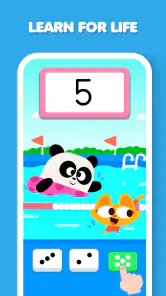
What sets Lingokids apart is its interactive approach. The app is packed with games, songs, and stories that are not just educational but also incredibly fun. My kids are always eager to jump into a new activity, and it’s amazing to see them learning while having a blast. The colorful and intuitive interface definitely keeps them engaged.
More From Our News Desk

Weather by Xiaomi Review: Clear at a Glance, Less Clear Up Close

X Under Pressure: Can It Recover When Posting Goes Wrong?

Clash of Clans Is Won Between the Battles

Android Auto Makes the Case for Quieter Car Software

MobiOffice: Transforming Mobile Productivity with Seamless Integration

EA SPORTS FC™ Mobile Soccer: Redefining Mobile Sports Gaming
Choosing activities and building a habit
With so many options, a little parent guidance can make the experience feel less like browsing and more like a routine. I’d choose a simple theme for the day—such as a few minutes of language practice or a story—rather than letting a child bounce between activities indefinitely. Repeating a favorite can be useful too: familiarity gives a young learner a chance to participate more confidently instead of always facing something new.
That approach is also a helpful way to judge whether the app suits your family. Lingokids is free to download, is rated for Everyone, and comes from Lingokids - English Learning For Kids. It has a 4.3 average from around 201,000 ratings and over 50 million installs, which suggests many families have tried it, but popularity alone does not tell me whether its style fits a particular child. I’d pay attention to whether my child stays interested and can talk about what they did afterward.
Settings worth checking before independent use
When I set up an educational app for a child, I don’t assume that an appealing screen automatically makes unsupervised use simple. I’d first open it myself, see what choices appear at the child’s level, and check where adult-facing options are located. That quick preview helps me decide whether my child can navigate without repeatedly needing help, and whether I want the device handed over at all in a particular situation.
I’d also make the purchase boundary explicit before the first session. Lingokids is free to download, while optional in-app purchases range from $0.99 to $139.99 per item. On a shared device, I’d review the device’s purchase controls and avoid leaving a child to make decisions in a payment flow. This is a practical check, not a criticism of the learning activities: the wide range means families should understand the choices before deciding whether the free experience meets their needs.
Content Variety
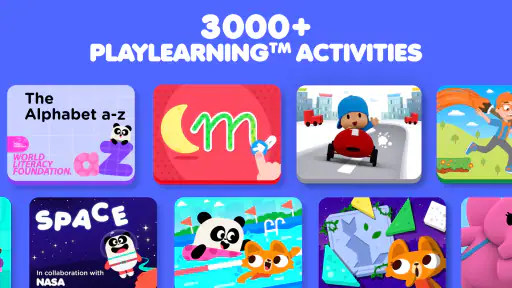
Lingokids offers a wide range of content tailored to different learning stages. From alphabet basics to more complex concepts like problem-solving and critical thinking, there’s something for every child. The app also updates its content regularly, which keeps things fresh and exciting for the kids.
What to check before handing over the device
I would look through the available settings with my child’s age and independence in mind, and make sure I understand how adult controls and progress information work before relying on them. Progress details are most useful when they lead to a small next step—perhaps revisiting a skill together—not when they become a scorecard. Children learn at different paces, so I’d use those signals as prompts for conversation rather than proof that a child has mastered or failed a subject.
Another practical point is cost. The app is free, but it offers in-app purchases ranging from $0.99 to $139.99 per item, so I’d review purchase options and device controls before a child uses it independently. The current version is 25.48.1, and it supports devices running OS 7.0 or later. Those details matter if you’re setting it up on an older device or deciding whether to keep it available on a shared tablet.
Parental Controls and Progress Tracking
As a parent, I appreciate the app’s parental controls, which allow me to monitor my child’s progress and customize their learning path. The progress tracking feature provides insights into what areas my child excels in and where they might need a little extra help. This makes it easier to support their learning journey.
Using progress as a prompt, not a verdict
Progress information is easiest to use when I compare it with what I see away from the screen. If a child can repeat a word in the app but doesn’t recognize it in a story or everyday conversation, that can be a reason to revisit it together, not a reason to drill until they get it “right.” Likewise, a child may understand an idea but lose interest in the activity itself. I’d treat the app’s signals as one small part of a broader picture of learning.
It can help to keep the adult’s role modest and specific. Instead of asking a broad question like “What did you learn?”, I might ask the child to show me one thing they liked, name a word they remember, or explain why they chose a particular activity. Those questions are easier for young children to answer and give me a better sense of whether the session was engaging or confusing. If the child can’t explain much, I wouldn’t assume the session was wasted; the activity may simply have been enjoyable practice.
How it compares with other ways to learn
Compared with a basic alphabet game or a single-purpose flashcard app, Lingokids brings different types of activities together, which can make it easier to hold a child’s attention when they are ready to switch between listening, watching, and tapping. That breadth is also a trade-off: a parent seeking a tightly structured lesson plan or a quiet, print-based activity may prefer a workbook, a tutor, or a more focused learning tool. I wouldn’t expect any app to replace conversation, play, or adult support.
It is best suited to families who want playful early learning and are willing to take an active role in choosing activities and setting reasonable screen-time boundaries. If a child becomes frustrated by a screen, needs one-on-one teaching, or is already happy with a simple offline routine, there is no need to force a change. The useful question is whether this format encourages your child to practice and talk, not whether it keeps them occupied for the longest possible time.
Who is likely to enjoy it—and who may not
I’d consider Lingokids for a young learner who likes music, colorful activities, and switching among different kinds of play. Its broad mix can suit a child who is curious but not yet ready to sit through a formal lesson. It may also help a parent who wants a ready-made activity to share, especially when the alternative is handing over a device with no clear purpose.
I’d be more cautious if a child is easily overstimulated by bright, busy screens, or if the family is looking specifically for a step-by-step course with a defined sequence and a strong emphasis on one subject. A focused phonics resource, a teacher-led class, or a picture book with an adult may be a better match in those cases. Lingokids is not automatically the right choice just because it is educational; the child’s temperament and the parent’s goal matter more than the breadth of its activities.
A repeatable pattern for busy moments
One routine I’d use on a hectic day is to choose the activity before giving the device to the child. I’d sit together for the first moments, let the child take the lead, and keep one follow-up question ready for afterward. That avoids spending the whole available window browsing and gives the activity a natural finish. On another day, I might invite the child to choose from a small set of options rather than opening the full range and asking them to decide from everything available.
This small adjustment is useful because choice can be motivating, but too much choice can turn learning time into aimless tapping. A familiar activity is not necessarily a waste of time either: repeating it lets a child anticipate a song or respond with more confidence. I’d alternate a known favorite with an occasional new activity, then watch how the child reacts. If novelty leads to frustration, I’d return to the familiar option; if repetition has become dull, a change may help.
Offline Mode
One of the coolest features of Lingokids is its offline mode. Whether you’re on a road trip or in a place with spotty internet, your kids can continue their learning without any interruptions. Just download the activities beforehand, and you’re good to go.
Planning around connectivity and device limits
Before a long wait or journey, I’d check that any activities I plan to use are ready while the device has a connection, then test the setup before leaving. That avoids discovering at the last minute that a chosen activity is unavailable offline. I’d also keep a non-screen option handy, because a child may tire of tapping or want a change of pace even when the app is working as expected.
The app’s version is 25.48.1, and the minimum operating system is 7.0. Those requirements are worth checking if you’re considering an older spare phone or tablet; a device that cannot run the app may make it a poor fit for that particular setup. I’d also test the screen size and sound at home, since a child who needs close help may find a small phone less comfortable than a larger shared device.
When another format is the better tool
For a child who needs movement, tactile materials, or direct feedback from an adult, I’d choose an activity away from the screen first. Sorting objects, drawing a letter, acting out a story, or talking through a real-life question can provide the kind of interaction an app cannot. Lingokids can complement those moments, but it shouldn’t be asked to solve every learning need or fill every quiet stretch of the day.
It also may not be ideal for a caregiver who wants to set an app running and leave the child with it for a long period. The most valuable use, in my view, comes when an adult helps select a suitable activity, pays attention to the child’s response, and closes the loop with a quick conversation. If that level of involvement is not realistic on a particular day, an audiobook, a toy, or a simple independent activity may be a more suitable choice.
A sensible way to decide
Before a trip, I’d check that any activities I plan to use are ready while the device has a connection, then test the setup before leaving. That avoids discovering at the last minute that a chosen activity is unavailable offline. I’d also keep a non-screen option handy, because a child may tire of tapping or want a change of pace even when the app is working as expected.
Overall, I see the strongest case for Lingokids when a parent wants an approachable way to mix play with early learning, can guide a child toward suitable activities, and is comfortable checking the purchase settings. Its variety can be a real advantage for children who enjoy interactive content, while families looking for a formal curriculum, minimal screen use, or a single narrowly defined skill may be better served elsewhere.
In conclusion, Lingokids is more than just an educational app; it’s a gateway to a world of knowledge and fun for children. Its engaging content, parental features, and offline capabilities make it a standout choice for educational apps. So, if you’re looking to turn your child’s screen time into a productive and enjoyable experience, give Lingokids a try. You won’t regret it!
Lingokids - Play and Learn Frequently Asked Questions
Does Lingokids need an internet connection to work?
Whether an internet connection is needed can matter when choosing an app for a child, especially if they may use it away from home. Lingokids is an educational app built around games and other interactive learning activities. Before relying on it during travel or in places with limited connectivity, check how the app behaves on your device and plan for access accordingly.
Is Lingokids appropriate for children who are just beginning to learn English?
Lingokids focuses on language learning and is designed for young children, so it can be a welcoming way to encounter English through playful activities. Its lessons and games are intended to make learning feel engaging rather than like formal study. A child’s experience will depend on their age, interests, and familiarity with English, so parents can explore the app together and see what holds their attention.
Can children use Lingokids independently, or will they need help from an adult?
Children may be able to explore some of Lingokids’ games and activities on their own, but younger learners often benefit from an adult nearby. A parent can help a child choose an activity, explain unfamiliar instructions, and turn a game into a chance to talk about what they are learning. The app can support learning at home, while adult involvement helps make the experience suit the child.
Does Lingokids require a subscription, or can families use it for free?
Families can download Lingokids for free and start with limited access to content. The app also offers in-app purchases, and a premium subscription unlocks additional activities and features. That means parents can try the free experience first and decide whether the available content suits their child before considering a purchase. Review the purchase options in the app before proceeding, especially if a child will use the device.
Can Lingokids be used as a replacement for school or a teacher?
Lingokids is an educational app that offers playful activities for children, including games, songs, and interactive lessons. It can be one way to support learning at home, but families should consider it a complement to a child’s broader education rather than a substitute for school or a teacher. Children benefit from a mix of learning experiences, including conversation, play, and guidance from parents and educators.
Pros
- Engaging and interactive content for kids
- Offers a variety of educational games
- User-friendly interface for children
- Supports multiple languages
- Regular updates with new content
Cons
- Requires subscription for full access
- Limited offline functionality
- Some games may be too simplistic
- Occasional in-app purchases
- Requires internet for updates
- Category
- Education
- Version
- 25.48.1