LibriVox Audio Books
- 6.82K
- 4.6
- Installs
- 5.00M
- Price
- Free

Screenshots





Analysis by Reviewed
I usually turn to audiobooks when my hands are busy but my mind still has room for a story: on a walk, while folding laundry, or during a familiar commute. LibriVox Audio Books suits that kind of listening particularly well if you’re curious about older literature and want to try it without paying for each title. I’d think of it less as a polished commercial audiobook shop and more as a practical way to explore volunteer-read classics.
Starting with the right kind of book
The app is a free Books & Reference app from BookDesign, and its current version is 10.20.1. The collection is described as having over 45,000 audiobooks, so there’s plenty to browse, but a large catalogue can make choosing feel like its own task. I’d start with a familiar author, title, or genre rather than scrolling at random. That gives you a better chance of finding a book that fits the mood and time you have.
One useful habit is to sample a narrator’s style before settling into a long work. Volunteer recordings vary in pace, accent, and sound quality, so a voice that works for a short story may not be the one I want for several hours. If the reading doesn’t suit you, I’d switch early rather than assume every title will sound the same. That small check can spare you the frustration of abandoning a book after you’ve already invested time in it.
Building a listening routine that survives interruptions
My realistic use case is a walk where mobile reception may come and go. I’d find a title while connected, download it for offline listening, and start playback before leaving. That is more reliable than counting on a stream throughout the route. For chores, I’d choose a book with a clear chapter structure when possible: it’s easier to pause when the doorbell rings and resume later without losing the thread.
Playback speed is another practical adjustment, not just a way to rush through a book. I’d slow a narrator down if the diction feels difficult to follow, or raise the pace slightly if the delivery is deliberate and I already know the story. The best setting depends on the recording, so I wouldn’t use one speed for every title. Offline downloads also shift the work to the start of a listening session: remember to prepare the book before you leave, especially if you expect to be without a connection.
Discovering the World of Audiobooks
LibriVox Audio Books is your gateway to a treasure trove of literary classics and hidden gems. Imagine having access to over 24,000 audiobooks, and the best part? They're all free! Yes, you heard me right. This app offers a vast collection of public domain books narrated by volunteers from all over the globe. From timeless classics like "Pride and Prejudice" to philosophical works like "Meditations" by Marcus Aurelius, there's something for everyone.
Finding your way through the catalogue
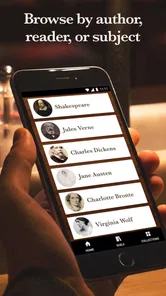
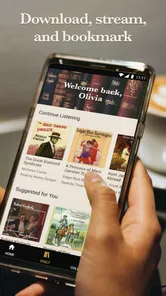
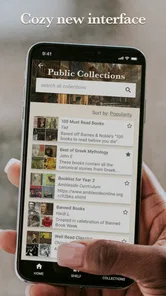
I have to say, navigating through this app is as smooth as butter. The design is straightforward, which makes finding your next listen a breeze. You can search by author, title, or even by genre. Once you find a book you’re interested in, just tap to start listening. It’s that simple! Plus, the app allows you to download books for offline listening, so you can enjoy your audiobooks even without an internet connection.
More From Our News Desk

Weather by Xiaomi Review: Clear at a Glance, Less Clear Up Close

X Under Pressure: Can It Recover When Posting Goes Wrong?

Clash of Clans Is Won Between the Battles

Android Auto Makes the Case for Quieter Car Software

MobiOffice: Transforming Mobile Productivity with Seamless Integration

EA SPORTS FC™ Mobile Soccer: Redefining Mobile Sports Gaming
What the narration sounds like in practice
The listening experience on LibriVox Audio Books is quite pleasant. The app streams audio seamlessly and offers adjustable playback speeds, which is perfect if you want to speed through a book or savor every word. The narrators are volunteers, so you get a mix of different accents and styles, which can be quite charming. However, I did notice some variations in audio quality and narration skill, but hey, that's part of the charm of a volunteer-driven platform, right?
Who will enjoy this collection, and who may not
The strongest fit is someone who wants public-domain classics, enjoys discovering unfamiliar narrators, and is happy to trade studio consistency for a free way into the text. It can also work for students revisiting older works or readers who want to compare interpretations of a book they already know. The app is rated Teen, has a 4.6 average from around 67,000 ratings, and has been installed over 5 million times, which suggests it has found a substantial audience without making it the right choice for every listener.
If you mainly want recent releases, celebrity narration, or the same controlled production style across every title, a paid audiobook service is likely a better match. LibriVox’s public-domain focus is a real boundary, not a flaw to work around: contemporary bestsellers generally aren’t what I’d open it for. And because recordings depend on individual volunteers, I’d expect unevenness rather than treating a less polished chapter as an app malfunction.
Moving from browsing to listening elsewhere
Compared with buying one audiobook at a time, this app makes experimentation easier: I can try a classic I might never purchase and move on if the narration or writing doesn’t click. Compared with a subscription catalogue, it is more appealing for free access to older works, but less suitable if my priority is new commercial releases and uniformly produced audio. In everyday use, the key handoff is from browsing to preparation: choose the title, download it if you’ll be offline, then let playback fit around the task rather than expecting every session to be uninterrupted.
For a long book, I’d make a small listening routine: note the title and chapter before pausing, and give a new narrator a short trial before downloading a large amount of audio. Those are simple ways to reduce two common annoyances—forgetting where I stopped and discovering too late that a voice doesn’t work for me. The app has in-app purchases ranging from $0.99 to $4.99 per item, though its core appeal is free listening; I’d check what an optional purchase covers before deciding whether it adds value to my particular use.
When another listening option makes more sense
The main decision is whether I want a story that is easy to sample or a production I can rely on for a consistent, carefully directed performance. For a classic I’m curious about, LibriVox is a sensible first stop: I can test a narrator and the text without committing to a purchase. If I’m following a new release, need a specific modern title, or want a familiar professional voice, I’d look to a commercial audiobook service instead. Those alternatives solve a different problem, and their cost or catalogue structure may be worthwhile when the exact book matters more than free discovery.
There’s also a useful distinction between listening for atmosphere and listening for exact wording. A volunteer’s individual pace can make a familiar novel feel fresh, but a recording with less even diction may be tiring if I’m trying to take notes or follow a complicated argument. For study, I’d keep the text nearby where possible and treat the audio as a companion rather than assume every recording will work equally well as a substitute for reading. For a relaxed walk, by contrast, an expressive or unexpected delivery can be part of the pleasure.
Making the handoff from one session to the next
A practical way to avoid losing momentum is to end a session at a natural chapter break when I can. If the day interrupts me mid-section, I’d make a quick note of the chapter or passage before switching to another task; that matters more with a long novel than with a short story. I’d also make the download decision based on the next few days, not just the next hour: preparing a title before a commute or trip reduces dependence on a connection, while downloading indiscriminately can make the library harder to manage.
For a household routine, I might pick a light story for cooking and reserve a more demanding book for a walk without other distractions. That is not a special feature; it is a way to match the catalogue’s varied voices and older writing to the attention I actually have. If I’m tired, a slow reading can feel soothing. If I’m trying to catch a plot detail, I’ll choose a quieter moment or adjust the speed instead of forcing the book into a noisy task.
Why choose this kind of audiobook library?
If you’re a book lover, this app is a no-brainer. It's an excellent way to discover classic literature and delve into works you might not have picked up otherwise. The community-driven aspect of LibriVox is also heartwarming; knowing that people are sharing their love for literature by volunteering their voices adds a personal touch to your listening experience.
It’s also useful when you want listening to accompany a repeatable task rather than demand your full attention. I’d choose a familiar story for a busy kitchen session and save a denser philosophical work for a walk where I can concentrate. If you’re listening to learn or follow intricate arguments, don’t be shy about slowing playback or replaying a passage; speed is only helpful when comprehension keeps up. That flexibility makes the collection easier to approach, even though it cannot make every recording equally clear.
Where the experience can fall short
The trade-off I’d keep in mind is that a large choice of books does not mean every title will be an easy listen. The voice may not suit you, a recording may sound less polished than a commercial production, or the language itself may feel dated. I would not judge the whole app by one chapter, but I also wouldn’t force myself through a recording that makes a book harder to follow. Trying a different narrator or choosing a shorter work is often a better use of time.
It is also not the best fit for someone who wants a ready-made queue of current releases or a single, uniform listening style. The public-domain emphasis makes exploration the strength, while limiting the kinds of books I’d expect to find. The Teen content rating is worth bearing in mind when choosing what to play around younger listeners, and I’d preview a title rather than assume every classic is suitable for every household.
A sensible way to decide
For a first try, I’d search for a book I already know, listen to enough of the narration to judge its pace and clarity, and then download it if I’m likely to be away from reliable reception. That simple test answers the questions I’d care about most: whether the catalogue has something I want, whether I like the particular reader, and whether the offline handoff fits my routine. If those pieces work, the app can turn idle time into a low-pressure way to revisit literature.
The free approach is central, but the app also offers in-app purchases from $0.99 to $4.99 per item. I’d check the details of any optional purchase before tapping, especially if I’m installing it mainly for no-cost listening. That keeps expectations clear: I’m choosing it for its accessible selection of volunteer-read classics, not because every possible extra must be essential to enjoying the books.
In conclusion, LibriVox Audio Books is a fantastic app for anyone who loves literature and wants a convenient way to enjoy it. Whether you're a die-hard classic literature fan or just looking for something new to try, this app is worth a download. Just pop in your earbuds, hit play, and let the words transport you to another world.
LibriVox Audio Books Frequently Asked Questions
Does LibriVox Audio Books offer books in different languages?
A broad audiobook collection can appeal to listeners with different tastes, but the selection depends on what is available in the app. Before downloading a particular title, check its details and listen to a sample or preview if one is offered. That can help you confirm that the book and reading style suit what you are looking for.
Can I choose a specific narrator or listen to a preview before starting a book?
Narration on LibriVox Audio Books is provided by volunteers, and each reader has their own style. If a title offers a sample or preview, listening first is a useful way to decide whether the voice and pace work for you. This is especially helpful when you are choosing a long audiobook, since the listening experience can vary from one volunteer recording to another.
Will LibriVox Audio Books take up space on my device?
As with other audio apps, downloading audiobooks for offline listening uses storage on your device. The amount depends on the audio you choose, so it is sensible to check available space before saving books for a trip or other time without a reliable connection. You can use the app’s download option when you want a title stored locally for later listening.
Can I listen to LibriVox Audio Books on my phone or tablet?
LibriVox Audio Books is a mobile app in the Books & Reference category, so it is intended for listening on a mobile device. It is available for Android devices running version 7.0 or later. If you are choosing whether to install it, check that your device meets this requirement; the app is free to download, with optional in-app purchases.
What is LibriVox Audio Books?
LibriVox Audio Books is a free mobile application that offers access to thousands of audiobooks. These audiobooks are read by volunteers from around the world. The app features a vast collection of public domain works, providing users with an opportunity to listen to classic literature across numerous genres, all at no cost. Its store summary describes access to over 45,000 audio books, making it a broad resource for listeners interested in classic titles.
Pros
- Vast library of free audiobooks.
- User-friendly interface.
- Regularly updated content.
- Offline listening feature.
- Supports multiple languages.
Cons
- Limited advanced search options.
- Occasional audio quality issues.
- Some books lack narration variety.
- Ads can be intrusive at times.
- Requires internet for initial download.











