Liberty Mutual Mobile
- 13.94K
- 4.6
- Installs
- 1.00M
- Price
- Free

Screenshots

Analysis by Reviewed
I find Liberty Mutual Mobile most useful when I treat it as a practical companion to my insurance policy, not a replacement for every conversation with an insurer. It is a free finance app from Liberty Mutual Insurance Company, and its purpose is straightforward: make routine policy and claims tasks easier to handle from a phone. The app has a 4.6 average from around 175,000 ratings, and more than a million installs, which suggests it has found a broad audience among Liberty Mutual customers.
That narrow focus is also the first thing I would weigh before downloading it. This is not a general money-management app: it is most relevant if you already have a Liberty Mutual policy and want a mobile route to everyday insurance administration. If you are still comparing insurers, the app itself is not a reason to choose a policy; I would compare coverage and terms first, then consider whether mobile self-service suits the way I prefer to manage it.
Start with the task you need to finish
For a normal visit, I would begin with one clear goal: check policy details, pay a bill, or deal with a claim. Those are the kinds of tasks the app is built around, and keeping the visit focused makes insurance administration feel less like a paperwork project. Before making a change, I’d review the relevant policy information carefully; a convenient screen does not remove the need to understand what a coverage choice means.
A useful habit is to open the app before you actually need it in a stressful moment. Find the policy information you would want to have on hand and get familiar with the claims flow while things are calm. If there is an accident later, you will have a better sense of where to start instead of trying to learn the interface under pressure. That small bit of preparation is more valuable than simply installing the app and forgetting it.
For a realistic example, imagine I notice a bill while waiting for a ride home. I can make that the only task for the visit: sign in, check that I am looking at the right account information, handle the payment, and then leave the app. I would avoid using a rushed moment to make a coverage decision as well. Separating a simple transaction from a decision with longer-term consequences keeps the convenience useful without encouraging careless taps.
Seamless Navigation and User-Friendly Design
First things first, when you open the Liberty Mutual Mobile app, you're greeted with a clean and intuitive interface. It's like walking into a well-organized room; everything is exactly where you expect it to be. The developers have done a fantastic job ensuring that the app is not only functional but also enjoyable to use.
The navigation is a breeze, with all the main features accessible right from the home screen. Whether you're filing a claim, paying your bill, or just looking up your policy details, it's all just a tap away. And let's be honest, no one wants to spend ages trying to find their way around an app, especially when dealing with insurance matters.
More From Our News Desk

 Bolt: Request a Ride
Bolt and the Shift from One-Tap Rides to More Legible Trips
Bolt shows how ride-hailing is shifting from a one-tap taxi request toward a more legible, choice-driven trip, while leaving the hardest questions of price and reliability unresolved.

 Farm Land - Farming life game
Farm Land Review: A Small Island Farm with a Satisfying Loop
A bright, breezy island farm turns a few quick chores into a satisfying cycle of planting, harvesting, expanding, and deciding what to build next.

 Android Auto
’s Community Takes Shape in the Passenger Seat
Its most valuable network is not a public feed but a shared set of routes, voice habits, app integrations, and advice that make driving less isolating—and sometimes more complicated.

 My Talking Angela
 Makes the Virtual Pet Feel Personal
A polished pet-raising game built on small rituals, playful customization, and a character who gives everyday screen time a surprisingly personal rhythm.

 Google Translate
 Review: A Pocket Tool for the Small Frictions of Travel
From menus and signs to quick conversations, Google Translate earns its place by cutting the little delays that make unfamiliar language feel like a barrier.

 Shazam: Find Music & Concerts
Shazam’s Best Trick Is Turning a Song Into a Night Out
A few seconds of recognition can settle an argument, rescue a half-remembered chorus, and point toward a live show. Shazam’s real trick is what happens after the match.
Latest News



Features That Make Life Simpler
Now, let's talk features. One of the standout elements of this app is the ability to manage your policy right from your phone. Gone are the days of calling customer service for every little thing. With just a few taps, you can view your coverage, make changes, and even add a new driver. It's basically like having your insurance agent right in your pocket!
Another nifty feature is the claims submission process. The app guides you through every step, allowing you to upload photos, add accident details, and track the progress of your claim. This level of detail and ease is something that truly sets the app apart from the rest. Plus, who doesn't love saving time?
Make routine tasks easier to repeat
For a household managing more than one driver, adding a driver through the app can be a useful starting point, but I would still check the resulting policy details rather than assuming every change is complete the moment I submit it. The practical advantage is having a place to begin and review the request; the trade-off is that insurance changes deserve a careful read, not a quick tap-through.
For example, if a bill is due while I’m away from home, I can use the phone to handle the payment instead of waiting until I’m back at a desk. If a minor collision happens, I can gather the details and photos while they are fresh, then use the guided claim process to submit them. I’d still keep my own notes about what happened and when, so I have a clear record to refer to if I need to discuss the claim later.
A repeatable claim-preparation routine is more useful than trying to remember everything at once. I would first note the basic sequence of events in my own words, then check that the photos I plan to submit actually show the damage and relevant context, and finally review the details entered in the app before sending them. That does not replace the insurer’s process; it simply reduces the chance that I overlook an important observation while focused on completing the form.
Settings and habits worth checking
I’d make sure the app is updated and that I can sign in before relying on it for an urgent task. Its current version is 8.36.0, and it requires Android 10 or later; the app is also rated for Everyone. If you share responsibility for a policy, agree on who will check changes and claim updates so that two people do not assume the other has handled something.
One helpful routine is to review the coverage details after a meaningful life change, then use the app to find the relevant policy information or begin an adjustment. The app can make access convenient, but it cannot decide whether a coverage choice suits your circumstances. I would use it to organize the task and confirm what is shown, then contact the insurer if the implications are unclear.
I would also build a small sign-in check into the routine: make sure I can access the account while I have time to resolve an ordinary login snag, rather than discovering one when I am trying to report an incident. I would not assume that a phone app is a substitute for keeping essential policy information somewhere I can reach it if my phone is unavailable. The app is a convenient channel, not the only sensible place to keep track of an important insurance relationship.
Faster patterns without rushing decisions
The time-saving approach I prefer is to group low-stakes tasks and keep high-stakes ones deliberate. If I am checking a bill and a policy detail in the same sitting, I can finish the payment first, then look at the policy separately and pause before submitting a change. That sequence reduces the temptation to treat every screen as a quick transaction simply because the interface is on a phone.
For a shared household, a simple division of responsibility can prevent duplicate work: one person can be the usual point of contact for routine policy checks, while both drivers agree to share relevant claim information promptly. The app can make it easier to review and submit details, but it cannot resolve confusion between household members about who has already acted. A short conversation after a change or claim is a practical companion to the app, not needless extra administration.
There is also a useful distinction between looking something up and changing it. I am comfortable using the app for a quick reference check when I already know what I need to find. If the screen prompts me to alter coverage, add a driver, or take another consequential step, I slow down and reread what is being changed. This is a small workflow choice, but it helps preserve the speed of mobile access without turning insurance decisions into accidental one-tap chores.
Where it fits among insurance options
Compared with handling everything through phone calls or paper documents, the app offers a quicker route for common self-service tasks and a more immediate way to submit claim information. Compared with a general finance app, it is much narrower: its value is tied to managing Liberty Mutual insurance, not budgeting or viewing accounts across different providers. If you insure elsewhere, or want one dashboard for several companies, your insurer’s own app or a broader financial tool may fit better.
The app is best for Liberty Mutual customers who want mobile access to policy details, billing, and claims steps. It is less compelling if you rarely use a smartphone for account tasks, prefer speaking with a person for every change, or need a single place to manage policies from multiple insurers. It does not make the decisions behind insurance simpler, but it can make the administrative parts easier to reach.
That comparison matters most for people who already use several financial apps. A bank app may be the natural place to review spending and account balances, but it is not the same as an insurer’s policy and claim channel. Conversely, an insurer-specific app is not a replacement for a household budget tool or a cross-company account overview. I would use each for the job it handles best rather than expecting one app to organize every part of my finances.
If I were choosing between the app and a phone call, I would use the app when I know the task is routine and the information is clear, such as checking a policy detail or starting a claim submission. I would prefer direct assistance when I need an explanation of how a coverage choice affects my particular situation. The useful question is not whether mobile access is always better, but whether this task is simple enough to handle confidently without a conversation.
Limits to keep in mind
The app’s convenience depends on a few practical conditions: you need a Liberty Mutual policy, a compatible Android device, and a willingness to use a phone for insurance tasks. The Android minimum is version 10, so someone with an older device may need another route. People who share a policy should also decide how they will coordinate account actions rather than assuming the app itself will manage household communication.
Mobile claim submission is helpful, but I would not mistake uploading photos and details for resolving every question about what happens next. A claim can involve circumstances that need clarification, and a guided digital process does not make those circumstances disappear. I find the app most valuable as a way to start and follow routine administration, with a person-to-person conversation still available when a situation is complicated or I am unsure what a particular status means.
Similarly, being able to view or change policy information should not be confused with receiving personalized advice. I would read the details on screen and ask the insurer when an answer depends on my needs, household, or interpretation of coverage. That is not a failure of the app; it is a sensible boundary for any self-service insurance tool. A fast interface is most helpful when it makes the next step clearer, not when it encourages me to guess.
Security and Reliability
When it comes to dealing with sensitive information like insurance, security is paramount. Thankfully, Liberty Mutual Mobile takes this very seriously. The app employs top-notch security measures to ensure your data is safe and sound. From encrypted transactions to secure login options, you can rest easy knowing that your personal information is well protected.
Moreover, the app is incredibly reliable. During my time using it, I haven't experienced any crashes or glitches, which is a huge plus. After all, there's nothing more frustrating than an app that fails when you need it the most.
Because this is an account-based tool, I would use the same basic care I use with other sensitive financial services: keep access to my device private, sign out or secure the device if someone else may use it, and avoid handling a policy change while distracted. Those habits do not make the app more complicated; they make it less likely that a convenient session turns into an avoidable privacy or accuracy problem.
Who will get the most from it
I would recommend it most to a Liberty Mutual customer who wants to check policy information, handle a bill, or begin a claim without making every routine task a phone call. It also makes sense for someone who prefers to keep insurance administration in one dedicated place, even if they use separate apps for banking and budgeting. The 4.6 average and roughly 13,000 written reviews give prospective users a useful sense of how broadly people have responded, though individual experiences can still differ.
I would skip it if I were looking for one app to manage policies from multiple insurers, if I strongly prefer in-person or phone support for even simple account tasks, or if I do not have a compatible Android device. It may also be a poor fit for someone who wants an app to tell them which coverage to choose; the tool can make policy information easier to reach, but that judgment still belongs to the customer and, when needed, a conversation with the insurer.
Liberty Mutual Mobile has been available since April 26, 2011, and its continued role is clear: it puts everyday insurance actions within reach when you want to handle them yourself. I would keep it installed if I were a Liberty Mutual customer, learn where the key policy and claim screens are, and use it for routine tasks while taking extra care with coverage decisions. It is free, but its usefulness depends on having a Liberty Mutual policy and being comfortable managing some of that relationship on a phone. For that audience, it is a practical tool rather than a reason to switch how you think about insurance.
Liberty Mutual Mobile Frequently Asked Questions
What should I know about Liberty Mutual Mobile before installing it?
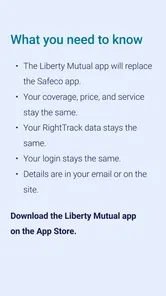
Liberty Mutual Mobile is a finance app from Liberty Mutual Insurance Company, intended to bring insurance-related account tasks to a mobile device. Its store summary invites Android users to download the next generation of the app. If you are considering it, first check that you use Liberty Mutual and that your phone meets the operating-system requirement; the app is free to download.
What devices and operating systems can run Liberty Mutual Mobile?
Liberty Mutual Mobile is a finance app from Liberty Mutual Insurance Company, and its current version is 8.36.0. Before downloading, check that your device runs Android 10 or later, as the app requires that minimum operating system. The app is free and is intended for an Everyone audience, making it a practical option for customers who want to handle insurance tasks from a compatible phone.
Is Liberty Mutual Mobile free to download, and who is it for?
The app is free to download and is designed for people who want to manage Liberty Mutual insurance matters on a mobile device. It falls into the finance category and is rated Everyone, so its content is suitable for a general audience. The app is developed by Liberty Mutual Insurance Company; having it installed can make common policy and account tasks easier to reach while away from a computer.
What features does the Liberty Mutual Mobile app offer to policyholders?
The Liberty Mutual Mobile app provides a comprehensive suite of features for policyholders. Users can easily access their insurance documents, pay bills, and manage their policies directly from the app. Additionally, the app offers features like instant claims filing, the ability to view and download ID cards, and even a tool to estimate auto insurance rates. These functionalities make managing insurance needs more convenient and user-friendly.
How can I file a claim using the Liberty Mutual Mobile app?
Filing a claim through the Liberty Mutual Mobile app is a straightforward process. Users can initiate a claim by selecting the 'File a Claim' option on the app's homepage. The app guides users through each step, allowing them to upload photos, provide accident details, and track the claim's progress in real-time. This seamless process helps ensure a quick and efficient claims experience.
Pros
- User-friendly interface for easy navigation.
- Quick access to insurance ID cards.
- Efficient claims processing feature.
- Customizable policy management.,24/7 customer support availability.
Cons
- Limited features without internet connection.
- Occasional app crashes reported.
- Login issues for some users.
- Limited payment options available.
- No dark mode for night use.